We don't just develop apps; we engineer experiences, innovate
solutions, and redefine possibilities. With a legacy of over a
decade, our commitment to excellence, cutting-edge technologies,
and a talented team of professionals is what sets us apart.
All the Twitter fans experienced a mysterious X this weekend. The bird has officially fled, leaving nothing but an X behind. Wondering what X is? X is the new Twitter logo that has taken the world by storm. Given Elon Musk’s takeover of Twitter, this change was somewhat anticipated as many events unfolded.
Last week, X, formerly a social media company, replaced its old bluebird app icon with a new black and white X logo. The twitter new logo was initially launched on the desktop version, and a sign featuring the company’s new name was recently spotted at its San Francisco headquarters.
Elon Musk, who acquired the platform for $44 billion in 2020, announced the changes earlier this month. He mentioned that the Twitter brand and its bird-related features would soon be phased out.
Why has Twitter changed to X?
Earlier this month, Musk announced that the social media platform previously known as Twitter has undergone a rebranding and is now called X. X CEO Linda Yaccarino has stated that the app will transform the “global town square” by creating a global marketplace for ideas, goods, services, and opportunities.
The app will center on audio, video, messaging, and payments/banking and will be powered by AI. This will enable unlimited interactivity and connect us all in ways we are only beginning to imagine. It is worth noting that Musk has used the letter “x” in his company branding before.
His rocket manufacturer, SpaceX, uses the letter in its logo. Recently, Musk launched xAI, which is a startup focused on artificial intelligence. Finally, it is interesting that Musk’s son with singer Grimes is also nicknamed X.
What is the new logo for Twitter?
The popular social media platform previously called Twitter has gone through a rebranding and will now be known as X. This update has already been applied to the desktop version, where the recognizable blue and white bird logo has been swapped for a grayscale letter X.
Has the Twitter logo been changed?
Twitter, now known as X, has retired its well-known blue and white bird logo. The mobile app icon has been replaced with an “X,” marking a significant part of the site’s rebranding efforts previously announced by owner Elon Musk. This change occurred late on Friday night.
X Twitter logo
Elon Musk recently changed the New Twitter logo, replacing the little blue bird with an X logo. However, he then changed it again by replacing it with a slightly thicker line logo. Musk disliked the thicker lines and announced he would revert the logo to its original version. He also mentioned that the logo will continue to evolve. The updated logo briefly appeared on Twitter’s homepage, and Musk changed his profile picture to match. However, neither logo has been seen on Twitter’s mobile app.
Recently, the New Twitter logo underwent a minor change that made it more similar to the design shared on Twitter by Sawyer Merritt. Merritt’s design was used by Elon Musk, who announced on Sunday that he would rebrand Twitter as “X” and asked for logo submissions. Musk chose Merritt’s design and pinned his tweet containing a video of the new logo. The initial version of the logo appears to be similar to Monotype’s Special Alphabets 4 font as well as a Unicode character. Musk called it an “interim” design, but it remains unclear when or if a final design will be chosen.
Threads logo
Threads
The Instagram team has developed an app named Threads, which Mark Zuckerberg recently announced. This app is designed for text sharing and provides a new and separate space for real-time updates and public conversations. Threads are being developed to be compatible with open and interoperable social networks, which are believed to shape the future of the Internet.
Instagram is a platform where billions of people worldwide connect over photos and videos. Threads aim to expand on what Instagram does best and create a positive and creative space for expressing your ideas through the text. Much like on Instagram, Threads allows you to follow and connect with friends and creators who share your interests, including those beyond Instagram. Additionally, you can use the existing suite of safety and user controls.
Twitter Vs Threads
Recently, Twitter faced various challenges after its sudden rebranding as X. Meanwhile, Meta, a competitor based in the San Francisco Peninsula, attempted to complicate matters further. Meta declared that it would provide users of its new Twitter clone, Threads, with additional features such as an updated list of liked posts, automatic translation of all posts to the user’s preferred language, and a feed that exclusively displays accounts that the user follows. This is in contrast to the current A.I.-based style For You feed, which heavily recommends content.
While Threads has been touted as a potential competitor to Twitter, it has yet to live up to that claim. In fact, usage of the app has declined significantly from its peak, with even early celebrity adopters posting less frequently. Additionally, Threads is currently not focusing on the real-time interactions that made Twitter so popular in the first place. As a result, industry analysts are skeptical that Threads, along with other Twitter alternatives like Mastodon, Bluesky, Spill, and Substack Notes, will be able to replace Twitter in the digital media ecosystem. However, from another perspective, Threads does seem to be satisfying users’ desires at a time when other platforms are either taking away features or charging extra for them.
It’s important to understand the true nature of the new “Following” feed. The Verge recently reported that while browsing the app’s latest features, Threads will intermittently hide the Following feed and redirect users back to the For You feed. This means that users must actively take steps to avoid the default recommendation settings, even if they are dissatisfied with the lower-quality, text-based version of TikTok. Experienced users may be willing to put in the effort, but casual users may not.
Wrapping it up
In this never-ending war of social media, all you need to do is to make your own decision based on your preferences. Build your own Social networking app from TechnBrains to make a legacy for yourself. Choose X if you want to tweet about stuff you love, or Choose Threads if you want to surf the new waves of technology.
Overview: TikTok has become a global sensation, and its popularity continues to grow. This widely used social media platform has become a primary source of entertainment for both teenagers and adults. Its success has inspired many to examine its business model, in an effort to create an app like TikTok that will attract millions of users worldwide.
TikTok, the popular short-form video-sharing app, has taken the world by storm, captivating millions with its engaging content and creative possibilities. Have you ever wondered what it takes to build an app like TikTok? This article will guide you through the journey, from understanding the basic features to diving into the realm of advanced functionalities.
What is TikTok?
TikTok, initially launched in 2016, has evolved into a global sensation. It allows users to create and share short videos set to music, offering a platform for creativity, self-expression, and entertainment. With its user-friendly interface and addictive content, TikTok has redefined how people engage with social media.
TikTok emerged as the most downloaded app in the App Store in the first quarter of 2019, with over 33 million downloads. Sensor Tower’s report also revealed that ByteDance, the developer of TikTok, has generated $75 million in revenue from in-app purchases so far.
As per Sensor Tower, TikTok has been installed by over 1.1 billion users worldwide through Google Play (Android) and App Store (iOS). The video app boasts of over 500 million monthly active users and the numbers are continuously increasing.
Basic Features of App like TikTok
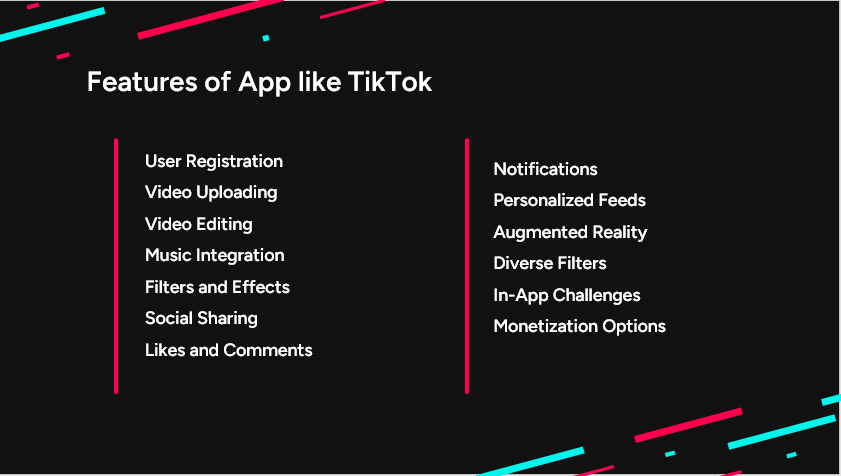
Creating an app like TikTok requires careful planning and execution. Here are the fundamental features to consider:
Features of App like TikTok
Description
User Registration
Profiles with customization to showcase personality
Video Uploading
Easy upload from device library
Video Editing
Trimming, cutting, merging, and creative tools
Music Integration
Vast library for impactful soundtracks
Filters and Effects
Diverse options to enhance videos
Social Sharing
Seamlessly share on app and social media
Likes and Comments
User engagement through liking and commenting
Notifications
Stay informed about interactions and updates
1. User Registration and Profiles
To begin, a app like TikTok should have users to register and create profiles. Incorporate options for customization, such as profile pictures and bios, enabling users to showcase their personalities.
2. Video Uploading
Central to the concept of an app like TikTok is the ability for users to upload their own videos. Users should be able to easily select videos from their device’s library and upload them to the platform.
3. Video Editing
It is essential to trim, cut, and merge video clips in app like TikTok to allow users to create polished and visually appealing videos. Incorporating basic editing tools like adding text, stickers, and transitions adds an extra layer of creativity to the user experience.
4. Music Integration
Integrating a vast library of music tracks that users can add to their videos elevates the entertainment value. App like TikTok should have the option to search for their favorite songs, explore trending tracks, and seamlessly synchronize music with their videos, enhancing the overall impact of their content.
5. Filters And Effects
A wide collection of filters, effects, and overlays allows users to enhance their videos with unique styles and aesthetics. From color filters to special effects, these features enable users to customize their content to suit their creative vision.
6. Social Sharing
This feature promotes user-generated content to a wider audience and encourages viral trends.
Users should be able to easily share their videos not only within the app but also across other popular social media platforms.
7. Likes And Comments
Users should be able to like and comment on videos, allowing them to engage with the content and express their opinions. The presence of likes and comments fosters a sense of community and encourages users to create and share more content.
8. Notifications
Having a notification system that alerts users about new likes, comments, and interactions with their videos enhances their connection to the platform. Notifications ensure that users stay up-to-date with their content’s performance and engagement.
Advanced Features for app like TikTok
Once the basic features are in place, it’s time to elevate the app’s functionality and user experience:
New Features of TikTok like App
Description
Personalized Feeds
AI-driven content recommendations
Augmented Reality
Apply AR effects to videos for creativity
Diverse Filters
Expand creative possibilities with varied filters
In-App Challenges
Encourage user-generated content through challenges
Monetization Options
Earn through ads, in-app purchases, and currency
9. Personalized Feeds
Utilize AI algorithms to curate personalized feeds for users in apps like TikTok. Recommend content based on their interests, interactions, and viewing history, enhancing user engagement.
10. Augmented Reality (AR) Effects
Apps like TikTok Integrate AR effects that users can apply to their videos. AR VR app Development Company can help you enhance the creativity by adding virtual elements to the real world, sparking innovative content.
11. Diverse Filters and Effects
Expand the range of filters and effects to provide apps like TikTok with a broad spectrum of creative tools. Regularly update the collection to keep up with trends and user preferences.
12. In-App Challenges
Introduce in-app challenges and trends that users can participate in apps like TikTok. Challenges encourage user-generated content and increase user retention.
13. Monetization Options
Consider implementing monetization features such as ads, in-app purchases, and a virtual currency system. This allows content creators to earn from their videos and incentivizes engagement.
Admin Panel Features for an App like TikTok
Managing and maintaining an app like TikTok requires a robust and user-friendly admin panel. This control center empowers administrators to oversee various aspects of the platform, ensuring smooth operations and a safe user experience. Here’s a list of essential features for the admin panel:
Feature
Description
User Management
Handle user accounts, activity, bans, and suspensions.
Content Moderation
Approve videos, filter and flag content, manage comments.
Analytics and Reporting
Track user engagement, performance metrics, and reports.
Content Management
Manage music, filters, effects, and trending content.
Monetization and Advertising
Manage ad campaigns and monetization policies.
Data and Privacy
Ensure user data protection and GDPR compliance.
Support and Communication
Provide user support and announcements.
Security
Ensure authentication, authorization, and security.
User Management
View and manage user accounts, including registration details and profile information in apps like TikTok. Monitor user interactions, posts, and content to ensure adherence to community guidelines. Suspend or ban users who violate platform rules, ensuring a safe environment.
Content Moderation
Review and approve uploaded videos to ensure compliance with content policies. Implement filters and allow users to flag inappropriate content for review in apps like TikTok. Moderate comments and interactions to prevent harassment or offensive behavior.
Analytics and Reporting
Track user engagement metrics, such as likes, shares, and comments, to understand content trends. Monitor server performance, response times, and downtime to ensure optimal user experience in apps like TikTok. Manage and respond to user-reported issues or concerns promptly.
Content Management
Manage the library of music tracks available for users to enhance their videos. Curate and update the collection of filters, effects, and AR options. Monitor and promote trending videos and challenges to encourage user participation.
Monetization and Advertising
Manage and schedule advertisements to be displayed on apps like TikTok. Set and adjust rules for content monetization, including ad revenue sharing.
Data and Privacy
Ensure compliance with data protection regulations by safeguarding user information in apps like TikTok. Provide tools to manage user data and comply with GDPR regulations.
Support and Communication
Offer a communication channel for users to report issues and seek assistance. Communicate updates, changes, and new features to users through announcements.
Security
Secure the admin panel with strong authentication and role-based access controls. Regularly conduct security audits to identify and address potential vulnerabilities.
The admin panel is the backbone of apps like TikTok, facilitating efficient moderation, analytics, content management, and user support. By incorporating these features, you can ensure the smooth functioning of your TikTok like app and provide a positive user experience.
Cost of TikTok Like App
The cost of an app like TikTok in 2023 will be estimated around $50,000 to $100,000. Here is a detailed cost breakdown:
Features
Estimated development timeAndriod and iOS
Cost of developmentUS Average Rate ($150 per hour)
User login & profile
80 hours
$12,000
Video Features
100 hours
$15,000
Music Integration
20 hours
$3,000
Filters and Effects
120 hours
$18,000
Social Sharing
25 hours
$3750
Likes and Comments
30 hours
$4500
Notifications
25 hours
$3750
Total Hours
315 hours
$60,000
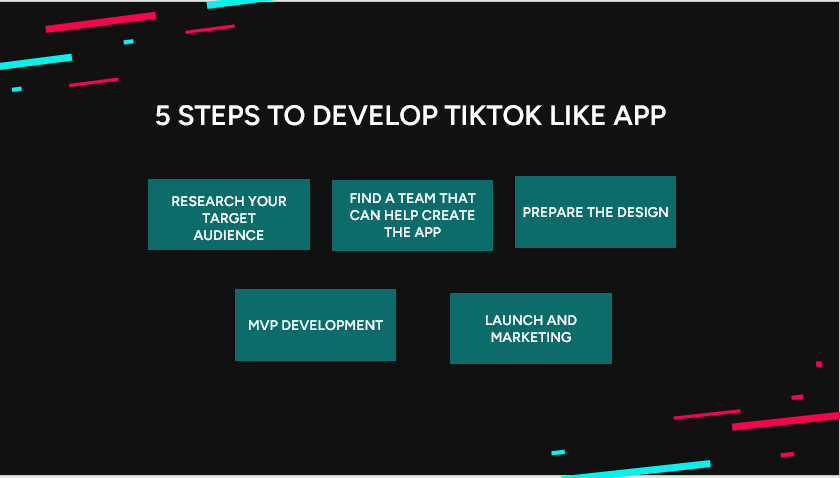
5 Steps to Develop TikTok Like App
To create an app like TikTok, you need to follow the steps below.
1. Research Your Target Audience
You need thorough research about the audience you are looking to target for app like TikTok. Learn more about your target audience so that you understand their needs and wants. This will help you create a product that will be satisfying.
Discover more about your audience, including their location, average age, device preference, operating system, and internet connectivity.
Furthermore, assess their sentiments towards important elements such as app functionality, user interface, security, slow loading times, and any other factors that may hinder their app usage.
2. Find A Team That Can Help Create The App
You want an experienced team to build your app like TikTok. You need to hire the right developers since your team will make or break your app.
You can always hire developers if you do not have the suitable people on staff. You can locate exceptional talent to build a potent social networking app through outsourcing, which is far more cost-effective.
To ensure success, it is crucial for your team to have a clear understanding of your target audience, business model, priorities, and monetization strategy. In the initial stage of your project, gather your app developers and other stakeholders to collaboratively design the concept of your app, determine its features and user roles, select the appropriate technology stack, and estimate the associated costs.
Get started on your app development journey with TechnBrains today.
3. Prepare Design
When creating your app like TikTok design, it’s important to consider usability research. This will ensure that you provide your future users with a product that is easy to use and offers an excellent experience.
Your app like TikTok should have a user-friendly and intuitive interface, free of clutter. It should be visually appealing and functional, encouraging people to download and use it regularly.
4. MVP Development
It’s crucial to develop an MVP (minimum viable product) before launching your app like TikTok in full to ensure its success. This approach enables you to test your app and gather crucial feedback from users. By doing so, you can make necessary adjustments and ensure that your app is fully functional before officially launching it.
When creating an MVP, include just enough enticing features to make the app appealing to early adopters. After gathering feedback and improving your app, add the remaining features and launch your product in its full glory.
5. Release & Marketing Activities
Before launching your app like TikTok, it’s important to optimize it for the specific app marketplace where you plan to publish it. Begin by crafting a clear and engaging description that outlines what your app does and how it can be used, while also highlighting its unique features. To make your app more appealing, include captivating screenshots, incorporate relevant keywords into the title, and create a memorable logo. By taking these steps, your app will stand out from the competition and draw in more users.
Have you thought about how to promote your newly released app like TikTok? You can advertise it on your website and social media and keep it promoted regularly. Remember to attach screenshots and links to the app marketplace/s so people can download it. If you want to reach a wider audience, consider running paid ads like Google Ads and social media ads. This will help you attract more interested leads who might enjoy your musical app. You can also manage your app store reviews to have a positive impact for more downloads.
Creating a TikTok like app can be relatively easy if you follow these tips. First, find the right mobile app developers to handle all technical aspects. However, it’s crucial to understand your target audience’s desires before proceeding. Delving into their needs and preferences is important to develop a musical app that they will love.
Best TikTok alternatives on Android in 2023
One of the finest Android apps today, TikTok is a social media network that attracts millions of viewers with captivating, brief films that last between 15 and 60 seconds. The platform encourages self-expression and discovery, and it serves as a channel for showcasing your abilities and general interests to a younger audience. Despite its growing popularity, TikTok is still banned in some countries and cannot even be downloaded onto government-owned smartphones. For this reason, we look to TikTok alternatives that imitate the platform’s success on your preferred Android phone.
1. Likeme Pte. Ltd.
Category: Social App
Price: Free
Rating: 4.4
The Likee app is an amazing alternative to TikTok for sharing and editing short videos because of its customizable features and simplicity of use. It offers live streaming, viral videos, clips that have been captured, and social tools like friend group chats and community pages for your favorite topics. The system utilizes an AI-based recommendation mechanism to assist you in discovering additional options. Additionally, Likee makes adding a personal touch to your edited movies easy with stickers, filters, and special effects, making it a fun way to style all of your footage. Likee may not be suitable for children due to its explicit and graphic content.
2. Zoomerang
Category: Social App
Price: Free
Rating: 4.3
We often choose applications that allow us to connect with our creative and unique style. This includes making trendy videos, which require more direction and structure. The app Zoomerang offers a variety of themes, tutorials, aesthetic effects and filters, text fonts, and gifs/stickers to spruce up your films, making it a great alternative to TikTok for creating short videos. In order to continue stylizing your media, you will not run out of tools. The videos you create on Zoomerang can be shared on TikTok, YouTube, and Snapchat even if you are not seeking for an app to take the position of TikTok. Zoomerang might be the media production company that makes your content stand out and become popular.
3. Triller
Category: Social App
Price: Free
Rating: 3.8
A built-in video editor and an AI for selecting the best clips are features of an app that focuses on creating and showcasing authentic music videos. Triller is still a good tool for showcasing your brand, whether it be through a collection of shorts or by making a personal vlog, even if you’re not looking to change and advance as a music content maker. Furthermore, Triller Gold, a crowdfunding option, empowers influencers to earn money through fan contributions that can be transformed into tangible funds. Therefore, Triller might be the appropriate choice if you’re trying to start somewhere as a content creator or influencer.
4. Funimate
Category: Social App
Price: Free
Rating: 4.4
Funimate should be on your radar if you’re not simply a socialite wanting to stand out on a big network but rather someone who wants to improve the production value of their video. Using handy tools like the ability to add unique animations using keyframes, overlays, or transitions to elevate your work to a professional level, the software is focused on providing a wonderful video editor app at your fingertips. Of course, if you’d rather stay away from socially conscious communities like TikTok or Instagram, you can share your work with the encouraging Funimate community. Still, the Funimate app allows you to share across several platforms whenever you’re ready to showcase your idea to the world. With Funimate, there are no boundaries to media invention.
5. YouTube (Shorts)
Category: Social App
Price: Free / Premium Available
Rating: 4.2
Millions of people are already familiar with YouTube, and some may even have an active channel. However, if you want to create a separate channel for YouTube Shorts, a new category of films with a runtime of only 60 seconds or less, you can do so. A separate channel for these bite-sized films may help your brand’s growth because YouTube Shorts typically draw a different audience. And suppose you’re choosing between TikTok and YouTube as your main platform. In that case, YouTube wins if you want to develop as a content producer in the long run because of its age, reputation, and ethical monetization policies.
Snapchat
Category: Communication
Price: Free
Rating: 4.2
TikTok helps separate material with filters and hashtags to focus on the correct audience for more niche products/brands, whereas TikTok is more than simply a video creation and sharing app; the platform offers brand sharing and marketing for medium-to-large businesses. Snapchat is the finest place for launching a new brand or product because it has more users than other social media platforms, which may help you draw in more customers.
Snapchat is now also on the web, which makes it even more accessible to snap, share and connect with your friends. In addition, Snapchat is still a great platform for personal use outside of social media marketing strategies for content and brand creation, such as creating your own library of quick videos with the Snapchat story function. Therefore, whether you’re looking to promote yourself professionally or just want to try something new personally, there is something in it for everyone.
Instagram (Reels)
Category: Social Media
Price: Free
Rating: 4
Since Instagram is one of the most widely used social media sites right now, it should come as no surprise that the platform has discovered a way to enhance brand delivery and content development. It turns out that the algorithm favors Instagram Reels, the platform’s equivalent of short videos, because they get more views and generate more engagement. In order to promote your content using Instagram Reels each month, if you’re interested in social discovery, you need to work on it. Thankfully, Instagram’s app has features to help you get started.
Over to you
The TikTok alternatives that allow you a creative outlet and opportunities to share your original works with the world—whether you’re generating the funniest memes, releasing brand teasers, or bringing in top-notch infotainment—are the best. There are apps like TikTok available to support all (short) media types. And occasionally, showcasing your skills and brand on a variety of social media sites may be more advantageous to observe where you’re attracting a following. But after showcasing your company, the next step is mastering the top social apps, which are ideal for creating social spaces for your recent viewers.
YouTube Shorts vs. TikTok
In the era of short-form video content, YouTube Shorts and TikTok have emerged as prominent players, each captivating a significant share of the online audience. While both platforms allow users to create and share short videos, there exist noteworthy differences that set them apart. Let’s delve into the divergent facets that define YouTube Shorts and TikTok.
Ownership & Content
The foundation of any platform lies in its ownership. YouTube Shorts is under the umbrella of Google, whereas TikTok is the creation of the Chinese conglomerate ByteDance. This distinction brings about linguistic diversity – YouTube Shorts predominantly caters to an English-speaking audience, while TikTok’s global presence showcases content in various languages.
User Base & Demographics
User demographics play a pivotal role in platform outreach. YouTube Shorts seamlessly integrates into the expansive YouTube ecosystem, boasting a significantly larger user base encompassing a wide array of age groups and interests. In contrast, TikTok, while immensely popular, tends to attract a younger demographic. This unique positioning empowers YouTube Shorts to potentially engage a broader audience.
Monetization
Monetization avenues diversify the appeal of short-form video platforms for content creators. YouTube Shorts offers creators the opportunity to earn through ads and sponsorships, presenting a straightforward revenue stream. TikTok, however, lacks a built-in monetization mechanism, leading content creators to explore alternative channels for financial gain.
Features & Tools
The tools and features embedded within each platform enable users to craft captivating content. YouTube Shorts introduces a distinctive green screen feature, allowing creators to superimpose themselves against various backgrounds. In contrast, TikTok offers the engaging “duet” feature, facilitating split-screen collaborations between users, fostering interaction and creativity.
Copyright & Intellectual Property
Safeguarding the rights of content creators is a critical concern. YouTube’s comprehensive copyright protection system mitigates infringement risks, demonstrating a commitment to content ownership. TikTok, on the other hand, has encountered criticism due to perceived inadequacies in addressing copyright issues, highlighting a disparity in intellectual property management.
TikTok VS Instagram
TikTok and Instagram stand out as two prominent platforms, each offering a unique experience for users to connect, share, and engage. TikTok is better for raw content whereas Instagram is better for polished content.
Content Format
TikTok: Known for its short-form video content, TikTok thrives on brief, engaging videos typically lasting 15 to 60 seconds. Users can leverage music, effects, and filters to craft creative and entertaining videos.
Instagram: While initially a photo-sharing platform, Instagram has evolved to include various content formats, such as photos, videos, and Stories. The introduction of Reels brought Instagram into the short-form video arena, akin to TikTok.
User Base and Demographics
TikTok: TikTok attracts a predominantly younger audience, with a significant presence among teenagers and young adults. Its vibrant and dynamic content resonates with Gen Z and millennials.
Instagram: Instagram boasts a diverse user base spanning various age groups, including a substantial number of users in the 18 to 34 age bracket. It offers a platform for individuals, brands, and businesses to showcase visual content.
Engagement and Interaction
TikTok: TikTok thrives on user engagement through features like “duets,” where users can collaborate on split-screen videos, and the “For You Page” (FYP), which employs an algorithm to curate personalized content feeds.
Instagram: Instagram encourages interaction through features like likes, comments, and direct messages. Stories and Reels provide avenues for creative expression and interactive engagement.
Discoverability and Reach
TikTok: TikTok’s algorithmic feed and emphasis on trends enable rapid content discovery and potential virality. Users have the chance to gain widespread visibility even with a smaller following.
Instagram: Instagram’s algorithm presents content based on user interactions and interests. While it may require a larger following for broader reach, the platform’s Explore page enhances content discoverability.
Monetization Opportunities
TikTok: TikTok’s monetization options include the Creator Fund, where creators can earn based on video performance and engagement. Brands can collaborate with influencers for promotional campaigns.
Instagram: Instagram provides diverse monetization avenues, including sponsored posts, affiliate marketing, and the Instagram Partner Program. Instagram Shopping enables e-commerce integration.
Visual Identity
TikTok: TikTok thrives on authenticity, allowing users to create unfiltered, candid content that resonates with its younger audience.
Instagram: Instagram’s focus on visual aesthetics encourages curated and polished content, appealing to a wide spectrum of users including influencers, artists, and photographers.
How Technbrains Can Help You Build an App Like TikTok
If you’re aspiring to create an app like TikTok, or an app like Instagram, Technbrains is your ideal partner for a seamless and successful journey. Here’s how we can assist you:
Expertise and Experience
TechnBrains boasts a team of skilled developers and designers with extensive experience in app development. Our experts understand the intricate nuances of creating an engaging platform like TikTok.
Custom Solutions
We are a top-notch on-demand app development company that delivers solutions that meet your specific requirements. Our team collaborates closely with you to comprehend your vision and integrate unique features that set your app apart.
UI/UX Excellence
The creative designers we have, excel in crafting intuitive and user-friendly interfaces, ensuring that your app resonates with users and keeps them engaged.
Scalability and Performance
As your app gains traction, TechnBrains ensures it scales seamlessly. We optimize performance to handle growing user interactions without compromising speed or reliability.
Cutting-Edge Technology
We stay ahead of technological trends, incorporating the latest tools and frameworks to create a robust and innovative app that aligns with industry standards.
Data Security and Privacy
User data is precious. We prioritize stringent data security measures and compliance with privacy regulations, fostering user trust.
Timely Delivery
Our expert developers are committed to delivering your app within agreed-upon timelines, ensuring your vision becomes a reality promptly.
Ongoing Support
Our relationship doesn’t end at launch. We provide continuous support, updates, and maintenance to keep your app running smoothly and efficiently.
Collaborative Partnership
You are not just a client; you’re a partner. We value collaboration and work closely with you throughout the development process.
In essence, Technbrains is your go-to partner for building an app like TikTok. From concept to execution, we provide the expertise, innovation, and commitment needed to bring your vision to life.
FAQs
How to Make an App like TikTok?
Creating an app like TikTok in just 5 steps:
Research Your Target Audience
Find A Team That Can Help Create The App
Prepare Design
MVP Development
Release & Marketing Activities
How Much Does It Cost to Build an App like TikTok?
The cost of an app like TikTok in 2023 will be estimated around $50,000 to $100,000. Costs include development, design, testing, backend infrastructure, and ongoing maintenance.
How Does TikTok Work?
TikTok is a short-form video platform where users create and share videos up to 60 seconds long. The app offers tools for video recording, editing, adding music, filters, and effects. TikTok’s algorithm analyzes user interactions to curate a personalized “For You Page” (FYP) feed, showcasing content based on individual preferences.
What Are the Key Features of TikTok?
TikTok’s key features include:
Short-Form Videos: Users can create videos ranging from 15 to 60 seconds in length.
Music Integration: A vast library of music tracks for adding to videos.
Filters and Effects: Diverse visual effects and editing tools to enhance videos.
For You Page (FYP): An algorithmic feed that presents personalized content to users.
User Interaction: Like, comment, share, and duet options for engaging with content.
Challenges and Trends: Users participate in viral challenges and trends.
Discoverability: Easy content discovery through hashtags and trending categories.
In-App Editing: Users can edit videos within the app before sharing.
Privacy Settings: Options to control account privacy and interactions.
User Profiles: Customizable profiles to showcase videos and engage with others.
These features contribute to TikTok’s unique and engaging user experience.
Overview: The use of healthcare apps has risen in the last 5 years. Patients had access to over 318,000 apps in 2018, with 200 new ones developed daily. This number has likely increased due to Covid-19. If you want to build your own healthcare app, TechnBrains is here with a comprehensive guide.
Healthcare mobile app development is revolutionizing the way we access medical information and services. A healthcare app will make it easier for users to connect with healthcare experts and manage their health conveniently.
Healthcare and Medical Apps helps everyone, doctors, patients, nurses, pharmacists and administrators. If you would like to build your healthcare app, we’ve put together a guide that will give you the support you need to get started.
Additionally, we will examine the various types of healthcare apps, successful examples, the cost of development, and tips for choosing the right healthcare app development company.
What is Healthcare App Development?
Healthcare app development is the process of building a mobile application to cater the healthcare needs of the user. It can be general wellness and fitness tracking to complex medical diagnoses the user will be able to submit and follow them in real-time.
These apps serve as a bridge between patients and healthcare providers, offering services that improve healthcare access, efficiency, and patient outcomes. You can also hire app developers to get this job done.
Stats of Healthcare Apps in 2023
If you are interested in building a healthcare mobile app, there are services available for you to explore. Take a closer look at the Key Health App Sector Statistics below:
The App Store of Apple has 45,478 healthcare apps available.
There are approximately 43,285 applications available on the Play Store.
It is expected that the revenue for the healthcare industry will increase to $35.7 billion by 2030, which is a significant growth from the $8.21 billion generated last year.
Benefits of Healthcare App
Healthcare app development is beneficial for many reasons, some of which are:
Benefits of Healthcare App for Doctors
They provide efficient tools to manage patient data, medical history, prescriptions, and treatment plans in one centralized location for doctors.
Doctors can offer telemedicine services, conducting remote consultations in real-time for patients in remote areas or those with mobility constraints.
Healthcare apps facilitate seamless communication between doctors and patients through secure messaging systems.
By automating routine tasks like appointment scheduling and reminders, doctors can optimize their time and focus more on providing quality care to patients.
Healthcare apps are a convenient way for doctors to stay up-to-date on medical advancements.
Benefits of Healthcare App for Patients
Patients can conveniently schedule appointments with doctors through the app, avoiding long waiting times and enhancing access to healthcare services.
Patients can view and manage their medical records which will allow them to take control of their health information and share it with other healthcare providers as needed.
If a user is with chronic conditions can benefit from remote monitoring functionalities available in healthcare apps.
Healthcare apps will also help Patients take care of their mental health. The App can send medication reminders, ensuring patients take their prescribed medications on time and adhere to treatment plans effectively.
Patients can use healthcare apps to monitor their fitness activities, track their diet, and set health goals, promoting a healthier lifestyle.
Difference between a Health App and a Medical App?
Health apps cater to the general public, while medical apps are intended for use by medical professionals to enhance patient care and collaboration among healthcare experts. Here are some key differences between them:
Health App
Targeted towards the general public and individuals seeking to improve their overall health and wellness.
Provides health-related services and information, such as fitness tracking, nutrition management, sleep monitoring, and mental health support.
Usually does not require regulatory compliance and can function without direct claims on medical evidence.
Development costs are generally lower compared to medical apps.
Users can access health apps to monitor their health conditions and lifestyle habits.
Health App
Medical App
For General public and individuals seeking wellness
For Medical professionals and healthcare providers
Promote overall health and wellness
Facilitate diagnosis, treatment, and clinical support
Fitness tracking, sleep monitoring, mental health support, personal health goals
Diagnosis based on analytical data to electronic health records
Typically does not require direct claims on medical evidence
Must comply with strict medical regulations and adhere to standards
Generally lower development costs
Development process can be more complex and costly
Users access to monitor their health conditions and lifestyle habits
Medical professionals access electronic health records and patient information
Empower individuals to manage their well-being
Enhance patient care and collaboration among healthcare experts
Medical App
Designed for use by medical professionals and healthcare providers.
Focuses on diagnosis, treatment management, and clinical support based on analytical data and medical evidence.
Requires compliance with strict medical regulations, testing, and adherence standards.
Development process can be more complex and costly compared to health apps.
Medical apps provide access to electronic health records, patient information, and enable remote medical assistance.
By utilizing tracking, fitness, and health information, users can actively engage in managing their well-being, while medical professionals can access critical data, exchange insights, and stay updated with the latest medical practices and advancements.
What Types of Healthcare Apps?
Healthcare app development encompasses two main types of applications:
Professional Healthcare Apps
Applications for Patients
These apps cater to different user groups and serve diverse purposes within the healthcare industry. Let us look at them in detail:
Professional Solutions
Applications for Patients
Target Audience
Medical professionals, doctors, nurses, healthcare providers
Individuals seeking to manage their health and well-being
Purpose
Streamline medical practices, patient management,
Empower patients to monitor health, access
administrative functions
medical information, and receive personalized care
Examples
Lybrate
Epocrates
Working Model
– Database
– Health Monitoring
– Networking (Clinical and Patient Communication)
– Medication Management
– Patient Health Tracker
– Lifestyle and Mental Health Support
– Doctor Scheduling
– Women’s Health Apps
– Telehealth
– Medical Record
– Risk Assessment
– Medication Prescription and Dosage
Revenue Generation
– Cost Savings
– In-App Purchases
– Subscription-based Models
– Free Trial Model
Limitations
– Complexity
– Competition
– Regulatory Compliance
– User Validation
1. Professional Healthcare Apps
Professional healthcare apps are designed for use by medical professionals, doctors, nurses, and healthcare providers. They aim to streamline medical practices, patient management, and administrative functions. Examples of such apps include Lybrate, which helps doctors manage staff and patient interactions efficiently.
Working Model
Database: Securely stores patient information and medical records.
Networking (Clinical and Patient Communication): Facilitates communication between healthcare providers and patients.
Patient Health Tracker: Allows monitoring of patients’ health parameters and medical conditions.
Doctor Scheduling: Helps doctors manage their appointments and schedules.
Telehealth: Enables remote consultations between doctors and patients.
Medical Record: Provides access to electronic health records.
Risk Assessment: Assists in assessing patient risks and health conditions.
Medication Prescription and Dosage: Facilitates the prescription and tracking of medication.
Revenue Generation
Cost Savings: By streamlining processes through mobile healthcare apps.
Subscription-based Models: Generating revenue through subscription-based apps for patients.
Limitations
Complexity: Developing healthcare apps for professionals can be challenging due to the diverse and complex working models involved.
Regulatory Compliance: Adherence to privacy policies, such as HIPAA in the US, poses challenges in building HIPAA-compliant apps.
2. Applications for Patients
Patient-oriented healthcare apps cater to individuals seeking to manage their health and well-being effectively. These apps empower patients to monitor their health, access medical information, and receive personalized care. Examples include Epocrates, which provides services for patient management and point of care.
Working Model
Health Monitoring: Allows patients to track their health data and share it with doctors for better diagnosis and care.
Medication Management: Assists patients in managing their medications and dosage schedules.
Lifestyle and Mental Health Support: Provides guidance and support for lifestyle changes and mental well-being.
Women’s Health Apps: Addresses specific health needs of women, such as menstrual tracking and pregnancy management.
Revenue Generation
In-App Purchases: Offering additional features or services through in-app purchases.
Free Trial Model: Providing a free trial period before charging users for premium features.
Limitations
Competition: The patient app segment is vast and highly competitive, requiring market-driven app development.
User Validation: Ensuring end users’ needs are considered during the app development process.
Healthcare apps cater to various user groups and serve different purposes, making a significant impact on the healthcare industry by enhancing patient care, streamlining processes, and providing valuable medical support.
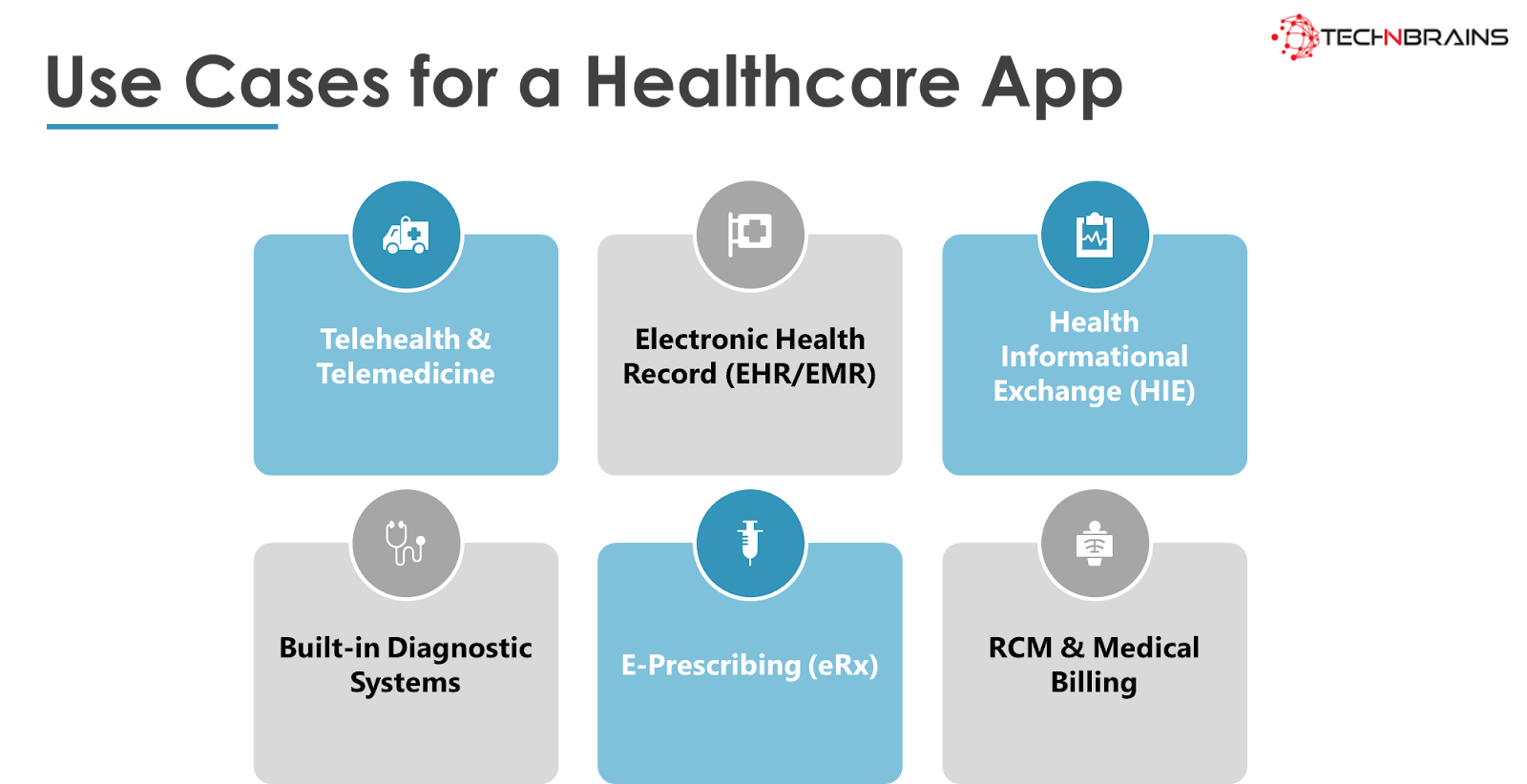
Use Cases for a Healthcare App
To meet the demands of the healthcare market and create effective healthcare applications, it’s crucial to understand the trending use cases in this field. Below are some of the most popular use cases for healthcare apps:
Use Case 1: Telehealth & Telemedicine
Telehealth and telemedicine apps have gained significant traction, especially during the COVID-19 pandemic and social isolation. These applications facilitate remote medical consultations between doctors and patients, enabling efficient healthcare services and online communication.
Use Case 2: Electronic Health Record (EHR/EMR)
EHR/EMR solutions provide a centralized platform to track, store, update, and collect all medical information about a patient. This streamlines healthcare processes, eliminates manual errors, and enables the exchange of patient data between different healthcare institutions.
Use Case 3: Health Informational Exchange (HIE)
HIE solutions focus on tracking vital signs, such as body temperature, blood pressure, and heart rate, to make accurate diagnoses and maintain patients’ well-being. These solutions allow easy and quick measurement of vital parameters using a smartphone’s authentication, facilitating faster data transfer and efficient monitoring by healthcare professionals.
Use Case 4: Built-in Diagnostic Systems
Built-in diagnostic systems collect and process data from embedded and IoT devices, integrating with EHR platforms. This enables doctors to visualize, analyze, and diagnose the condition of remote patients, track their progress, and determine suitable treatments.
Use Case 5: E-Prescribing (eRx)
E-prescribing systems enable doctors to create, store, and send out prescriptions using electronic health record systems. This solution minimizes errors during check-out and saves time for both doctors and patients.
Use Case 6: RCM & Medical Billing
RCM (Reliability-centered maintenance) solutions offer medical billing systems that cover Electronic Health Records (EHR) and Practice Management (PM) services. Users can access patient records and check bills on the go, without the need for separate sign-ins or expensive hardware. This solution ensures data security and compliance.
Features in a Healthcare App
Now that you have decided to build a healthcare app of your own, below are some features for a healthcare app for doctors and patients.
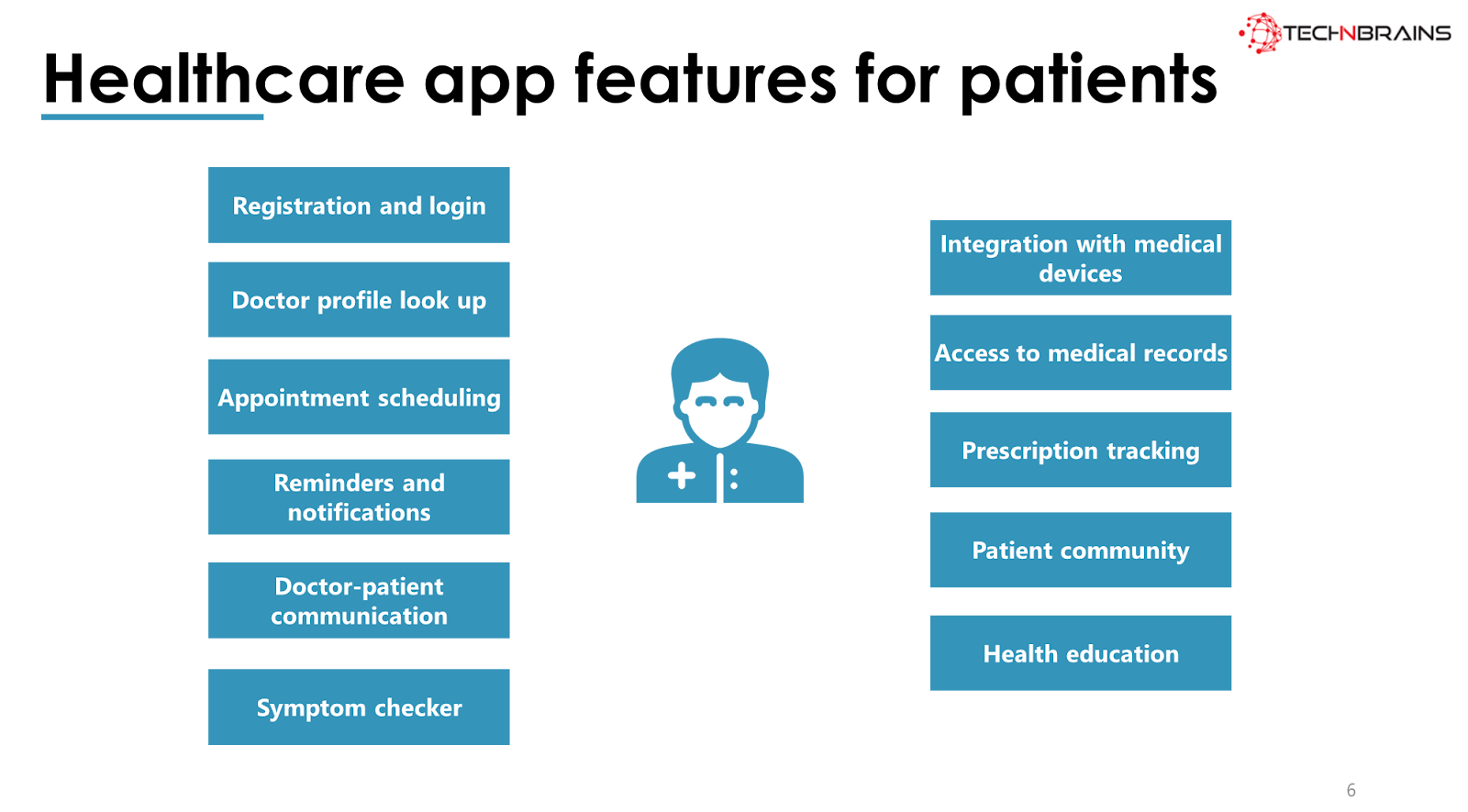
Healthcare App Features for Patients
Registration and login: This feature allows patients to create an account and log in to the healthcare app, providing personalized access to various services and features.
Doctor profile lookup: Patients can search for and view detailed profiles of healthcare providers within the app, helping them find suitable doctors based on specialties, experience, and reviews.
Appointment scheduling: Patients can schedule appointments with doctors and other healthcare services through the app, offering convenience and reducing waiting times.
Reminders and notifications: The app sends timely reminders and notifications to patients, such as upcoming appointments, medication schedules, and health-related updates.
Doctor-patient communication: This feature enables secure communication channels between patients and healthcare providers, allowing them to exchange messages, discuss health concerns, and seek medical advice.
Symptom checker: The app may have a symptom checker tool that assists patients in assessing their symptoms and providing initial guidance on potential health issues.
Integration with medical devices: The app can connect with various medical devices (e.g., fitness trackers, blood pressure monitors) to gather and display health data for better monitoring.
Access to medical records: Patients can access and view their medical records, including test results, treatment history, and diagnoses, empowering them to manage their health information.
Prescription tracking: Patients can keep track of their prescribed medications, dosages, and refill information to ensure timely adherence to treatment plans.
Patient community: Some healthcare apps include a patient community or support groups, where users can share experiences, seek advice, and provide emotional support.
Health education resources: The app may offer educational materials, articles, and resources to help patients understand various health conditions, treatments, and preventive measures.
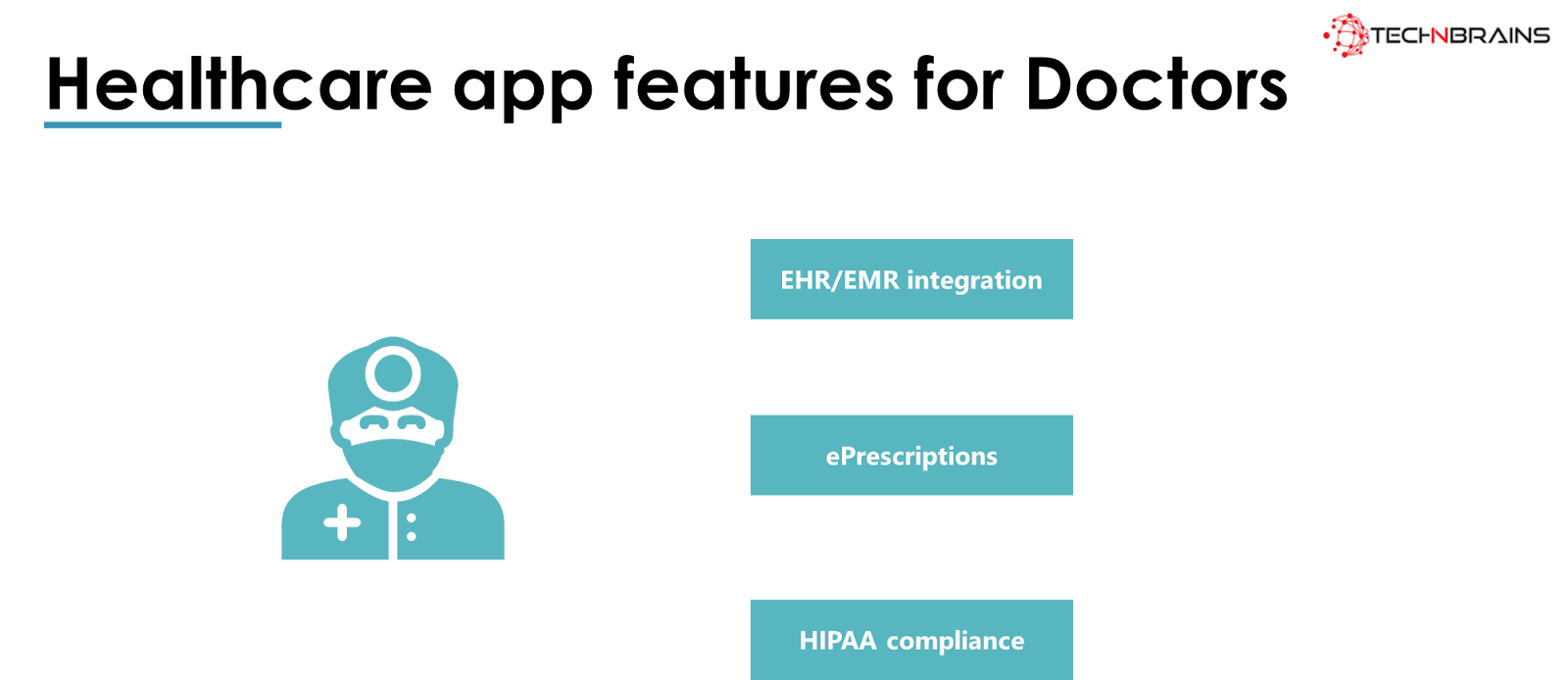
Healthcare App Features for Doctors
EHR/EMR integration: Electronic Health Record (EHR) or Electronic Medical Record (EMR) integration allows doctors to access and manage patient records digitally, streamlining healthcare workflows.
e-Prescriptions: This feature enables doctors to electronically prescribe medications to patients, eliminating the need for handwritten prescriptions and improving accuracy and efficiency.
HIPAA compliance: Healthcare apps must adhere to the Health Insurance Portability and Accountability Act (HIPAA) regulations to ensure patient data security, privacy, and confidentiality. Compliance with HIPAA is crucial to safeguard sensitive health information.
Cost to Build a Healthcare app
These use cases illustrate the diversity of healthcare applications, ranging from telehealth services and electronic health records to diagnostic systems and medical billing solutions.
As healthcare technology continues to evolve, these applications will play an increasingly vital role in transforming the healthcare industry and enhancing patient care. Let us look at the healthcare app development cost below:
Function / Feature
Estimated Time (hours)
Cost ($)
Profile
60
$60
Social Sign-Ins
110
$110
Push Notifications
130
$130
Chat or Messenger
220
$220
Video Conferencing
200
$200
Geo-Location
230
$230
File Storage
100
$100
HIPAA Compliance
250
$250
Total
1300
$1,300
The cost of developing a healthcare app depends on the features and capabilities it offers. For healthcare mobile app development, you typically require a team including Front-End Developer, Back-End Developer, DevOps, Business Analyst, Compliance Expert, UI/UX Expert, Project Manager, and Quality Assurance.
Example:
Let’s consider an example of patient-centric on-demand doctor app development and estimate the cost based on the integration of various features:
Profile: $60
Social Sign-Ins: $110
Push Notifications: $130
Chat or Messenger: $220
Video Conferencing: $200
Geo-Location: $230
File Storage: $100
HIPAA Compliance: $250
Total: $1,300
The cost estimation is based on the number of hours required for building the Healthcare app. There are three options for developing a healthcare app: hiring an in-house team, hiring freelancers, or outsourcing.
Hiring an in-house team can be costly, with rates ranging from $100 to $200 per hour. Freelancers may offer cost savings but might not guarantee quality. An outsourcing agency from Ukraine can provide competitive rates.
Here, the cost of developing healthcare applications is approximately $40 per hour on average.
Considering the estimated hours for development, quality assurance, and project management, the cumulative cost for healthcare app development would be $63,200.
Now that we have calculated the cost, let’s move on to the steps of healthcare mobile development.
Please note that the provided cost estimates are approximate and can vary based on project complexity, team rates, and other factors. It’s essential to discuss the specific requirements with a development team to get an accurate cost estimation for a healthcare app.
How to Develop a Healthcare App
To start a successful business, brainstorm a unique idea, research the market, test your hypothesis, create an MVP, and plan the design process. Here is a step-by-step guide to healthcare mobile app development:
Step 1: Brainstorm A Unique Idea
Identify a healthcare problem or challenge that needs a digital solution. Conduct market research to understand the demand and competition in the healthcare app market. Seek feedback from healthcare professionals and potential users to validate the feasibility of your idea.
Step 2: Research The Market
Research the target audience and potential user base for the healthcare app. Analyze data using tools like Google Trends and Google Keywords Planner to understand market trends and user preferences. Seek feedback from entrepreneurs and healthcare experts to gain insights into the industry and customer needs.
Step 3: Test Your Hypothesis
Plan for customer acquisition by using targeted ads and creating user-friendly landing pages. Conduct customer interviews and usability tests to validate the effectiveness and appeal of your app. Utilize promotion and marketing strategies to reach your target audience and build a customer/user base.
Step 4: Create An MVP
Develop an MVP that includes the core features of the healthcare app. Focus on essential functions, such as finding specialists, booking appointments, chatting with doctors, and storing medical records. Integrate key features like geolocation, HIPAA-compliant messaging, cloud storage, push notifications, and calendar and scheduling.
Step 5: Plan the Design Process
Ensure that the healthcare app has an intuitive and user-friendly design. Pay attention to UI/UX elements, screen rotations, button placement, and overall visual appeal. Design an app that stands out in the competitive healthcare market and provides a seamless user experience.
By following these steps, you can create a successful healthcare app that addresses specific healthcare challenges, meets user needs, and offers a valuable solution to both healthcare professionals and patients. Remember that ongoing maintenance and updates are also vital to keep the app relevant and efficient over time.
Process to Build An Admin Panel For A Healthcare App
Building an admin panel for a healthcare app requires careful planning and execution to ensure it meets the specific needs of healthcare professionals and administrators. Below is a step-by-step process to build an effective admin panel:
Step 1: Define Requirements and Functionalities
Work closely with healthcare professionals and administrators to understand their specific needs and requirements. Identify the key functionalities that the admin panel should include, such as user management, patient records management, appointment scheduling, analytics and reporting, data visualization, and access control.
Step 2: Design the User Interface (UI)
Create a user-friendly and intuitive UI design for the admin panel. The design should be easy to navigate and visually appealing. Consider using healthcare-related colors and themes to create a cohesive look with the main healthcare app.
Step 3: Choose the Technology Stack
Select the appropriate technology stack for the development of the admin panel. Consider factors such as scalability, security, and ease of integration with the main healthcare app and other systems. Common technology choices include front-end frameworks like React or Angular, and back-end technologies like Node.js or Ruby on Rails.
Step 4: Implement User Authentication and Authorization
Security is crucial in a healthcare admin panel. Implement robust user authentication and authorization mechanisms to ensure that only authorized personnel can access and manage sensitive healthcare data. Use secure authentication methods such as two-factor authentication (2FA) or OAuth.
Step 5: Develop User Management Features
Create features to manage user accounts and roles within the admin panel. This includes the ability to add, edit, and delete users, assign different roles and permissions, and manage user access to specific functionalities.
Step 6: Build Patient Records Management
System Design a comprehensive patient records management system within the admin panel. This should allow healthcare professionals to view, update, and manage patient information, medical history, diagnoses, treatments, and test results securely.
Step 7: Implement Appointment Scheduling
Include a feature for healthcare professionals to schedule and manage appointments with patients. The admin panel should provide an easy-to-use calendar interface with options to view, create, reschedule, and cancel appointments.
Step 8: Integrate Analytics and Reporting
Develop analytics and reporting capabilities to provide insights into various aspects of healthcare operations. This may include data visualizations, charts, and graphs to monitor key performance indicators (KPIs), patient outcomes, and resource utilization.
Step 9: Test and Quality Assurance
Thoroughly test the admin panel to identify and fix any bugs or issues. Conduct rigorous quality assurance to ensure the panel functions smoothly and meets all the defined requirements.
Step 10: Deploy and Monitor
Deploy the admin panel on a secure and scalable server. Monitor its performance, user activity, and security continuously to address any potential issues promptly.
Step 11: Provide Ongoing Support and Updates
Offer ongoing technical support and maintenance for the admin panel. Regularly update the panel to add new features, improve security, and enhance performance based on feedback and changing healthcare requirements.
By following this step-by-step process, you can create a robust and efficient admin panel for your healthcare app, enabling healthcare professionals and administrators to manage and optimize healthcare services effectively.
Best Free Healthcare Apps In 2023
While we look into the best free healthcare apps in 2023, check out these 8 free fitness apps to get you started.
1. Apple Health
Apple Health is an all-in-one health app developed by Apple that collects and organizes health-related data from various sources, including iPhones, Apple Watches, and other connected devices. It allows users to track various health metrics such as steps, distance, heart rate, sleep patterns, and more. The app also offers medication reminders, allowing users to set notifications for taking their prescribed medicines on time. Furthermore, it provides the option to store and manage important health records, such as allergies, medications, and medical history. With its comprehensive features, Apple Health aims to help users monitor their overall health and well-being.
Key Features:
Data collection from various sources like iPhones and Apple Watches
Tracking of physical activity, heart rate, sleep, and more
Medication reminders and management
Storage and organization of health records
2. MyFitnessPal
MyFitnessPal is a popular health and fitness app that serves as a comprehensive tool for tracking both diet and exercise. It boasts an extensive database of food items with nutritional values, allowing users to log their daily food intake and monitor calorie consumption. The app also includes a fitness segment that enables users to track their workouts and physical activities. By providing insights into users’ calorie intake and expenditure, MyFitnessPal helps individuals achieve their fitness goals and maintain a balanced lifestyle.
Key Features:
Extensive database of food items with nutritional information
Calorie tracking and monitoring of food intake
Fitness segment for logging workouts and physical activities
3. Fitbit
Fitbit is a well-known fitness tracker that comes with various sensors to monitor users’ health and fitness metrics. The device tracks heart rate, Electrodermal Activity (EDA), temperature, sleep patterns, and menstrual cycles for female users. Fitbit provides real-time data on physical activities and allows users to set personal fitness goals. With its user-friendly app and wearable devices, Fitbit encourages users to stay active and maintain a healthy lifestyle.
Key Features:
Tracking of heart rate, EDA, temperature, sleep patterns, and menstrual cycles
Real-time monitoring of physical activities
Personalized fitness goals setting
4. BetterMe
BetterMe is a health and wellness app that focuses on promoting a healthy lifestyle without extreme weight loss methods. It offers customized workout plans, meal plans, and meditation sessions to improve overall well-being. The app aims to help users develop sustainable habits and make positive changes in their lives.
Key Features:
Customized workout plans
Personalized meal plans
Meditation sessions for stress reduction and relaxation
5. Noom
Noom started as a weight management business and has now expanded into offering behavior change programs for both chronic and non-chronic health conditions. The app provides personalized coaching, tracking tools, and educational resources to support users in their health journey. Noom aims to help users build healthier habits and achieve their health and wellness goals.
Key Features:
Personalized coaching and support
Behavior change programs for various health conditions
Tracking tools and educational resources
6. Lose It!
Lose It! is a weight loss app that assists users in achieving their diet goals. It allows users to log their food and water intake, providing insights into their calorie consumption. The app sets personalized calorie targets based on users’ weight loss goals and helps them stay on track with their diet plan.
Key Features:
Food and water intake tracking
Personalized calorie targets
Support for weight loss goals
7. WeightWatchers
WeightWatchers is a well-known weight loss program that converts nutritional information into a points system. Users track their calorie intake by assigning points to different foods and meals. The app also offers personalized coaching and support to help individuals achieve their weight loss goals effectively.
Key Features:
Points-based system to track calorie intake
Personalized coaching and support
8. Flo
Flo is a highly popular ovulation and period tracker, fertility calendar, and pregnancy assistant app. It helps women track their menstrual cycles, fertility windows, and ovulation dates. The app provides personalized insights and reminders to help women plan or prevent pregnancies effectively.
Key Features:
Menstrual cycle tracking
Fertility calendar and ovulation tracking
Pregnancy assistant features
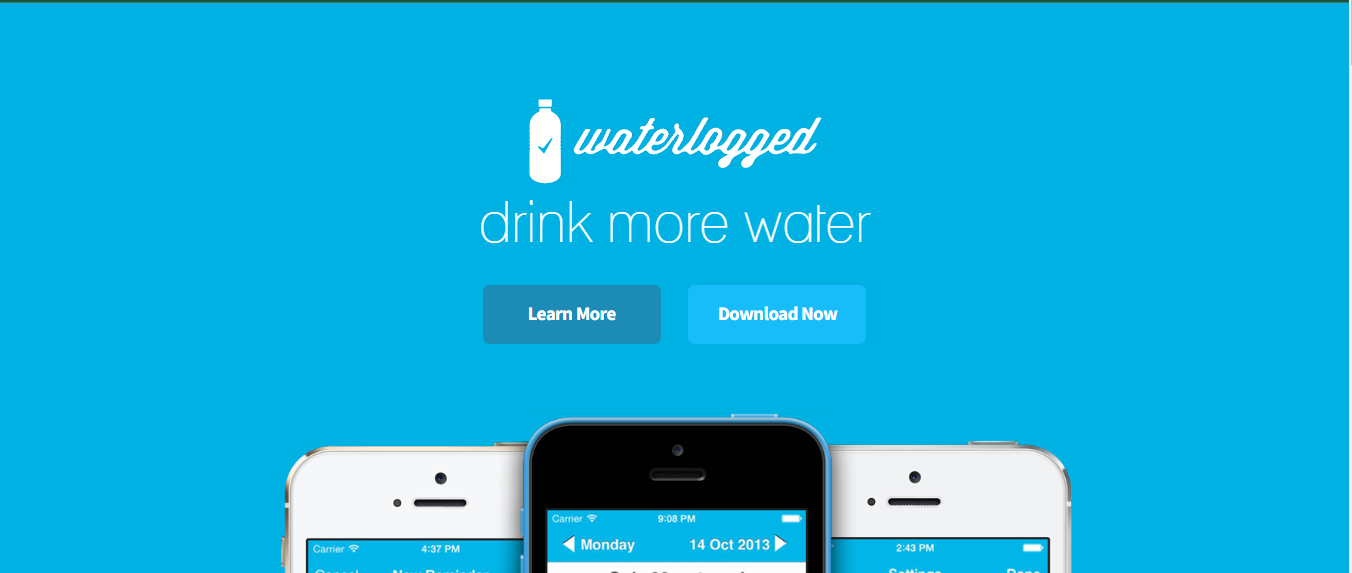
9. Waterlogged
Waterlogged is a water tracking app that allows users to set goals for their daily water consumption and receive reminders to stay hydrated. The app helps individuals maintain proper hydration levels throughout the day and supports overall health and well-being.
Key Features:
Water consumption tracking
Goal setting for daily water intake
Reminders to drink water regularly
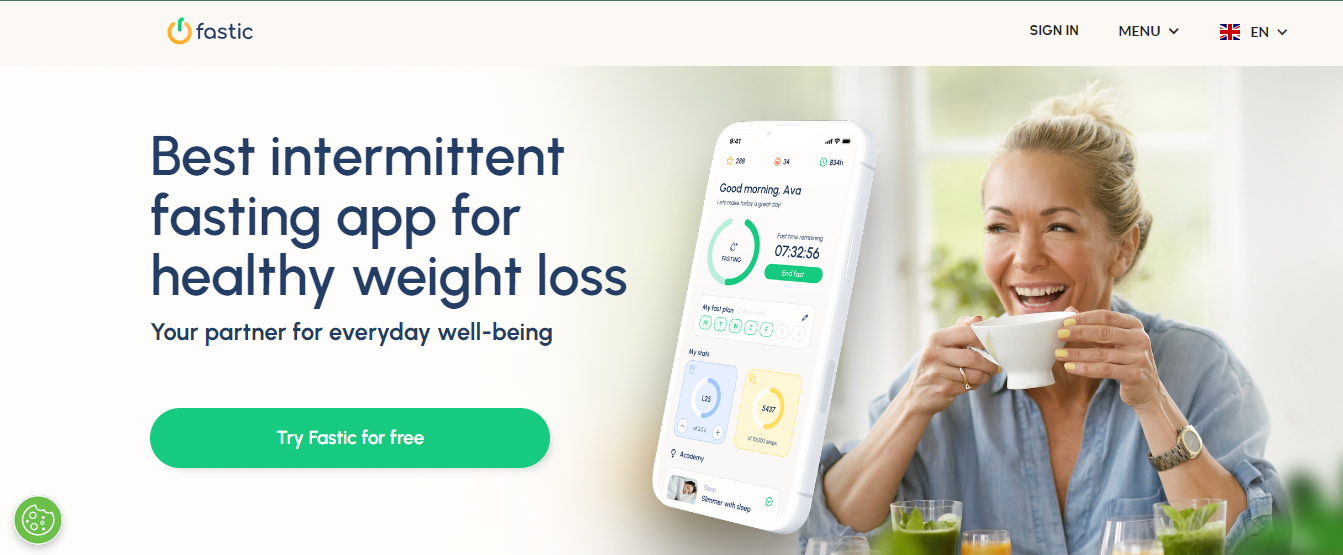
10. Fastic
Fastic promotes weight loss through a program of intermittent fasting, mindfulness, improved nutrition, and better sleep. It offers personalized fasting plans and tracks users’ fasting progress. The app also provides resources and guidance to support a healthy lifestyle.
Key Features:
Intermittent fasting plans
Mindfulness and nutrition guidance
Fasting progress tracking
These top health apps offer a wide range of features and functionalities to support users in their health and wellness journey. From fitness tracking and calorie monitoring to fertility tracking and intermittent fasting plans, these apps cater to various health needs and goals.
How can TechnBrains help you build a healthcare app
TechnBrains can be your reliable healthcare mobile app development company by offering expertise in the following areas:
Data Security Requirements
TechnBrains understands the critical importance of data security in healthcare app development. Healthcare apps deal with sensitive and personal information, including medical records, patient details, and health-related data.
To ensure the highest level of data security, TechnBrains employs robust encryption techniques, secure data storage practices, and adherence to industry standards like HIPAA compliance. Our team conducts thorough security audits to identify and address potential vulnerabilities, protecting your app and users’ data from unauthorized access.
Integrations
TechnBrains has expertise in integrating healthcare apps with Electronic Health Record (EHR) systems, payment gateways, pharmacy databases, and telehealth platforms, among others.
These integrations enable smooth data exchange and communication between different healthcare entities, streamlining workflows for both medical professionals and patients.
New Age Development Features
TechnBrains stays at the forefront of technology trends and incorporates new-age development features in healthcare apps. This includes AI-driven functionalities for personalized health recommendations, machine learning algorithms for predictive analysis, and virtual reality (VR) for medical training and patient education.
Our team constantly researches and implements emerging technologies to enhance the user experience and provide innovative solutions to healthcare challenges.
Technology Stack for Healthcare Mobile App Development
TechnBrains employs a robust technology stack for healthcare mobile app development, ensuring optimal performance and scalability. This stack typically includes platforms like React Native or Flutter for cross-platform development to reach a wider audience on both iOS and Android devices.
We utilize backend technologies such as Node.js or Ruby on Rails for efficient data processing and server-side operations. Additionally, we leverage cloud services like AWS or Azure for secure and scalable data storage.
Our Approach to Healthcare App Development
Thoroughly understand your healthcare app idea and specific requirements.
Conduct in-depth market research and analysis to identify target users and competitors.
Design a user-centric and intuitive app interface for an enhanced user experience.
Implement robust security measures to protect sensitive healthcare data.
Integrate necessary features and APIs to enhance app functionality.
Regularly test and validate the app for performance, security, and usability.
Provide ongoing maintenance and support to ensure the app’s smooth operation.
By choosing TechnBrains as your healthcare app development partner, you can rest assured that your app will be built with the utmost care, adhering to industry standards, and incorporating the latest technologies to deliver a secure, efficient, and user-friendly healthcare solution.
FAQs
How do I get the MyChart app?
To get the MyChart app, follow these steps:
For Android users:
Open the Google Play Store on your Android device.
In the search bar, type “MyChart” and press enter.
Locate the official MyChart app from Epic Systems Corporation.
Tap “Install” to download and install the app on your device.
For iOS (iPhone/iPad) users:
Open the App Store on your iOS device.
In the search bar, type “MyChart” and press enter.
Find the official MyChart app from Epic Systems Corporation.
Tap the “Get” button to download and install the app on your device.
Who is the best medical app?
Determining the “best” medical app can depend on your specific needs and preferences. Several medical apps offer different features and focus on various aspects of healthcare. It’s essential to consider factors like user reviews, functionality, security, and compatibility with your device. To find the best medical app for you, consider checking app stores’ top-rated medical apps and reading reviews to see which one suits your requirements the most.
What apps are used for healthcare?
There are numerous apps used for various healthcare purposes. Some common types of healthcare apps include:
Telemedicine apps: Connect patients with healthcare professionals for virtual consultations
Medication management apps: Help users track and manage their medications and reminders.
Health tracking apps: Monitor fitness, nutrition, sleep patterns, and overall wellness.
Medical reference apps: Provide medical information and references for healthcare professionals.
Mental health apps: Offer tools and resources for managing mental well-being and emotional health.
Is the UnitedHealthcare app free?
Yes, the UnitedHealthcare app is free to download from Google Play Store for Android or App Store for iOS.
Overview: FedNow service is a new Federal Reserve-backed instant payment service. It allows financial organizations to let consumers make payments that can be sent anytime. FedNow does not replace PayPal or other apps like Venmo, Cash App, or Zelle. However, the service’s availability is contingent on your bank’s participation. Let’s look more into it.
What is FedNow?
FedNow is the new instant payment service launched in July by Fed.
The Federal Reserve launched its all-new instant payment service known as FedNow this Thursday. As said by the officials, the service was in development for several years and will serve faster cash flow for businesses and individuals.
The system is supposed to improve the flow of money through the US economy, whether it is enabling fast access to wages, allowing for last-minute bill payments, or distributing government payouts to individuals.
“The Federal Reserve built the FedNow Service to help make everyday payments faster and more convenient in the coming years,” Fed Chair Jerome Powell stated. “As more banks adopt this new tool, the benefits to individuals and businesses will include the ability for a person to receive a paycheck immediately or for a company to access funds when an invoice is paid immediately.” 35 early adopters have signed up, including JPMorgan Chase and Wells Fargo, two of the four major banks in the United States.
FedNow will be available to all banks and credit unions, although membership is not required. FedNow will not be available to consumers, businesses, or non-bank payment providers directly, but they will be able to access the service through a partner financial institution. Neobanks, which are not banks, would need to collaborate with a participating bank.
FedNow Payment Service
The FedNow Service is designed to provide continuous processing 24 hours a day, seven days a week, with security safeguards to protect payment integrity and data security. Every day of the week, including weekends and holidays, the service operates 24 hours a day.
On each FedNow Service business day, end-of-day balances are reported on Federal Reserve accounting records for each participating depository institution. Participants in the FedNow Service have access to intraday credit during the business day under the same terms and conditions as other Federal Reserve services.
When did FedNow launch?
The Federal Reserve introduced FedNow on July 20, 2023. Since 2021, more than 120 banks and payment providers have participated in the program.
How does FedNow work?
Clearing and settlement are frequently required for payments between banks. The clearing is the exchange of information between banks concerning payment and might include other actions such as fraud detection. Settlement entails transferring funds to the recipient’s account. According to the Fed, FedNow will make clearance and settlement happen in seconds.
Instant transfer speed: The Federal Reserve defines an instant payment as having full access to money within seconds of the payment being sent.
Cost: FedNow, like other Fed payment systems, will charge fees to participating financial institutions; however, it is uncertain whether banks will pass on FedNow expenses to their clients.
Limitations on transfer amounts: The Fed will cap transfer amounts at $500,000 and establish the default transfer limit for a financial institution at $100,000; however, a financial institution can opt to raise or lower its limitations.
Other restrictions: FedNow will initially be confined to domestic payments between financial institutions in the United States. If you need to conduct transactions abroad, consider wire transfers through a bank or money transfer service — or multi currency accounts for long-term travelers.
How does FedNow differ from Fedwire?
The Fedwire Funds Service is a real-time gross settlement system that allows banks, corporations, and government organizations to transfer funds electronically. Fedwire can post and settle payments instantly; however, Fedwire has limited availability and can only handle payments on designated business days and during business hours. In comparison, the FedNow Service does not have evening, weekend, or holiday restrictions; it is open 24 hours a day, 365 days a year.
It is crucial to note, however, that FedNow transactions have a maximum value; FedWire does not have a limit, though your bank may set one.
Why is the Federal Reserve Bank developing FedNow?
Instant payments are one of the fastest-growing types of digital payments, with a compound annual growth rate of 23.6 percent expected between 2020 and 2025. More than 50 central banks have already established instant payment networks that allow for the instantaneous posting and settlement of cash.
Consumers and businesses in the United States can already make immediate payments through Zelle and the RTP Network, which are both privately held systems owned and run by Early Warning Services, LLC and The Clearing House, respectively. In 2013, the Fed began investigating the prospect of establishing a centrally owned and run rapid payments network, and in 2015 it established the Faster Payments Task Force (FPTF) to find chances to implement immediate payments.
Finally, the Fed is creating FedNow to enable financial institutions of all sizes across the United States to provide safe and efficient rapid payment services to their consumers.
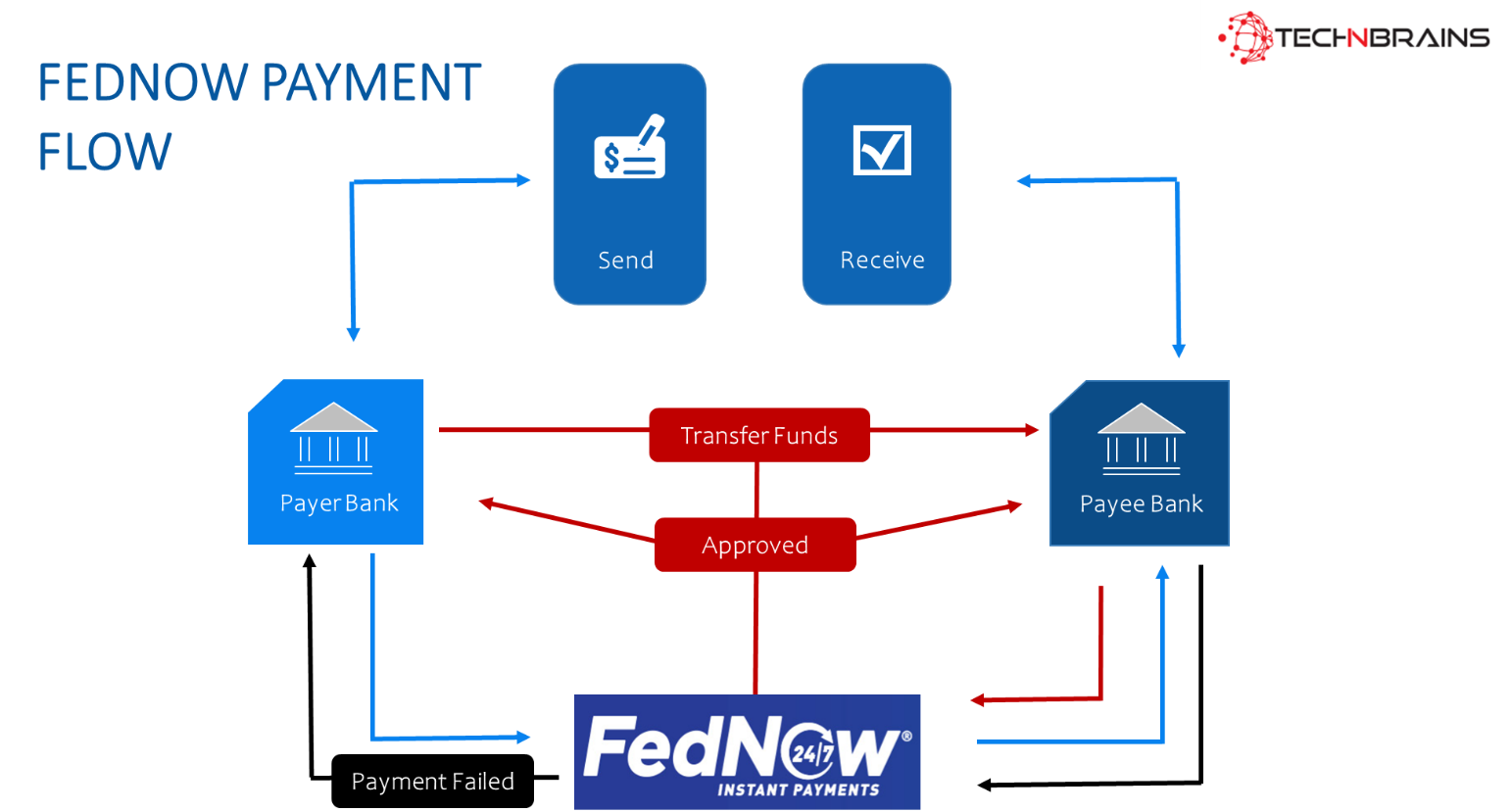
What does a FedNow payments flow look like?
A FedNow payment flow is just the same as any other instant payment flow. Some of the stakeholders involved in this process are
A payer
The payer’s financial institution
The FedNow network
A payee
The payee’s financial institution.
The payment flow of FedNow works like this:
A payer initiates a payment by sending a payment message to their financial institution via an end-user interface that is separate from the FedNow Service.
The payer’s financial institution gets the payment instruction and, if sufficient funds are available in the payer’s account, authorizes the transaction.
A payment message is sent to the FedNow Service by the payer’s banking institution.
The FedNow Service checks the payment message and forwards its contents to the payee’s financial institution for approval or rejection.
The payee’s financial institution either accepts or rejects the payment message and sends a response to the FedNow Service. If the payee’s financial institution rejects the communication, the FedNow Service will notify the payer’s financial institution of the payment failure. If the payee’s financial institution accepts the message, the FedNow Service automatically deducts money from the payer’s account and posts it to the payee’s account.
The FedNow Service tells all parties that the money has been successfully transferred and the transaction is complete.
What are the advantages of FedNow?
Bill payments and account-to-account transfers were two of FedNow’s initial uses. Being able to send money fast could be beneficial, especially if you’re on a tight budget and subject to late payment penalties.
You might pay a bill on the due date and receive immediate confirmation that your payment was approved. And, because your bank must verify sufficient funds before initiating an instant payment, there is usually little risk of overdrawing your account or incurring overdraft fees. Account-to-account transfers will allow you to manage your accounts across banks seamlessly.
Why is FedNow important?
FedNow is not the first real-time payments service in the United States, but it is expected to broaden the reach of fast payments to additional institutions across the country. More than 10,000 banks and credit unions already have access to the Fed’s payment services, either directly or through an intermediary. In comparison, The Clearing House, a privately owned organization, has run the RTP network, a real-time payments platform, since 2017, but only roughly 350 financial institutions participate. Almost every bank or credit union can access the RTP network.
FedNow uptake among financial institutions, according to Peter Tapling, payments industry consultant and managing director of PTap Advisory, LLC, will take time. One encouraging sign, he wrote in an email, is that the Bureau of the Fiscal Service of the United States Department of the Treasury is on the list of participants. Among other things, the agency is in charge of issuing payments to the public on behalf of the federal government, such as tax refunds and Social Security benefits. According to Tapling, the US Treasury’s use of FedNow may increase the impetus for more banks to join the program.
Will FedNow Include a CBDC?
“No” is the short answer. There is speculation that FedNow will usher in a new era of government control through the use of a CBDC and its power over money and the banking system. This is a possibility, like anything else, but it is not what is happening right now.
Congress has the final say on whether or not a CBDC will be established. This does not, however, preclude federal agencies from investigating and testing them. It is actually a good idea to test and understand how introducing a new financial technology would influence markets, the financial system, and us, of course.
The Fed has every reason to be concerned about the impact of decentralized finance (DeFi) on its control over money and policy (they control interest rates and the money supply). DeFi transactions are on the rise and continue to bypass the regular system. Other agencies must look at digital assets and decentralized money for consumer protection and transparency concerns. This is a different and continuing argument.
Is FedNow Experimenting with Blockchain?
Yes, FedNow is taking Blockchain into account.
The Fed is testing the blockchain waters in real time, which might pave the way for the introduction of a CBDC if Congress so directs.
“blockchain operator Tassat has announced that it will provide access to the US Federal Reserve’s FedNow payment system.” Using a customer-oriented application-programming interface (API), the company will act as a business-to-business interface for FedNow. FedNow access will be available through the company’s interbank and intrabank services.
FedNow will interface with Metal Blockchain separately. It is a fork of the Avalanche blockchain with a Layer 0 blockchain. It will establish safe, interconnected bank chains that will not rely on oracles. More intriguingly, Metallicus (the company that owns Metal Blockchain) co-founder and CEO Marshall Hayner remarked, “…it will also allow banks to prepare for an eventual central bank digital currency (CBDC), as well as for ‘bank issued stablecoins that can interact within a basket of stablecoin currencies.”
What Does This Mean for Crypto?
The answer is it can be, or it cannot be, the crypto killer, but it is a wake-up call for bitcoins, aka the cryptocurrency industry. It is difficult to determine when, if ever, a CBDC will be available in the United States. FedNow, on the other hand, has the potential to put blockchain-based payment systems out of business.
Ripple, Stellar, and others have no chance until cryptocurrency and DeFi become as simple and easy to use as FedNow when it is completely deployed. At the moment, it is too difficult to use; protocol interfaces are clumsy, transmitting cryptocurrency from centralized exchange wallets might be delayed and lost, and the entire private keys thing is too much for most people.
Some of your frequently asked questions:
Is FedNow replacing PayPal?
The Fed has stated that FedNow is not meant to supplant or replace other money transfer services such as Venmo, Cash App, PayPal, or Zelle. Rather, it is intended to complement the existing private-sector-built networks.
What banks will be using FedNow?
FedNow is currently available to 41 banks and 15 service providers, including community banks and large lenders such as JPMorgan Chase, Bank of New York Mellon, and US Bancorp, but the Fed expects to add more banks and credit unions this year.
Is Wells Fargo using FedNow?
Wells Fargo and JPMorgan Chase are among the institutions that will soon offer FedNow services. The Fed created FedNow to make it easier and faster for customers to send and receive online payments.
How much does it cost to do a FedNow transaction?
Similarly, the reserve banks will forego the cost of up to 2,500 FedNow credit transfers every month this year, after which they will charge 4.5 cents per item. The reserve banks will also impose a one-cent per item payment request fee and a one-dollar per transfer liquidity management fee.
Can FedNow freeze your account?
For starters, FedNow does not let the Federal Reserve monitor private citizens or their transactions. Second, FedNow does not delegate authority to the Federal Reserve to monitor or freeze private bank accounts.
Will FedNow connect with NFT?
When it comes to NFT development, FedNow is already considering Blockchain, so maybe in the future, it can be linked to the NFT marketplace.
Overview: In this world of YouTube dominance, to answer your query “best YouTube alternatives” look no more, because the experts at TechnBrains have rounded up this list of 11 Substitutes for YouTube that will help you escape the algorithm and engage better with your audience.
YouTube has been a gateway to connect mass audiences for people of all ages. From YouTube trends to getting the YouTube Red Diamond Play Button, we all have a diehard connection with it. YouTube has undoubtedly become the go-to platform for video sharing and consumption. With billions of users and hours of content uploaded every minute, YouTube’s algorithm plays a significant role in suggesting videos to its users. However, this algorithm-driven approach can sometimes limit the diversity of content that users are exposed to. If you are looking for fresh substitutes for YouTube or a way to escape the YouTube algorithm, you are in luck.
In this article, we will explore the top 11 best YouTube alternatives that offer a refreshing experience and allow you to discover exciting content beyond the confines of YouTube’s algorithm.
WHY USE YOUTUBE ALTERNATIVE?
There are several reasons why one might choose to use a YouTube alternative:
Privacy and Data Control: Some YouTube alternatives, like PeerTube and LBRY, prioritize user privacy and data ownership by utilizing decentralized or blockchain-based technologies. This gives users more control over their personal information and content.
Content Diversity: YouTube alternatives often offer a wider range of content, including niche or non-mainstream topics that might not receive as much visibility on YouTube’s centralized platform.
Less Restrictive Content Policies: YouTube has specific content guidelines, and certain topics or videos might be flagged or removed, even if they comply with fair-use or community standards. YouTube alternatives may have more lenient or different content policies, allowing for more diverse content.
Avoiding Algorithmic Filter Bubbles: YouTube’s recommendation algorithm can create “filter bubbles,” where users are exposed to content that aligns with their existing views, potentially limiting exposure to diverse perspectives. Alternatives may offer different recommendation systems or user-controlled discovery methods.
Supporting Decentralization and Censorship Resistance: Some YouTube alternatives, like PeerTube and DTube, operate on decentralized networks, making them less susceptible to censorship and content takedowns.
Discovering New Creators: YouTube’s popularity can sometimes overshadow emerging creators. Using alternative platforms can help discover fresh talent and support smaller content creators.
Avoiding Advertisements: While YouTube relies heavily on advertisements for revenue, some alternatives offer ad-free experiences or different monetization models, making the viewing experience seamless and uninterrupted.
Exploring New Features and Innovations: YouTube alternatives often experiment with unique features, monetization methods, and user interfaces, providing a chance to explore different user experiences.
Diverse Community Engagement: Joining a YouTube alternative’s community allows users to engage with like-minded individuals or discover communities focused on specific interests or causes.
Summary
Using a YouTube alternative can offer users a more personalized, diverse, and privacy-focused experience compared to mainstream video-sharing platforms. It can also support the principles of decentralization, censorship resistance, and provide an opportunity to explore fresh content and innovative features. Ultimately, the choice to use a YouTube alternative depends on individual preferences, interests, and values regarding content consumption and community engagement. Now let’s explore the top 11 best YouTube Alternatives.
BEST YOUTUBE ALTERNATIVES
1. Vimeo
Vimeo is a video-sharing platform known for its high-quality content and artistic community. It caters to filmmakers, artists, and creatives, making it an excellent alternative to YouTube for those seeking more professionally curated content.
Pros:
Focuses on high quality, artistic content.
Provides advanced privacy options for videos.
Minimal ads and no pre-roll ads on videos.
Allows content creators to sell their videos directly.
Cons:
Free account limits storage and upload capabilities.
Smaller user base compared to YouTube, which may lead to fewer views.
2. Dailymotion
Dailymotion is one of the oldest video-sharing platforms, offering a wide range of content from user-generated videos to professional media. With an easy-to-navigate interface, Dailymotion provides a seamless free alternative to YouTube.
Pros:
Large user base with a wide variety of content.
Allows users to upload longer videos compared to YouTube.
Offers a clean and intuitive user interface.
Contains a mix of professional and user-generated content.
Cons:
Monetization options are limited for content creators.
The recommendation algorithm might not be as sophisticated as YouTube’s.
3. Veoh
Veoh stands out for its extensive collection of full-length movies and TV shows. If you’re a movie buff, Veoh is an excellent choice to explore cinematic content without the restrictions of YouTube’s algorithm.
Pros:
Hosts a vast collection of long-form videos and full-length movies.
Users can create playlists and watch content uninterrupted.
Offers content from major studios and independent creators.
Provides a straightforward and familiar interface.
Cons:
Popularity has waned over the years, leading to fewer new uploads.
Lacks interactive features for community engagement.
4. Twitch
For gaming enthusiasts, Twitch is the ultimate destination for live streaming and gaming content. With a vibrant community of gamers, Twitch provides an immersive alternative to YouTube’s gaming channels.
Pros:
Primarily focused on live streaming, especially for gaming content.
Active and engaged community of viewers and streamers.
Provides opportunities for content creators to earn through subscriptions and donations.
Expanding to include non-gaming categories like music and talk shows.
Cons:
The platform is mainly centered around live content, limiting on-demand viewing.
Less suitable for creators producing pre-recorded or edited videos.
5. BitChute
BitChute is a decentralized video-sharing platform that champions free speech and allows creators to upload content without fear of censorship. It is an ideal choice for those seeking alternative perspectives.
Pros:
Emphasis on free speech and minimal content restrictions.
Utilizes peer-to-peer technology for video distribution.
Decentralized platform, making it less susceptible to censorship.
Allows content creators to earn cryptocurrency through tips.
Cons:
Smaller user base, limiting the potential for viral content.
Content quality and moderation can vary significantly
6. PeerTube
PeerTube is a unique and decentralized video-sharing platform that sets itself apart from traditional video hosting services like YouTube. It is built on a federated network of instances, where each instance operates independently but can communicate and share content with other instances. This decentralized nature gives PeerTube its strength as a platform that promotes user privacy, data control, and content freedom.
Pros:
A federated video platform, providing a decentralized network of instances.
No central authority, giving users more control over their data.
Instance administrators can set content moderation policies.
Offers a diverse range of content due to multiple instances.
Cons:
Smaller user base on each instance, leading to varied content availability.
Content discovery may be challenging for niche topics.
7. IGTV (Instagram TV)
IGTV is a video platform extension of Instagram, allowing users to upload long-form videos, up to 60 minutes in length, catering to a different format from regular Instagram posts. It provides an opportunity for content creators to engage their audience with more extended and immersive video content.
Pros:
IGTV seamlessly integrates with the existing Instagram ecosystem.
The platform allows creators to share longer videos, fostering deeper connections with their audience and providing more in-depth content.
Cons:
IGTV’s focus on mobile devices might limit the viewing experience for users who prefer larger screens.
With numerous video platforms available, IGTV faces stiff competition for content creators and viewers.
8. Lbry
Lbry is a blockchain-based platform that rewards creators and viewers with cryptocurrency for their engagement. An innovative YouTube alternative supports content monetization.
Pros:
Decentralized platform with blockchain technology.
Allows content creators to set their own pricing and earn cryptocurrency.
Offers a vast library of diverse content.
Minimal content restrictions and no ads.
Cons:
Less popular, resulting in lower visibility for some content creators.
The user interface could be improved for better discoverability.
9. 9GAG TV
9GAG TV is a video-sharing platform that is part of the larger 9GAG entertainment and social media website. Known for its meme sharing and entertaining content, 9GAG TV allows users to discover and share short, engaging videos. It caters to a wide range of audiences who enjoy lighthearted and funny videos, making it a popular destination for those seeking entertainment and laughs.
Pros:
Humorous and entertaining content curated from the 9GAG community.
A wide array of short and engaging videos.
Simple and user-friendly interface.
Allows users to vote and comment on videos.
Cons:
Content may not suit everyone’s taste, as it’s primarily entertainment-focused.
Limited options for content creators to share long-form or serious content.
10. DTube
DTube, short for “Decentralized Tube,” is a video-sharing platform that operates on blockchain technology, specifically the Steem blockchain. It aims to provide a decentralized and censorship-resistant alternative to mainstream video platforms like YouTube. DTube’s unique approach allows content creators to have more control over their content and enables users to participate in the platform’s governance through blockchain-based voting.
Pros:
Built on blockchain technology, ensuring content immutability.
Decentralized and censorship-resistant platform.
Users can earn cryptocurrency through upvotes and content creation.
No ads or tracking of user data.
Cons:
Smaller community compared to major platforms like YouTube.
Video streaming quality may vary based on the decentralized nature.
11. TED
TED is a renowned media organization that stands for “Technology, Entertainment, Design.” It started as a conference in 1984, bringing together experts and thought leaders from various fields to share their ideas and experiences. Over the years, TED has evolved into a global platform that hosts talks and presentations on a wide range of topics, with the primary goal of spreading innovative ideas and inspiring audiences.
Pros:
Curated platform featuring informative and inspiring talks.
High-quality content with renowned speakers and experts.
TEDx events allow local communities to share their ideas.
Transcripts and subtitles available in multiple languages.
Cons:
Limited to TED and TEDx talks; not a general video-sharing platform.
The focus is primarily on educational and informative content.
How to Sign up for YouTube TV?
Open a web browser on your computer or mobile device.
Go to the YouTube TV website (tv.youtube.com) using the browser.
Click on the “Try it free” or “Start Free Trial” button. This will take you to the sign-up page.
Sign in to your Google account. If you do not have a Google account, you will need to create one.
Once signed in, enter your payment information. YouTube TV offers a free trial period, but you will need to provide a valid payment method.
Choose your subscription plan. YouTube TV may offer different plans based on your location, which may include various channels and features.
Review the terms of service and privacy policy, then click on the “Buy” or “Start Trial” button to complete the sign-up process.
After signing up, you will have access to YouTube TV on various devices, including computers, smartphones, tablets, smart TVs, and streaming devices. You can start streaming live TV and on-demand content immediately.
Remember that YouTube TV is a subscription-based service, and you will be charged after the free trial period if you do not cancel before the trial ends. To manage your subscription or cancel the service, you can do so from the YouTube TV account settings.
How TechnBrains Can Help You Build The Best YouTube Alternative
TechnBrains is a leading web development company that can help you in building a YouTube alternative site by providing expertise in various areas of development and implementation. Here is how TechnBrains can contribute to creating a successful YouTube alternative:
Software Development: We can develop the core platform and infrastructure for the YouTube alternative. They can create a user-friendly interface, robust back-end systems, and implement essential features like video uploading, playback, and user management.
Blockchain Integration: If the YouTube alternative aims to be decentralized like PeerTube or DTube, our expert team can assist in integrating blockchain technology to ensure data immutability, censorship resistance, and enhanced privacy.
Content Distribution Network (CDN): To handle the significant load of video content, we are here to set up a reliable CDN to ensure smooth video streaming and fast content delivery to users across the globe.
Mobile App Development: With over a decade of experience developing mobile applications for Android and iOS platforms, we can easily make the YouTube alternative accessible to a broader audience on smartphones and tablets.
Data Security and Privacy: TechnBrains can implement robust security measures to protect user data and ensure privacy compliance, building trust and confidence among users.
Content Moderation Tools: To maintain a safe and friendly environment, Our developers can develop content moderation tools to detect and handle inappropriate or harmful content.
Monetization Solutions: We have marketing experts that can assist in integrating various monetization options for content creators, such as ads, subscription models, and cryptocurrency-based rewards.
User Analytics and Insights: Our developers can implement analytics tools to provide valuable insights into user behavior, content performance, and engagement, enabling continuous improvement.
User Support and Community Building: We can help establish user support systems and community engagement features, fostering a strong and active user community.
End Note
While these YouTube alternatives offer unique features and content, it is essential to understand that each platform has its strengths and weaknesses. Depending on your preferences and interests, exploring multiple platforms may be the key to finding the perfect alternative to YouTube. Whether you seek decentralized platforms, informative talks, artistic content, or diverse user-generated videos, the alternatives mentioned above are excellent places to escape the YouTube algorithm and discover a whole new world of YouTube Alternatives.
FAQs
1. How much is YouTube TV?
YouTube TV is a live TV streaming service provided by YouTube. For one membership with up to six household accounts, YouTube TV costs $72.99 per month.
2. Who has the most subscribers on YouTube?
As of July 2023, the Indian record label T-Series had more than 246 million users, making it the largest subscribed channel. With over 169 million followers as of July 2023, the American YouTube personality MrBeast is the most subscribed person and the second most subscribed channel overall.
3. How to download music from YouTube?
Here is how:
Open the YouTube Music app on your device.
Go to a song, playlist, album, music video, radio station, or live performance.
Tap the three-dot menu in the top-right corner, and select Download.
4. How to cancel YouTube TV?
To cancel a YouTube TV subscription, follow these steps:
Go to the YouTube TV website and sign in to your account.
Click on your profile picture in the top-right corner.
Select “Settings.”
Choose “Membership” from the left sidebar.
Click on “Deactivate membership.”
Follow the on-screen prompts to confirm the cancellation.
What is the best alternative to YouTube TV?
The best alternative to YouTube TV is Hulu + Live TV. Hulu + Live TV offers a variety of live TV channels, on-demand content, and original programming, making it a strong competitor to YouTube TV.
What is the best alternative to YouTube?
The top best alternative to YouTube is Vimeo. Vimeo is a video-sharing platform that caters to a creative and professional community, offering higher video quality, customizable player options, and fewer ads compared to YouTube.
What is the second best alternative to YouTube?
The second best alternative to YouTube is Dailymotion. Dailymotion provides an alternative video-sharing experience with a diverse range of content, catering to both creators and viewers seeking fresh and unique videos.
Over the last few years, the ecommerce industry is booming, and people are looking for new Ecommerce Business Ideas to kick start their business in 2023. With people purchasing everything from clothes to even a smart TV online, we can expect ecommerce stores to become the primary source of buying goods and services in the future.
As an entrepreneur or a business owner, there must be questions in your mind about how to choose the best among Ecommerce Business Ideas? how can we generate profit from it? The answer is, since 20.8% of retail purchases are predicted to be made online by 2023, e-commerce sales are expected to expand as well. With more clients shopping online, your company may sell more and make more.
TechnBrains has been in the ecommerce industry for more than 2 decades, and we are here to help you out. With these 15 new Ecommerce Business Ideas, you can generate a profit for yourself because these ideas will work in 2023 and beyond. So let’s dive into it.
1. Dropshipping Business
Do you want to establish an eCommerce business with no money? Do you want to sell things without having to engage in product development, sourcing, and manufacturing? Dropshipping is the best option in this case.
Dropshipping eliminates the need to purchase, store, and transport things. As a dropshipper, all you have to do is sell things straight from the manufacturer or supplier. You will be paid a commission on each sale. You do not, however, need to purchase merchandise that you will not be able to sell.
Coffee, jewelry, clothing, and other well-known dropshipping products are examples. To get started with your eCommerce business, look for a dropshipping supplier who has a stock of the things you want to sell. When you sell a product through your eCommerce site, the supplier receives the order and ships the product to the buyer.
2. Sell Handmade Items
To get started with your business this is one of the best ecommerce business ideas, look for a drop shipping supplier who has a stock of the things you want to sell. When you sell a product through your eCommerce site, the supplier receives the order and ships the product to the buyer.
You also have a number of excellent options for reaching out to your target audience and making money. To begin, you can put all of your handcrafted items on eBay, an online shop. Second, there are numerous advantages to using an eCommerce platform such as WooCommerce and BigCommerce. One such advantage is that you may link your store to reach out to existing clients who enjoy purchasing homemade things.
3. Online Education Courses
People all over the world like taking online courses to learn about a new subject or improve their existing skills. For all of these people, Udemy and other online education platforms are a boon.
According to Global Market Insights, the E-Learning market was $399.3 billion in 2022 and is predicted to increase at a CAGR of 14% from 2023 and 2032. It suggests that there is a lot of space for growth in the eLearning business.
If you are a specialist in a certain skill, you can develop a course on it and sell it on any of the education portals. Aside from that, you can create your own online education platform and allow teachers to upload their courses.
4. On-demand Clothing Printing
Many people around the world choose to wear personalized printed clothing. They are constantly on the lookout for eCommerce stores that provide such services. The print-on-demand clothes obsession has reached unprecedented heights in recent years. T-shirts are also popular there.
Nowadays, simple t-shirts are uncommon. It is because people enjoy wearing brightly colored and printed t-shirts. You can set up an eCommerce store that provides this service. Accepting orders for numerous categories such as pets, animals, music, superheroes, nature, and others is one of the best ideas.
Accepting orders from several categories allows you to offer a larger audience while also generating high money for the business. Partner with TechnBrains to learn how to create and run a successful print-on-demand online clothes company.
5. NFT Marketplace
NFT is an alias for non-fungible tokens (NFTs), and it is mostly constructed using the same type of programming that is used on cryptocurrencies. In a nutshell, these digital assets are based on blockchain technology. However, unlike cryptocurrencies such as Bitcoin or Ethereum, NFTs cannot be traded or exchanged. NFT and Top software development companies in the USA are creating buzz in the market.
Everydays: The First 5000 Days by Beeple was the most expensive NFT sale, fetching $69.3 million. You can have a thriving eCommerce business even if you just earn a portion of it.
You can sell the NFT on any of the platforms. List your NFT and link your marketplace account to it for the same purpose. People can also bid on the amount and purchase it using cryptocurrency. Art, films, games, and music are examples of NFTs that you can make and sell.
6. Online Grocery Store
In 2020, online grocery purchases in the United States alone will be worth $95.8 billion. In 2024, the figure is expected to rise to $187.7 billion. Aside from the United States, online grocery sales are increasing all over the world.
If you want to get into the food or grocery industry, this is one of the top eCommerce business ideas.
To start an online grocery store and make it lucrative in the long run, you must establish solid relationships with vendors who supply all of your groceries. Just like TechnBrains built legacy with building Ez Grocery, we can assure you that it turns out to be fruitful in the longer run.
One option is to get your groceries from a local wholesale grocery store. Your goal after launching an online grocery business should be to gain as many consumers as possible. You must personalize your eCommerce store and conduct considerable marketing to achieve the same results.
7. Smart Home Products
Smart houses have grown in popularity in recent years. People enjoy using smart devices since they provide several benefits. All of this is feasible because of the Internet of Things.
When you connect multiple ecosystems, such as power consumption and water supply, you create an integrated approach and make it easier to engage. When you go home from work, for example, the air conditioner kicks on immediately.
There aren’t many companies in the space. As a result, you have a fantastic opportunity to enter this sector and make a profit.
8. Smartwatches
Smartwatches were once prohibitively expensive, causing the sector to be very niche. However, as smartwatch technology has evolved and become more affordable, the sector has risen substantially. Grand View Research now rates the smartwatch market at $30 billion.
You may get into this lucrative sector by selling smartwatch accessories like protective cases and bands. You may target a certain audience demographic, such as outdoor enthusiasts, if you decide to invest in this ecommerce company concept. However, you might even manufacture different watch band lines to reach a wide spectrum of clients.
9. Cosmetics
While the cosmetic industry has always been a highly profitable industry, modern customers’ preferences have altered and they are now looking out for natural health and beauty goods. This is because they often contain fewer chemicals, avoid allergens and possibly dangerous elements, and are more environmentally responsible.
The natural health and beauty product market is expanding rapidly. The organic skincare market alone was valued $8.9 billion in 2021 and was predicted to expand to $9.78 billion by the end of 2022, according to ReportLinker. According to businesswire, the global market for natural and organic cosmetics will be worth $29.92 billion in 2021. According to these forecasts, there is sufficient market share to assist newcomers to the natural health and beauty area.
The video game and virtual reality product businesses are among the most profitable and diverse entertainment areas. You’ll get the opportunity to target a specific audience, such as mobile device gamers, or enter numerous domains at once, such as PC, console, and mobile gaming, by starting a gaming-oriented ecommerce firm.
According to Statista, the mobile gaming business alone is expected to be worth $285 billion by the end of 2027. While the mobile game business is the most profitable, the PC, console, and VR markets are also expanding rapidly.
11. Pet Supplies
Beautiful View According to research, the pet care product industry would be worth $236.16 billion by 2030. This market gives pet owners access to high-quality items including toys, accessories, food, treats, and more.
Pet goods retailers typically offer a limited selection of products, particularly in their early stages. This could imply concentrating on specific types of animals, such as dogs or cats. As your ecommerce business expands, you can diversify your product range or start selling goods for other animals.
12. Kitchenware
Kitchenware includes anything from coffee mugs to culinary tools and everything in between. This choice, like many other ecommerce business ideas, allows you plenty of leeway to steer the firm in a path that corresponds with your objectives.
For example, you may focus on supplying low-cost drinkware and cutlery, or you could curate a range of sustainable products, such as hardwood cooking equipment. Another option could be to provide a varied selection of items in order to efficiently satisfy numerous audience segments. While managing a fluctuating inventory can be difficult, it also increases your revenue prospects.
13. Office supplies
According to the U.S. Census Bureau, the number of persons who work primarily or totally from home tripled between 2019 and 2021, amounting to nearly 27 million people. Some offices are reopening, but most continue to provide hybrid schedules, allowing staff to work from home at least part of the week.
The significant trend towards remote or hybrid work has spurred the expansion of various businesses, including the home office supplies industry. As a home office provider, you might enter this massive market by providing a comprehensive suite of home office furnishings or focusing on a few specialist goods to serve remote workers. If you’re technically inclined, you might also provide online, third-party tech support.
14. Subscription Boxes
Subscription consumption has risen dramatically over the years. According to the IMARC group, the subscription box business will be worth $22.7 billion in 2021. The value is estimated to reach $65 billion by 2027. It is an eCommerce business concept that allows you to make recurring money. Until the user cancels a subscription service.
One rule of thumb is to explore this subscription-based strategy in a high-demand business. Food, clothing, entertainment, personal care, medical items, office supplies, and other industries that sell subscription boxes are among the most popular.
Following the selection of the industry, the next critical step is to determine the sort of eCommerce subscription model. Subscription models are classified into three groups. It consists of curation, replenishment, and accessibility.
Birchbox is the best example of a subscription curation model. It allows customers to select beauty goods and sign up for their services. The best example of a replenishment-based model is Blue Apron. It provides customers with food and great dishes based on their preferences.
15. Second-Hand Products
Many budget-conscious consumers around the world choose to buy old things unless they are of high quality. Second-hand goods are transmitted from one person to another, as the name implies. The products would be less expensive than the new version and would perform properly.
To sell used goods, you should first begin collecting them. Electronics, jewelry, furniture, and other items are available for purchase. When stockpiling used goods, make certain that they are of high quality. Aside from that, you should ensure that they are reasonably priced. All of these factors help you acquire the audience’s trust.
16. Lingerie
Lingerie is a type of nightgown that mixes design and comfort. As long as the garments are comfortable and make the user feel elegant, the alternatives are limitless.
The Lingerie industry is extremely narrow, yet it has a significant consumer base that has been continuously developing since the pandemic. Relevant searches are increasing on platforms such as Pinterest.
As a retailer, you would be able to supply consumers with fashionable and comfortable sleepwear. It’s not just for female customers. Male clients have responded favorably to this expanding sector, which means you will have a large potential audience if you choose to implement this idea for your ecommerce firm.
How Ecommerce Business Ideas can help you generate profit in 2023?
E-commerce business ideas can help you generate profit in 2023 through various strategies and revenue streams. Here are some ways in which e-commerce businesses can generate profits:
Product sales
The most straightforward way to generate profit in e-commerce is through the sale of products. You can source products from manufacturers, wholesalers, or create your own unique products. By offering a compelling product selection, competitive pricing, and a seamless online shopping experience, you can attract customers and generate sales. The key to maximizing profit is to optimize your margins by controlling costs, negotiating favorable supplier terms, and implementing effective pricing strategies.
Subscription-based services
Offering subscription-based services can provide a recurring revenue stream for your e-commerce business. This model involves charging customers a regular fee in exchange for access to exclusive content, premium services, or recurring deliveries of products. By building a loyal subscriber base, you can ensure a steady income and increase customer lifetime value.
Digital products and services
E-commerce businesses can generate profit by selling digital products such as e-books, online courses, software, or digital downloads. These products have a low cost of production and can be sold multiple times without incurring additional expenses. Additionally, offering digital services like consulting, coaching, or graphic design can be lucrative, as they leverage your expertise and can be delivered remotely.
Affiliate marketing
Affiliate marketing is a performance-based model where you earn a commission for promoting other companies’ products or services. By partnering with relevant brands and integrating affiliate links or banners on your e-commerce website, you can earn a commission for every referred sale. This can be a profitable strategy, especially if you have a sizable audience and can effectively drive traffic and conversions.
Advertising and sponsorships
As your e-commerce business gains traction and attracts a significant audience, you can monetize your platform through advertising and sponsorships. This involves partnering with brands that are willing to pay for ad placements or sponsorships on your website, blog, social media channels, or email newsletters. By leveraging your audience and offering targeted advertising opportunities, you can generate additional revenue.
Cross-selling and upselling
Cross-selling involves recommending related or complementary products to customers during the checkout process, while upselling involves suggesting higher-priced or premium versions of a product. By implementing effective cross-selling and upselling strategies, you can increase the average order value and boost your profits.
Data monetization
E-commerce businesses collect valuable customer data, including purchase history, preferences, and demographics. This data can be anonymized and sold to third-party companies or used to enhance your marketing efforts. By leveraging customer insights and offering data-driven solutions to other businesses, you can generate additional revenue streams.
It’s important to note that the success of your e-commerce business and its ability to generate profit in 2023 will depend on various factors, including market demand, competition, customer experience, marketing strategies, and operational efficiency. It’s crucial to continuously evaluate and adapt your business model, products, and marketing efforts to stay relevant and capitalize on emerging trends and opportunities in the e-commerce landscape.
How TechnBrains can help you kick start your ecommerce business idea?
Utilizing e-commerce platforms like Shopify, WooCommerce, or Magento we can provide you with the necessary infrastructure to set up and run your online store. These platforms offer features such as product management, shopping cart functionality, payment gateways, and order management, making it easier for you to sell products and generate profits.
Partnering with TechnBrains means gaining a strategic ally that is dedicated to your success. We provide ongoing support, monitoring key performance indicators, and offering recommendations for continuous improvement. With our guidance, your e-commerce business will be well-equipped to generate profits and thrive in the dynamic e-commerce landscape of 2023.
Overview: An exciting app like Airbnb may become the next billionaire idea because the travel industry is flourishing faster than ever, with more than 150 million people globally who have made more than 1 billion bookings in 2023. With this boom in the industry, people are advertising their homes as holiday rentals. Our experts explain how to build an app like Airbnb, scale it, and introduce features using the right technologies in this comprehensive guide.
Are you looking to make it big in the travel industry with an app like Airbnb? But you don’t know where to start? Look no more; after how to build an app like Snapchat TechnBrains has this comprehensive guide of all you need to know about how to build an app like Airbnb.
There has been a lot of buzz about the travel industry flourishing at a 10x pace, just as when we have a giant named Airbnb to revolutionize the way people find accommodation while traveling. As of 2023, the number of Airbnb hosts has surpassed 4 million, with over 6 million active listings available for booking. Impressively, an average of six guests check into an Airbnb every second, showcasing the immense popularity and convenience of this service. Now that we have all the stats about it let us dive into how to build an app like Airbnb.
What is Airbnb?
Airbnb is an established platform for vacation rentals that offers travelers the ability to book a local hotel and improve the experience for both hosts and guests. Using smartphone and web applications, Airbnb offers online hospitality services to customers all over the world from its San Francisco headquarters.
The business began by developing a straightforward website where people could provide lodging to travelers passing through their area. After nine years of consistently growing sales over the long run, the company released a mobile application for its product.
Funding for Airbnb
More than 45,000,000 listings are currently available on Airbnb, which has a global presence in 65,000 cities and 191 countries. With a $4.4 billion fundraising, Airbnb has already attracted money from 15 businesses.
In recent years, Airbnb has expanded its offerings to include a list of experiences and reviews for various eateries and lodging rates for travelers. The business also intends to enhance its user experience by including sightseeing excursions and travel advice provided by nearby Airbnb hosts.
How Does an App Like Airbnb Work?
If you’ve ever used Airbnb or wondered about the inner workings of vacation rental apps, you’re not alone. Let’s delve into the functioning of an app like Airbnb, providing insights into its key features and the user experience it offers.
User Registration and Profile Creation
To begin using an app like Airbnb, users are required to register an account. They can sign up using their email address or social media accounts. During the registration process, users provide necessary details such as their name, contact information, and payment preferences. Once registered, users have the option to create a detailed profile that includes personal information, profile pictures, and a short bio.
Browsing and Searching for Accommodations
After completing the registration process, users can start searching for accommodations based on their desired location, travel dates, and other specific requirements. The app’s search functionality allows users to filter results based on price range, property type, amenities, and more. Users can also view property descriptions, photos, and availability calendars and read reviews from previous guests to make an informed decision.
Booking Process
When users find an accommodation that meets their criteria, they can proceed with the booking process. The app provides information about the total cost, including any applicable fees or taxes. Users can review the cancellation policy and payment terms before confirming the booking. To secure the reservation, users are prompted to provide payment details. The app facilitates secure transactions, often using trusted third-party payment gateways.
Communication between Hosts and Guests
Clear and direct communication is crucial between hosts and guests. The app provides a messaging feature that allows users to communicate with each other before, during, and after the stay. Hosts can address specific inquiries or provide additional details, while guests can ask questions or request additional services. This open line of communication helps ensure a smooth and pleasant experience for both parties.
Reviews and Ratings
After completing a stay, guests have the opportunity to leave a review and rating for the host and the property. This feedback system is an integral part of the app’s community-driven approach and helps maintain quality standards. Reviews and ratings provide valuable insights for future guests and allow hosts to build their reputation within the app.
Host Management and Listing Creation
For individuals interested in hosting their properties on the platform, the app offers host management tools. Hosts can create and manage their property listings, including uploading photos, writing descriptions, setting availability calendars, and specifying pricing. The app provides guidance on optimizing listings to attract more guests and offers tips for enhancing the overall guest experience.
Secure Payment System
To ensure secure and reliable transactions, vacation rental apps like Airbnb implement robust payment systems. These systems handle payment processing, including the collection of guest payments and disbursement to hosts. The app often acts as an intermediary, holding the payment until the guest successfully checks into the accommodation. This approach protects both hosts and guests by ensuring fair and secure transactions.
Customer Support
Vacation rental apps understand the importance of providing excellent customer support. They offer various channels for users to seek assistance, including online chat support, email, and phone. Customer support teams are available to address any queries, resolve issues, and provide guidance throughout the booking and stay experience.
An app like Airbnb: Features for Guests
When building an app like Airbnb, it’s important to understand the key features that will attract and engage guests. By offering a user-friendly experience and valuable functionalities, you can create a successful vacation rental app. Let’s explore the essential features to include when building an app like Airbnb, specifically focusing on features for guests.
Features for Guests
Description
User Registration
Register and create profiles
Property Search and Filtering
Robust search function with advanced filters
Detailed Property Listings
Comprehensive property details
Reviews and Ratings
Feedback and rating system
Secure Booking and Payment
Secure booking and payment system
Messaging and Communication
Direct messaging between guests and hosts
Wishlists and Saved Preferences
Create wishlists and save preferences.
Real-Time Availability and Instant Booking
Up-to-date availability and instant booking
Customer Support
Reliable support channels
Localization and Multi-Currency Support
Language options and multi-currency support
1. User Registration and Profile Creation
Allow guests to register and create their profiles within an app like Airbnb. This enables them to personalize their experience, manage bookings, and access saved preferences and wishlists. Registration can be done using email or social media accounts, ensuring a seamless onboarding process.
2. Property Search and Filtering
Implement a robust property search functionality that allows guests to search for accommodations based on location, travel dates, and specific criteria. Enable advanced filters to refine search results based on price range, property type, amenities, and more. This feature helps guests find suitable accommodations on apps like Airbnb that match their preferences.
3. Detailed Property Listings
Ensure each property listing provides comprehensive details. Include property descriptions, high-quality images, amenities, pricing, availability calendars, and host profiles. This information helps guests on apps like Airbnb assess the suitability of the accommodation and make informed decisions.
4. Reviews and Ratings
Integrate a review and rating system that allows guests to provide feedback on their stay on apps like Airbnb. Display reviews and ratings prominently on property listings to help guests gauge the quality and reliability of accommodations. This feature builds trust and assists guests in making informed choices.
5. Secure Booking and Payment
Implement a secure booking and payment system to facilitate seamless transactions. Provide multiple payment options and ensure that personal and financial information is encrypted and protected. Guests should feel confident that their bookings and payments on apps like Airbnb are secure within the app.
6. Messaging and Communication
Enable direct messaging between guests and hosts within the app like Airbnb. This feature allows guests to ask questions, communicate specific requirements, and seek clarification before making a booking. It promotes effective communication and helps guests feel more comfortable during their stay.
7. Wish lists and Saved Preferences
Allow guests to create wish lists of their favorite accommodations on apps like Airbnb. Enable the saving of search preferences, such as location, dates, and amenities, for future reference. This feature enhances the user experience by providing a personalized and convenient way to track and organize desired properties.
8. Real-Time Availability and Instant Booking
Provide real-time availability updates to guests. Ensure that the availability calendars on property listings are always up to date. Consider implementing an instant booking option for selected accommodations on apps like Airbnb to allow guests to book immediately without host approval, increasing convenience and efficiency.
9. Customer Support
Offer reliable customer support channels to assist guests throughout their journey on apps like Airbnb. Provide options such as live chat, email support, and a helpline for prompt resolution of inquiries, issues, or emergencies. Excellent customer support enhances the overall guest experience.
10. Localization and Multi-Currency Support
Consider localizing the app like Airbnb to cater to a global audience. Provide language options and support multiple currencies to accommodate guests from different regions. This feature makes the app more accessible and user-friendly for international travelers.
Remember, building an app like Airbnb requires careful planning, user-centric design, and robust development. Conduct thorough market research, engage experienced developers, and continually iterate and improve your app based on user feedback and industry trends. By incorporating these essential features, you can create an engaging and successful vacation rental app for guests.
App like Airbnb: Features for Hosts
If you’re looking to create a vacation rental platform that empowers hosts, let us guide you through the key features that can enhance their experience and maximize their success.
Features
Description
Property Listing
Create and manage property listings.
Booking Management
Efficiently manage bookings and communicate with guests.
Communication
Messaging system for host-guest communication.
Reviews and Ratings
View and respond to guest reviews.
Pricing and Revenue
Manage pricing and maximize revenue.
Analytics and Metrics
Access data on booking trends and revenue.
Host Community and Support
Connect with hosts and receive customer support.
– Property Listing and Management
One of the core features for hosts in an app like Airbnb is the ability to create and manage property listings. Hosts should be able to easily create a listing that includes property details such as location, size, amenities, and photos. They should also have the flexibility to update availability, set pricing, and manage reservations conveniently through the app.
– Booking Management
Efficient booking management is crucial for hosts to keep track of reservations and ensure a smooth guest experience. The app like Airbnb should provide hosts with a centralized dashboard where they can view and manage upcoming bookings, review guest details, and communicate with guests. Integration with a calendar system can help hosts avoid double bookings and effectively plan their availability.
– Communication and Messaging
A robust messaging system within the app is essential for hosts to communicate with potential guests, address inquiries, and provide relevant information. The app like Airbnb should facilitate real-time messaging, allowing hosts to respond promptly and efficiently. Hosts should also receive notifications for new messages and booking inquiries to ensure timely communication.
– Reviews and Ratings
Reviews and ratings play a vital role in building trust and attracting potential guests. The app like Airbnb should enable hosts to view and respond to guest reviews, helping them maintain a positive reputation. Hosts should have the ability to address any concerns or issues raised by guests, demonstrating their commitment to providing an exceptional experience.
– Pricing and Revenue Management
An app like Airbnb should provide hosts with tools to manage pricing and optimize revenue. Hosts should be able to set dynamic pricing based on factors such as seasonality, demand, and local events. The app can provide insights and recommendations on competitive pricing to help hosts maximize their earnings. Additionally, integration with payment gateways should allow hosts to receive secure and timely payments for their bookings.
– Analytics and Performance Metrics
To help hosts make informed decisions and enhance their performance, the app like Airbnb should offer analytics and performance metrics. Hosts should have access to data such as booking trends, occupancy rates, and revenue analytics. These insights can guide hosts in refining their listing strategy, improving guest satisfaction, and maximizing their earning potential.
– Host Community and Support
An app like Airbnb should foster a sense of community among hosts. It can provide a platform for hosts to connect with each other, share experiences, and exchange tips. Additionally, the app should offer reliable customer support channels where hosts can seek assistance, report issues, and receive prompt resolutions.
By incorporating property listing and management tools, efficient booking management, seamless communication, reviews and ratings, pricing and revenue management capabilities, analytics and performance metrics, and a supportive host community, your app like Airbnb can empower hosts to provide exceptional experiences for guests while maximizing their own success.
App like Airbnb: Choosing the Right Tech Stack
To develop an app like Airbnb, you would need to be familiar with various programming languages and frameworks. Here’s a breakdown of the tech stack commonly used for building such an application:
Frontend Frameworks
Angular.js: A popular JavaScript framework for building dynamic and responsive user interfaces.
Vue.js: A progressive JavaScript framework known for its simplicity and ease of integration.
React.js: A widely-used JavaScript library for building reusable UI components. If you want to build a hybrid app using React, then TechnBrains has you covered.
Server-side Technologies
AWS (Amazon Web Services): A cloud computing platform that provides a range of services for hosting, storage, and scalable infrastructure.
Azure: Microsoft’s cloud computing platform offers a variety of services for building, deploying, and managing applications.
Google Cloud: Google’s cloud computing platform provides infrastructure and various services for application development and deployment.
DigitalOcean: A cloud infrastructure provider known for its simplicity and developer-friendly environment.
Backend Frameworks
Django: A high-level Python web framework is known for its robustness and rapid development capabilities.
Node.js: A JavaScript runtime that allows you to build scalable server-side applications using JavaScript.
Ruby: A dynamic, object-oriented programming language often used with the Ruby on Rails framework for rapid web application development.
Database Management Technologies
MySQL: An open-source relational database management system that is widely used for data storage and retrieval.
MongoDB: A popular NoSQL database that stores data in a flexible, JSON-like format.
PostgreSQL: An open-source relational database management system known for its reliability and advanced features.
Now that we know what should go in another app like Airbnb let’s get down to make your own.
1. Understanding the Demand for Vacation Rental Apps
The first step in creating a vacation rental app like Airbnb is to recognize the demand for such platforms. The travel industry has witnessed a significant shift towards alternative accommodations, and travelers are increasingly looking for unique and personalized experiences. By catering to this demand, your app can tap into a growing market and attract a wide range of users.
2. Market Research and Analysis
Thorough market research is crucial to understanding the competition and identifying opportunities for differentiation. Analyze existing vacation rental apps, including their strengths and weaknesses. Identify the unique selling points that will set your app apart from the competition.
3. Defining Your Target Audience
To develop a successful vacation rental app, it’s essential to define your target audience. Consider factors such as demographics, travel preferences, and user behavior. This information will help you tailor your app’s features and marketing strategies to attract and retain your desired user base.
4. Identifying Key Features and Functionality
The success of your app hinges on offering the right features and functionality. Some essential features include property listings, booking management, secure payment systems, user profiles, reviews, and ratings, search and filter options, and messaging capabilities. Identify additional features that will enhance the user experience and make your app stand out.
5. Choosing the Right Technology Stack
Selecting the appropriate technology stack is vital for the development of a robust and scalable vacation rental app. Consider factors such as the platform (iOS, Android, or both), programming languages, frameworks, and third-party APIs. Engaging with an experienced mobile app development company can greatly assist in making the right technology choices.
6. Designing a User-Friendly Interface
A user-friendly interface is crucial for attracting and retaining users. Invest in intuitive design principles, ensuring that users can navigate your app effortlessly. Create a visually appealing interface that showcases property listings effectively and allows users to view images, amenities, and pricing details seamlessly.
7. Implementing Secure Payment Systems
Incorporating secure payment systems is vital to establishing trust among users. Integrate reliable payment gateways that offer secure transactions and multiple payment options. Ensure compliance with data security standards to protect user information.
8. Ensuring Effective Property Management
Efficient property management features are essential for both hosts and guests. Develop a robust backend system that allows hosts to manage their listings, availability, and pricing. Enable guests to view property details, check availability, and make bookings with ease.
9. Integrating User Reviews and Ratings
User reviews and ratings are critical for building trust and credibility within your app. Implement a review and rating system that allows guests to provide feedback and rate their experiences. Encourage hosts to maintain high standards to enhance their reputation.
10. Implementing Search and Filter Options
To enhance the user experience, incorporate advanced search and filter options. Enable users to refine their search based on location, price range, amenities, and other relevant criteria. This functionality will help users find the most suitable accommodations quickly.
11. Enabling Instant Messaging and Notifications
Facilitate communication between hosts and guests by enabling instant messaging within your app. This feature allows users to clarify any doubts or discuss specific requirements directly. Additionally, implement push notifications to keep users informed about booking updates, special offers, and other relevant information.
12. Incorporating Geolocation Services
Geolocation services are instrumental in providing accurate search results and personalized experiences. Incorporate geolocation features to display nearby accommodations, attractions, and amenities. This will help users make informed decisions based on their preferences and location.
13. Monetization Strategies
To make your app financially viable, consider various monetization strategies. Popular options include charging hosts a commission on bookings, offering premium listing features, and displaying targeted advertisements. Choose a strategy that aligns with your app’s value proposition and user base.
14. Marketing and Promoting Your App
Developing a high-quality app is only the first step. Effective marketing and promotion are essential to attract users and gain traction in the market. Utilize online marketing channels, social media platforms, influencer collaborations, and app store optimization techniques to reach your target audience.
15. Testing and Launching Your App
Thoroughly test your app across different devices and operating systems to ensure optimal performance and usability. Address any bugs or issues before the official launch. Create a buzz around your Airbnb like app launch and provide incentives for early adopters to encourage downloads and user engagement.
Cost to Build an App like Airbnb
When building one platform with limited functionality, the cost to develop an Airbnb-like app should be between $25,000 and $30,000. However, choosing platforms for both iOS and Android that have extensive functionalities directly increases the cost and could run up to $5000–6000 in total.
The Top 7 Vacation Rental Booking Apps like Airbnb
These top 7 alternative app like Airbnb, provide a diverse range of options for booking vacation rentals, catering to various preferences, budgets, and travel experiences. Whether you’re wondering what another app like Airbnb? for a cozy cabin in the mountains, a luxurious villa by the beach, or a city apartment with exceptional amenities, this other app like Airbnb offers a wealth of choices for memorable stays.
1. Vrbo
Vrbo, which stands for Vacation Rentals By Owners, has been in operation since 1995 and has become one of the leading alternatives to Airbnb.
With over 2 million vacation rentals available, including condos, cabins, lake houses, and beachfront properties, Vrbo offers a wide range of options for travelers.
Whether you’re planning a weekend getaway or a family trip, Vrbo provides homes suitable for all types of vacations.
2. Booking.com
Founded in 1996, Booking.com is a well-established digital travel company that offers more than just vacation rentals.
With over 28 million listings across 120,000 destinations worldwide, it provides a comprehensive platform for travelers.
In addition to vacation rentals, Booking.com enables users to book hotels, flights, car rentals, city attractions, and even airport taxis.
3. Plum Guide
While relatively new to the vacation rental market, Plum Guide has gained popularity by focusing on offering only the top 1% of holiday homes.
Founded in 2015, Plum Guide follows a rigorous vetting process for every listed home in cities across the United States, the United Kingdom, and Europe.
Only the homes that pass their 150-point Plum Test are accepted, ensuring guests are provided with exciting spaces that offer hotel-like amenities, such as fast Wi-Fi, quality linens, fluffy towels, and well-stocked kitchens. Plum Guide also focuses on curating characterful neighborhoods that are well-connected for exploring the city.
4. TripAdvisor Rentals
Established in 2000, TripAdvisor is a well-known online travel company that offers hotel reservations, transportation bookings, and travel experiences.
To cater to the growing demand for vacation rentals, TripAdvisor introduced a separate service called TripAdvisor Vacation Rentals.
TripAdvisor Rentals offers exceptional spaces with privacy and convenience, ensuring a memorable stay for travelers.
5. HomeExchange
Unlike other apps similar to Airbnb, HomeExchange operates on the concept of home and apartment exchanges.
This unique approach allows members to swap homes with one another for their vacations. HomeExchange offers two types of exchanges: the Classic Exchange, which is reciprocal, and the Exchange with GuestPoints, which is non-reciprocal.
In the Classic Exchange, two families exchange their homes either simultaneously or on different dates. GuestPoints are used as a currency to facilitate non-reciprocal exchanges. This flexible exchange system allows travelers to experience new destinations while saving on accommodation costs.
6. HouseTrip
As a part of TripAdvisor, HouseTrip is one of the largest vacation rental websites globally, offering over 350,000 rentals across the United Kingdom and other international destinations.
HouseTrip’s rentals are an ideal alternative to hotels, providing more space, extra bedrooms, kitchens, Wi-Fi, and laundry facilities at no extra charge.
The platform is attractive for property owners as well, offering a free listing service and charging just a 3% commission (excluding VAT) on confirmed bookings.
7. Onefinestay
True to its name, Onefinestay offers some of the finest homes and villas in dreamy destinations. With a focus on luxury and exceptional service, Onefinestay provides unique and upscale accommodations.
Their collection is categorized into City Collection and Villa Collection, catering to different preferences and travel experiences.
The City Collection offers luxurious homes in urban settings, while the Villa Collection provides exquisite villas in stunning locations. Additionally, they offer a 2-day cancellation period for select homes, giving travelers flexibility in their bookings.
Choose TechnBrains for Building Your App like Airbnb
When it comes to building an app like Airbnb, choosing the right development partner is crucial. TechnBrains is the best mobile app development company with a proven track record of delivering exceptional mobile app solutions. With our expertise and experience, we can bring your vision of a successful vacation rental app to life.
At TechnBrains, we specialize in developing robust and scalable apps that match the functionality and user experience of Airbnb. Our talented team of developers, designers, and project managers possess deep knowledge of the latest technologies and frameworks required for building successful vacation rental platforms.
From ideation to deployment and ongoing maintenance, TechnBrains provides end-to-end development services. Our streamlined development process ensures efficient project management, timely delivery, and continuous communication. We collaborate closely with you throughout the development journey, ensuring that your requirements are met at every stage. Our goal is to create an Airbnb-like app that not only meets your expectations but also exceeds them.
Partnering with TechnBrains for your Airbnb-like app development ensures a high-quality, scalable, and customized solution that will set you apart in the vacation rental market. Contact us today to discuss your project and turn your vision into reality.
FAQs
Can I create a vacation rental app like Airbnb without prior coding experience?
Yes, you can hire a professional mobile app development company to handle the technical aspects of app development if you don’t have coding experience.
Are there any legal considerations for developing a vacation rental app?
Yes, ensure compliance with local regulations, including property rental laws, data privacy, and taxation.
Can I integrate additional features not found in Airbnb?
Absolutely! Identifying unique features that differentiate your app from Airbnb can attract more users and provide added value.
How long does it take to develop a vacation rental app like Airbnb?
The development time depends on various factors such as complexity, features, and the size of your development team. It can range from a few months to a year or more.
What are the ongoing maintenance costs for a vacation rental app?
Ongoing maintenance costs include hosting, server maintenance, updates, bug fixes, and customer support. Budget for these costs to ensure a smooth user experience.
Laravel, a PHP framework, may be used to create custom web applications. So, let’s look at the Top 10 Reasons to Use Laravel for eCommerce Web Development. Many apps, such as CRM, LMS systems, and HRMS, are built with Laravel and are helping firms and business owners thrive.
Key features of Laravel
MVC Architecture
Laravel follows the Model-View-Controller (MVC) architectural pattern, which separates the application logic into three interconnected components: the model (data handling), the view (presentation layer), and the controller (application logic).
Eloquent ORM
Laravel includes Eloquent, an Object-Relational Mapping (ORM) system that simplifies database interactions. It allows developers to work with databases using intuitive PHP syntax instead of writing complex SQL queries directly.
Blade Templating Engine
Laravel’s Blade templating engine provides a clean and efficient way to manage views. It offers features like template inheritance, sections, and layouts, making it easier to build dynamic and reusable templates.
Authentication and Authorization
Laravel provides built-in authentication and authorization mechanisms, making it straightforward to implement user authentication, registration, and access control.
Caching
Laravel offers a flexible caching system that supports various drivers, including in-memory caching, file system caching, and database caching. Caching can significantly improve the performance of web applications by reducing the need to regenerate expensive operations.
Testing
Laravel provides a testing framework that makes it easy to write unit tests and run automated tests for different parts of your application. This helps ensure the stability and reliability of your codebase.
Task Scheduling
Laravel includes a built-in task scheduler that allows you to define scheduled tasks within your application. This is useful for automating routine tasks such as database cleanups, sending emails, or generating reports.
Laravel has a vibrant and supportive community, with extensive documentation, tutorials, and a vast ecosystem of third-party packages (known as Laravel packages) that can be easily integrated into your projects.
Overall, Laravel aims to simplify the development process, improve developer productivity, and promote code maintainability, making it a popular choice for building web applications in PHP.
What is Laravel in eCommerce Website?
Laravel is a popular PHP framework that is widely used for building web applications, including eCommerce websites. It provides a robust and scalable foundation for developing complex web applications with ease. Laravel follows the Model-View-Controller (MVC) architectural pattern, which promotes separation of concerns and enhances code maintainability.
When building an eCommerce website using Laravel, you can leverage its rich ecosystem of features and libraries to streamline the development process. Here are some key aspects of Laravel that make it suitable for building an eCommerce website:
1. Routing
Laravel’s routing system allows you to define clean and expressive routes for handling various eCommerce functionalities, such as product listing, adding items to the cart, or processing payments.
2. Database Integration
Laravel provides an ORM (Object-Relational Mapping) called Eloquent, which simplifies database interactions. You can define models and relationships between them, making it easier to work with product catalogs, customer data, orders, and other entities in your eCommerce website.
3. Authentication and Security
Laravel offers a built-in authentication system that enables you to handle user registration, login, and password reset functionalities. It also provides features like encryption, CSRF (Cross-Site Request Forgery) protection, and input validation to enhance the security of your eCommerce website.
4. Caching and Performance
Laravel includes a caching system that helps optimize the performance of your eCommerce website. By caching frequently accessed data, you can reduce database queries and improve response times, resulting in a smoother user experience.
5. Integration with Third-Party Services
Laravel simplifies the integration of third-party services commonly used in eCommerce, such as payment gateways, shipping APIs, and email providers. You can leverage Laravel’s libraries and packages or create custom integrations to enhance your website’s functionality.
6. Testing and Debugging
Laravel provides a testing framework that enables you to write unit tests and perform automated testing of your eCommerce website. Additionally, Laravel’s error and exception handling features help you identify and debug issues efficiently.
Top 10 Reasons to Use Laravel for eCommerce Web Development
1. Simple to create eCommerce Websites
Because it is simple to use, Laravel can be used to create websites and online apps. Laravel provides Libraries that may be used to create a website or web application from the ground up.
It features a very structured project formation and thinking code requirements that no other framework has. It is not necessary to write redundant code every time.
2. Pre-installed libraries and pre-made packages
Every PHP framework has its own libraries and packages that developers can use to create the best eCommerce solutions.
These packages include additional features such as high scalability, Omni channel support, and self-determining operations. These packages are completely free of charge. As a result, you must pay for the Laravel web app development firm in order to use all of these capabilities for free.
3. Best Security Features
One of the first things that comes to mind when building an eCommerce store is “security” As the store contains payment gateways and personal customer data, business owners require extremely secure websites.
Laravel includes two levels of security: server security and application security. No framework can provide a 100% guarantee of security, however Laravel offers many secure features that ensure the highest level of security.
4. With ease, plan the workflow
Doing the jobs with preparation not only reminds you of the necessary adjustments, but it also makes your application secure and smooth. This is the most crucial element of any framework.
Laravel has sustainable job scheduling for setup and management, which is another reason to use it. This makes your work more accessible and appropriate, while also saving you time and money.
5. Pre-developed Open sources
Laravel provides painless content management, allowing you to create blog articles, catalogue products, and much more on your own. Instead, Laravel includes pre-built themes that will save you money and time.
It employs a tailored problem-solving methodology to ensure the smooth and error-free development of your online retail site. Some well-known open-source eCommerce packages include Bagisto, Aimeos, and Mage2.
6. Exceptionally scalable
Creating a new eCommerce platform or migrating from an existing framework to Laravel is a simple and painless process.
A developer or a Laravel development service can also complete this process more efficiently and quickly, and they can enhance it as needed.
This merely demonstrates one of the many advantages of adopting Laravel: it is highly scalable. Developers can use it to extend the functionality of the website whenever they wish.
7. Community engagement
Laravel is also well-known among PHP frameworks for its community support. It has a large developer community that helps each other with a range of styles and layouts.
It includes a nice tutorial to help you grasp this framework and wonderful individuals that will assist you with any problem you may have. Even large corporations will supply you with training classes.
Laravel development services will supply you with expert support because of its developers and a large community that will always provide you with better and helpful answers.
8. Integrations with a variety of interfaces
Laravel has a number of useful interfaces that will assist you in a variety of ways. It is coupled with mailing, which is a priority in each store in order to contact customers. Mailing is a critical step in staying in touch with your customers and knowing their needs.
There are numerous frameworks that are incompatible with email services. It also offers unique solutions for integrating the mailing service in a variety of other ways.
9. Database Migration
A database holds data in it, and this stored data can be changed or destroyed as needed by websites. It’s a possibility to make or implement these changes to it. It is not feasible to manually migrate databases from one to another as in the PHP framework, which is tedious and time-consuming.
Laravel offers a quick and simple migration to increase database’s composition without making any changes to the database. It ensures the security of your database and reduces the possibility of it being dropped.
10. Simple upkeep and simple testing
It is incredibly simple to test and ensure that your store is bug-free with Laravel. The code and database may be tested using the framework’s PHPUnit, which saves time.
It not only allows for simple testing, but it also allows for simple maintenance. The framework is built on a Model View Controller (MVC) architecture, which separates the logic and presentation layers. And the concepts of OOP allow the development team to easily perform maintenance. Whatever you choose, simply stick with those who provide high-quality services at a reasonable price.
What is the advantage of Laravel over WordPress?
Laravel and WordPress are both powerful tools, but they serve different purposes and have distinct advantages depending on the context. Here are some advantages of Laravel over WordPress:
Advantage
Laravel
WordPress
Customization and Flexibility
Highly customizable
Customizable through themes and plugins
Application Development
Designed for complex web apps
Primarily a content management system
Code Quality and Maintainability
Clean and maintainable codebase
Simplicity may result in less code organization
Development Workflow and Tools
Comprehensive toolset
Primarily focused on website management
Ecommerce and Enterprise Applications
Suitable for complex business logic
Limited scalability for large-scale platforms
Customization and Flexibility
Laravel is a PHP web application framework that provides extensive customization options. It allows developers to build highly tailored and complex web applications from scratch. In contrast, WordPress is primarily a content management system (CMS) designed for building websites, especially blogs and simpler content-driven sites. While WordPress offers customization through themes and plugins, its focus is more on website management rather than building custom applications.
Application Development
Laravel is specifically designed for application development, including complex web applications and APIs. It provides features like MVC architecture, routing, database migrations, ORM (Object-Relational Mapping), authentication, and more, which are essential for building scalable and robust applications. WordPress, on the other hand, excels in content management, providing a user-friendly interface for creating and managing website content.
Code Quality and Maintainability
Laravel promotes clean, modular, and maintainable code through its conventions and best practices. It follows modern PHP standards and design patterns, making it easier to understand, test, and maintain the codebase. WordPress, being more focused on simplicity and ease of use, may not enforce the same level of code organization and maintainability.
Development Workflow and Tools
Laravel provides a comprehensive set of tools and features that enhance the development workflow. It includes features like Artisan command-line interface, database migrations, built-in testing support, and robust package management via Composer. These tools streamline development, automate repetitive tasks, and promote code consistency. While WordPress has its own set of tools and plugins, they are primarily geared towards managing websites rather than supporting complex application development.
Ecommerce and Enterprise Applications
Laravel’s flexibility and extensive feature set make it suitable for building ecommerce platforms and enterprise-level applications. It provides the necessary tools and integrations to handle complex business logic, payment gateways, inventory management, and other ecommerce-specific requirements. WordPress, while having plugins and themes for ecommerce, may not offer the same level of flexibility and scalability required for large-scale ecommerce platforms.
Why Laravel is better than .net?
Comparing Laravel with .NET is subjective, as both are powerful frameworks with their own strengths. However, here are some reasons why developers might consider Laravel to be better than .NET in certain scenarios:
Open-Source Nature
Laravel is an open-source framework built on PHP, which means it is freely available, has a large community, and benefits from constant contributions and updates. This open-source nature promotes innovation, community support, and the availability of numerous packages and libraries. In contrast, .NET is a Microsoft framework, which comes with licensing costs for certain features and tools.
PHP Ecosystem
Laravel leverages the extensive PHP ecosystem, which has a large number of libraries, frameworks, and tools available. This makes it easier to integrate Laravel with existing PHP-based applications, access third-party libraries, and leverage the collective knowledge and expertise of the PHP community. .NET, on the other hand, has its own ecosystem centered around the Microsoft stack.
Development Speed
Laravel promotes a rapid development workflow through its expressive syntax, powerful features, and developer-friendly conventions. It includes tools like Artisan (a command-line interface) and a vast number of pre-built libraries and packages, allowing developers to build applications more efficiently. This can result in faster development cycles compared to the sometimes more verbose nature of .NET.
Modern Web Development Practices
Laravel embraces modern web development practices and design patterns, such as MVC (Model-View-Controller), dependency injection, and routing. It follows PHP best practices and encourages clean code architecture and maintainability. While .NET also supports these practices, Laravel is often regarded as having a more elegant and developer-friendly syntax.
Flexibility and Customization
Laravel offers a high degree of customization and flexibility, allowing developers to tailor their applications to specific requirements. It provides modular structure and architecture, making it easier to modify or extend different parts of the application. .NET, although also flexible, may require a more extensive setup and configuration for certain customizations.
Database Support
Laravel has a robust ORM (Object-Relational Mapping) called Eloquent, which simplifies database interactions and provides an intuitive and expressive syntax for querying databases. It supports multiple database systems out of the box. .NET offers its own ORM called Entity Framework, which is also powerful but might have a steeper learning curve.
Cost
As an open-source framework, Laravel eliminates the need for costly licenses, making it a cost-effective choice for development projects. On the other hand, .NET may require licenses for certain features and tools, which can increase the overall project cost.
Advantage
Laravel
.NET
Open-Source Nature
Freely available with a large open-source community
Proprietary framework with licensing costs for some features
PHP Ecosystem
Leverages extensive PHP ecosystem
Has its own ecosystem centered around the Microsoft stack
Development Speed
Promotes rapid development with expressive syntax
Efficient development, but can be more verbose
Modern Web Development Practices
Embraces modern practices and design patterns
Supports modern practices, but may have a learning curve
Flexibility and Customization
Highly customizable and flexible
Offers flexibility, but may require more setup and config
Database Support
Robust ORM (Eloquent) with multiple database support
Offers Entity Framework ORM, but with a learning curve
Cost
Cost-effective with no licensing fees
Licensing costs for certain features and tools
How TechnBrains can use Laravel to build best eCommerce Website?
TechnBrains, a leading web development company, specializes in building top-notch eCommerce websites using Laravel, a powerful PHP framework. With their expertise in Laravel, TechnBrains can create the best eCommerce website tailored to your specific business needs.
TechnBrains specializes in building eCommerce websites using Laravel, a powerful PHP framework.
Laravel’s robustness and scalability ensure a high-performing eCommerce platform.
They offer customization options to tailor your eCommerce website to your specific business needs.
TechnBrains integrates third-party services like payment gateways and shipping providers seamlessly.
They prioritize security by implementing robust authentication and authorization mechanisms.
Laravel’s comprehensive toolset streamlines the development workflow and ensures code quality.
TechnBrains utilizes Laravel’s command-line interface, database migrations, and testing support.
They provide smooth integration with various third-party services, enhancing your website’s functionality.
With TechnBrains’ expertise and Laravel’s capabilities, your eCommerce website will be a standout success.
In conclusion, TechnBrains has the best Laravel developer to build the best eCommerce website for your business. They leverage Laravel’s customization options, scalability, security features, and integration capabilities to create a robust, flexible, and high-performing eCommerce platform that meets your unique requirements. With TechnBrains’ expertise and Laravel’s capabilities, your ecommerce website development will be a standout success in the digital marketplace.
One of the top open-source systems, Magento 2 extensions has advanced remarkably during the past few years. If you use Magento, you are surely aware that there are no extensions available for online businesses with the default Magento setup. This is typical because Magento is a platform and not an “all-inclusive” business solution.
While Magento already has a ton of capabilities, you must adhere to a “set” process in order to add “additional components” and increase the platform’s capability. You may best meet the needs of your online store by utilizing a combination of all the top Magento 2 extensions.
Note: If you’re looking for a custom Adobe Commerce Extension suited best for your business needs, then reach out to TechnBrains’ Magento Development Services.
Why You Need the Best Magento Extensions
Why do you need Magento 2 extensions? The answer is to avoid having to spend more time and money developing a new module. You can expand the functionality of your online business by using one of the available Magento extensions. Utilizing Magento 2 extensions will expedite your work and improve the functionality of the website’s back end.
You can add new functionality to a Magento store by using extensions. There is always an extension available for you if you need it to manage sales, process bulk orders, streamline the checkout process, or implement marketing strategies.
We have created a list of the top Magento extensions for download in this blog. All of the extensions on this list are reliable and work with the Magento platform. Furthermore, you can obtain these premium Magento extensions from reputable industry sellers. Let’s examine how to pick the ideal Magento extensions for your online shop.
Dos and Don’ts of Magento 2 Extension Selection
Before purchasing a Magento 2 extension for your online business, make sure to read up on some of the dos and don’ts. The following advice will make it simple for you to locate the top Magento 2 extensions for online shops.
Dos
List the functions you wish the Magento 2 extensions to have.
Set aside money for the Magento 2 extensions.
Ensure your Magento installation is compatible with the Magento 2 extensions.
Verify if developers are still providing support for the Magento 2 extensions.
Don’ts
Avoid choosing Magento extensions that developers no longer maintain.
Avoid purchasing Magento extensions that are too expensive.
Never use Magento extensions that have negative reviews.
Avoid purchasing Magento extensions whose features are now available as Magento 2 modules.
Avoid downloading Magento 2 extensions from shady websites.
Top Magento Extensions for Accounting & Finance
1. OneSaas
OneSaas, a Magento SaaS provider, streamlines operations by integrating accounting, e-commerce, billing and invoicing, CRM, fulfillment, inventory control, and email marketing business software. It is one of the greatest extensions for Magento 2 extensions that links many sales channels to a single account and makes sure that stock levels are current. Man-made errors in manual data entry are eliminated. Using the Magento Quickbooks Extension, OneSaas automates all the information pertaining to your bids, orders, invoices, payments, and receipts, including line items, linked products, stock updates, and client details.
2. Tax Jar
TaxJar is an additional Magento 2 extension that assists you in managing and carrying out the accounting and financial operations of your online store. By automating sales tax calculation, reporting, and filing, it saves you hours. This Magento add-on is lightweight and simple to install. The sales taxes collected and held by the state, county, city, and other taxing district(s) are broken down by TaxJar so that your sales tax filings are prepared for you. Any additional sales channels you use, such as Amazon, eBay, and others, can be accommodated.
3. Embedded ERP
The Magento 2 extensions for Embedded ERP Management makes the process of stocking, buying, and preparing orders simple. You don’t need any other software to handle data flow effectively because it includes all functions in the control panel. More than 4,000 websites have received high-performing support software from the Embedded ERP.
4. SAASU Accounting
With Saasu Accounting software, managing your accounts is simpler than ever. By keeping track of all of your transactions and accounting information, the program helps you save money. Payrolls, bank feeds, and inventory may all be integrated automatically into Magento CMS with ease.
The cost of the software ranges from $15 to $40. For your e-commerce store, the program also provides tracking, purchasing, and CRM functions. It works with every Magento 2 version.
Top Magento Extensions for Marketing
1. Magento 2 Instagram Connect
Instagram is a well-known social media network that has developed into a useful tool for product promotion. Your Instagram postings are presented to the Magento 2 store using the Instagram Connect extension for Magento 2. You may link your Instagram account to your Magento 2 store with a simple Magento 2 extension.
You may either develop a widget to display images elsewhere on the store or display the images on the product’s page using this Magento 2 extension. Also, you can choose a hashtag and use it to annotate Instagram photos by using the product’s tag. Only Magento 2 stores can use this extension.
2. AdRoll
An advertising platform is called AdRoll. It is simple to integrate with Magento, which can help you increase sales for your online store with effective campaigns and a user-friendly dashboard.
By completing the necessary steps to begin using Adroll, this Magento 2 extension saves time and development resources. To help you track site visitors and display advertisements, AdRoll will immediately add the AdRoll pixel to your store. Additionally, AdRoll creates dynamic product advertising, a function that is often only available to premium users.
3. Zoho CRM
Your online store can integrate Magento’s Zoho CRM platform. The CRM divides the information into many sections based on the customer’s journey. It assists managers in conducting various sales and marketing initiatives and better defining clients.
In order to manage client interactions more effectively, it also enables you to integrate Magento 2 stores and Zoho CRM. You get access to customer purchase history and other account details with Zoho CRM.
4. MageWorx SEO Suite Ultimate
SEO, or search engine optimization, is a crucial component of any organic marketing approach, according to MageWorx SEO Suite Ultimate. Users of Magento now have optimization options open to them thanks to the MageWorx SEO package.
With the help of this extension, you can quickly change the meta descriptions, design a straightforward URL structure, and even produce automatic XML sitemaps. This Magento 2 extension makes it simpler for search engines to index websites. There are many Magento SEO extensions on the market, but MageWorx is one of the best. It is a comprehensive SEO toolbox with a large selection of on-page SEO capabilities.
Top Magento Extensions for Content & Customization
1. Nosto
Another Magento 2 extension called Nosto enables the display of personalized online product recommendations. It accomplishes this by instantaneously analyzing a significant amount of data points from your web store. Without specialized IT resources, it enables marketers to create, roll out, and optimize effective multi-channel marketing programmes.
2. Advanced Search
The Advanced Search Magento 2 extensions provides countless options for configuring a simple and quick search through tens of thousands of posts and product pages. This Sphinx-based Magento 2 extension helps you match keywords and goods, provides accurate results, and provides a pleasant search experience. In order to understand any question and give the best search results to the user(s), it also incorporates an integrated lexical analyzer, the Wildcard Search, and the Morphology process.
3. Product Videos
When visitors see product reviews on video, they frequently express interest in making a purchase. That is what the Product Video extension achieves. It can quickly and easily add customized films from YouTube, Vimeo, and other social media sites to your online store.
Instead of only showing different photographs and angles of the things, this enables your customers to see the products in use. Showcase sportsmen using your items, for instance, when you are selling sports equipment. This method will undoubtedly increase conversions at your online store.
4. Mageplaza Layered Navigation
The Magento 2 extensions Layered Navigation is designed to make finding products quick and easy. With the help of the module, online buyers can narrow their search for products by categories, color, price sliders, and even those that are brand-new or in stock. You can look for things that are on sale, or you can look for products based on reviews and status.
Customers of Magento can take advantage of the ‘Shop by Brand’ function in this traditional navigation Magento 2 extension. The Layered Navigation module makes it simple for customers to find their favorite products, saving them a lot of time and resulting in higher conversion rates.
Top Magento Extensions for Payment and Security
1. Stripe Extension
All store owners who want to use the Stripe payment gateway on their websites and online shops should use the Magento Stripe Extension. Users can instantly make payments by utilizing the Stripe.js token with the Magento Stripe Payment Magento 2 extensions. The Magento 2 extensions enable a quick and safe method of payment transfer. Refunds are also possible for consumers who want to cancel their orders or for those who are dissatisfied.
2. Fraud Prevention
Through the Magento Admin Panel, the Fraud Prevention Magento 2 extensions provides a practical way to reduce fraud. The Fraud Prevention extension does not require any additional service fees or ongoing membership expenses, in contrast to other solutions on the market.
The process is as follows: Simply designate a sales order as suspicious in the back end to produce a fraud suspect record when you find one that needs to be refunded for dubious reasons. This record contains a number of client attributes that can be used as a guide to quickly identify and prevent further fraudulent order placements.
Top Magento Extensions for Reporting and Analytics
1. Magento Google Tag Manager Integration
You can easily manage your Google Analytics events, Adwords conversion tracking, remarketing, and many more processes with the help of the Magento 2 extensions.
You may incorporate Google Tag Manager (GTM) into your Magento online store with this Magento 2 extension. It is only accessible to stores running Magento 1.
2. AheadWorks Advanced Reports
AheadWorks’ Advanced Reports Magento 2 extensions provides a selection of reports for tracking various sales and the general effectiveness of the store. For easy evaluation, Magento 2 extensions show a visual chart and a data table. If it reveals any anomalies, you can utilize a table to obtain further information. The shop administrators are given pertinent information with the Advanced Reports add-on.
Best Free Magento Extensions for Store Owners
1. PowerSync Accounting extension for Quickbooks
QuickBooks’ online accounting software enables Magento store owners to effectively manage their accounts. This Magento 2 extension allows you to manage payroll, create invoices, pay bills, track customer and employee spending, and report revenue and expenses. Additionally, you can remove extraneous data while managing accounts using this addon. Magento’s Quickbook addon constantly syncs with it and lets you control important company operations. This extension operates instantly. It implies that as soon as an order is placed, data is entered into your accounting records.
2. Social Login with Magento 2
For those who want to access their e-commerce sites rapidly, the Magento 2 extensions are ideal. You can sign in with your social network credentials while using this free Magento 2 extension. For instance, you can sign into the Magento online store using Facebook, Google, or even Twitter. Similar to this, customers who use your store’s social login function can shorten the enrollment process. According to Magento 2 extensions Social Login, signups and conversions might rise by as much as 30%. It complies with the GDPR and Google reCAPTCHA requirements for Magento 2.
Top Magento Extensions for Store Improvement & Optimization
1. Magento 2 Google One Tap Login
Magento 2 Google One Tap Login By integrating Google One Tap Login into your Magento 2 store, you may improve customer satisfaction by boosting signup rates and enhancing the shopping experience. With MageComp’s Magento 2 Google One Tap Login, your customers can sign up and log in quickly without having to complete any pointless signup forms. Only One Tap to Sign Up or Login on Your Store.
This Magento 2 extension gives the store owner a proactive technique to present a much superior viewpoint of signing up and checking in with the aid of google. gives skin popup cookie feature as well, which enhances user experience. If you have disabled the guest checkout feature, the module is quite useful.
2. Extension for Magento 2 AMP By Plumrocket
The customer experience, revenue, and overall ecommerce store sales can all be dramatically improved by incorporating Magento 2 extensions of AMP pages into an online business strategy. With the Plumrocket Magento 2 AMP extension, website owners can integrate AMP in just a few simple steps without having to worry about creating AMP-code.
The module has every tool needed to create highly optimized e-commerce store pages in accordance with Google AMP guidelines. Not just for product pages, but also for category pages, homepages, and CMS pages, AMP pages are developed.
All things considered
As was already discussed, Magento 2 extensions are a fantastic technique for making your online store profitable. You may increase productivity and make job management simple by choosing the appropriate extensions for your online business. Start utilizing these Magento extensions right away to enhance efficiency, boost user interaction, and boost conversions for your online store.
If you don’t have a Magento store and plan to upscale your business, reach out to TechnBrains and utilize their Magento Migration Services now!



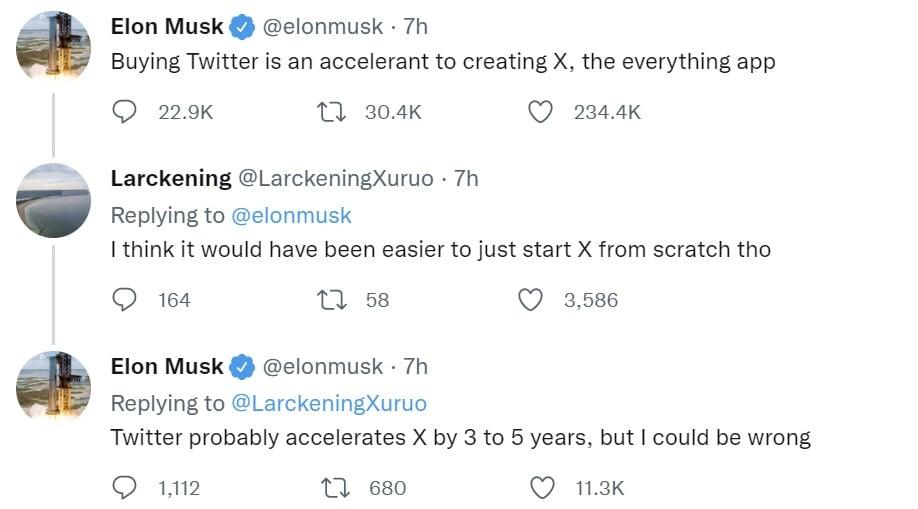
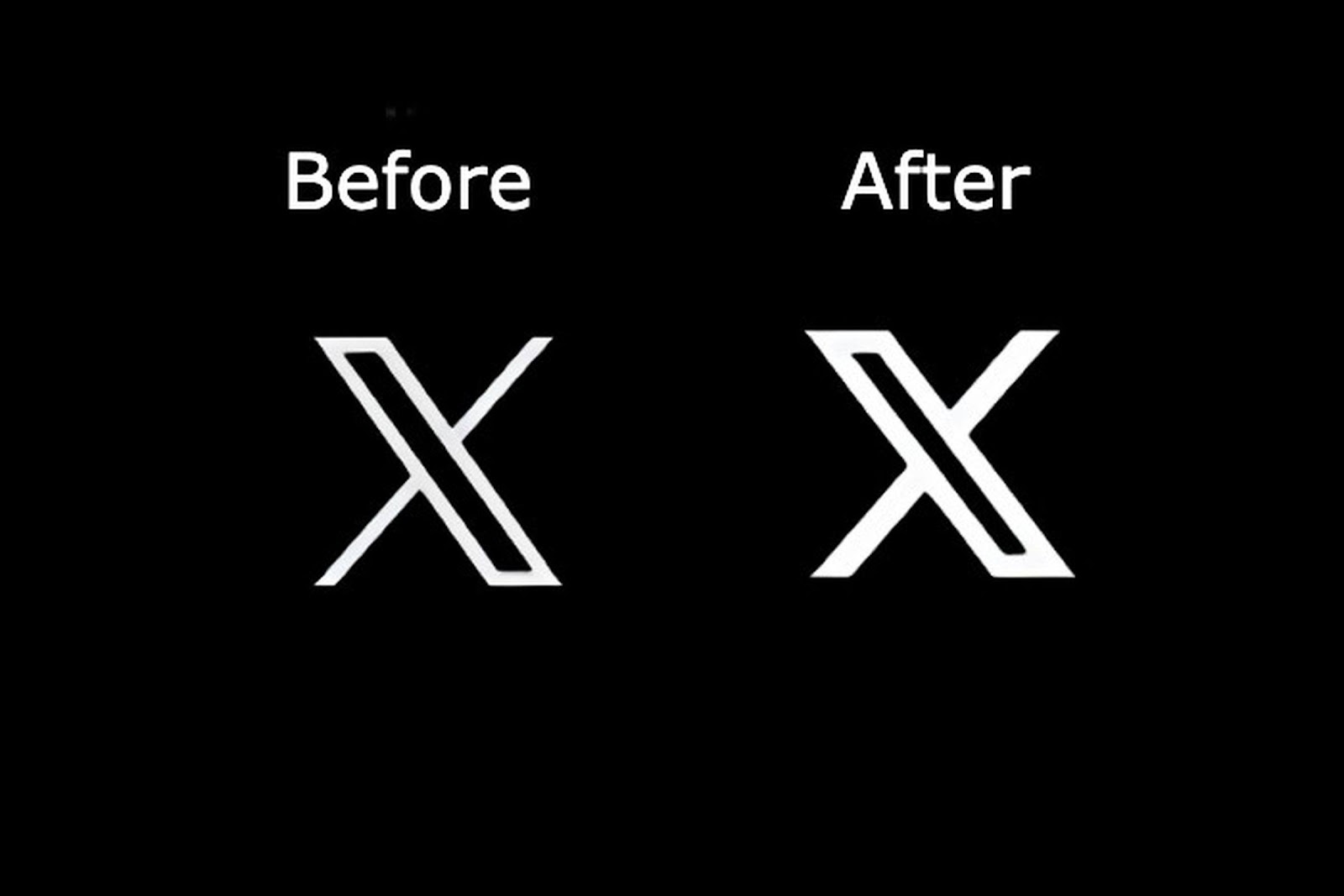
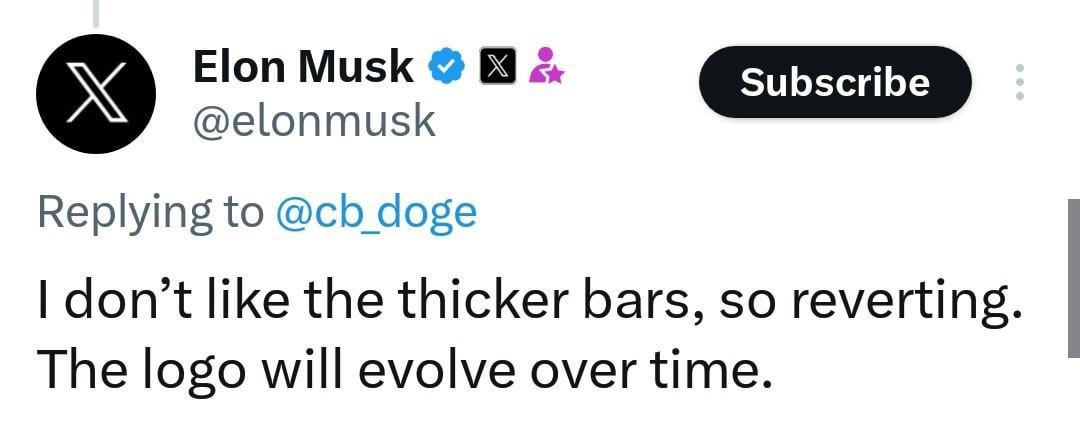
 Threads logo