We don't just develop apps; we engineer experiences, innovate
solutions, and redefine possibilities. With a legacy of over a
decade, our commitment to excellence, cutting-edge technologies,
and a talented team of professionals is what sets us apart.
iOS App Design and Android App Design—the ultimate showdown that has developers biting their nails and designers losing sleep. Be it you’re team Apple or team Android, crafting an app for these platforms is no small feat. Why? Because what looks sleek and seamless on iOS might look like a design experiment gone wrong on Android—and vice versa.
Now imagine this: you’re an app developer, pouring your soul into a design that looks perfect on your iPhone. You test it on an Android device and… surprise! Your beautifully aligned buttons are suddenly on a solo mission to explore the corners of the screen. If app design were a relationship status, it would definitely read: “It’s complicated.” Also, 94% of first impressions of an app are design-related.
But fret not! The differences between iOS App Design and Android App Design don’t have to drive you to despair (or make you Google “career change options”). In this blog, we’ll break down the key design principles for both platforms, sprinkle in a little actionable advice, and help you bridge the gap between Cupertino cool and Material Design mastery.
Let’s dive in, and by the end, you’ll be designing apps that your users love, won’t care if they’re swiping on an iPhone or tapping on a Galaxy.
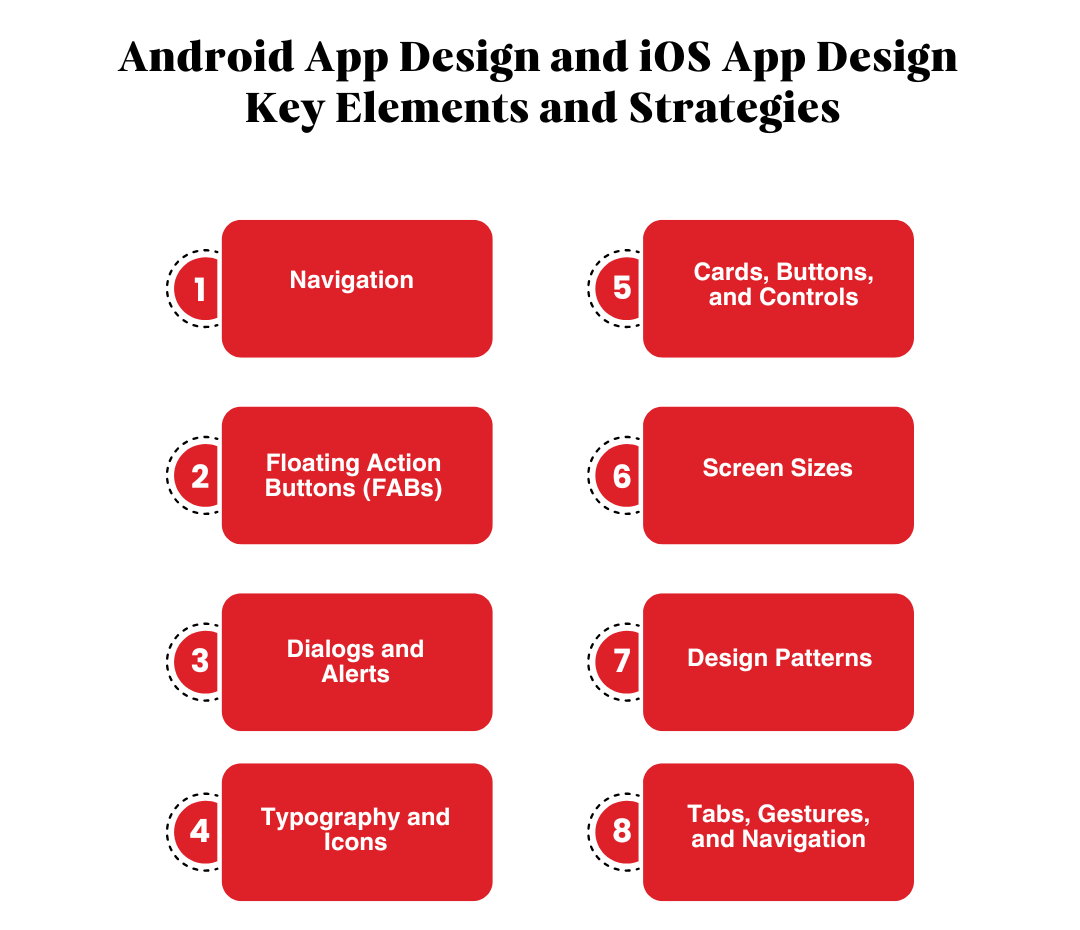
Android App Design and iOS App Design – Key Elements and Strategies
Creating user-friendly and visually appealing mobile applications is a critical aspect of digital innovation. When it comes to Android app design and iOS app design, the platforms differ significantly in their design languages, patterns, and user expectations. Lets break it down below:
Navigation
iOS App Design follows a highly structured approach to navigation. The primary navigation bar is always visible at the bottom of the screen, making it easy for users to switch between tabs. iOS does away with a back button, instead relying on intuitive gestures like swiping from the left edge to navigate backward. Additionally, users can view all open apps by swiping up from the bottom of the screen—a hallmark of Apple’s simplicity.
Android App Design, on the other hand, leans on flexibility. Navigation elements are often tucked into a hamburger menu or spread throughout the interface. Unlike iOS, Android includes a dedicated back button, either in the top navigation bar or as a system control, which can be a lifesaver for users who love multitasking.
Pro Tip: When designing an app like yoga go for Android, ensure your hamburger menus are logically structured, and for iOS, focus on keeping the navigation bar accessible at all times.
Floating Action Buttons (FABs)
Floating Action Buttons (FABs) serve as key components in mobile apps, acting as primary calls to action like creating a task or sending a message.
In Android app design, FABs often float prominently on the screen, sometimes overlapping content. This reflects Material Design’s approach, focusing on visibility and interactivity. FABs can also complement complex interfaces, such as in landscape design apps for Android, by streamlining user navigation.
In iOS app design, a similar function is achieved through buttons in the upper-right corner. These adhere to Apple’s minimalist design standards, ensuring simplicity and user focus.
Fun Fact: FABs in Android feel like superheroes of the interface—always ready to save the day with a tap.
Dialogs and Alerts
Dialogs and alerts interrupt tasks to convey important information or require user input.
Android app design software uses Dialogs creatively, offering flexibility with features like snackbars for non-intrusive notifications.
In iOS app design, Alerts follow a streamlined, minimalist style that blends seamlessly into the app interface.
For example, landscape design apps on Android might use snackbars to notify users about saved projects, while iOS app design templates ensure alerts stay intuitive and non-disruptive.
Dialogs and alerts interrupt tasks to convey important information or require user input.
Android app design software uses Dialogs creatively, offering flexibility with features like snackbars for non-intrusive notifications.
In iOS app design, Alerts follow a streamlined, minimalist style that blends seamlessly into the app interface.
For example, landscape design apps on Android might use snackbars to notify users about saved projects, while iOS app design templates ensure alerts stay intuitive and non-disruptive.
Fact time: 88% of users are less likely to return to an app after a bad experience.
Typography and Icons
Typography and iconography are the backbone of any android app design or iOS app design.
Typography:
Android relies on the Roboto font, designed for clarity and adaptability on digital screens. Apps like landscape design apps for Android benefit from this font’s readability.
iOS utilizes the San Francisco font, which adjusts seamlessly to various screen sizes and provides a modern aesthetic.
Android app design features bold and colorful icons aligned with Material Design guidelines.
Pro Tip: Think of typography as your app’s voice—whether it’s Roboto for clarity or San Francisco for elegance, it enhances user engagement.
Cards, Buttons, and Controls
Buttons and controls are the design elements that will make or break your app. They need to be accessible so the user wont have to search for them. Think of them as CTAs, you want to place them in right where you want the user to click it. Lets look at them in detail below:
1. Cards
Cards are essential for grouping content and organizing information visually. They serve as a structural element in both Android app design services and iOS app design services, but their implementation differs.
In Android: Cards add depth to the UI with shadows, rounded edges, and vibrant colors. For example, design Android apps often rely on cards to organize complex data, such as tasks, media, or user profiles. This is particularly useful in Android landscape design apps, where visual organization is crucial for creating intuitive layouts.
In iOS: Cards rely on flat sections and generous white space for content separation. Instead of shadows, iOS cards emphasize simplicity and clean lines, aligning with Apple’s minimalist design philosophy.
Pro Tip: Cards in Android apps feel like tangible objects, while in iOS, they blend seamlessly into the interface, making both equally effective in their ecosystems.
2. Buttons
Buttons are the primary tools for user interaction, and their styles differ significantly between the two platforms.
In Android: Buttons are bold, filled, and visually prominent, with a focus on vibrant colors and raised effects. They are perfect for action-heavy apps like those built using Android app UI design software. This bold design ensures that buttons are noticeable and functional even in visually complex layouts.
In iOS: Buttons are lightweight and text-based, emphasizing subtlety over prominence. Their minimalist appearance is in harmony with the overall design language of iOS apps, especially those built using iOS app design templates.
Pro Tip: Use buttons to guide user interaction effectively, ensuring they align with the platform’s design language. Bold Android buttons work well for highly interactive apps, while subtle iOS buttons enhance minimalist designs.
3. Controls
Controls like toggles, sliders, and checkboxes play a crucial role in user interactivity.
In Android: The variety of controls suits apps with intricate features. For instance, landscape design apps for Android often use sliders for precise adjustments and toggles for feature activation. The diverse control options reflect Material Design’s focus on functionality and flexibility.
In iOS: Controls are clean, minimalist, and intuitive. Toggles and sliders are designed with smooth transitions and subtle animations, offering an elegant user experience.
Pro Tip: Micro-interactions, such as the smooth toggling effect in iOS or the shadow effects in Android, can elevate your app’s overall polish and usability.
Feature
iOS
Android
Screen Sizes
Few, consistent sizes
Wide variety of sizes
Measurement
Points (pt)
Density-independent pixels (dp)
Testing Needs
Fewer devices
More devices required
Screen Sizes and Units of Measurement
Responsive design is critical for maintaining app usability across a range of devices. Both Android app design and iOS app design cater to different device ecosystems and require unique considerations.
1. iOS
Apple devices have a relatively small number of screen sizes, making it easier to maintain design consistency. Designers use points (pt) as the unit of measurement, ensuring apps adapt seamlessly across devices like iPhones and iPads.
For example, apps like iPhone design apps maintain uniformity, making them visually appealing across devices.
2. Android
With a wide variety of devices, Android uses density-independent pixels (dp) to create adaptive layouts. This ensures that apps like Android landscape design apps or design Android apps look polished, regardless of screen size or resolution.
Pro Tip: Test your app on multiple devices to ensure responsive design. An app that looks great on a high-resolution Android device or the latest iPhone is more likely to win user loyalty.
Design Patterns
Design patterns establish the overall look and feel of the app, setting expectations for users familiar with the platform.
1. iOS App Design
Focuses on flat and minimalist aesthetics with clarity and simplicity at its core.
Features like iOS app design inspiration showcase the importance of white space, intuitive navigation, and seamless user experiences.
Apps built with iOS app design services ensure that every element feels lightweight and unobtrusive.
2. Android App Design
Emphasizes depth, bold typography, and vibrant colors, adhering to Material Design guidelines.
The flexibility offered by Android app design software allows for greater customization, making it ideal for developers creating unique apps.
Apps like design Android apps take advantage of bold visuals to engage users effectively.
Pro Tip: Follow each platform’s design guidelines to make your app feel native and natural for users.
Tabs, Gestures, and Navigation
Navigation is the backbone of any app, and both Android app design and iOS app design offer unique approaches.
1. Tabs
iOS: Bottom-tab navigation is common, providing quick access to key sections. This ensures intuitive navigation for apps like those created with iOS app design templates.
Android: Top-tab navigation is frequently used, often paired with swiping gestures for seamless transitions. This is particularly effective in apps like Android landscape design apps, where users frequently switch between views.
2. Gestures
iOS: Intuitive gestures like swipe-to-delete and edge-swiping for navigation make interactions feel natural.
Android: Gestures are dynamic and integrate seamlessly with Material Design, allowing for unique app interactions, such as in Android app UI design software.
Fun Note: Designing gestures is like choreographing a dance—it requires purpose, fluidity, and precision to make user interactions enjoyable.
What to choose?
Creating apps that cater to both Android app design and iOS app design audiences requires an understanding of each platform’s unique traits. Whether you’re developing a landscape design app for Android, working with an iOS app design agency, or simply exploring how to design an app for Android, consider these tips:
Focus on typography and iconography to establish visual harmony.
Use responsive design principles for screen size adaptability.
Maintain platform consistency by adhering to each ecosystem’s patterns.
By capitalizing on the strengths of android app design services and iOS app design services, developers can create apps that are not only visually appealing but also highly functional across platforms.
Crafting Apps That Delight
When it comes to iOS App Design and Android App Design, understanding the key differences is the secret to creating exceptional user experiences. By respecting each platform’s unique guidelines—from navigation and typography to gestures and screen sizes—you’ll ensure your app looks and feels native to its ecosystem.
Be it you’re building a minimalist iOS masterpiece or a bold Android experience, remember that great design bridges the gap between platforms and makes users forget about the differences. Now go ahead, design apps that not only meet expectations but exceed them. And as you do, remember: in the world of app design, the devil is always in the details.
Android vs. iOS App Design: Can’t Decide? TechnBrains Is Here to Help
When it comes to developing a mobile app, the debate between Android vs. iOS app design often leaves businesses scratching their heads. An app with a strong design can increase conversion rates by up to 200%. Both platforms dominate the app development landscape but cater to different user preferences, devices, and ecosystems. So, how do you decide which one aligns best with your business goals?
Expertise in Both Platforms
We are a Top-rated mobile app development company Dallas, renowned for delivering top-notch apps tailored to Android and iOS. Be it bold Android app designs or sleek iOS app designs, we know what works best for your business.
End-to-End Support
From ideation to deployment, we guide you through every step of the app design and development process. We ensure your app not only looks stunning but also functions flawlessly.
Custom Solutions
Our team of expert designers and developers understands that every business has unique needs. That’s why we offer custom app solutions, ensuring your app resonates with your target audience and reflects your brand identity.
Partner with TechnBrains, the trusted mobile app development company, to create an app that aligns with your goals and captivates your audience. Contact us today to turn your app idea into a reality!
Custom healthcare software solutions has been the breakthrough for many healthcare app development companies in 2024. The reason? Let’s have a little story time. Using generic software in healthcare is like wearing a one-size-fits-all shirt—it never fits right. Patient records are incompatible, billing becomes chaos, and compliance feels like walking a tightrope. Isn’t it frustrating and inefficient?
The clients that have benefitted from our healthcare software solutions were always juggling multiple systems, leaving patients infuriated and staff overwhelmed. When your software can’t keep up, it’s more than just a tech issue—it’s a reputation disaster. Patients expect smooth, secure, and timely care, not excuses.
This is the reason why Custom healthcare software is the perfect fit. It streamlines operations, ensures compliance, and keeps patients happy. It’s your ticket to better care and fewer headaches. Having said that, how would a growing business like yours know which custom healthcare software solution is the best fit? We’re here to help you with that. In this blog, we will explore the 15 Types of Healthcare Software in 2025 so that you can scale up your business with the best software solutions for healthcare.
Healthcare Software Market In 2025
Our custom software developers firmly believe in educating the client first rather than jumping into just building healthcare software development solutions for them. As per Statista, The Digital Health market is anticipated to generate revenue of US$197.90 billion by 2025. Now this is the perfect opportunity for your business to invest in Custom Healthcare Software Solutions, to have a revenue grow at an annual rate (CAGR 2025-2029) of 6.89%, leading to an estimated market volume of US$258.30 billion by 2029.
If you are still not convinced, here is another one: A recent survey by the Deloitte Center for Health Solutions found that nearly 60% of industry leaders have a positive outlook for the future—a leap from 52% last year. Even better, 69% of US healthcare respondents anticipate increased revenue by 2025, with 71% expecting improved profitability.
What does this mean for you? Custom Healthcare Software Solutions can position your business to ride this wave of growth. By investing in tailored software now, you’ll be ready to meet rising demands and capture a share of this booming market.
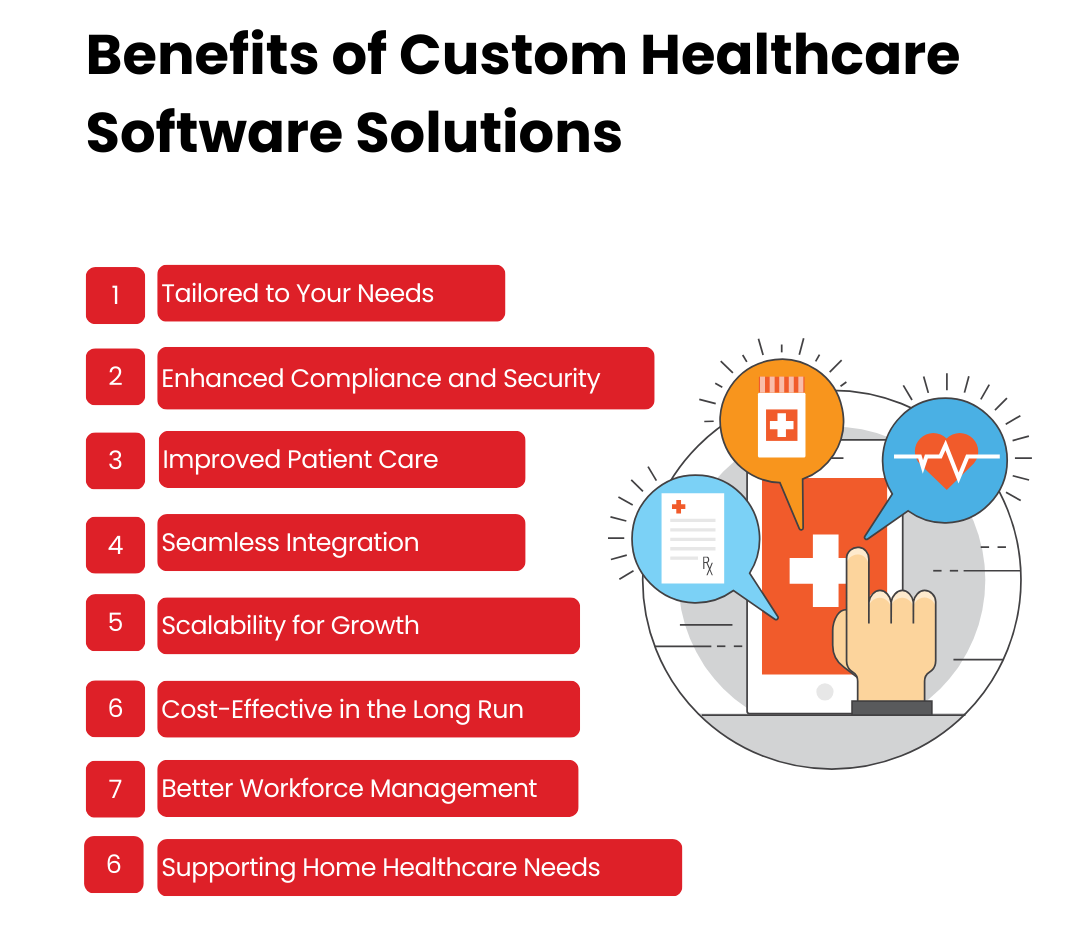
Benefits of Custom Healthcare Software Solutions
The healthcare industry is evolving faster than ever. To keep up, you need more than generic tools—you need solutions tailored to your needs. Custom healthcare software solutions solve your unique challenges, making everything from patient management to compliance as smooth as possible. Let’s explore how they can help you.
Generic Software Doesn’t Cut It in Healthcare
Imagine trying to fit into a one-size-fits-all hospital gown—awkward, right? Generic software is the same. With custom healthcare software development solutions, you get tools designed specifically for your operations, ensuring every feature serves a purpose. Whether it’s patient record management, appointment scheduling, or billing, tailored solutions streamline workflows and improve efficiency.
Enhanced Compliance and Security
Regulations in the healthcare industry are like a tricky Rubik’s Cube—constantly shifting. With healthcare compliance software solutions, staying on top of legal requirements becomes a breeze. These solutions ensure that your data management processes align with regulations like HIPAA. Plus, they add layers of cybersecurity to protect sensitive patient data, helping you avoid breaches or fines.
Custom Tools Transform Patient Experiences
When healthcare professionals spend less time buried in paperwork and more time with patients, everybody wins. Custom software solutions for healthcare optimize processes like appointment scheduling, prescription tracking, and diagnostic reporting. Patients experience faster service, fewer errors, and a more personalized touch.
Integration That Makes Everything Click
Healthcare systems often juggle multiple tools for billing, staffing, and patient care. Custom healthcare software solutions development ensures seamless integration with existing tools, creating a unified ecosystem. Whether it’s linking EHRs or connecting healthcare staffing solutions software, integration makes daily tasks easier. Think of integration like introducing your work friends to your college friends—it can get messy unless someone knows how to connect the dots!
Scalability for Growth
Your healthcare facility is growing, and your software should grow with it. Custom software solutions for the healthcare industry are designed to scale, so you don’t outgrow your systems. Adding new features, users, or even integrating with home healthcare software solutions becomes simple as your needs evolve.
The Long-Term Win of Custom Solutions
While custom solutions might seem expensive upfront, they save custom software development costs in the long term. By addressing specific needs and automating repetitive tasks, they cut down on inefficiencies, reduce manual errors, and eliminate the need for constant workarounds. This also makes managing healthcare software development solutions easier, allowing you to focus on what truly matters: patient care.
Managing Healthcare Teams Made Easy
Staffing challenges are common in healthcare. With healthcare staffing solutions software, you can manage schedules, track employee performance, and optimize resource allocation effortlessly. This reduces burnout, improves team morale, and keeps operations running smoothly.
Supporting Home Healthcare Needs
The rise of remote care demands effective home healthcare software solutions. These tools help manage patient care plans, monitor vital signs, and maintain clear communication between patients and providers. They’re ideal for bringing top-notch care into patients’ homes without compromising quality.
Now, lets explore custom software solutions that you can invest in:
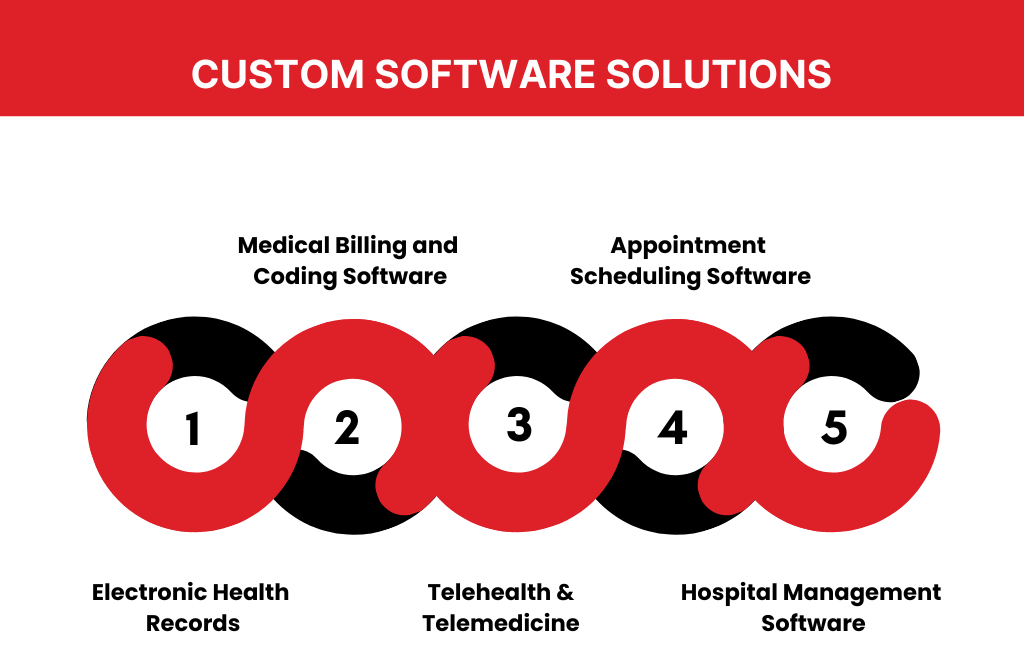
Electronic Health Records
Managing patient records with paper files? That’s like trying to run a modern hospital with stone tablets—it’s inefficient and prone to errors. Enter Electronic Health Records (EHRs): the tech-savvy solution every healthcare business needs. Now what is Electronic Health Records?
EHRs are digital versions of patient records, designed to streamline data access and sharing. Think of them as the cloud’s gift to healthcare. Speaking of clouds, cloud electronic health records make accessing patient information as easy as pulling up your favorite cat video—secure, fast, and always available.
The Benefits of Electronic Health Records are Improve data accuracy, Enable real-time information sharing and Make compliance with regulations a breeze.Your team will thank you for the efficiency, and patients will love the improved care.
From handling patient data to improving workflows, electronic health records systems are like your hospital’s brain. Make sure you choose a system that’s scalable, user-friendly, and meets compliance standards. As a leading custom healthcare software solutions provider we can help you build a solution that might become the Top Electronic Health Records Systems. Who knows?
Medical Billing and Coding Software
If you’ve ever tried to decode a doctor’s scribble on a prescription pad, you know how messy healthcare records can get. That’s where medical billing and coding software steps in—cleaning up the chaos and turning patient data into a smooth operation. Unlike generic tools, software for medical billing and coding is tailor-made to handle complex billing cycles, streamline claims processing, and reduce errors.
Be it medical billing and coding practice software for training or a full-scale software used for medical billing and coding in a busy hospital, the benefits are crystal clear. And if you’re wondering if there’s a medical billing and coding software free download, spoiler alert: it’s like expecting free Wi-Fi on a deserted island. The benefits of custom software development are endless and investing in the right tools—your bottom line will thank you.
Medical Billing Software
When it comes to managing finances in healthcare, medical billing software systems are the MVPs. These tools simplify payment tracking, insurance claims, and invoicing, turning complex workflows into child’s play. Paired with medical accounting software systems, they ensure every penny is accounted for without giving you a headache.
The best part? Many healthcare software companies now offer customizable solutions to match your business needs. From patient payment portals to insurance processing, these medical software programs make your financial operations smoother than a double espresso on a Monday morning.
Medical Database Software
Think of medical database software as the ultimate librarian for healthcare data. From storing patient histories to managing inventory, it’s the behind-the-scenes hero that keeps healthcare providers organized. The good ones integrate seamlessly with medical management software, giving your team a complete toolkit for streamlined operations.
Medical Research Software
Medical breakthroughs don’t just happen—they’re powered by data, and that’s where medical research software comes in. These tools help researchers crunch numbers, analyze trends, and develop life-saving solutions. Want to make the process even better? Combine it with medical software programs designed for data visualization and collaborative research.
Medical Diagnosis Software
Gone are the days of relying solely on intuition—medical diagnosis software uses AI and machine learning to assist doctors in diagnosing patients accurately. Think of it as the Sherlock Holmes of healthcare IT, minus the pipe and magnifying glass. And it plays nicely with medical management software, making the diagnosis-to-treatment pipeline faster and smarter.
Medical Imaging Software
When it comes to looking beneath the surface—literally—medical imaging software is the unsung hero of modern medicine. Be it it’s CT scans, MRIs, or X-rays, these tools provide crystal-clear visuals to aid diagnosis and treatment planning. But great visuals don’t happen magically—they rely on cutting-edge medical imaging software development to stay ahead of the curve.
E-Prescribing Software
Say goodbye to illegible prescriptions with e-prescribing software! This modern marvel lets doctors send prescriptions directly to pharmacies, cutting out errors and saving time. Paired with medical accounting software systems, it also tracks medication costs, making life easier for providers and patients alike. It’s like the Uber Eats of healthcare—only with pills instead of pizza.
Telehealth And Telemedicine
When it comes to remote healthcare, telehealth and telemedicine are like tech-savvy siblings—they’re related, but not identical. While both focus on delivering care virtually, they have their unique quirks. Let’s dive into what is the difference between telehealth and telemedicine to clear the confusion.
Telehealth vs. Telemedicine
Think of telehealth as the umbrella term, covering everything from video consultations to health education apps and even remote patient monitoring. It uses IT systems in healthcare to enhance access and streamline care delivery across various touchpoints.
Meanwhile, telemedicine is more specialized. It focuses on clinical services, like virtual doctor visits or follow-ups using telemedicine software for providers. In short, telehealth is broad, and telemedicine is the focused clinician in the family.
The Role of Telemedicine Software Providers
If you’re looking for solutions that make your telemedicine services shine, you’ll need the best. Modern telemedicine software companies provide end-to-end support, from appointment scheduling to HIPAA-compliant video calls. Be it you’re searching for telemedicine software development services or a telemedicine software development company, investing in tailored tools ensures your practice delivers seamless, secure care.
Why Choose Telehealth and Telemedicine Software?
These technologies aren’t just buzzwords; they’re game-changers. By incorporating advanced telemedicine software solutions, healthcare providers can cater to patients remotely without compromising quality. Add in solutions used in health care facilities like custom telehealth software, and you’ve got a winning formula for modern patient care.
With tailored telemedicine software development, you’re not just keeping up with the times—you’re leading the charge, ensuring your practice remains future-ready while making your patients feel like VIPs.
Appointment Scheduling Software
Let’s face it—keeping track of appointments on sticky notes or basic calendars is about as effective as using dial-up internet in 2025. Enter appointment scheduling software, your new superhero in managing patient flow. With the best appointment scheduling software for small businesses, you can bid farewell to double bookings and no-shows.
Be it you’re managing routine checkups or last-minute emergencies, medical appointment scheduling software ensures your operations stay smooth. From patient appointment scheduling software to niche solutions like dental appointment scheduling software, these tools simplify your day.
Think of it as combining the power of patient management software with the precision of doctor management software—all while keeping patients happy and your practice organized. It’s not just software; it’s your clinic’s personal assistant!
Hospital management software
Managing a hospital is like juggling flaming torches while riding a unicycle—chaos is inevitable without the right tools. That’s where hospital management software steps in to save the day.
From tracking inventory with hospital inventory management software to organizing staff with hospital staff management software, these systems do it all. The hospital management system software acts as your command center, handling everything from contracts (hospital contract management software) to facilities (hospital facility management software).
For tech-savvy administrators, hospital asset management software ensures that equipment is accounted for, while hospital information system software keeps all data centralized and accessible. Simply put, it’s the best hospital management system software for keeping your hospital running like a well-oiled machine.
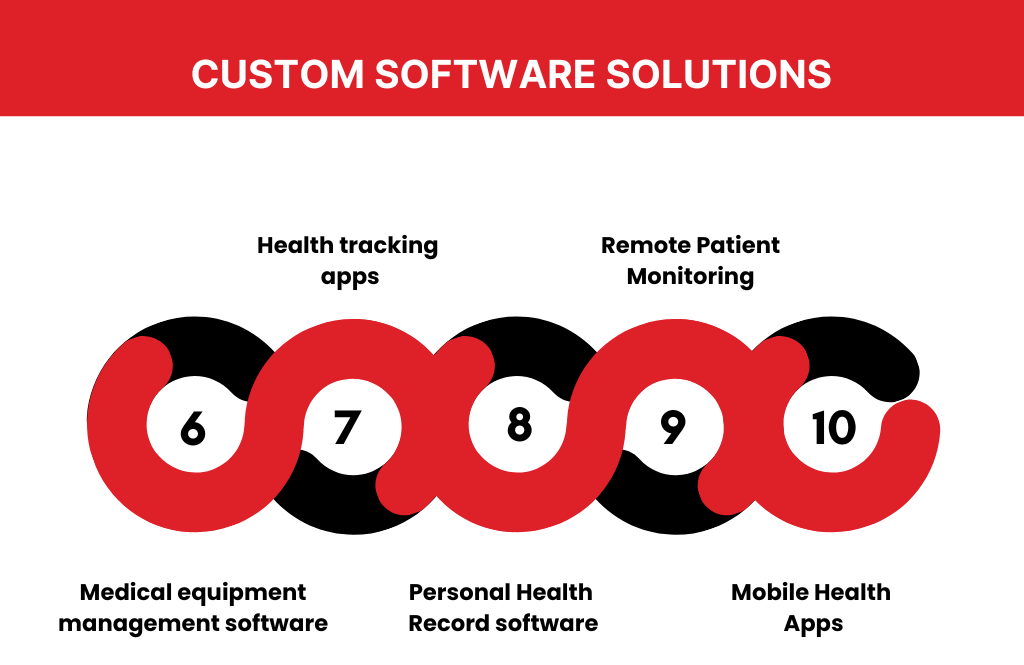
Medical equipment management software
Managing medical equipment isn’t just about knowing where the stethoscope is. It’s about keeping life-saving devices in top shape. Enter medical equipment management software—the ultimate tech assistant for healthcare facilities. Think of it as a Fitbit for your hospital’s equipment, ensuring every machine is accounted for, maintained, and ready for action.
From medical equipment asset management software to medical equipment maintenance management software, these tools make sure your MRI machine doesn’t decide to “retire” in the middle of a scan. Plus, they align perfectly with solutions used in health care facilities, integrating seamlessly with healthcare IT services to boost efficiency.
Health tracking apps
Gone are the days of tracking health on sticky notes or with your “trusty” memory. Health tracking apps now do the job for you, and they’re smarter than ever. Be it it’s mental health tracking apps for peace of mind or free health tracking apps for those on a budget, there’s something for everyone.
These apps work hand-in-hand with remote patient monitoring and mobile health apps, making sure patients can share real-time updates with their doctors. It’s like giving healthcare providers a crystal ball, minus the dramatic predictions. An app like yoga go can also do it for you!
Personal Health Record software
Say goodbye to the filing cabinet full of medical records and hello to personal health record software free of hassle. This software puts all your health data at your fingertips—literally. It’s like a digital diary for your body but without the teenage drama.
With help from medical software companies and healthcare IT services, these tools ensure your medical history is accessible, secure, and portable. Perfect for emergencies or impressing your doctor with how organized you are!
Remote Patient Monitoring
Imagine being able to monitor a patient’s vitals without stepping into the same room. That’s the magic of remote patient monitoring. Be it it’s with remote patient monitoring devices or cutting-edge remote patient monitoring software, it’s healthcare in the fast lane.
This tech pairs beautifully with mobile health apps, creating a virtual bridge between patients and providers. And with so many remote patient monitoring companies offering innovative solutions, it’s never been easier to keep tabs on patient health while sipping coffee from the comfort of your office.
Mobile Health Apps
Mobile health apps are like the Swiss Army knives of healthcare—they do everything! From helping patients monitor their health to letting doctors track progress in real-time, these apps are transforming care. The benefits of mobile health apps include improving patient engagement, streamlining communication, and reducing hospital visits. Think of them as your pocket-sized healthcare assistant.
For instance, mobile health apps for patients can track vitals, remind them to take medication, or even schedule appointments without the endless phone calls. Paired with remote patient monitoring systems, these apps enable doctors to keep tabs on patients from miles away, turning “doctor on demand” into reality. Add some of the most advanced medical software programs, and you’ve got a recipe for healthier, happier lives. Who needs outdated clipboards when we have health mobile apps that do it all?
EMR systems in healthcare
Ever wondered, what are EMR systems and why everyone talks about them? These EMR systems in healthcare act like digital filing cabinets on steroids. They store, organize, and secure patient records while making them accessible at the click of a button. And no, they won’t lose files like your desk might.
There’s a whole list of EMR systems out there, with various types of EMR systems tailored for small practices and large hospitals alike. For example, EMR systems for small practices focus on affordability and ease of use, while large facilities rely on robust hospital information system software to manage complex workflows. Here are a few EMR systems examples that stand out:
Epic Systems: Known for its scalability, it’s used by large hospitals and healthcare networks to manage everything from patient charts to billing.
Cerner: A favorite for its user-friendly interface and interoperability, making data sharing seamless.
Athenahealth: Ideal for small practices, it offers cloud-based solutions with built-in billing features.
NextGen Healthcare: Perfect for specialty practices, it provides customized templates and advanced analytics.
Allscripts: A reliable choice for its integration capabilities with other IT systems in healthcare and medical devices.
Each of these systems is designed to improve workflows and eliminate the headaches of manual record-keeping. If you need something robust like Epic or streamlined like Athenahealth, there’s an EMR system example for every healthcare need.
Getting started? Look into EMR systems training to ensure your team knows the ropes. Be it exploring different EMR systems or diving into an EMR systems list, these tools make it easy to upgrade from dusty old files to secure, efficient IT systems in healthcare. Who needs paper cuts when you have seamless tech?
Wrapping It Up
In today’s rapidly evolving healthcare landscape, relying on generic software can hold your business back. Custom healthcare software solutions offer the adaptability, efficiency, and compliance needed to meet industry demands and deliver exceptional care. From managing patient records to enabling telemedicine, these tools transform how healthcare providers operate, ensuring patient satisfaction and business success. Ready to take the leap? Start building your custom solution today to stay ahead in the healthcare game.
Ready to Elevate Your Healthcare Solutions? Partner with TechnBrains!
At TechnBrains, we specialize in creating innovative, secure, and user-centric healthcare applications tailored to meet your unique needs. With our extensive experience in healthcare app development, we help businesses deliver better patient care, streamline operations, and drive digital transformation. Our team ensures your app adheres to the highest standards of compliance and functionality. Let’s build the future of healthcare together. Contact us today to start your journey!
Startups often begin with groundbreaking ideas, but transforming these ideas into successful apps requires expertise, strategy, and innovation. Also, Starting a business is tough. App development for startups? Even tougher. Many startups dive into app development without the right skills or resources, only to face missed deadlines, buggy software, and frustrated users.
But here’s the good news: you don’t have to do it alone. Partnering with a leading app development company can solve these challenges. These experts have the tools, talent, and experience to bring your idea to life—smoothly and successfully. Ready to see why this partnership can make all the difference? Let’s dive in!
Should I invest in mobile app development for my startup?
Yes, investing in mobile app development for your startup is a strategic move. Here’s why:
Direct Access to a Growing Market: In the USA, over 85% of adults own a smartphone. A mobile app connects you to this vast audience, offering a direct channel to showcase your services or products.
Enhanced Customer Convenience: Modern consumers prefer apps over websites for their speed and ease of use. A mobile app lets your customers access your services anytime, anywhere, increasing satisfaction and loyalty.
Revenue Growth: Apps offer monetisation options like in-app purchases, subscriptions, or premium features. According to recent reports, mobile app revenue in the USA is expected to reach $935 billion by 2027—your app could be part of this growth.
Competitive Advantage: Many startups in the USA are leveraging apps to stand out. If you skip mobile app development, you risk falling behind competitors who are offering a more engaging and accessible experience.
Stronger Brand Presence: A custom app strengthens your startup’s identity, keeping your business top of mind. Features like push notifications help maintain regular interaction with your customers.
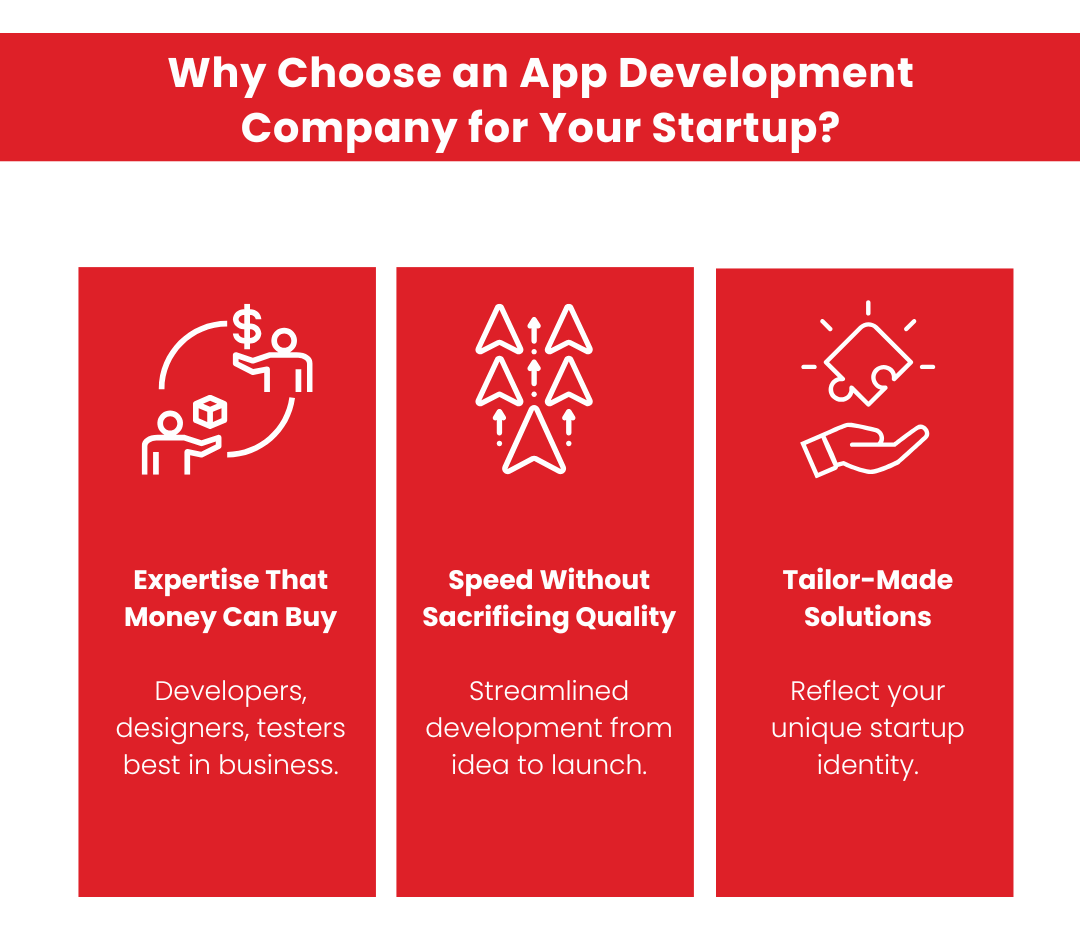
Let’s be real: your startup’s app is your baby. And you wouldn’t hand your baby to just anyone, right? So why would you trust your app to someone whose tech credentials stop at building a blog in 2010? Hiring a professional app development company is like bringing in the Avengers for your startup—except instead of fighting aliens, they battle buggy code, bland design, and clunky user experiences.
These companies are packed with specialists who know their stuff: developers fluent in every programming language under the sun, designers who can turn “meh” ideas into masterpieces, and testers who are more thorough than anyone else.
Why this matters
They stay ahead of trends. Be it AI-powered personalisation, blockchain security, or augmented reality that makes users say “wow,” they’ve got the skills to make it happen. Think of them as your tech trend whisperers. They ensure your app works seamlessly across platforms—iOS, Android, or that future Tesla phone Elon Musk might be plotting.
Hiring a leading company means your app won’t just work—it’ll dazzle. Imagine an app so good users tweet about it without even being bribed with free stuff. That’s the magic of expertise you can (and should) invest in.
2. Speed Without Sacrificing Quality
Time is everything in the startup world. You’ve got to move fast, but here’s the kicker: you can’t afford to move fast and break things. An app riddled with bugs is like a car without brakes—it’s going to crash hard.
Enter the pros. Leading app development companies are built for speed, but they also prioritise quality. They’ve been around the block and know how to streamline every stage of development.
Why do they excel here?
Their processes are optimised. From brainstorming to coding to testing, they work like a well-oiled machine. They have a faster time to market, which means that even your MVP App will roll out quickly. Plus, their QA teams are legendary. These folks hunt bugs with determination, and by the time your app launches, it’s been through the wringer and will come out looking (and working) flawless.
Pro Tip: Speed is only valuable if it’s paired with precision. A professional team ensures you launch on time and impress users from day one. Think of it like winning a race in a sports car, not an old clunker.
3. Tailor-Made Solutions, Not One-Size-Fits-All
Remember those “one-size-fits-all” T-shirts? Yeah, they fit no one. The same logic applies to apps. Your startup has its own vibe, its own goals, and its own audience. A generic, cookie-cutter app isn’t going to cut it. You need something as unique as your startup’s secret sauce. Professional app development companies get this. They don’t just churn out apps—they craft custom experiences designed specifically for your users.
What you get
A branded experience. Want your app to reflect your startup’s quirky personality? Done. Need it to scream professionalism? They can do that, too. Features that matter. These companies take the time to understand your users so they can build tools that they’ll actually use (and love). There are no random bells and whistles—just functionality that hits the mark.
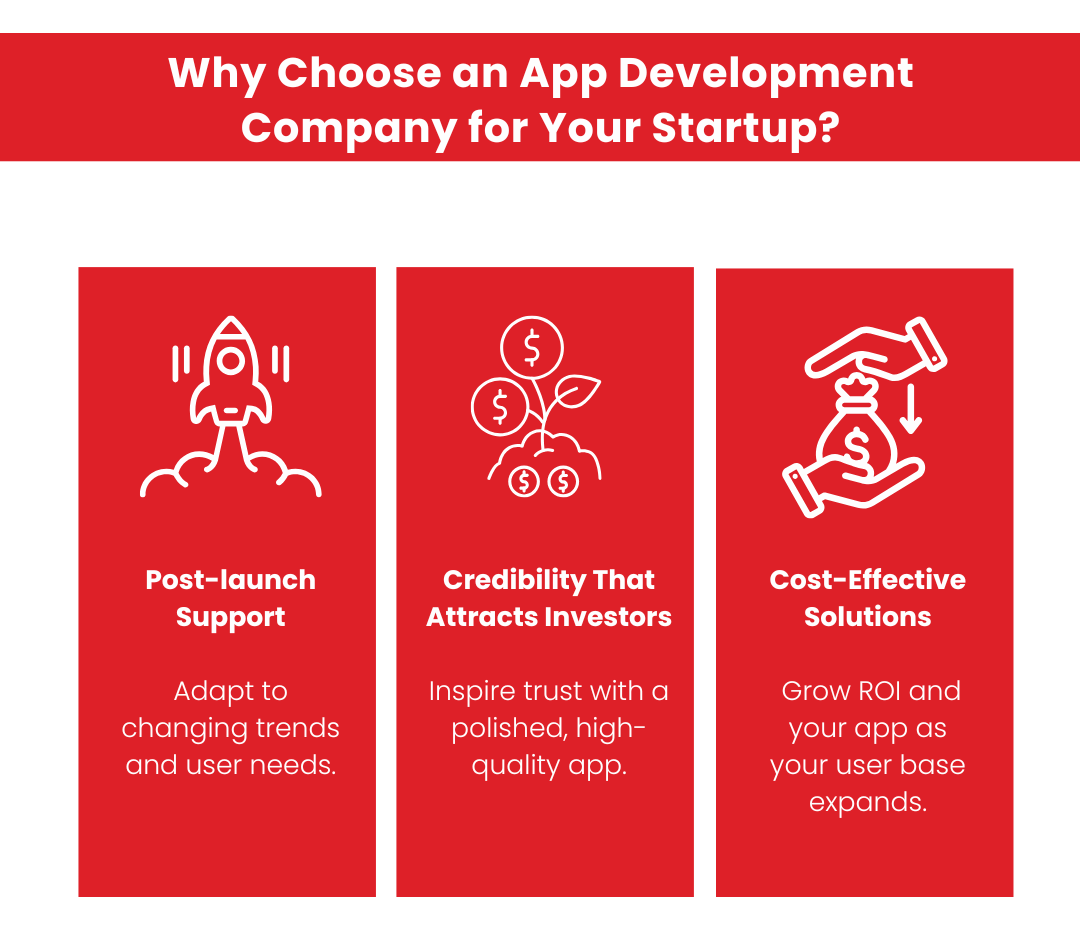
4. Post-launch? They’ve Got Your Back
Launching your app is a huge milestone, but it’s not the finish line. It’s more like the start of a marathon. Users will have feedback, bugs might pop up, and trends will change. If your app doesn’t evolve, it’ll get left behind faster than a MySpace profile in 2024. This is where top app development companies shine. They don’t just hand you an app and say, “Good luck!” They stick around to ensure your app stays fresh, functional, and fabulous.
They have dedicated support teams available to you. Something broken? Need an update? They’ve got your back. It’s like having a tech-savvy squad on speed dial. And the undeniable perk: Data-driven insights. These pros analyse user behaviour and feedback to make your app even better. Did users hate that new feature? They’ll fix it. Are people loving the new design? They’ll double down.
5. Credibility That Attracts Investors and Users
Here’s the thing about credibility: it’s hard to earn but easy to lose. A poorly designed app screams “amateur hour,” and nobody wants to invest in that. Users won’t download it, investors won’t fund it, and you’ll be stuck explaining why your app looks like it was built during a power outage. Hiring a leading app development company changes the game. Their involvement signals to the world that you’re serious about quality.
We’ve done it for our clientele, and we always tell them this: Polished apps inspire trust. Users are more likely to stick around when your app looks and feels professional. Of course, Investors take notice. A well-built app is like a shiny resume—it gets attention. Investors want to see that you’ve got the right team backing your product.
Bonus points: You get to drop some serious name recognition. “Oh, this app? It was developed by the same team behind an app like Yoga Go.” Instant clout.
Bonus Reason: Cost-Effective Solutions
Let’s bust a myth: partnering with a leading app development company isn’t just for big-budget enterprises. In fact, it’s one of the smartest financial decisions a startup can make. Think of it this way—building an app on a shoestring budget might seem economical at first. Still, the app development cost, combined with future expenses for fixes, updates, or redesigns, can quickly escalate. Working with experts ensures you’re getting value for every dollar spent, with fewer surprises along the way.
Leading companies build apps with scalability in mind. As your user base grows, your app can grow with it, saving you from inflated app maintenance costs or the need for a complete overhaul. With experienced developers, you’re less likely to run into expensive roadblocks, from compliance issues to major bugs. These companies have fine-tuned workflows and advanced tools, cutting down on both the app development cost and delivery time without sacrificing quality. Most top-tier companies offer clear pricing models so that you won’t be hit with unexpected expenses for either development or maintenance.
The Real Savings:
While the upfront app development cost of working with a professional team may be higher than hiring freelancers or using low-cost platforms, the long-term ROI is undeniable. You’ll save on app maintenance costs by avoiding major fixes, reducing time-to-market, and launching an app that retains users and generates revenue.
Pro Tip: A poorly built app may save you money initially, but the hidden costs of bad user reviews, low adoption rates, and wasted marketing efforts add up.
Final Thoughts
Your startup deserves the best, and when it comes to app development, cutting corners isn’t an option. Collaborating with a leading app development company is an investment in your future. From expertise that money can (and should) buy to post-launch support that keeps your app running smoothly, the benefits are undeniable.
So, the next time someone suggests you save a few bucks by hiring an amateur, just smile and say, “I’d rather my app not crash and burn, thanks.” Your users—and your investors—will thank you.
TechnBrains – Your Partner in App Development for Startups
At TechnBrains, we understand that app development for startups demands a unique approach. Startups need solutions that offer flexibility and scalability to adapt to their growing needs while maintaining cost efficiency to stay within budget. Our team brings unmatched technical expertise and a proven track record, ensuring your app is not just functional but a standout product in the market. From integrating the latest technologies to offering access to innovation like AI-driven features and blockchain security, we ensure your app stays ahead of the curve. Our rigorous quality assurance process guarantees a flawless user experience, while our expertise ensures that your app is ready for any challenge.
With TechnBrains, you gain more than a development team—you gain a strategic ally. With our focus on faster time to market, your app launches on time, giving you a competitive edge. Plus, our deep expertise and experience ensure every project is tailored to your startup’s vision and audience. Let’s transform your startup’s big idea into a market-ready app that drives success!
When you ask a Mobile app development company about application deployment, it might feel like being asked to defuse a bomb while balancing on a unicycle. But relax! It does not have to be that complicated. If you have ever tried to explain the process of deploying an app, think, “What’s a cloud, and why is it hosting?”
Imagine spending months building the perfect app. You’ve got the sleek UI, the killer backend, and a feature list longer than a Marvel movie’s end credits. But when it’s time to launch, you’re stuck in a never-ending loop of errors, failed connections, and server tantrums.
Your team’s stressed, your clients are furious, and your manager keeps asking why the app hasn’t gone live yet. Worst of all, every failed deployment feels like a public tech roast, with the error logs mocking your every move. Fear not! With the right application deployment tools, strategies, and a touch of automation, you can deploy apps faster.
Let’s explore everything from the basics to advanced strategies to help you ace the application deployment process without breaking a sweat—or a server.
What is Application Deployment?
In simple terms, application deployment is the process of making your app available for users. It’s like throwing a grand opening party for your app—inviting users to experience its brilliance on their devices. Be it a mobile app, a web app, or a hybrid beast, deployment ensures your creation goes live.
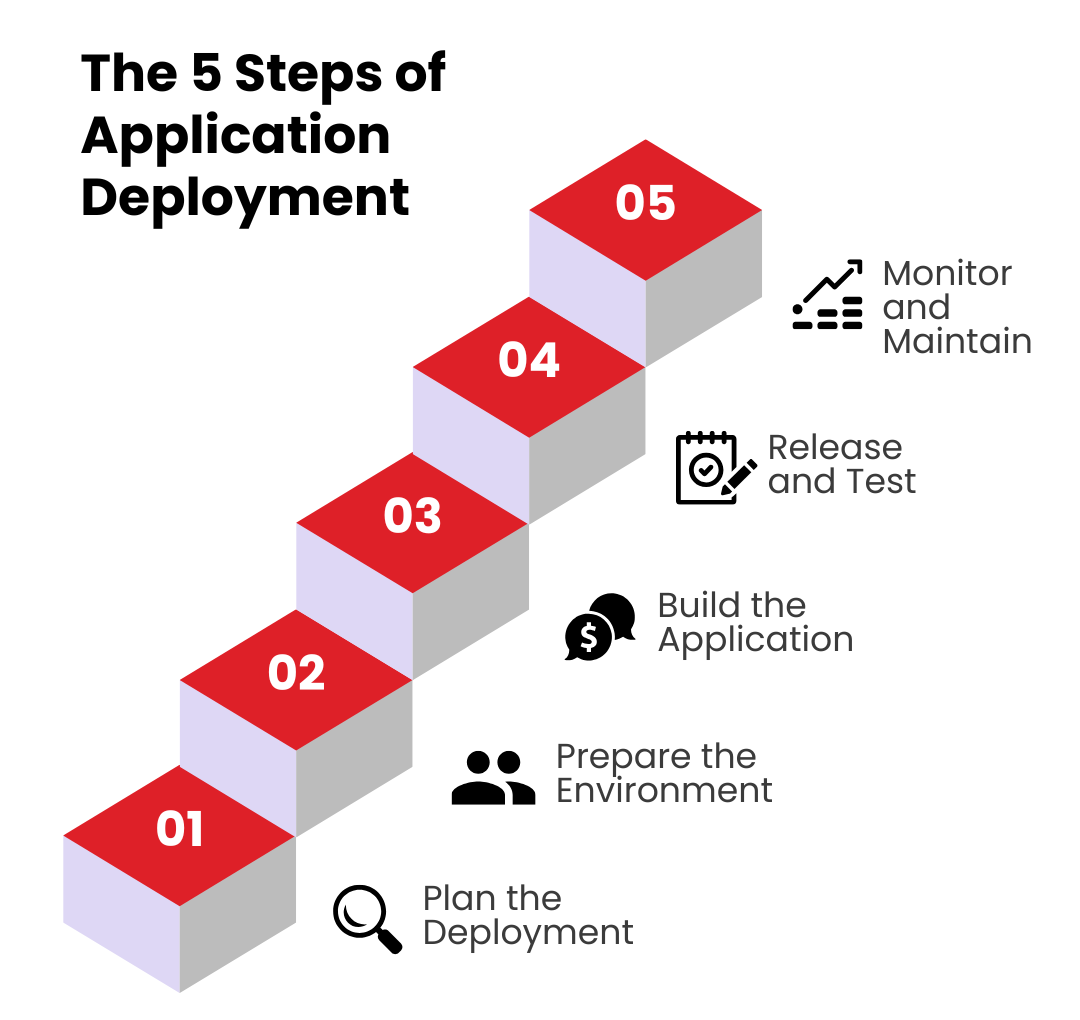
The 5 Steps of Application Deployment
Deploying an application isn’t just a click of the “Deploy” button; it’s a carefully orchestrated ballet of planning, testing, and execution. Be it for mobile application deployment, web application deployment, or scaling to the cloud, getting it right is the key to happy customers.
Let’s break down the application deployment process into 5 detailed steps:
Step 1: Plan the Deployment
“Failing to plan is planning to fail,” said someone wise—probably a project manager with a 2 AM production bug.
Choose a Deployment Strategy
Your deployment strategy is the backbone of this process. Consider these approaches:
Blue-Green Deployment: Keep a production environment (green) live while testing updates in a parallel environment (blue). Once satisfied, switch the traffic. It’s like a dress rehearsal before the big show.
Canary Deployment: Roll out changes to a small, controlled user group before full-scale deployment. Think of it as letting your app dip its toes into the water.
Rolling Deployment: Gradually update servers, minimizing downtime. Slow and steady wins the race, even in tech.
We will be discussing these strategies in detail in the next section.
Define a Timeline, and Timing is everything! Deploy during low-traffic hours to minimize disruptions—unless you enjoy late-night error logs with a side of coffee. Align Teams, Get everyone—developers, QA, DevOps, and product managers—on the same page. Miscommunication here can lead to chaos worthy of a sitcom episode. Proper planning sets the stage for a smooth deployment of application components, reducing risks and ensuring a stress-free launch (well, almost).
Step 2: Prepare the Environment
Imagine launching your app into an unprepared environment—it’s like sending astronauts to space without oxygen. Let’s get things ready. Set Up Infrastructure and create and configure servers, databases, and networks. Use tools like Jenkins or AWS CodeDeploy for both manual and automated application deployment. Remember, infrastructure isn’t the place to cut corners unless you enjoy server crashes.
Security isn’t optional. Set up firewalls, encrypt sensitive data, and ensure secure access protocols. In cloud application deployment, this means following stringent cloud security best practices. After all, no one wants to trend on Twitter for the wrong reasons—like a data breach.
Your app must handle traffic spikes without breaking a sweat. Enter tools like Kubernetes and Ansible, the superheroes of scalable infrastructure. Think of them as the bouncers at your app’s party, ensuring no server gets overwhelmed. With a well-prepared environment, your application deployment software will run smoother than your morning coffee pour.
Step 3: Build the Application
Now it’s time to transform your carefully written code into something that can actually, you know, run. Capitalize on CI tools like GitLab or CircleCI to integrate and test code changes automatically. These tools streamline the application deployment evaluation cycle, catching bugs before they become a public embarrassment. Bundle everything—libraries, configurations, and assets—into a neat, deployable package. Be it for Java application deployment or a cross-platform app, compatibility is key. It’s like packing for a trip: forget one essential, and your whole journey is in jeopardy.
You need to Run Pre-Deployment Tests, no questions! Static tests, dynamic tests, load tests—run them all. This is your chance to squash bugs before they wreak havoc. Consider this step your app’s final exam before graduation. A strong build ensures the later stages of deployment go as planned—because debugging in production isn’t a strategy; it’s a horror story.
Step 4: Release and Test
The moment you’ve been waiting for: the big release! But hold your applause—there’s still testing to do. Deploy the App; use application deployment automation to roll out changes efficiently. Tools like Bamboo or Octopus Deploy ensure zero-downtime deployment, which users will appreciate because they won’t even notice it happened.
Conduct Real-World Testing
Testing doesn’t end once your app is live.
Load Testing: Can your app handle Black Friday traffic levels?
Compatibility Testing: Is your mobile application deployment process user-friendly across all devices?
Functionality Testing: Do all features work seamlessly in production?
Keep an ear to the ground by monitoring logs, metrics, and user feedback. Real-world testing reveals what pre-deployment tests may have missed—like that one button no one thought to click.
Step 5: Monitor and Maintain
The app is live, but your job isn’t done. Deployment is like adopting a pet: maintenance is a lifelong commitment. Use New Relic, Datadog, or Splunk to monitor performance. These tools are your watchdogs, catching issues before they escalate. In web application deployment, uptime monitoring is especially critical—because users won’t forgive a downed website.
Gather metrics on everything from error rates to user behavior. Use these insights to iterate on your app. It’s like having a crystal ball for your next update. Bugs and vulnerabilities happen. Regular updates via automated application deployment pipelines ensure your app remains secure and up to date. Think of it as your app’s routine checkup.
Pro tip: User feedback isn’t a criticism; it’s a roadmap. Keep improving your mobile app deployment process to stay ahead in a competitive market.
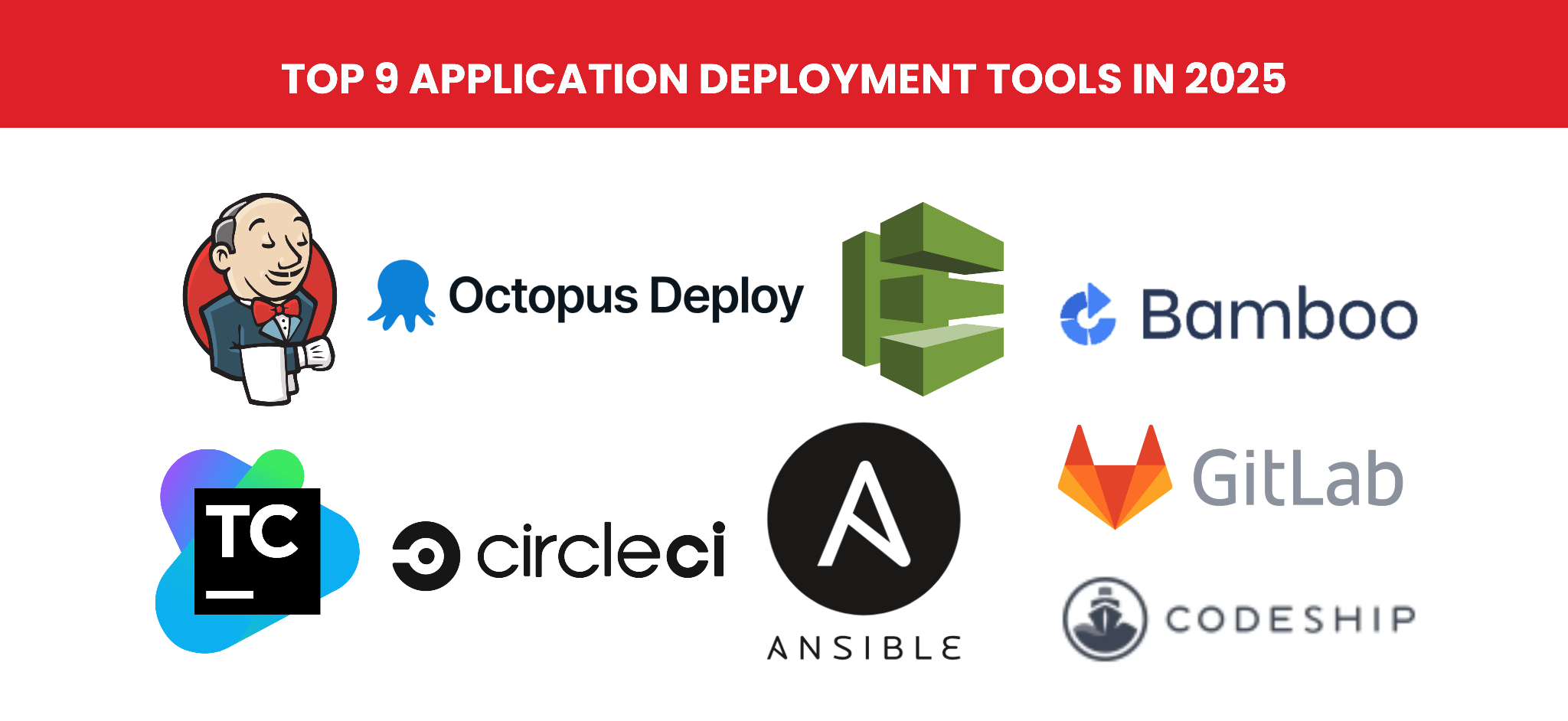
Top 9 Application Deployment Tools in 2025
Deploying an application quickly and effectively can make or break your project. Using the right application deployment tools gives developers superpowers, simplifying complex processes and ensuring smooth deployment. Here’s a detailed breakdown of the top 9 application deployment tools in 2025 that are shaping the industry.
Jenkins
Jenkins is one of the most popular tools for continuous integration and deployment. It’s open-source, highly customizable, and boasts a vast plugin ecosystem. This application deployment tool has been around for years and continues to evolve, making it indispensable for developers managing complex application deployment tasks.
Features
Automates the entire application deployment process.
Supports CI/CD pipelines with ease.
Integrates with nearly every development tool.
Enables automated application deployment with minimal downtime.
2. Octopus Deploy
Octopus Deploy specializes in application deployment tool automation, offering a robust solution for managing and automating deployments across multiple environments. With its powerful automation features, Octopus Deploy is a favorite among teams focused on error-free deployments.
Features
Simplifies the deployment of cloud, mobile, and web apps.
Works seamlessly with tools like Jenkins and Azure DevOps.
Supports blue-green and canary deployment strategies.
3. AWS CodeDeploy
AWS CodeDeploy is Amazon’s answer to cloud application deployment. It streamlines the deployment of applications to AWS EC2 instances, Lambda, and on-premise servers. It is an excellent choice for teams already invested in the AWS ecosystem, making cloud-based application deployment efficient and reliable.
Features
Automates the deployment of apps to cloud or on-premise infrastructure.
Provides detailed monitoring and logging for each deployment.
Supports the application deployment evaluation cycle, ensuring constant improvement.
4. Bamboo
Bamboo is Atlassian’s CI/CD tool designed to integrate seamlessly with their suite, including Jira and Bitbucket. It’s perfect for teams that prioritize tight collaboration. For organizations already using Atlassian tools, Bamboo enhances productivity and simplifies the application deployment process.
Features
Automates builds, testing, and deployments.
Supports parallel execution for faster app deployment.
Integrates natively with Jira for streamlined tracking.
5. CircleCI
CircleCI has become a go-to tool for startups and small teams looking for an easy-to-use yet powerful CI/CD platform.
Features
Enables quick setup for mobile app deployment tools.
Offers pre-built integrations with popular repositories like GitHub.
Supports a variety of deployment strategies, including rolling updates.
CircleCI is scalable, making it ideal for startups that need a tool to grow with them as their application deployment strategies evolve.
6. GitLab
GitLab isn’t just for version control anymore—it’s a complete DevOps platform that includes CI/CD capabilities. It has an all-in-one approach, which makes it a powerful choice for teams looking to manage every aspect of the deployment of applications from a single platform.
Features
Combines development, security, and deployment in one tool.
Enables real-time monitoring of the application deployment process.
7. Ansible
Ansible focuses on automation, particularly for server configurations and application deployment. Its simplicity and flexibility make it a favorite among DevOps teams. This tool has playbooks that are easy to write, making automation accessible to teams of all sizes.
Features
Automates tasks like software provisioning, configuration management, and deployment.
Works well with hybrid and multi-cloud environments.
Supports complex deployment scenarios with minimal scripting.
8. Codeship Inc.
Codeship is a cloud-based CI/CD tool that emphasizes simplicity and ease of use. It’s perfect for small teams and independent developers. For teams prioritizing simplicity without sacrificing functionality, Codeship is a solid choice.
Features
Offers pre-configured options for quick app deployment.
Supports integration with popular cloud services for the mobile app deployment process.
Provides real-time feedback on build and deployment status.
9. TeamCity
TeamCity is a CI/CD tool built for enterprise-scale projects. Its robust feature set makes it a favorite for large teams handling complex deployments. This tool’s ability to handle large-scale projects with ease makes it the go-to choice for enterprises.
Features
Provides detailed build logs and performance tracking.
Supports plugins for advanced application deployment automation.
Integrates with tools like Docker, Kubernetes, and AWS.
Application Deployment Strategies
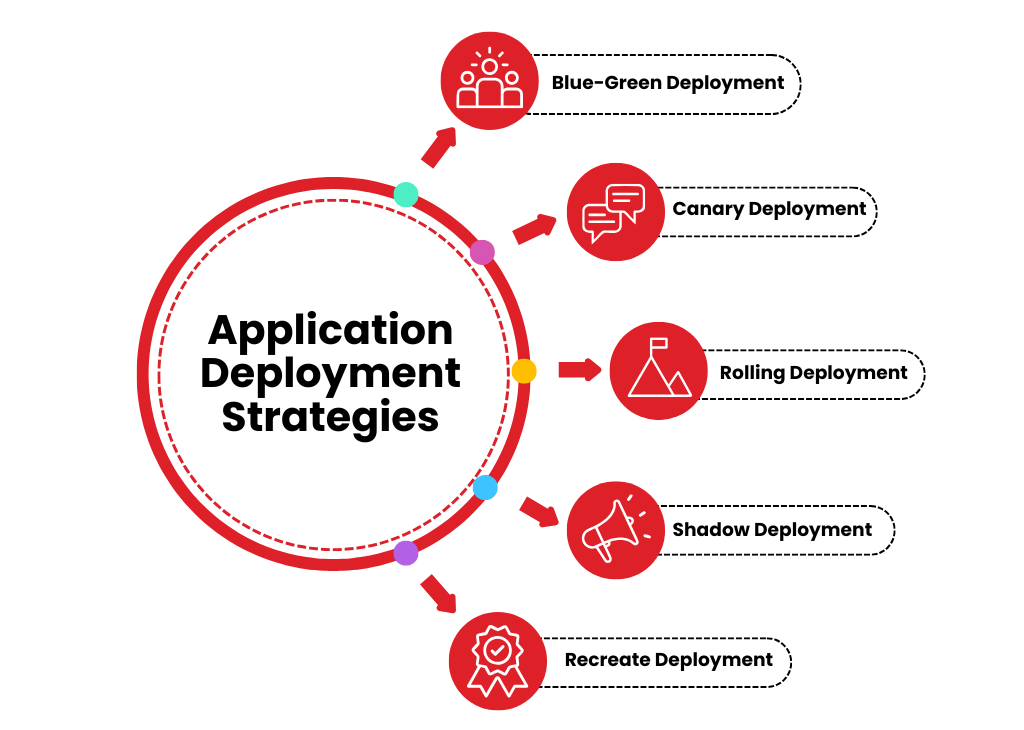
The most effective application deployment strategies are Blue-Green Deployment, Canary Deployment, Rolling Deployment, Shadow Deployment, and Recreate Deployment. There are many more you can use but let us break down the best ones in detail below:
1. Blue-Green Deployment
Blue-green deployment involves maintaining two identical environments:
Blue: The live environment currently serving users.
Green: A staging environment for testing new updates.
How It Works Updates are first deployed to the green environment for thorough testing. Once validated, traffic is redirected to the green environment, making it the new live (blue) version.
Key Benefits
Zero downtime for users.
Quick rollback to the previous version if issues arise.
Ideal for high-availability systems.
The best example of this application deployment strategy is for e-commerce platforms. They often use blue-green deployments to ensure a flawless shopping experience during peak seasons.
2. Canary Deployment
Inspired by the concept of using canaries in coal mines, this strategy involves releasing updates to a small, targeted group of users first. Streaming services often use canary deployments to test new features with select regions before global release.
How It Works
The new version is deployed to a small percentage of users (the canary group).
Feedback and performance metrics are gathered.
If successful, the update is gradually rolled out to the rest of the user base.
Key Benefits
Reduces the risk of widespread issues.
Provides real-world feedback before a full rollout.
Highly adaptable for mobile application deployment strategies and cloud systems.
3. Rolling Deployment
This strategy replaces the current version with the new one incrementally, minimizing user impact during the transition. Global SaaS providers rely on rolling deployments to maintain service availability across different time zones.
How It Works
Updates are deployed in small batches across servers or instances.
Each update is monitored before proceeding to the next batch.
Key Benefits
Ensures consistent service availability.
Allows for gradual adjustments based on performance.
Reduces the need for excessive downtime.
4. Shadow Deployment
Shadow deployment allows testing new updates in parallel with the live environment without impacting end-users. Financial institutions use shadow deployments to test new trading algorithms while ensuring their existing systems operate flawlessly.
How It Works
Incoming traffic is mirrored in the shadow environment.
Updates are tested under real-world conditions while the live version remains unaffected.
Key Benefits
Offers real-time testing without disrupting users.
Identifies potential issues in a production-like setting.
5. Recreate Deployment
This approach involves completely replacing the old version of an application with the new one. Small businesses with limited traffic often opt for recreate deployment due to its simplicity and low overhead.
How It Works
The old version is taken offline.
The new version is deployed and launched.
Key Benefits
Simple and straightforward.
Best suited for applications with minimal downtime requirements.
Trade-offs
It comes with unavoidable downtime. It may not be suitable for high-availability systems.
Automated Application Deployment
Manual deployments are outdated, and so is 2010. The rise of application deployment automation has revolutionized the way updates are managed, making processes faster, more reliable, and less labor-intensive.
Automation Reduces human error in repetitive tasks. It also speeds up the deployment of applications across multiple environments. Last but not least, automated application deployment frees up development teams to focus on building features rather than troubleshooting issues.
Top Tools for Automation
Ansible: Automates everything from configuration to deployment, ensuring smooth transitions.
AWS CodeDeploy: Seamlessly integrates with the AWS ecosystem for streamlined cloud application deployment.
Jenkins: A versatile tool for automating the entire application deployment process, from builds to deployment.
What Is the Difference Between Application Deployment And Application Development
The difference between application deployment and application development lies in their roles within the software lifecycle. Application development is the process of creating the application itself. It involves designing, coding, testing, and building the app’s functionality to meet user needs. Developers use programming languages, frameworks, and tools to bring the idea to life, ensuring the app is robust and ready for use.
On the other hand, application deployment refers to the process of delivering the developed application to its intended environment, such as servers, app stores, or cloud platforms, so that end-users can access it. Deployment involves preparing the infrastructure, setting configurations, running tests, and ensuring the app integrates seamlessly with existing systems. In simple terms, development is about creating the app, while deployment is about making it available and operational for users.
Cloud Application Deployment
Cloud application deployment is the process of launching applications in cloud environments such as AWS, Microsoft Azure, or Google Cloud. This method provides U.S. businesses with scalability, cost efficiency, and flexibility, allowing for dynamic resource management. Be it for web or mobile apps, cloud solutions enable rapid deployment with minimal downtime.
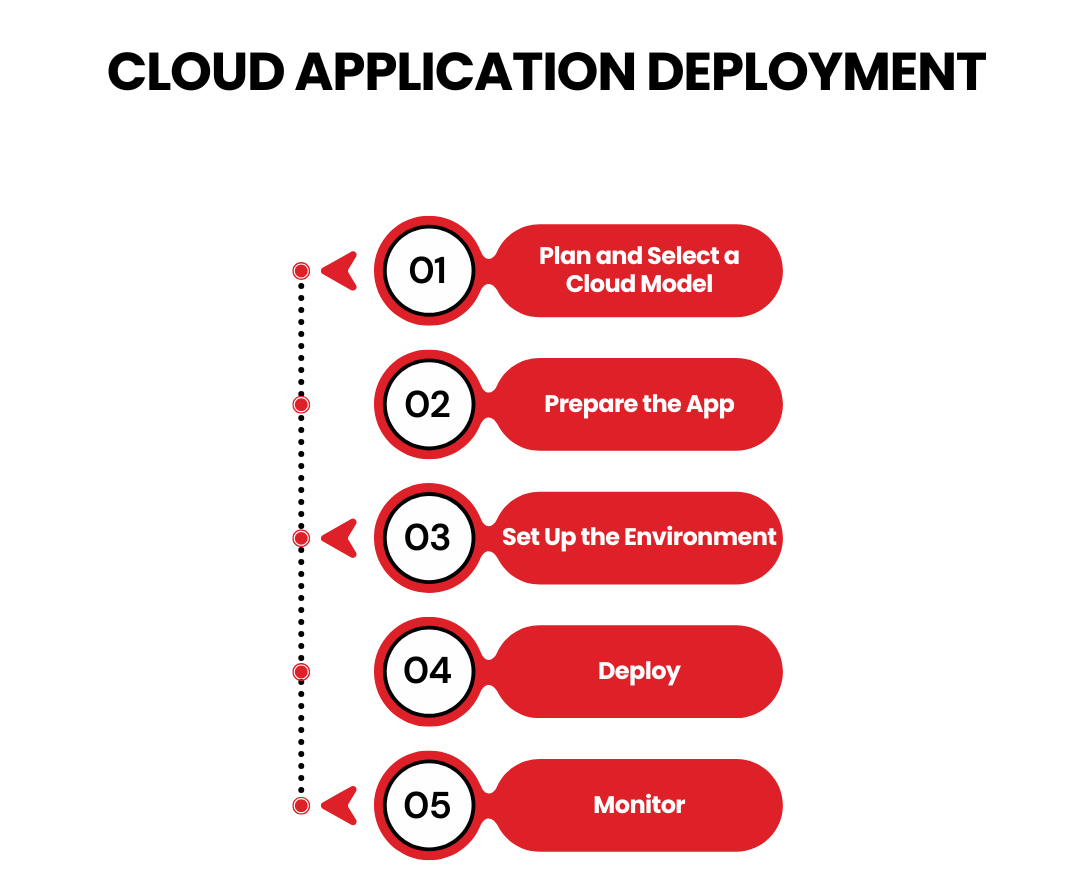
Steps of Cloud Application Deployment:
Plan and Select a Cloud Model: Choose a public, private, or hybrid cloud based on your needs.
Prepare the App: Use tools like Docker to ensure cloud compatibility.
Set Up the Environment: Configure servers, storage, and networks.
Deploy: Use tools like AWS CodeDeploy with strategies like rolling or blue-green deployment.
Monitor: Track performance with CloudWatch or Datadog and optimize as needed.
Cloud deployment ensures scalability, agility, and cost efficiency for app developers in Dallas.
Java Application Deployment
Java application deployment involves launching applications created with Java, a popular programming language. For U.S. businesses, Java’s cross-platform compatibility makes it ideal for web and enterprise applications. Deployment can occur on servers such as Apache Tomcat and JBoss or through cloud services for better scalability.
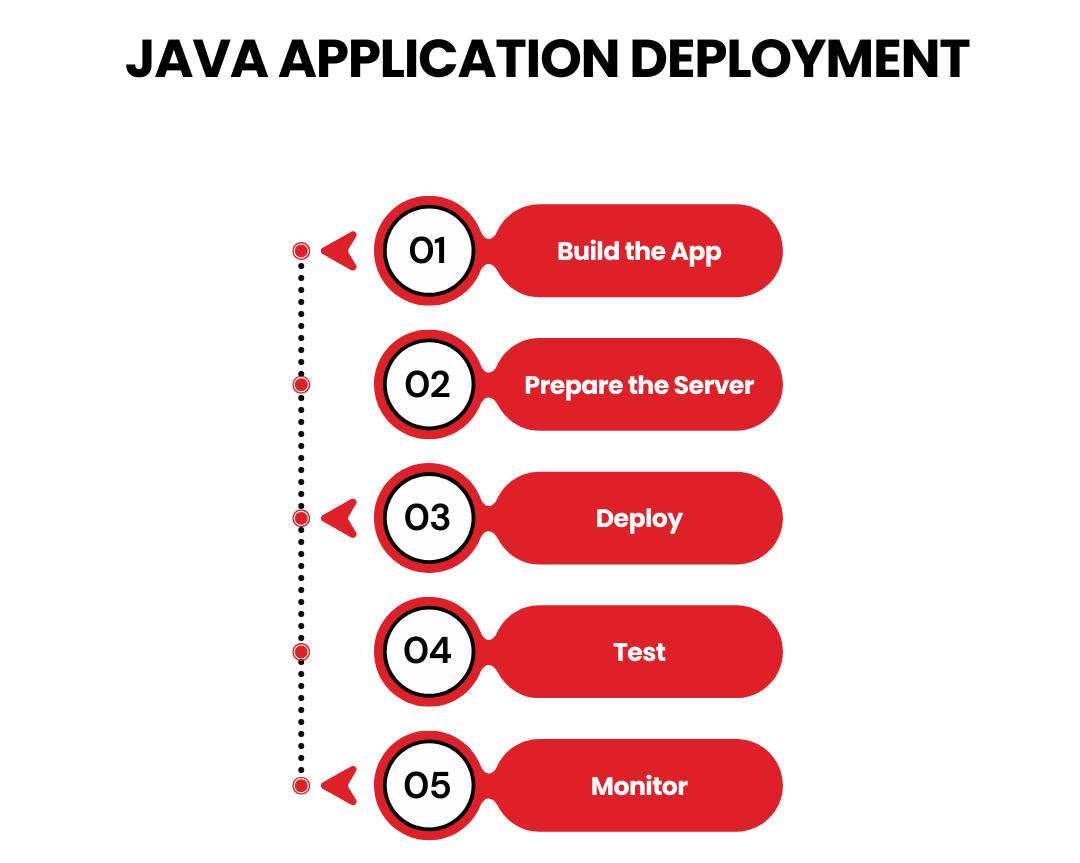
Steps for Java Application Deployment:
Build the App: Compile Java code into WAR or JAR files using Maven.
Prepare the Server: Set up environments like Tomcat or cloud-based platforms.
Deploy: Use CI/CD tools like Jenkins for seamless deployment.
Test: Ensure functionality and compatibility with APIs and databases.
Monitor: Use tools to track performance and apply patches for security.
Java remains a powerful choice for reliable enterprise applications in the U.S. market.
Deploy Like a Pro
The world of application deployment may seem intimidating, but with the right tools, strategies, and a touch of automation, you can turn it into a smooth ride. Whether you’re deploying mobile, web, or cloud applications, following best practices ensures a hassle-free launch every time. The application deployment process may seem daunting, but mastering it ensures your app launches smoothly and serves users effectively.
Remember the 5 steps of application deployment:
Plan meticulously.
Prepare thoroughly.
Build application
Test obsessively.
Monitor relentlessly.
And when in doubt, automate wherever possible. After all, the fewer manual steps, the fewer opportunities for “oops” moments. Deployment doesn’t have to be stressful—it can even be a little fun. Well, it’s as fun as debugging at midnight can get. As for the best application deployment tools in 2025, Jenkins, Octopus Deploy, AWS CodeDeploy, and Bamboo are must-haves.
So gear up, choose your tools wisely, and let your app conquer the digital world. And remember, when in doubt, blame the staging environment—it’s a tech tradition!
TechnBrains for Seamless Application Deployment
At TechnBrains, we turn complex application deployment into a streamlined, stress-free process. With expertise in advanced strategies like blue-green and canary deployments, we ensure your apps go live efficiently and flawlessly. Our dedicated team leverages cutting-edge tools and automation to eliminate errors, minimize downtime, and deliver exceptional performance. Whether you’re deploying mobile apps, web platforms, or cloud-based solutions, we tailor our approach to meet your unique business needs.
Ecommerce app development cost is one of the biggest questions for businesses aiming to go digital. With online shopping booming and 72% of consumers preferring apps over websites for their purchases, it’s no surprise that eCommerce apps are vital for success.
But here’s the catch: without understanding the true costs, many businesses overspend or compromise on quality. This leads to missed opportunities in a market where every second counts. Having said that, online sales are growing in both number and value. In 2024, global ecommerce sales are expected to go over $7 trillion.
Don’t worry—we’ve got you covered. In this blog, we’ll provide a detailed guide to the ecommerce app development cost so you can plan smartly and build an app that drives growth without breaking the bank. Let us dive in!
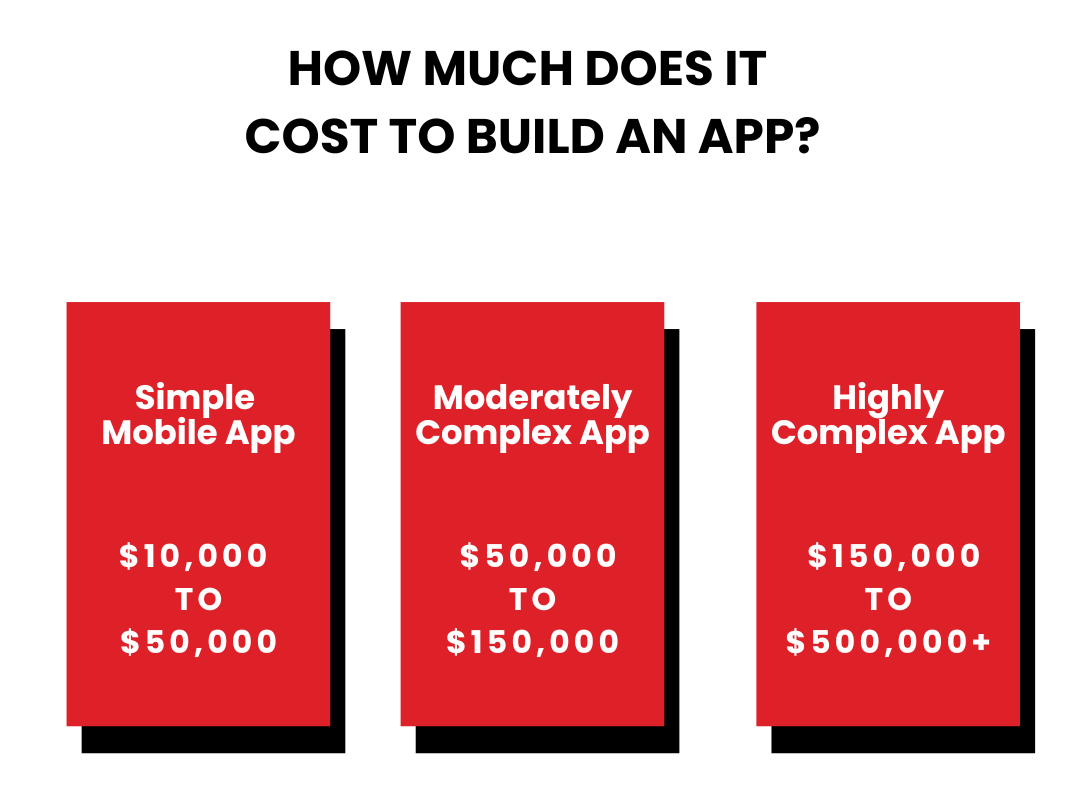
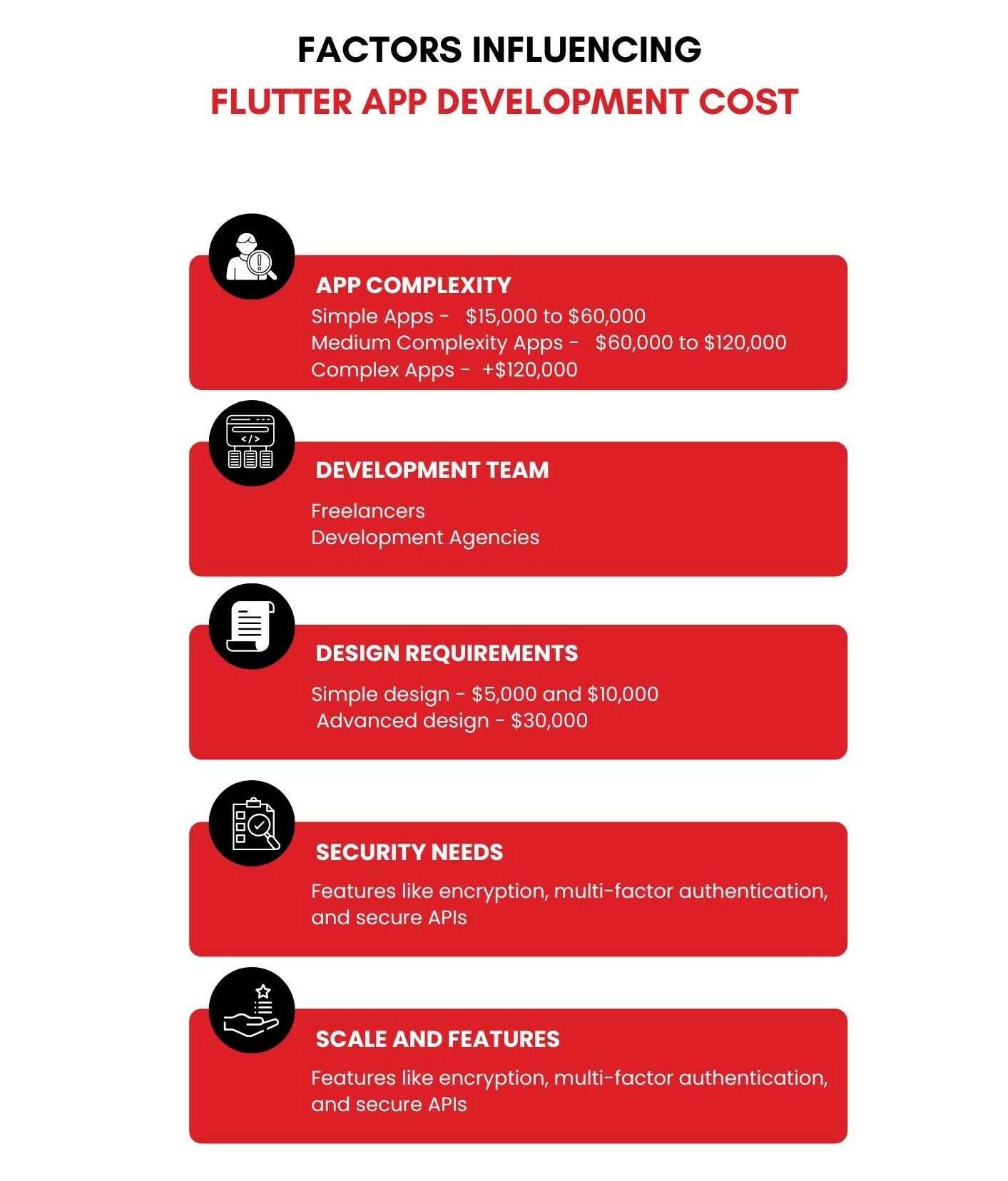
So, how much does it cost to develop an ecommerce app? As per industry insights, the ecommerce mobile app development cost for a basic app costs $15,000 to $25,000. A more advanced app starts at $30,000, and an advanced ecommerce app can cost $40,000 or more.
Cost of Developing an Ecommerce App
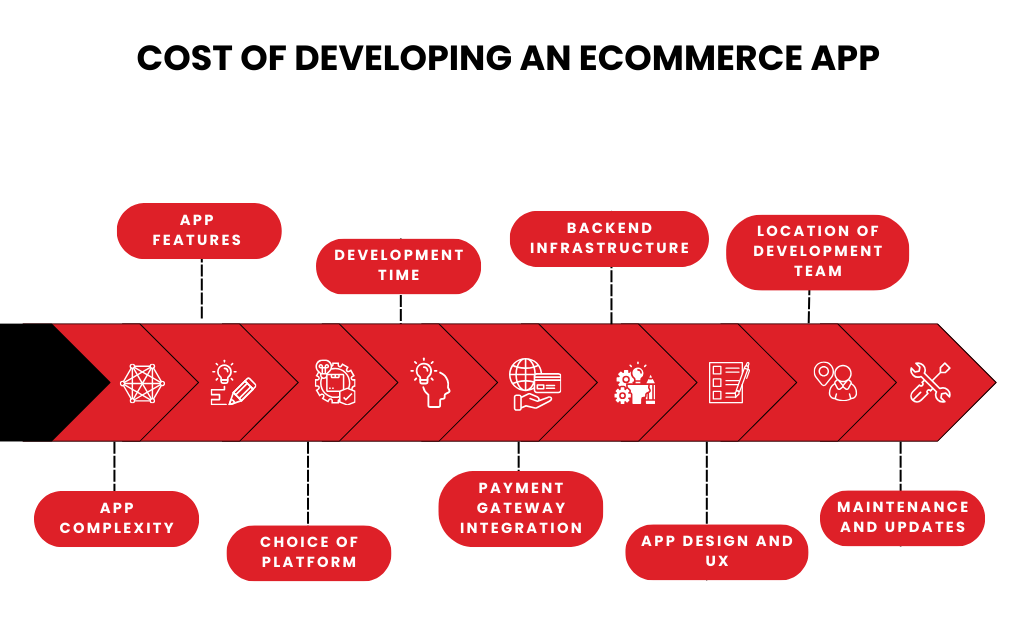
A basic app with essential functions like displaying products, processing payments, and letting customers add items to a cart has Ecommerce App Development Cost between $15,000 and $25,000. A mid-level app with features like customer accounts, order tracking, and shipping carrier integration costs around $30,000 or more. An advanced app with capabilities like AI product recommendations, augmented reality, and advanced analytics starts at $40,000 or more.
For a more accurate estimate, lets break down the ecommerce mobile app development cost below:
1) App Complexity
Below is a breakdown of Ecommerce mobile app development cost depending on complexity:
A basic ecommerce app provides essential functionalities such as:
Product catalog display
Shopping cart
Payment processing
Basic user accounts
This type of app typically takes about 8-10 weeks to develop, requiring approximately 320-400 hours of billable time. It’s an excellent option for startups or small businesses entering the ecommerce market.
Advanced ecommerce apps are built for businesses aiming for a competitive edge with unique features like:
AI-driven product recommendations
Augmented Reality (AR) for product previews
Advanced analytics dashboards for business insights
Integration with multiple third-party services
Such projects are complex, often requiring more than 16 weeks of development and a larger team to handle scalability and testing.
2) App Features
The number and type of features directly impact the development cost. Basic features like product listings, payment processing, and a shopping cart are cost-effective to implement. However, advanced features such as:
Real-time inventory tracking
Personalized product recommendations (powered by AI)
Augmented Reality (AR) for virtual try-ons
Multi-language support
…can significantly increase the cost. For example, adding AR functionality can raise the development budget by $10,000 or more. You should prioritize features based your target audience’s needs and allocate resources accordingly. Also here is a quick rundown of features with their ecommerce mobile app development cost to help you:
Feature Category
Feature
Estimated Cost (Lower)
Estimated Cost (Upper)
Essential
Product Browsing and Search
$5,000
$15,000
Essential
Product Details
$3,000
$8,000
Essential
Shopping Cart
$2,000
$6,000
Essential
Checkout Process
$4,000
$12,000
Essential
User Accounts
$3,000
$9,000
Essential
Payment Gateways
$2,000
$6,000
Additional
Push Notifications
$2,000
$6,000
Additional
Wishlist
$1,500
$4,500
Additional
Product Reviews and Ratings
$2,000
$6,000
Additional
Social Media Integration
$2,000
$6,000
Additional
Loyalty Programs
$3,000
$9,000
Additional
Augmented Reality (AR)
$5,000
$15,000
Additional
Live Chat Support
$2,000
$6,000
Advanced
Personalized Recommendations
$5,000
$15,000
Advanced
Voice Search
$3,000
$9,000
Advanced
Geolocation-Based Services
$3,000
$9,000
Advanced
Inventory Management
$4,000
$12,000
Advanced
Analytics and Reporting
$3,000
$9,000
3. Choice of Platform
The platform you choose—iOS, Android, or both—affects the Ecommerce App Development Cost. iOS apps tend to be less expensive because Apple’s ecosystem is more standardized. Android apps, on the other hand, require additional resources to ensure compatibility across a wide variety of devices.
Type of Ecommerce App
Average Development Cost
Native apps (Android & iOS)
$50,000 to $100,000
Cross-platform apps
$25,000 to $60,000
Web apps
$15,000 to $50,000
Hybrid apps
$10,000 to $150,000
4. Development Time
Time is money when it comes to app development. The average time to build an ecommerce app ranges from 8 to 16 weeks. The number of hours required for design, coding, and testing depends on the app’s complexity.
Development rates vary significantly by region:
North America: $100 – $150/hour
Eastern Europe: $40 – $70/hour
Asia: $20 – $50/hour
For a standard app taking 320 billable hours, the cost can range between $6,400 and $48,000 depending on the developer’s location.
5. Payment Gateway Integration
Secure payment gateways are non-negotiable for any ecommerce app. Integration costs vary based on the service provider. Popular options like PayPal, Stripe, and Square charge setup fees between $500 and $5,000, alongside ongoing transaction fees. Adding multiple payment methods, including mobile wallets like Apple Pay or Google Pay, can increase costs but enhances customer convenience, potentially boosting sales.
If you decide to build for both platforms, the development cost doubles. For instance, creating a cross-platform app using Flutter or React Native can save time but might add to the initial development cost due to the complexity of integration.
6. Backend Infrastructure
A robust backend ensures smooth app performance. It supports user accounts, transaction records, and data synchronization. Backend infrastructure involves costs related to Hosting services (e.g., AWS, Google Cloud), Databases (e.g., MongoDB, Firebase) and API integration. On average, hosting services cost $1,000-$3,000 per month, depending on app usage and storage needs. Skimping on backend infrastructure can lead to app crashes and poor customer reviews.
7. App Design and User Experience (UX)
First impressions matter in ecommerce. A sleek, intuitive design is important to design an app that users love. Custom designs that match your brand are more expensive than ready-made templates. Creating a high-quality user experience and user interface costs between $5,000 and $20,000. Spending on a user-friendly design can increase engagement and conversion rates, making it a valuable investment.
8. Location of Development Team
The geographical location of your development team plays a significant role in the Ecommerce App Development Cost. Hiring developers in the US or Western Europe is more expensive than outsourcing to teams in Eastern Europe or Asia. However, cheaper rates may come with challenges like time zone differences and communication gaps.
For example:
US developers charge $100-$150/hour.
Eastern European developers charge $40-$70/hour.
Asian developers charge $20-$50/hour.
TechnBrains developers: $99/per day.
9. Maintenance and Updates
Development doesn’t stop at launch. Regular updates, bug fixes, and adapting to OS changes like iOS and Android. Maintenance costs are typically 15%-20% of the app’s initial development cost per year. App maintenance costs about $2,000 to $2,500 each month at the beginning. This helps keep the app running smoothly and performing well throughout the year.
Comparing Popular Ecommerce Platforms
Choosing the right ecommerce platform is an important decision for any online store. The platform you pick will affect your store’s features, costs, scalability, and ease of use. Here’s a simple comparison of some of the most popular options:
Shopify
Shopify is known for being beginner-friendly. It’s easy to set up and manage, making it a great choice for small to medium-sized businesses. The platform offers built-in tools for product management, payment processing, and marketing, along with access to an extensive app store for added functionality.
The only setback, Shopify charges transaction fees on each sale unless you use Shopify Payments. Customization options are also more limited compared to other platforms. Ecommerce mobile app development cost plans start at $29/month for Basic Shopify and go up to $299/month for Advanced Shopify.
Magento
Magento is a powerful and highly customizable platform, ideal for large-scale and complex online stores. Being open-source, it offers flexibility for developers to tailor it to specific business needs. The open-source version is free, but hosting and maintenance are additional expenses. For cloud-based Magento Commerce, pricing varies based on your needs.
WooCommerce
WooCommerce integrates seamlessly with WordPress, making it a popular choice for those familiar with the platform. It’s free to use and offers flexibility with numerous plugins and themes. However, it requires hosting, domain costs, and technical skills to manage. Free to download, but hosting and maintenance costs will depend on your chosen provider. Security and regular updates are also necessary to keep your store running smoothly.
BigCommerce
BigCommerce is a robust platform suitable for businesses looking for advanced features like built-in SEO tools, abandoned cart recovery, and advanced product filtering. The Ecommerce mobile app development cost starts at $29.95/month for the Standard plan, with enterprise-level pricing available for larger businesses. It’s scalable and can handle high-traffic stores, but it comes at a higher price point and offers less flexibility compared to Magento.
How to Save Money on Ecommerce App Development Costs
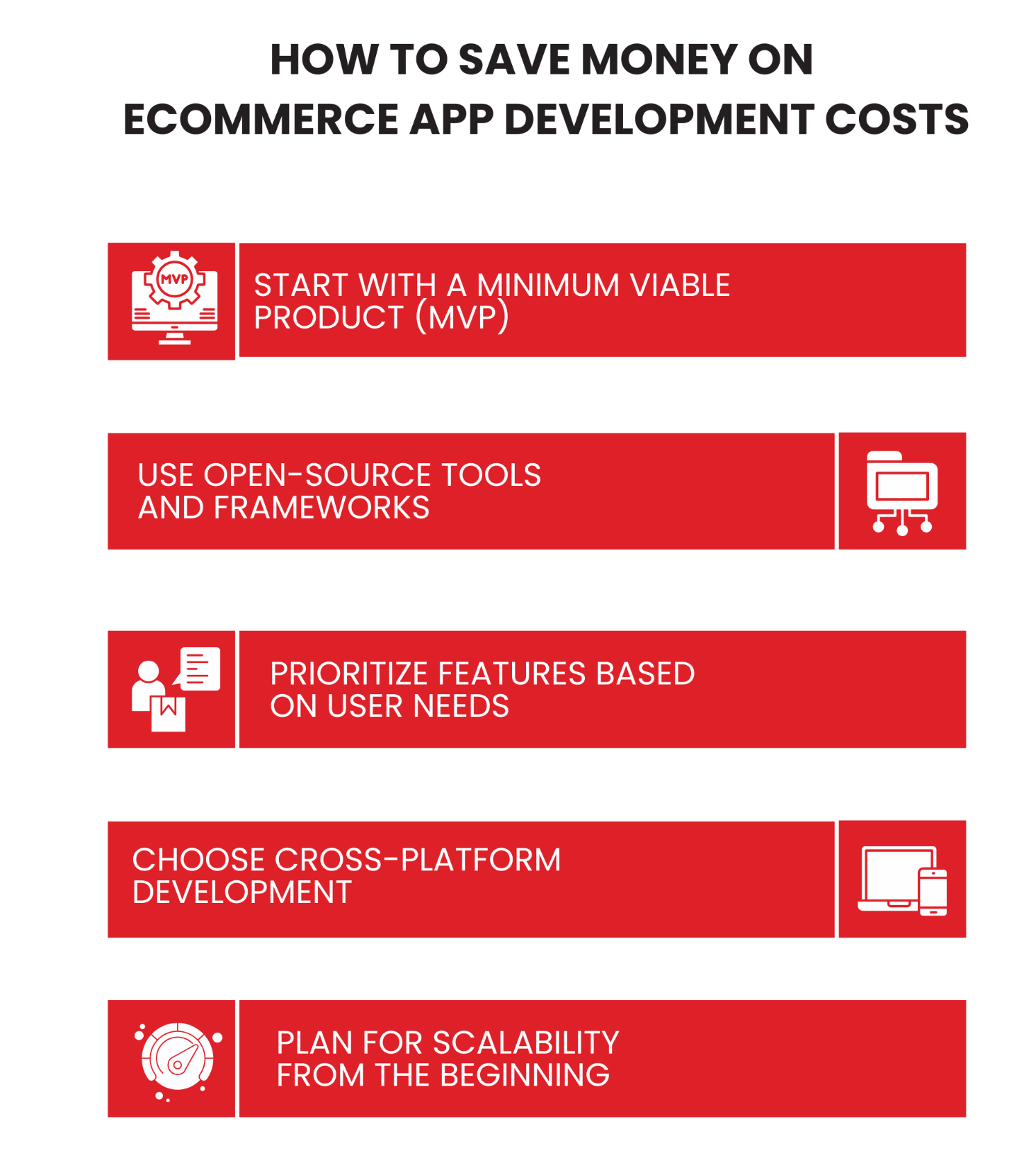
Creating an ecommerce app doesn’t have to be expensive. By using smart strategies, you can lower the Ecommerce App Development Cost without sacrificing quality. Here are some practical ways to save money while making sure your app performs well:
Start with a Minimum Viable Product (MVP)
MVP app development is the catalyst for slashing ecommerce mobile app development cost by a margin. What MVP does is that it focuses on delivering just the core features of your app, such as product browsing, shopping cart functionality, and payment processing. This approach not only reduces the Ecommerce App Development Cost but also allows you to test your idea in the market before committing to full-scale development. Win- Win right? Once your MVP is successful, you can gradually add features like personalized recommendations, advanced analytics, or AR integration as your budget grows.
Use Open-Source Tools and Frameworks
You can get your app built on open-source tools like Magento or WooCommerce for backend functionality. These tools offer powerful ecommerce features without the high costs associated with custom development. While these solutions may require some customization, they are a cost-effective foundation for most ecommerce apps. Be sure to allocate a budget for security enhancements and updates to avoid vulnerabilities. We will also be going down the comparison of different ecommerce platforms in the next section.
Prioritize Features Based on User Needs
This one is really important if you don’t want hefty Ecommerce App Development Cost. Avoid adding every feature you can think of to your app. Instead, focus on features that directly impact user experience and conversion rates. The best way to do it is to conduct surveys or analyze competitor apps to identify the must-have functionalities. In this way you will be prioritizing features, helping you allocate your budget more efficiently and avoid unnecessary development expenses.
Choose Cross-Platform Development
Building separate apps for iOS and Android can be expensive. With cross-platform development, developers write one codebase that works for both systems. This means you don’t need separate teams for iOS and Android, cutting overall development costs by 30-40%. These frameworks can handle most ecommerce app features, such as shopping carts, user accounts, and payment gateways.
Make sure the framework you pick supports your app’s growth and specific needs. Cross-platform apps may need small tweaks for each platform, but the savings in time and resources usually make this worth it.
Plan for Scalability from the Beginning
Thinking about scalability early can help you manage your ecommerce mobile app development cost in the future. Using scalable cloud hosting solutions like AWS, Google Cloud, or Microsoft Azure allows you to add resources as your app needs more. For example, if your app becomes very popular during a holiday season, scalable infrastructure ensures it can handle the extra traffic without crashing.
Scalability also means creating a modular app structure, making it easier to add new features without changing the entire codebase. While investing in scalable solutions might cost a bit more upfront, it will save you a lot in future updates, helping your app stay cost-effective and competitive.
The ROI of Ecommerce App Development
Investing in ecommerce app development can deliver a strong return on investment (ROI) by significantly boosting sales and enhancing customer engagement. With more than 72.9% of retail sales expected to come from mobile ecommerce by 2024, having a dedicated app ensures that your business remains competitive in digital-first market.
An ecommerce app can increase customer loyalty through features like personalized shopping experiences, push notifications for promotions, and easy checkout processes. These elements not only drive repeat purchases but also improve customer retention rates. Statistics show that apps convert at 3x the rate of mobile websites, meaning more revenue for your business.
Moreover, businesses with ecommerce apps can reduce operational costs by automating tasks such as inventory management and order processing. While the initial Ecommerce App Development Cost might range from $15,000 to $60,000 or more, the long-term benefits can outweigh the expense. For example, with a ecommerce app, your business can increase revenue by as much as 30% within the first year of launch. (If you get an app built by a 5 star rated firm – you know who)
Investing in an ecommerce app isn’t just about technology; it’s about creating a platform for sustainable growth and higher profits. The ROI from developing a dedicated app can set your business apart and drive success in today’s competitive landscape.
Wrapping it Up
Understanding the ecommerce app development cost is essential before starting a project. This ensures businesses make informed decisions without overspending or compromising on quality. The Ecommerce App Development Cost in 2025 can range from basic apps costing $15,000 to advanced solutions exceeding $40,000, the cost varies based on features, platform, and complexity. Factors like app design, payment gateway integration, and backend infrastructure significantly impact expenses.
Investing in an ecommerce app offers immense benefits, such as increased sales, improved customer engagement, and reduced operational costs. With mobile ecommerce expected to drive over 72.9% of retail sales by 2024, having a dedicated app is not just an option but a necessity.
Have you ever wished for to have a tattoo design app that gives you an image what you have imagined? If yes, youre lucky, if not then do you remember Ariana Grande “7 rings” tattoo? She intended to use a Japanese kanji on her palm. However, due to incorrect character placement, it ended up translating to “small charcoal grill” instead of her intended meaning. Frustrating or maybe funny right?
Traditional tattoo design methods often leave customers unclear about their desired tattoos, as imprecise sketches can be time-consuming and overwhelming. This leads to communication challenges between artists and clients, resulting in dissatisfaction. A solution that allows real-time visualization of tattoos could simplify the process and enhance client satisfaction, while also saving tattoo artists time in refining designs.
A tattoo design app bridges the gap by offering customizable features, enabling users to experiment with designs, and integrating AI for realistic previews. With the ability to visualize tattoos on their bodies before inking, customers can make informed decisions. Such an app also boosts efficiency for artists and ensures seamless communication.
As TechnBrains is always on the forefront of innovation, instead of searching for the “tattoo design app”, in this blog we are going to equip you with all you need to know to build one.
Why Build a Tattoo Design App?
Imagine this: you’re ready to get your dream tattoo, but after hours of painful inking, the result doesn’t match your expectations. Suddenly, you remember the infamous story of a man who wanted a majestic lion tattoo on his chest but ended up with a cartoonish, lopsided feline that looked more like a house cat. A masterpiece in his mind turned into a meme on the internet overnight.
This is where a tattoo design app comes to the rescue, ensuring no one falls victim to the dreaded tattoo regret. Such apps are revolutionizing how tattoos are envisioned, designed, and brought to life. Be it a tattoo enthusiast wanting to design your own tattoo app experience or an entrepreneur looking to develop the best tattoo design app, there’s immense potential in this niche. Here’s why building one a great idea for 2025:
1. Making Tattoo Design Simple
Tattooing methods often rely on basic sketches that fail to capture details or give clients a realistic preview. With a well-thought-out design tattoo app, users can experiment with designs, placements, and even colors. They can overlay tattoos on their photos or choose templates from an extensive library. The app’s intuitive interface simplifies the process of designing tattoos, leaving no room for surprises.
For example, users can use a tattoo app design to select a tribal design, size it perfectly for their forearm, and adjust shading—all before visiting the tattoo artist. It’s like having a virtual tattoo studio right in their pockets.
2. Your Tattoo, Your Way
Modern tattoo trends lean heavily toward customization. A design a tattoo app lets users take charge of their ink stories. By offering tools to create custom designs from scratch, an app can serve those who want a completely personalized tattoo.
For the dreamers aiming to make their mark (pun intended!), a design your own tattoo app can transform their vision into reality. From minimalist geometric patterns to elaborate full-sleeve masterpieces, such apps cater to every style.
3. Tattoos and Tech Are the Perfect Match
The tattoo industry is booming, expected to increase from USD 2.22 billion in 2024 to USD 4.83 billion by 2032. The rise of tech-savvy consumers has driven demand for tattoo design app integrated with technology. This all because users seek more personalized and interactive ways to plan their body art. Be it beginners contemplating their first tattoo or ink enthusiasts envisioning their next intricate sleeve, tools that simplify the design process are in high demand.
Entrepreneurs have a significant opportunity to capitalize on this growth by creating the best tattoo design app that bridges technology and artistry. Integrations like Artificial Intelligence Services can make these apps game-changers, allowing users to visualize how a tattoo will look on their skin in real-time.
The numbers back this up: 72% of people considering tattoos in 2024 prefer apps with AR functionality to visualize designs before committing. Integrating tattoo app design best practices, such as intuitive interfaces and advanced customization, will ensure the app is a hit among both artists and customers. With tools like these, the tattoo industry is moving beyond guesswork to a future where creativity meets cutting-edge technology.
4. Bridging the Gap Between Ideas and Ink
One of the most common pain points in the tattooing process is communication. Customers often struggle to describe what they want, and artists have to interpret vague descriptions or low-quality references. By offering a platform that visualizes designs in real-time, a design a tattoo app bridges the gap. With customizable options, users can share their finalized designs with tattoo artists, reducing the back-and-forth and minimizing errors. This ensures that both parties are on the same page before the needle ever touches the skin.
5. Stay Ahead in the Tattoo Industry Game
Let’s face it: every tattoo studio is looking for ways to attract and retain clients. Creating the best tattoo design app can give your brand a competitive edge. At TechnBrains, we are here to design a tattoo app for you. With our AI Powered tattoo design app you can offer exclusive designs, loyalty programs, or even tutorials through the app to build a loyal customer base.
Features of a Tattoo Design App
A tattoo design app isn’t just about slapping some cool designs together. Just like a tattoo artist needs precision and creativity, your app needs a blend of practical functionality and artistic flair to truly impress both users and tattoo artists alike. Here are the must-have features to ensure your app is as popular as that one tattoo meme that never fails to get a laugh:
Real-Time Augmented Reality (AR) Visualization
If you’ve ever been unsure about how a tattoo will look on your body, you’re not alone! Picture looking at your arm through your phone screen and seeing the tattoo design exactly where you want it. No more squinting at hand-drawn sketches and imagining what it would look like on your skin. The best tattoo design app would let users experiment with designs in real-time, using their own body as a canvas. The ability to move and scale the design to fit any body part in real-time gives users a sense of certainty they’ve never had before.
Custom Design Options
Let’s face it: custom tattoos are often the best tattoos. From meaningful quotes to complex artwork, having the option to design your own tattoo app gives users total control over their creativity. With robust design tools like layering, color selection, and text customization, users can create unique designs that are truly one-of-a-kind.
Moreover, integrating AI tattoo design app features would be a huge bonus. AI can help suggest improvements or offer design options based on the user’s preferences and past designs. It’s like having an artistic partner who’s always available—minus the coffee breaks!
Extensive Design Gallery
While custom designs are great, sometimes inspiration is needed. An extensive design gallery can serve as a helpful starting point for users. The best tattoo design app should include curated galleries with popular tattoo styles, themes, and trending designs, giving users a broad array of choices.
Integrating AI tattoo generator app features can be helpful here, too. The AI could analyze user preferences and suggest designs based on their history. It’s like having a tattoo assistant who knows exactly what you want, even before you do. Plus, TechnBrains can integrate AI-powered design generators that constantly update with fresh ideas, keeping the app relevant and trendy.
Tattoo Size and Placement Suggestions
One of the most important aspects of tattoo design is the placement and sizing. A tattoo might look great in theory, but without proper placement, it might not have the intended impact. Your tattoo app design should allow users to select the body part they’re considering and show how the design would fit.
Social Sharing and Community Feedback
People love to share their experiences and you need to make sure they do it through your app. A design tattoo app that includes social sharing features allows users to post their designs, get feedback, and see what others are creating. Creating a community around your app can also increase user engagement and build loyalty.
AI-Driven Recommendations
What if your app could suggest designs based on the user’s mood, style, or even past tattoos? With AI tattoo design app features, this is possible! AI can analyze user preferences, trending designs, and even emotional states to offer personalized tattoo suggestions.
This is another area where TechnBrains can help take your app to the next level. By utilizing cutting-edge AI technology, we can create a recommendation engine that’s smart enough to understand what users truly want, ensuring they walk into their tattoo appointment with a design they love. It’s like having a fortune teller who reads your ink-spirations, not your palm!
Tattoo Aftercare Information
Aftercare is crucial for ensuring tattoos heal properly and maintain their vibrant colors. A tattoo app to design tattoo should include a comprehensive aftercare section that educates users on how to care for their new ink. Tips on cleaning, moisturizing, and avoiding certain activities can make a big difference in how the tattoo looks long-term.
TechnBrains can even integrate AI-powered aftercare guides tailored to each individual tattoo based on its size, location, and complexity.
Appointment Scheduling with Artists
Once the design is final, the next step is to book the appointment with a tattoo artist. A feature for booking appointments and finding tattoo artists in the area can add a lot of value to the app. Users can browse portfolios, check reviews, and schedule sessions all in one place.
Multiple Device Compatibility
People use different devices throughout their day, from phones to tablets to computers. The best tattoo design app should be accessible across multiple platforms. Whether users are sketching on their tablet or checking designs on their phone, seamless integration across devices is key.
How to Design Your Own Tattoo App
Building a tattoo design app is a brilliant way to make your mark in the tattoo industry. This section is all about how to design a tattoo app to make it the next must-have app for tattoo enthusiasts.
Step 1: Define Your App’s Purpose and Features
Before diving into the development process, it’s essential to define the purpose of your tattoo design app. Are you focusing on tattoo enthusiasts who want to design their own tattoos or design a sleeve tattoo app who need a tool to showcase their designs?
You could create a custom tattoo design app where users can experiment with unique styles, customize designs, or preview them on their skin using augmented reality (AR). Features like a tattoo sleeve design app or the ability to save and share designs would also be valuable additions.
Step 2: Choose Your Platform (iOS or Android)
When building a tattoo design app, you need to decide whether to focus on a tattoo design app for iPhone, Android, or both. Android tattoo design app development typically allows more customization due to the wide range of devices, while an app to design tattoos for iPhone offers a sleek and user-friendly interface, taking full advantage of iOS’s design philosophy.
Swift (iOS): For iOS development, Swift is the preferred programming language. It’s optimized for performance and allows developers to integrate ARKit seamlessly with other iOS features. Developers can also use CoreML to incorporate AI into the app for personalized tattoo recommendations.
Kotlin (Android): Kotlin is the go-to programming language for Android app development. It’s known for its clean syntax and ability to integrate well with ARCore and other Android libraries. Additionally, Kotlin works well with AI libraries such as TensorFlow Lite, enabling intelligent app functionality.
Cross-Platform Development: For companies looking to build a tattoo design app for both iOS and Android, frameworks like Flutter and React Native are excellent choices. These frameworks allow developers to write code once and deploy it across multiple platforms, reducing time and cost.
As a business, you might want to prioritize the best tattoo design app for Android first, due to the sheer number of Android users worldwide. However, if your target audience is more iOS-driven, then focusing on an iPhone-specific app would make sense.
Step 3: Choose Your Key Features
Now that you have a clear direction, it’s time to think about the features that will make your tattoo design app stand out. Here are some must-have features for a design your own tattoo app:
Augmented Reality (AR) Preview: Let users visualize tattoos on their skin in real-time, making it easier to make confident decisions.
Design Customization Tools: Allow users to upload images, resize, rotate, and adjust designs, as well as apply different colors.
Community Sharing: Integrate a social feature where users can share their designs and get feedback from friends or other tattoo lovers.
Tattoo Sleeve Design App Feature: Enable users to design full sleeves or large tattoos by offering templates and easy resizing options.
Tattoo Artist Database: Allow users to find local artists, view portfolios, and book appointments.
These features will help you create an immersive experience for users, setting your tattoo design app apart from others in the market.
Step 4: Use AI and Machine Learning for Enhanced Design
One of the best ways to make your tattoo design app stand out is by integrating AI tattoo design app features. Imagine a feature where users upload a photo, and the app uses machine learning algorithms to suggest tattoo designs based on their personality, preferences, or even their body shape. This can be a game-changer, especially when building a custom tattoo design app that helps users create unique, personalized tattoos that reflect their identity.
Machine Learning Models: Developers use machine learning models to analyze a user’s previous tattoo choices, style preferences, and even social media activity to recommend the perfect design. Popular AI algorithms include k-means clustering for identifying user groups and convolutional neural networks (CNNs) for image recognition, helping the app learn what styles resonate best with different users.
Natural Language Processing (NLP): For an added layer of personalization, some tattoo apps use NLP to understand textual queries from users. For example, users could type in “minimalist floral tattoo,” and the app would generate relevant design suggestions based on semantic understanding.
A Forbes report suggests that AI-driven personalization is one of the key trends in the mobile app industry, driving user engagement by up to 50%. Integrating AI not only enhances the user experience but also increases retention rates.
Step 5: Design the User Interface (UI) and User Experience (UX)
When creating a tattoo design app, the user interface (UI) and user experience (UX) are critical to its success. A seamless and intuitive design will encourage users to keep coming back. The app should be easy to navigate, with clear options to design a tattoo app. Features like drag-and-drop design elements, easy-to-understand icons, and quick access to editing tools will make the app much more enjoyable to use.
If you need help figuring out where to start, consider consulting with TechnBrains for expert advice on UI/UX design. As a leading developer in creating app designs that users love, TechnBrains can help you create an app that is both visually appealing and highly functional, ensuring your users have an enjoyable experience every time they open your tattoo design app.
Step 6: Test, Test, and Test Again
Testing is essential before launching your tattoo design app. You need to ensure that all features work as intended. Are the AR features functioning correctly on different devices? Can users easily navigate through the app and use the design tools? Is the best tattoo design app for Android responsive on a variety of screen sizes?
Pro Tip:Beta testing is a great way to get user feedback and make any necessary improvements. Test the app with a select group of tattoo enthusiasts, artists, or even people unfamiliar with the tattoo world. Their insights will help you fine-tune your app and fix any bugs before you release it to the public.
Step 7: Launch and Market Your App
Once you’ve built your tattoo design app, it’s time to launch it. But wait—don’t just throw it out there and hope for the best! App Monetization Strategies are the key to the success of any app. Promote your app on social media, collaborate with influencers in the tattoo world, and even partner with tattoo artists to spread the word. Offering early access or discounts for the first group of users can also help generate buzz and attract a loyal following for your tattoo design app.
Cost to Build a Tattoo Design App
The cost of tattoo design app falls between the range of $75,000–$135,000, depending on features, platforms, and development team expertise.
Feature
Estimated Cost (USD)
Basic Customization Tools
$10,000–$15,000
AR Integration
$20,000–$30,000
AI Features
$25,000–$40,000
Cross-Platform Development
$20,000–$50,000
Total (Approx.)
$75,000–$135,000
To reduce costs, consider outsourcing to developers experienced in apps like design tattoo apps or custom tattoo design apps. we also suggest having knowledge about App Maintenance Costs to avoid any hidden charges.
Tatt.ai is an app that helps people design their tattoos using artificial intelligence. Developed by TechnBrains, the app makes it easy for users to create custom designs. It provides real-time suggestions, improves designs, and shows how the tattoo will look.
The main goal of Tatt.ai is to simplify the tattoo design process. It helps users avoid tattoo regret by allowing them to see detailed previews and make adjustments. With the app, users can see their designs on a live body model, explore different tattoo placements, and fine-tune their artwork before they commit to anything permanent.
Since its launch, Tatt.ai has helped many people explore their tattoo ideas, collaborate with artists, and ensure their designs meet their expectations. Its AI features allow users to make more confident decisions and reduce mistakes commonly found in traditional tattoo design.
With an easy-to-use interface and innovative technology, Tatt.ai has earned recognition in the tattoo industry. It is now an essential tool for both artists and clients who want precision, customization, and clarity in the tattoo design process. This case study shows how Tatt.ai, created by TechnBrains, is changing the way people design tattoos, helping them create designs they truly love, while lowering the chance of regret.
Wrapping it up
Creating a tattoo design app is an exciting opportunity. There is a growing need for more interactive and personalized tattoo experiences. By using features like augmented reality (AR) to visualize designs, letting users create custom designs, and offering AI-driven suggestions, you can improve the tattoo experience for both customers and artists.
With the right features and an easy-to-use design, your tattoo app can change how people think about body art. This will help ensure people are happy with their choices and reduce regrets. As technology advances, adding tools like AR and AI will help you stay competitive in the tattoo market. If you’re ready to develop your tattoo design app, you can shape the future of body art. Let your creativity shine and create a unique tattoo app for everyone.
Design a Tattoo App with TechnBrains
Want to build a tattoo design app that stands out? TechnBrains is here to make your design a sleeve tattoo app a reality. We specialize in creating the best app for tattoo design that delivers a personalized experience for your users. Be it an app like Snapchat, A cutting-edge AI tattoo generator app, or an app to make tattoo design seamless and intuitive, we’ve got you covered.
AI generated tattoo app: Our tattoo AI app allows users to generate custom tattoo designs with just a few inputs. They can choose styles, themes, and more, and our AI will create designs that match their preferences perfectly.
Interactive Features: Users can see their tattoo designs on different body parts with our app’s visualization feature. With the AI tattoo design app, they can play around with ideas until they find the perfect one.
Endless Design Options: The app provides access to a huge library of AI-generated tattoo app designs. Users can customize these designs to make them truly unique.
Seamless Integration: Our AI tattoo design app works flawlessly across all platforms, giving users a smooth experience whether on Android or iOS.
We’re experts at building AI tattoo apps that users love. From a simple app to make tattoo design ideas come alive to feature-packed apps, our solutions, just like an app like Yoga Go, are user-friendly, scalable, and packed with innovative features.
Let us help you create an app that will keep your users coming back. Ready to launch your AI tattoo app? Contact TechnBrains today to bring your vision to life!
When you decide to hire mobile app developers, your challenge of developing a successful mobile app is solved halfway through. With the right expertise, many businesses can handle the complexity of building an app. Time-consuming issues like managing design, development, and deployment can quickly lead to delays and an underwhelming user experience.
Attempting to manage app development in-house or by relying on inexperienced developers can result in frustration. It often leads to repeated errors, slow progress, and wasted resources. Your app might fall short of user expectations and need help to compete in a crowded market, putting your business at a disadvantage.
By hiring mobile app developers, you gain access to a skilled team that can streamline the development process. These experts bring the necessary tools and technical knowledge to deliver a high-quality, user-friendly app on time. This enables you to focus on your business while ensuring a smooth app launch, helping you save time and boost your chances of success.
The Challenges of DIY App Development
When you decide not to hire mobile app developers and build an app on your own or with an in-house team lacking experience can lead to various challenges, such as:
Extended Development Time: Without the right expertise, the development process can take longer than expected. This is because you’ll have to deal with trial and error, unexpected roadblocks, and learning curves that could delay the launch.
Common Errors and Rework: Lack of knowledge and experience may result in poor coding practices, security flaws, or user interface (UI) issues. These problems require time to fix and can further delay your timeline.
Wasted Resources: As you focus on app development, other crucial aspects of your business may need to be addressed. This can lead to inefficiency, as time and resources are spread too thinly.
Hiring a mobile app developer for hire solves these problems by providing you with a team of professionals who know exactly what to do. They can ensure the app is built efficiently and correctly from the start.
How Hiring Mobile App Developers Saves You Time
When you hire dedicated mobile app developers, they bring a wealth of experience and knowledge, which helps streamline the development process. Here’s how they save you valuable time:
Faster Project Completion: Experienced developers know the development process inside and out. From design to coding, testing, and launch, they know what works and what doesn’t, which helps them complete the project faster.
Pre-Built Solutions: Developers often have access to ready-to-use solutions, frameworks, and libraries that can speed up development. They can implement these tools to avoid reinventing the wheel and save valuable time.
Efficient Problem Solving: when you hire mobile app developers, they can quickly identify and solve issues that arise during development, allowing your project to stay on track. Their expertise means they’re prepared for the challenges that might delay a less experienced team.
For example, if you hire a freelance mobile app developer or a specialized agency, they have the tools and knowledge to bring your app to life much quicker than an inexperienced team or DIY approach.
Cost-Effectiveness vs. Time and Success
When considering whether to hire app developers, one key factor to think about is the balance between cost, time, and success. On the surface, hiring a freelance mobile app developer is a cost-effective option. However, the real value lies in the time saved and the long-term success that comes with professional app development.
Hiring a mobile app developer for hire ensures that you have an expert who knows how to develop high-quality apps efficiently. With their experience, they can anticipate challenges and avoid costly mistakes. In the long run, this can save you significant amounts of money that would otherwise be spent on fixing issues or redoing subpar work. In addition, when you hire mobile app developers familiar with the latest trends and technologies, they can future-proof your app, which means fewer updates and maintenance costs down the line.
While hiring dedicated mobile app developers may seem like a larger initial investment compared to DIY development or working with a cheaper option, the benefits far outweigh the costs. The professional touch they bring ensures that your app works seamlessly across devices, delivers an exceptional user experience, and integrates well with your existing systems. This reduces the risk of failures or delays, which ultimately saves both time and money.
How Professional Developers Can Boost the Success of Your App
In addition to saving time, when you hire mobile app developers, you significantly increase the likelihood of your app’s success. Here’s how:
High-Quality Design and User Experience (UX)
Professional developers know how to create apps that users love. They pay attention to the design and user experience (UX) to ensure that the app is easy to use and visually appealing. This includes:
Intuitive Navigation: Ensuring users can find what they need quickly and easily.
Fast Performance: Ensuring the app runs smoothly without crashes or delays.
Attractive Visuals: Creating a visually pleasing design that aligns with modern trends and your brand image.
When you hire mobile app developers, you’re not just paying for functionality—you’re investing in the complete user journey.
Leveraging Industry Best Practices
Professional developers stay up-to-date with industry best practices. They follow guidelines that ensure your app is:
Secure: Protecting user data and adhering to privacy laws.
Optimized: Running efficiently on various devices, including Android and iOS.
Scalable: Designed to handle future updates and expansions.
A professional app development company like TechnBrains follows these best practices to ensure that your app is built to last and meets high standards. When you hire mobile app developers, you’re securing a partner who knows how to handle potential issues before they arise.
Incorporating the Latest Technologies
Hiring dedicated mobile app developers ensures that your app is future-proof. Experts stay ahead of technological trends like artificial intelligence (AI), machine learning (ML), and augmented reality (AR). This allows them to integrate new technologies that keep your app innovative and competitive.
By making the choice to hire mobile app developers, you ensure your app remains on the cutting edge, providing a top-tier experience for your users while staying ahead of industry trends.
The Cost Benefits of Hiring Mobile App Developers
Have you ever tried creating your Snapchat filter and ended up with something that looked like a pixelated potato? That’s what DIY mobile app development feels like for many businesses. It’s glitchy, confusing, and often leaves you wondering why you didn’t just hire mobile app developers in the first place. Let’s explore how investing in professionals can save you from costly missteps and make your app shine.
1. Save Time, Save Money
Time is money—especially in the tech world. Professional developers know the tricks of the trade, from coding shortcuts to pre-built libraries. Instead of reinventing the wheel, they focus on fast, effective solutions. This means your app hits the market sooner, earning revenue faster. A rookie mistake here or there? That’s time lost. When you hire mobile app developers, those costly delays are a thing of the past.
2. Avoid Expensive Mistakes
Poorly written code can lead to crashes, glitches, or, worse, a bad user experience that drives customers away. Fixing these mistakes post-launch often costs more than developing the app in the first place. Professionals know how to sidestep these landmines. Plus, when you hire mobile app developers, they bring quality assurance to ensure your app doesn’t turn into a tech horror story.
Scalability Saves Big
An app isn’t just a one-and-done deal—it grows with your business. A good developer builds with scalability in mind, meaning fewer redesigns and rebuilds as your user base expands. DIY apps often require complete overhauls, which can
Faster Time-to-Market = Profit Booster
A faster launch means you can start making money sooner. Be it ad revenue, in-app purchases, or boosted brand awareness, getting your app out there quickly is crucial. A professional team works efficiently and avoids unnecessary delays. This isn’t their first rodeo—they know how to tackle hurdles without slowing down. When you hire mobile app developers, you’re not just paying for skills but also for the speed that turns your idea into a revenue-generating machine.
Access to the Latest Tools Without Breaking the Bank
Buying all the software and tools needed for app development? That’s like buying a Ferrari to drive to the grocery store—completely unnecessary (unless you’re into that). Developers already have access to premium tools and frameworks. They’re pros at using them to optimize your app, saving you from overspending. Another bonus? When you hire mobile app developers, they stay updated on tech trends, ensuring your app is built with cutting-edge tools.
Cut Costs on Training and Overhead
Building an in-house team means investing in recruitment, training, office space, and perks. Those expenses add up faster than your morning coffee habit. By outsourcing, you skip the overhead and pay only for the development services you need. It’s like having your cake and eating it too—except the cake is a fully functional app. With the right decision to hire mobile app developers, you can keep your budget lean and still get top-notch results.
Long-Term Support Without the Hassle
Here’s the thing: apps need ongoing maintenance. Bugs pop up, updates are necessary, and sometimes users ask for features you didn’t plan for. Professional developers don’t vanish after launch. They stick around to provide updates, fix issues, and keep your app running smoothly. It’s a win-win for your business and your sanity when you choose to hire mobile app developers who understand the importance of long-term success.
Freelance vs. Dedicated Mobile App Developers: Which One to Choose?
When considering how to hire mobile app developers, you might wonder whether to go for a freelance mobile app developer or hire a dedicated team. Both options have their pros and cons.
Freelance Mobile App Developers
Pros: Freelancers are more affordable and offer flexibility for smaller projects or specific tasks like bug fixing or updates.
Cons: They may need to be more consistently available, and scaling projects or getting long-term support may be challenging.
Pros: A dedicated team can handle large-scale projects from start to finish, providing comprehensive services like design, development, testing, and ongoing maintenance.
Cons: While dedicated teams are often more expensive, they offer better results for long-term, complex projects.
If your project is large or requires ongoing maintenance, hiring a dedicated team is likely the best option. However, if you just need a small task or update, a freelancer may be sufficient.
Hiring Mobile App Developers Translates to Business Growth
When you hire mobile app developers, you unlock a wealth of opportunities for your business growth. Mobile applications have become essential tools for companies looking to engage with their customers and streamline their operations. By hiring expert mobile app developers for hire, you gain access to the latest technology, trends, and frameworks, which can enhance your app’s performance and user experience.
The expertise of dedicated mobile app developers ensures that your app meets high industry standards, boosting its functionality, security, and scalability. These professionals can help you tailor the app to meet specific business needs, ensuring that it addresses the pain points of your target audience. Moreover, their experience enables them to optimize the app for various devices, providing a seamless experience for users, which is crucial in retaining customer loyalty and increasing retention rates.
When you hire mobile app developers, you also speed up the app development process. A freelance mobile app developer or a mobile app developer for hire can hit the ground running, cutting down on the time it would take for your in-house team to get up to speed. This efficiency translates to a faster time-to-market, allowing you to launch your product sooner and start seeing returns quicker. Ultimately, hiring professional developers can help your business grow by creating a successful app that resonates with users, enhances customer satisfaction, and boosts your bottom line.
TechnBrains – Top 1% App Developers For Hire
Ultimately, hire mobile app developers at TechnBrains to ensure that your app reaches its full potential. We offer a team of seasoned professionals who will craft a high-quality product tailored to your specific business needs. Whether you choose to hire mobile app developers for hire or prefer working with a freelance mobile app developer, the decision will significantly impact both your cost-effectiveness and your app’s performance in the market.
Mobile apps drive business growth, with global revenue from apps projected to exceed $522.67 billion dollars in 2024 as per Statista. Be it searching for Yoga Go reviews, apps like Snapchat, or apps like Dave, people love these apps as much as the blend of skilled mobile app developers and a cohesive mobile app development team working together to bring ideas to life.
But where do you find these professional developers? Or how do you make an influential mobile app development team? It is more than just picking the best members; you need to organize the team, define clear roles and responsibilities, how you will start managing collaboration, and, most importantly, understand the costs of app development.
If you feel stuck in all of these questions, fear not! We understand that every detail matters. That is why this guide will help you build a strong mobile app development team that meets your project goals and fits your budget.
Why a Mobile App Development Team Matters?
A dedicated app development team is not just about coding—it’s about creating an experience that your users will love. Here’s why having a team is non-negotiable:
Diverse Expertise for a Complete App Lifecycle
Businesses rely heavily on mobile apps that engage their audience, give them user experience like no other, and boost revenue. But what sets successful apps apart? It’s the synergy of a mobile app development team to Designing an App That Users Love. Each member specializes in a phase of the mobile app development team structure, from ideation to deployment:
UI/UX designers create intuitive interfaces.
Developers write clean, functional code.
Quality assurance testers ensure the app is bug-free. This diversity ensures every aspect of app development receives expert attention.
Faster Turnaround with Team Collaboration
Having a dedicated app development team ensures each phase of the app-building process is handled with expertise. Be it planning, designing, coding, testing, and deployment, the team structure guarantees proficiency, delivering apps that align with end goal and user needs.
Moreover, the significance of app development team collaboration becomes undeniable. For instance, Testers can begin their work in parallel with ongoing development stages. With proper collaboration tools like Slack or Jira, a mobile app development team needed for a complex project can significantly cut down delivery time.
Mobile App Development Teams that work seamlessly produce apps with fewer errors, faster timelines, and better user satisfaction. For businesses aiming to create a cutting-edge solution, investing in the right team for app development is a smart move for success.
Focus on Scalability and Future-Proofing
An experienced mobile apps development team builds apps with scalability in mind. They consider long-term growth and ensure the architecture can handle increasing users or features. This is especially critical for enterprises looking to dominate the app market.
A good mobile app development team integrates solutions like Cloud services for seamless scalability. Even Modular codebases to accommodate new features without starting from scratch.They also ensures that the app performs seamlessly across different devices and platforms. Key performance-enhancing strategies include:
Using agile development methodologies for continuous testing and improvement.
Prioritizing features based on user feedback during development.
Leveraging the latest tools like Flutter for dynamic and scalable apps.
Cost-Efficiency Through Expertise
While there are initial investments in hiring a dedicated app development team, their expertise helps reduce costs in the long run. The app development team cost includes minimizing expensive errors during development. Even optimizing resources for better performance. Also, reducing downtime through efficient debugging. For instance, the app development team structure ensures no redundancy, which saves time and money while delivering high-quality results.
Strategic Market-Driven Insights
An experienced team for app development helps your app strategy. Teams often have business analysts and market experts who conduct competitor analyses, predict user behavior and even recommend features that align with market trends. This ensures your app is relevant and stands out in a saturated market.
Mobile App Development Team Structure
Building a mobile app requires is like creating a blockbuster movie—each member of the mobile app development team has a specialized role. Their combined efforts ensure the app is functional, user-friendly, and market-ready. Let us break down the mobile app development team structure below:
1. Product Owner or Project Manager
The product owner or project manager acts as the captain of the ship. They bridge the gap between stakeholders and the team, ensuring everyone’s efforts align with the app’s goals. They answer key questions like, What does the app aim to achieve? What features should take priority?
Remember when Elon Musk tweeted about upgrading Tesla’s mobile app overnight? That’s the result of an agile team led by a sharp project manager ensuring priorities are crystal clear.
2. UI/UX Designers
User Interface and User Experience designers make the app visually stunning and user-friendly. They focus on layouts, color schemes, and smooth user journeys. Using tools like Figma or Adobe XD, they turn ideas into clickable prototypes. Take Instagram for example, its clean, intuitive design didn’t happen by accident. A dedicated app development team of designers worked on ensuring every tap feels effortless.
Developers are the backbone of the app building team. They write the code, connect APIs, and ensure the app works seamlessly on platforms like Android and iOS. Developers often specialize:
Front-end Developers: Build the visible parts of the app (what users interact with).
Back-end Developers: Handle the server-side logic, databases, and APIs.
Just like Flutter, a popular framework, enables developers to write a single codebase for both Android and iOS apps. Companies like Google use it for scalable apps like Google Ads because flutter has cost effective app development. Also have you ever wondered how Spotify works offline? That’s backend in play—developers ensure cached songs play without the internet.
4. QA Engineers
Quality Assurance (QA) engineers test the app relentlessly to ensure a bug-free experience. They simulate real-world conditions and find glitches before the app goes live. Microsoft once delayed the release of a major update because testers found a bug that crashed the entire system under heavy user load. This saved the company millions in potential losses.
5. Business Analysts
Business analysts ensure the app aligns with market demands and solves user pain points. They conduct competitor analysis, user interviews, and feasibility studies to shape the app’s roadmap. When launching an app like Uber, analysts studied taxi markets globally and identified gaps in convenience, leading to features like fare estimation and driver ratings.
6. Marketing and Growth Experts
Once the app is ready, it’s time to launch. These marketing experts shape app monetization strategies and make sure that your app is a hit as soon as it launches. A great example is of An App Like TikTok’s explosive growth is credited not just to its addictive algorithm but also to its marketing team’s genius campaigns targeting Gen Z. Here is what they do:
Create buzz through social media and ads.
Strategize app store optimization (ASO) to rank higher in searches.
Track analytics to measure user retention.
Without a proper app development team structure, projects can run into chaos. A streamlined structure eliminates redundancies, ensures clear communication and aligns efforts with business goals.
Cost Insights: How Much Does It Cost to Build an App?
If you’ve ever wondered, “How much does it cost to bring my app idea to life?”, you’re not alone. Be it planning to create the next billion-dollar app or a niche solution, understanding the cost breakdown can help. Let’s dive into the app development team cost below:
The App’s Complexity Matters
Each app’s complexity aligns with the features it offers and the development hours it demands. Apps like Snapchat, for example, didn’t just pop up fully formed, they began as simpler platforms before evolving into global phenomena with high complexity and cost.
A Simple Mobile App
Think of a basic app like a single-function tool—similar to a flashlight app or a calculator. These apps perform one function well without requiring fancy features. Cost? Around $10,000 to $50,000, depending on the design and minor customizations.
A Moderately Complex App
Imagine an e-commerce app like Shopify or a fitness tracker such as MyFitnessPal. These apps require backend integrations for databases, in-app payments, and user authentication. They are like building a mid-level PC—functional and versatile but not cutting-edge. Costs typically range from $50,000 to $150,000.
A Highly Complex App
Picture an app with AR features like Pokémon GO or real-time data processing like Uber. It’s the equivalent of designing a custom gaming rig with liquid cooling, RGB lights, and high-end graphics. The level of effort and innovation pushes costs to $150,000 to $500,000+.
Who Builds Your App?
The team you choose significantly impacts costs. Here’s how different options compare:
Freelancers: Affordable but risky. While you might save on upfront costs, lack of team collaboration and possible delays could escalate the app development team cost. Great for small projects.
In-House Teams: Hiring an in-house team for app development provides control but comes at a premium. Expect salaries for developers, designers, and testers to start around $80,000 annually each in the U.S.
Outsourced Teams: A dedicated app development team overseas can cut costs without compromising quality. Rates range from $25/hour in regions like South Asia to $150/hour in North America.
Now here’s the deal you cannot refuse: Get word-class, one of a kind app developers from TechnBrains from $99/per day only!
Factors That Impact Costs
A mobile app development team structure will typically involve multiple specialists, and their efforts drive costs. Here’s a breakdown:
UI/UX Design: First impressions matter. Eye-catching designs can cost $5,000 to $20,000. Think of how TikTok’s smooth interface grabs attention.
Development: A full-stack developer might charge $50/hour to $150/hour, depending on expertise.
QA Testing: Bugs aren’t just annoying; they can ruin your reputation. Testing might add $10,000 to $30,000.
Post-Launch Support: Apps need maintenance! Budget 15-20% of your development cost annually for updates and fixes.
Platform Choices
Deciding between iOS, Android, or both? Building for a single platform might cost 20-30% less. Cross-platform solutions like Flutter can save time and money. (Your mobile apps development team will love the efficiency!)
Hidden Costs
It’s not all coding and coffee. Other costs include, App Store Fees. Apple charges $99/year for developers, while Google Play requires a $25 one-time fee. Marketing, What’s the point of the app if no one knows about it? Allocating 20-30% of your budget to marketing is wise. Third-Party Integrations, Need payment gateways like Stripe or PayPal? Each comes with a fee.
When Angry Birds launched, its marketing budget exceeded its development cost. That gamble paid off with over $70 million in revenue in its first year.
Building a mobile app requires a well-structured mobile app development team that collaborates seamlessly. Whether you’re assembling an app building team for a startup or hiring experts for an enterprise solution, every role plays a pivotal part. Structure your team right, and you’ll have the perfect blend of creativity, technical expertise, and market-driven strategy to deliver a winning app.
How to Manage a Mobile App Development Team Effectively
Managing a mobile app development team effectively needs to perform harmoniously to create a masterpiece. A well-run app development team does more than create a high-quality app. They also keep workflows smooth, deliver on time, and satisfy everyone involved. Here is how you can make things engaging:
1. Set Clear Goals and Expectations
Without clear objectives, even the most skilled mobile app development team can lose direction. Define the project’s scope, deadlines, and deliverables early on.
How to do it
Use tools like Jira or Monday.com to outline project goals and tasks.
Break down large milestones into smaller, manageable chunks.
Ensure every team member knows how their role contributes to the bigger picture.
Success Tip: When Slack was first developed, the team pivoted from a failed gaming project. Their clarity of vision (to create a communication tool) was what transformed Slack into a unicorn app. Having a clear goal is half the battle won.
2. Encourage Effective Team Collaboration
Collaboration ensures that designers, developers, and testers work in sync, reducing errors and improving efficiency.
How to do it
Implement real-time collaboration tools like Figma for designers or GitHub for developers.
Foster an open feedback culture to address issues quickly.
Schedule regular stand-ups and sprint reviews to keep everyone on track.
Success Tip: To manage app development team collaboration, set clear communication protocols. Use Slack channels for discussions and Confluence for documentation.
3. Provide Resources and Foster Continuous Learning
A well-resourced team can innovate faster and deliver better results. Google encourages employees to spend 20% of their time on learning or experimenting with side projects, which has led to innovations like Gmail.
How to do it
Invest in premium tools like Flutter for cross-platform development or Postman for API testing.
Encourage your mobile apps development team to take courses on platforms like Udemy or Coursera.
Host monthly knowledge-sharing sessions where team members can present their findings or insights.
Success Tip: A skilled mobile app development team structure thrives on curiosity and learning. Make sure to hook them with courses, sessions from industry experts to keep feeding their need to grow!
4. Track Progress with Agile Methodologies
Agile frameworks ensure flexibility, faster feedback, and continuous improvement. When Microsoft shifted to an Agile approach for their Office suite, they reduced their time-to-market significantly.
How to do it
Divide the project into sprints, typically 2-4 weeks long, and track progress.
Use Kanban boards in tools like Trello or Asana to visualize tasks.
Conduct retrospectives after each sprint to identify what worked and what didn’t.
Success Tip: Capitalize on Agile App Development as much as you can, your team can benefit greatly from this iterative process.
5. Handle Remote Teams with Care
Many mobile app development teams are now distributed globally, making remote management a necessity.
How to do it
Schedule overlapping working hours for teams in different time zones.
Use video conferencing tools like Zoom or Microsoft Teams to maintain human connection.
Ensure every team member feels included, no matter their location.
Success Tip: Focus on written updates and fewer meetings, this will boost productivity.
6. Optimize Costs Without Compromising Quality
Balancing the app development team cost is essential for delivering a high-quality product within budget.
How to do it
Consider outsourcing to reduce costs while maintaining quality. A dedicated app development team in regions like Eastern Europe or Asia often provides excellent value.
Use open-source tools like Flutter or React Native to minimize licensing costs.
Conduct regular financial reviews to track spending.
Success tip: When considering the mobile app development team needed, focus on quality over quantity. A smaller, skilled team often outperforms a larger but less experienced one.
7. Monitor Performance Metrics
Metrics provide insights into productivity, quality, and timelines. Amazon uses data-driven approaches to monitor performance.
How to do it
Track code quality using tools like SonarQube.
Monitor team velocity to gauge how much work is completed per sprint.
Use customer feedback to measure app performance after launch.
Success Tip: Have your app dev team constantly tweak features based on user data. This can lead you to higher engagement. Use tools like Slack, Jira or Trello and GitHub to manage mobile app development team like a pro.
8. Celebrate Wins and Learn from Failures
This is the most important one! Recognizing achievements boosts morale, while learning from mistakes fosters growth. When Airbnb launched, their early app had several bugs. The team celebrated their first million downloads despite the glitches, which motivated them to improve.
How to do it
Celebrate small wins like completing a milestone or fixing a major bug.
Hold post-mortems to analyze failures constructively.
Offer incentives, such as bonuses or public recognition, to motivate your mobile app development team.
Success Tip: Focus on constructive criticism, than the criticism itself. You will witness how your team blooms from it.
Choose TechnBrains To Hire The Best Mobile App Development Team
At TechnBrains, we specialize in creating top-notch mobile apps with a focus on teamwork, innovation, and efficiency. Hire app development team with expertise in the latest technologies and a collaborative approach to meet your specific requirements.
We are experienced in designing robust mobile app development team structures, ensuring seamless communication and execution across all stages of development. Whether a mobile app development team is needed for a startup or an enterprise solution, our teams deliver exceptional results tailored to your business goals.
Proven track record as a leading mobile app development company in New York, recognized for delivering innovative solutions. You can even check out our portfolio. Expertise in assembling the team needed to build an app that brings your vision to life, aligning with your timeline and budget.
Collaborate with us to turn your app vision into reality while ensuring optimal app development team cost and unparalleled quality.
As of October 2024, there were 727 applications utilizing the Flutter framework that generated monthly revenues between 10,000 and 100,000 U.S. dollars. Fascinating, right? No wonder why a lot of mobile app developers love to use Flutter for its ability to reduce the Flutter app development cost while making stunning, high-performing apps for both Android and iOS using just one codebase.
That too with its rich widgets and fast development cycle, Flutter is loved for its flexibility, cost savings, and ability to deliver apps that look and feel native. When planning to develop a mobile app using Flutter, one of the first questions that arise is, “How much does Flutter app development cost?”
As per industry reports and research, Flutter app development costs in the range of $15,000 to over $200,000 depending on a variety of factors that influence the development process, including app complexity, design intricacies, and the development team’s expertise. This blog provides a detailed breakdown of the factors affecting Flutter app development cost and offers insights into how businesses can plan their budgets effectively.
Flutter App Development Costs
Searching for How much does it cost to create a flutter app? Here is a ballpark idea for the flutter development cost based on the type of app:
App Type
Cost Range
Simple Apps
$15,000 – $30,000
Medium Complexity Apps
$60,000 – $120,000
Complex Apps
$120,000+
Factors Influencing Flutter App Development Cost
You’re excited about building your app with Flutter, but here’s the catch—you have no idea how much it’ll cost. You’ve heard quotes ranging from peanuts to sky-high figures, leaving you stuck and frustrated. Where do you even begin?
Let’s simplify this. The Flutter App Development Cost depends on specific, easy-to-understand factors like app complexity, team choice, and features. Understand these to help you control your budget and create a killer app:
1. App Complexity
The complexity of your app is the biggest factor that determines how much you’ll pay to develop your Flutter app. The more features and functionality your app has, the higher the Flutter app development cost will be. Here’s a breakdown of different types of apps and how much they typically cost to develop:
Simple Apps
These are basic apps with a few simple features, like a calculator, timer, or a simple game. A basic Flutter app development cost will be between $15,000 to $60,000. This price range covers apps with the most basic features.
They usually have:
Basic screens and simple functionality.
No need for complex database integration or real-time features.
Little to no custom animations.
Medium Complexity Apps
These apps have a bit more functionality, Medium complex app will have flutter price typically ranging between $60,000 to $120,000. The cost goes up as you add features like push notifications, APIs, or simple payment gateways. They’ll have:
In-app purchases.
User authentication (sign-up, login).
Basic database integration for things like saving user data or posts.
Complex Apps
These are high-end apps, like e-commerce apps, social media platforms, or any app with real-time features. This Flutter app cost can easily exceed $120,000. These apps usually involve:
Advanced features like complex APIs (for example, payment gateways or chat systems).
Real-time data (for example, live updates in social media or gaming apps).
The team you hire plays a huge role in both the flutter app cost and the quality of the app. The two main options are freelancers or an established Flutter app development company. Let’s break down both:
Freelancers
Hiring freelancers can save you money, but it comes with its risks. Freelancers typically charge less, ranging from $20 to $50 per hour depending on their experience and location. While freelancers might be cheaper, the risk is that they might not deliver the quality you expect, or you might face delays in communication and project management.
Development Agencies
When you hire a Flutter app development company, you’ll be working with a team of experienced professionals, including developers, designers, and project managers. If you choose us after being inspired by our portfolio, our cost to hire a flutter developer starts from just $99 per day!
3. Design Requirements
Designing an app that users love is not just about making it look good—it’s about making it user-friendly, intuitive, and functional. The cost of Flutter app development increases based on the level of design work involved.
If your app has a simple design, like basic wireframes and a few static screens, the cost for design will be relatively low. You might spend between $5,000 to $10,000 on the design phase for things like sketches, Wireframing, and mockups.
For apps with custom animations, complex user interfaces (UI), or advanced user experience (UX) designs, the cost can rise significantly. Advanced design work, like custom animations or 3D models, can push the design cost to $30,000 or more. The more custom and elaborate the design, the higher the flutter price will be. But great design leads to higher user satisfaction and retention, making it worth the investment.
4. Security Needs
Security can’t be compromised for apps dealing with sensitive user data, such as financial apps or apps that store personal information. Adding security features like encryption, multi-factor authentication, and secure APIs will increase the Flutter app development cost.
For instance, if you’re building apps like Klover or any other app that requires secure payment transactions, you’ll need to implement robust security measures. This will add to the total cost, but it’s fundamental for gaining user trust and ensuring compliance with industry standards.
5. Scale and Features
As your app grows, so do the costs. Larger-scale apps, especially those with complex features or integrations with third-party services, will cost more to develop. Feature-Rich Apps like snapchat, online stores, social networking platforms, or real-time communication apps have additional costs. This also the case when you search fro to the need for things like payment integrations, user authentication, and inventory management systems.
The larger the app, the higher the flutter development cost will be. For example, if you are wondering how much is yoga go it needs to integrate with external APIs like payment gateways, the development cost will go up.
On average, Flutter development costs fall into these ranges:
Small Apps: $15,000–$30,000
Medium Apps: $60,000–$120,000
Large Apps: $150,000 and above
Flutter App Cost Calculator Process
An app cost calculator can help you get a rough estimate of your flutter app development costs before you start. It allows you to set realistic expectations, plan your budget, and make smart decisions about your app. Keep in mind that these are just estimates. The actual cost can change based on factors like the team’s expertise, the quality of the design, and any unexpected issues during development.
Select Your App Type: Choose from options like a social app, eCommerce app, utility app, etc.
Add Features: Choose features like push notifications, geolocation, in-app purchases, etc.
Design Choice: Select whether you want a basic or custom design.
Choose Platforms: Select whether the app will be available on iOS, Android, or both.
Development Team: Choose between freelancers or a development agency.
Estimate Delivery Time: Specify how fast you need the app developed.
By inputting this information, you can get an estimated cost range for your app development project.
Flutter App Development Companies: Why TechnBrains is a Top Choice
When choosing from the various Flutter app development companies, TechnBrains excels because of its commitment to quality, its deep expertise in Flutter mobile app development, and its focus on delivering value. Their experience in both simple and complex app development ensures that your project will be in safe hands.
if you’re looking for a Flutter app development company that understands your business needs and can deliver exceptional results, TechnBrains is your ideal partner. With an expert team, robust Flutter app architecture, and cutting-edge solutions, they are the go-to choice for businesses looking to develop high-quality, scalable apps.
How to Keep Flutter App Development Costs under Control
Building an app can feel like a huge investment, but there are smart ways to keep the Flutter app development cost from skyrocketing. Here is how to reduce the cost of Flutter app development dive into some simple tips to help you save money without cutting corners on quality.
Start Small with an MVP
Instead of jumping straight into a fully-featured app, begin with a MVP App Development. An MVP is a simpler version of your app that focuses only on the core features. For instance, if you’re creating an e-commerce app, start with a basic product catalog and checkout system. Add fancy features like advanced search or live chat later. This not only saves on the initial flutter app cost but also helps you test your idea in the market before going all in.
2. Use Flutter’s Cross-Platform Capabilities
One of Flutter’s biggest advantages is that it allows you to write a single codebase for both iOS and Android. This eliminates the need to hire separate teams for each platform, drastically cutting down the overall cost to develop a Flutter app. You’ll save both time and money while still delivering a high-quality experience to users on both platforms.
3. Prioritize Features
Not every app needs every feature right from the start. Create a list of “must-have” and “nice-to-have” features. Focus on the essentials first. For example, do you really need custom animations for your app’s splash screen? Skipping these extras can save you thousands of dollars in flutter development cost.
Once the app gains traction, you can reinvest profits into adding advanced features.
4. Plan Your Design Wisely
A visually stunning app can be expensive, but good design doesn’t have to break the bank. Use Flutter’s built-in widgets and templates for a clean, modern look without the need for costly custom designs. Communicate clearly with your design team to avoid endless revisions, which can rack up the cost of flutter app development.
5. Choose the Right Development Team
Freelancers can be more affordable but come with risks like inconsistent quality or missed deadlines. A reliable Flutter app development company might cost more upfront but delivers higher-quality work and a smoother process.
Look for a team with experience, good reviews, and a portfolio that matches your app’s needs.
6. Use Pre-Built Solutions Where Possible
Instead of building every feature from scratch, leverage existing tools and APIs. For instance, use payment gateway integrations like Stripe or PayPal instead of creating your own. Many third-party services offer free or affordable options, which can help reduce the cost to hire Flutter app developers for custom coding.
7. Stick to a Clear Plan
Changing requirements mid-project is a surefire way to inflate the cost of flutter app development. Before development starts, create a detailed plan outlining your app’s features, design, and functionality. Regularly communicate with your team to ensure the project stays on track.
8. Take Advantage of Flutter’s Open-Source Nature
Flutter is free to use, which already reduces your expenses. Tap into Flutter’s extensive library of community-created plugins and widgets to save on development time and costs. These open-source tools are often well-documented and maintained, making them a reliable choice.
9. Outsource Smartly
Outsourcing to a location with competitive pricing, like Eastern Europe or South Asia, can lower the flutter app cost significantly. Just make sure to vet the team thoroughly and clearly communicate your requirements to avoid quality issues.
10. Test Early and Often
Bug fixes after launch can be costly, so test your app regularly during development. Frequent testing ensures that issues are caught early, saving you money in the long run. Investing in quality assurance upfront reduces the risk of expensive overhauls later.
Final Thoughts
So, how much does Flutter app development cost? In simple terms: it depends! If you’re building a simple app or a feature-packed platform, costs can range anywhere from $15,000 to over $200,000.
If you’re looking to keep costs down, focus on building an MVP (Minimum Viable Product) first, and add features as your app grows. And remember, the price of hiring a Flutter app development company may be higher upfront, but it’s worth the investment for a high-quality product.
By understanding these factors, you’ll be in a better position to estimate your Flutter app cost and make smarter decisions when planning your app development.
Why Choose TechnBrains for Your Flutter App Development?
When it comes to Flutter app development, choosing the right company can make all the difference in the success of your project. TechnBrains stands out as a top-tier Flutter app development company with the expertise and experience necessary to bring your app idea to life efficiently and effectively. Here’s why you should consider TechnBrains for your next Flutter app development project:
Expert Flutter Developers
TechnBrains has a dedicated team of developers skilled in Flutter mobile app development. They are well-versed in using flutter pub and can leverage the best practices to create high-quality, scalable apps. Comprehensive Flutter App Architecture When developing an app, having the right Flutter app architecture is essential for scalability, maintainability, and smooth performance. TechnBrains follows industry-standard approaches to Flutter app architecture, making sure that your app is well-structured, easy to update, and scalable for future improvements.
Cross-Platform Expertise
As a leading Flutter app development company, TechnBrains specializes in cross-platform development, allowing you to reach a larger audience by developing apps that work seamlessly on both iOS and Android.