We don't just develop apps; we engineer experiences, innovate
solutions, and redefine possibilities. With a legacy of over a
decade, our commitment to excellence, cutting-edge technologies,
and a talented team of professionals is what sets us apart.
Imagine this: You’ve developed a fantastic clone app, and users love the features and interface. But every time you want to monetize it, you have to set up ads or create in-app purchase systems from scratch. It’s exhausting and takes away time you could be spending on improving the user experience. That’s where DevOps as a Service comes in—like the automation tool that handles all the behind-the-scenes work of app monetization. It allows you to focus on enhancing your app while the tech infrastructure keeps running smoothly in the background.
In 2024, DevOps is no longer a trend. It’s a full-fledged revolution. The DevOps market is forecast to grow at a CAGR of 19.7%, from $10.4 billion in 2023 to $25.5 billion by 2028. That’s a big deal! More and more businesses are realizing that speed, efficiency, and innovation are key ingredients in today’s competitive landscape.
But here’s the problem: many companies struggle with long development cycles, siloed teams, and inconsistent release management. Cue DevOps as a Service. It’s like having a superhero team (minus the spandex) swoop in to save the day, automating workflows and improving collaboration.
What is DevOps?
DevOps is the combination of development and operations. It ensures your developers and IT operators are on the same page, working together to speed up software delivery without compromising on quality.
What is DevOps as a Service?
Instead of building everything from scratch, you get the tools you need on-demand, in one subscription. DevOps as a Service helps companies adopt the best practices without managing it all internally. It’s outsourcing without the hassle of losing control.
For example, you get CI/CD pipelines, automated testing, and infrastructure management — all handled by DevOps experts. Imagine having to manually deploy code every time your team adds a new feature. With DaaS, you can automate that process, allowing for 200 times faster lead times for changes. It’s like going from snail mail to email overnight.
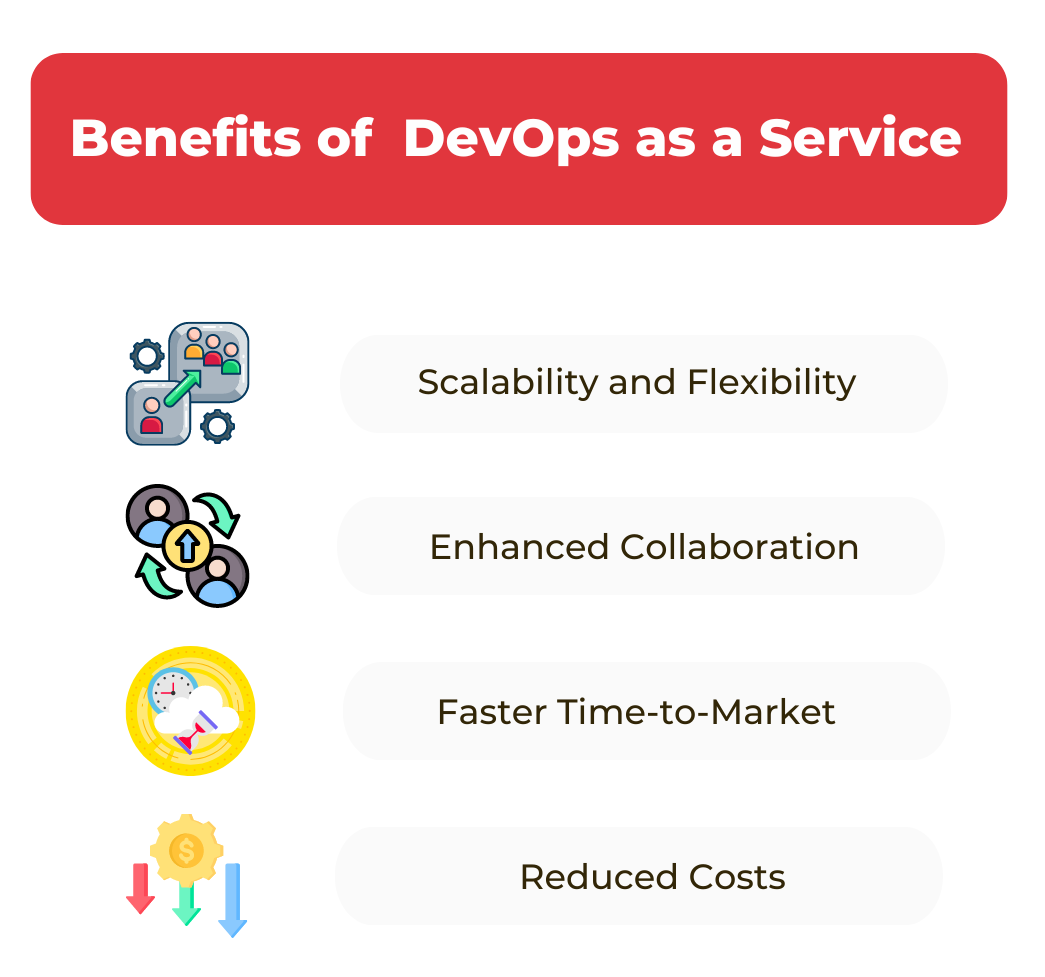
Benefits of DevOps as a Service
DevOps as a Service is like upgrading from a regular car to a Tesla. Both will get you to your destination, but one does it faster, more efficiently, and with fewer headaches. It’s a game-changer for businesses, allowing them to streamline their processes, reduce downtime, and foster collaboration. Let’s dive into the core benefits and why DevOps as a service is becoming the go-to solution for tech teams worldwide.
1. Scalability and Flexibility
In simpler words, DevOps as a Service offers your business—scalability. When your company grows, your DevOps infrastructure grows with you. Whether you need more storage, faster processing, or extra tools, DaaS adjusts to your needs like those trusty Thanksgiving pants.
Your infrastructure no longer limits you. DevOps as a service’s cloud-based nature means you can scale up or down instantly without worrying about overloading your systems or hitting a performance bottleneck.
For instance, you’re a retail app company with seasonal spikes in traffic. During Black Friday, your website traffic skyrockets. Instead of scrambling to add more servers, DaaS automatically scales your infrastructure. DevOps as a service ensures your site handles the load seamlessly, without the dreaded “500 Internal Server Error” crashing your growth.
2. Enhanced Collaboration
One of the biggest problems in software development has always been the dreaded silo effect. Developers and IT operations often work in isolation, like two ships passing in the night, leaving behind inefficiencies and misunderstandings. But with DevOps as a Service, collaboration becomes smoother than a TikTok dance challenge.
DevOps as a service fosters an environment where developers and IT professionals work together, sharing responsibility for the entire software development lifecycle. Imagine you’re building a new feature for your company’s custom software. Before DevOps as a service, developers created the feature, tossed it over the fence to IT, and crossed their fingers, hoping it wouldn’t break during deployment. It was like playing a game of telephone—things got lost in translation, and by the time it reached production, it barely resembled what was intended.
With DaaS, both teams have been in sync since day one. They use the same tools, share the same goals, and communicate constantly. It’s like watching your favorite band on stage, each member playing their part in perfect harmony.
3. Faster Time-to-Market
If you’re not quick, someone else will beat you to market. It’s like waiting in line for the latest iPhone—if you’re late, they’re sold out, and you’re stuck with last year’s model.
DevOps as a service speeds up the entire software development process, turning your slow, manual workflows into automated, lightning-fast pipelines. With continuous integration and continuous delivery (CI/CD), new features and updates are tested, verified, and deployed in a fraction of the time.
Think of it this way: Without DevOps as a service, deploying a new feature might take weeks or even months. Developers work in isolation, manually testing their code and then wait for IT to deploy it.
With DaaS, however, every change is automatically tested and deployed within hours. You’re no longer riding an app like Uber; you’re zooming down the tracks like the Roadrunner, leaving your competitors in the dust.
One great example is Amazon, which deploys changes to its site every 11.7 seconds using DevOps principles. Can you imagine manually deploying updates at that speed? You’d need superpowers, or TechnBrains can combine powers with you. Have a free consultation.
4. Reduced Costs
Let’s face it: running a business is expensive, and every penny saved matters. Fortunately, DevOps as a Service can help you cut costs without sacrificing quality.
Traditionally, maintaining an in-house DevOps team required hefty investments in infrastructure, personnel, and ongoing maintenance. But with DevOps as a service, you’re only paying for what you use, making it a cost-effective solution, especially for startups and small businesses.
Imagine you’re building money apps like Dave. Without DevOps as a service, you’d need to hire a full-time DevOps team, buy expensive hardware, and set up complex infrastructure—all before you’ve even launched your app. It’s like renting out an entire movie theater just to watch one film. But with DaaS, you only pay for the resources you need when you need them.
Plus, the automation provided by DevOps as a service means fewer human errors and less downtime, saving you money on troubleshooting and repairs. As the old saying goes, “Time is money,” and with DaaS, you’re saving both.
TechnBrains can do the job for you for only $99 per day! Does this sound interesting? Contact us.
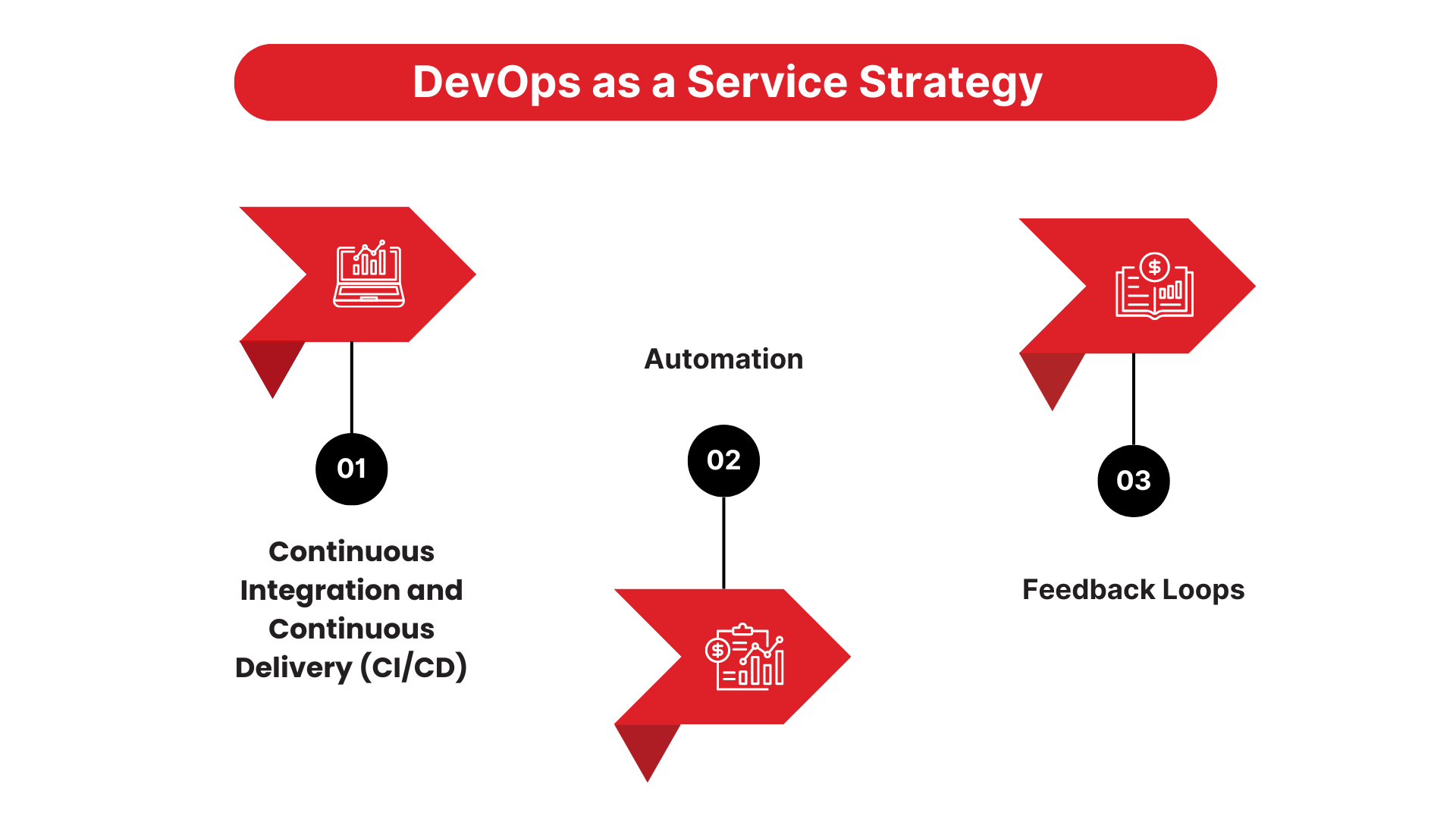
Key Components of a Successful DevOps as a Service Strategy
Imagine you’re building a Lego set. You can’t just throw the blocks together randomly and hope for the best, right? You need instructions and a clear strategy. The same goes for DevOps as a Service (DaaS). If you want to succeed, you need a well-thought-out plan with specific components to keep everything running smoothly. Let’s break it down.
1. Continuous Integration and Continuous Delivery (CI/CD)
The 2024 State of CI/CD Report shows the widespread adoption of CD and DevOps, the impact of integrated technologies on business results, the importance of security in CI/CD, and the effects of using multiple CD tools on deployment effectiveness.
Think of CI/CD as the conveyor belt in a chocolate factory. Every piece of chocolate passes through a series of machines, each one inspecting and perfecting it before moving to the next step. That’s exactly how CI/CD works with your software.
In the old days, developers would work on a project for months and then release it all at once. The problem? If something went wrong, it was a dead end.
With CI/CD, code changes are continuously integrated, tested, and deployed in small batches. If something’s wrong, it’s caught early and fixed quickly. Companies like Netflix use CI/CD pipelines to deploy thousands of code changes daily, ensuring they don’t accidentally break your favorite show’s streaming.
2. Automation
Remember that episode of The Simpsons where Homer buys the “Everything’s Okay Alarm”? It would only go off if something was wrong. The alarm’s job was to handle everything automatically so Homer could relax. That’s how automation works in DevOps as a service.
By automating repetitive tasks—like testing, deployment, and scaling—you can avoid human errors and speed up processes. It’s like having a self-driving car that takes care of the boring parts of your road trip, allowing you to focus on the fun stuff.
Take Amazon, for example. They’ve mastered the art of automation. With thousands of deployments daily, they couldn’t survive without it. Automating processes allows them to provide the speed and reliability that their customers expect.
3. Feedback Loops
Feedback is crucial in DevOps. It’s like trying out a new recipe: if no one tells you the cookies are too salty, you’ll keep making them the wrong way. In DevOps, feedback loops allow teams to quickly learn what’s working and what’s not.
With DevOps as a service, you get continuous feedback on your software’s performance, helping you tweak and improve it in real time. Instead of waiting for end-users to find bugs, you catch them early in the development process. This approach keeps everyone happy—your users get smoother experiences, and your team gets fewer late-night panic fixes.
Google does this exceptionally well. Their development teams rely heavily on user feedback to continuously improve services like Google Search. Their ability to quickly gather and act on feedback is one of the reasons they remain a dominant force in the tech industry.
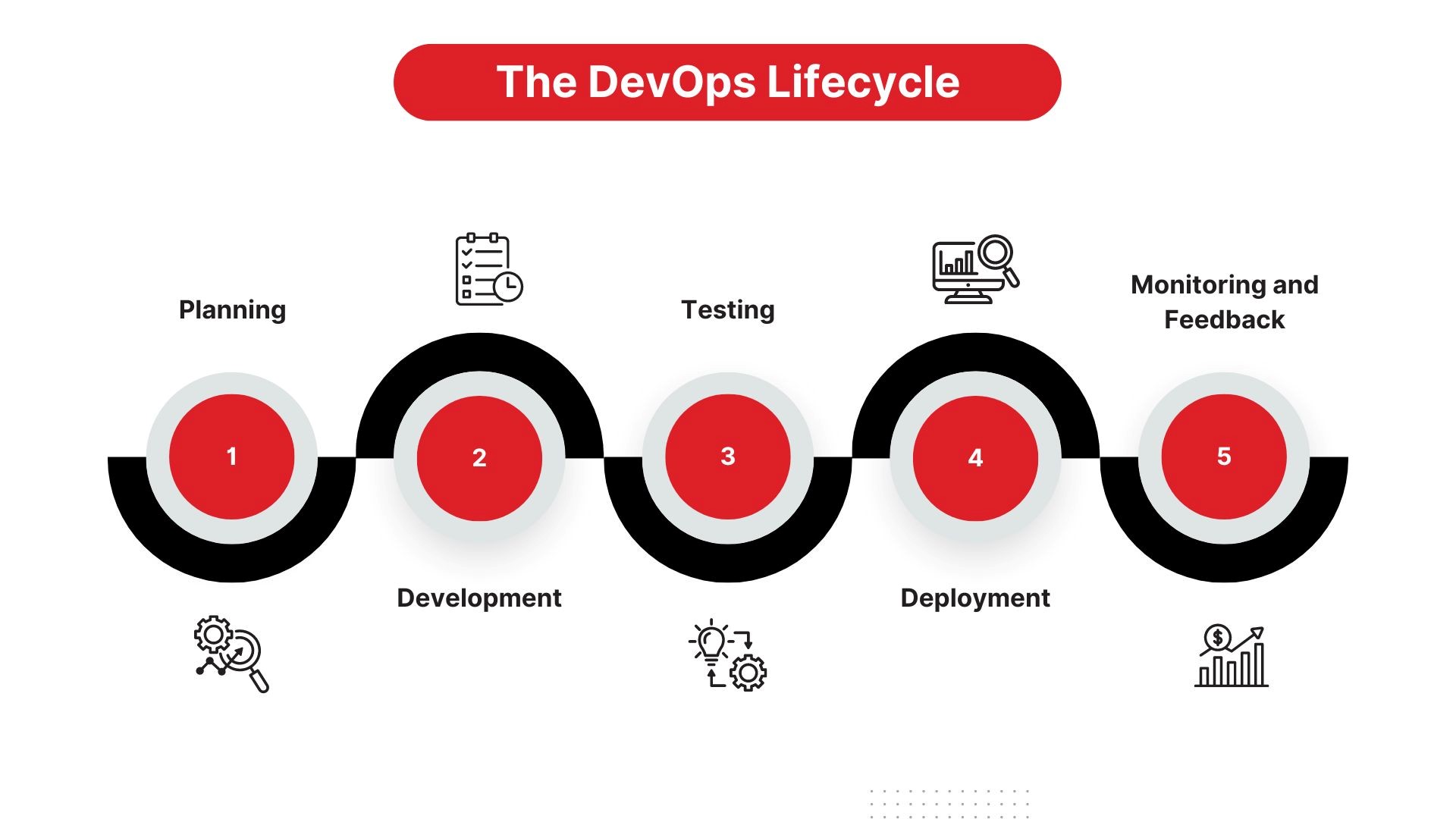
The DevOps Lifecycle Explained
The DevOps lifecycle is like the Marvel Cinematic Universe (MCU)—a never-ending series of connected events. Just like how the MCU has multiple phases (from Iron Man to Endgame), the DevOps lifecycle also has distinct phases. Each one builds on the last, and together, they create a powerful engine for software development and delivery.
Let’s break down each phase of the DevOps lifecycle so you can see how it all works.
1. Planning
Before the Avengers can save the world, they need a plan. Likewise, before your team can release the next killer app, you need a clear roadmap. The planning phase is where teams define their goals, assign tasks, and lay out timelines. Think of it as writing the script for a movie.
During this phase, everyone gets on the same page—developers, IT, operations, and stakeholders. Collaboration tools like Jira or Trello help manage these tasks efficiently. Without this step, you risk heading into chaos (and no one wants to pull a Justice League—rushing the process only leads to a mess).
2. Development
Once the plan is in place, the development phase kicks off. This is where the magic happens. Code is written, tested, and reviewed. Developers work on small chunks of code called “features” or “user stories,” which are like the individual scenes in a movie.
Here’s where CI/CD comes into play again. Instead of releasing code all at once, teams release small updates frequently. This method reduces the risk of something going terribly wrong. It’s like filming multiple takes of a scene—you can easily go back and fix something if it doesn’t work.
3. Testing
The testing phase ensures your software is free from bugs and glitches before it reaches the audience (your users). In this stage, both automated and manual tests are performed.
Think of this as the Marvel team screening Avengers: Endgame for plot holes and awkward cuts before its release. Automated tests, such as unit tests and integration tests, run continuously to catch issues early. Manual tests, such as user acceptance testing (UAT), involve real users to ensure the software works as expected in real-world scenarios.
4. Deployment
It’s finally showtime! The deployment phase is when your software goes live. All that hard work behind the scenes pays off as the app is delivered to users. But here’s the catch—deployment isn’t a one-time event in DevOps.
In traditional software development, teams might release new features once or twice a year (yawn). In contrast, DevOps teams aim for frequent, incremental updates. It’s like how Spotify rolls out updates in the background without interrupting your playlist. No downtime. No hassle.
With DevOps as a Service, the deployment process is automated. This means updates and new features are rolled out quickly and efficiently without manual intervention. Think of it like a live concert—each song flows seamlessly into the next, and the audience (your users) never has to wait.
5. Monitoring and Feedback
The story doesn’t end once the app is deployed. Just like how movie studios keep an eye on box office performance, DevOps teams monitor the app’s performance in real-time. They track metrics like response time, user engagement, and system uptime.
If something goes wrong—like a spike in errors or a slowdown in performance—the team gets notified immediately. It’s like the “post-credits scene” in a superhero movie that teases what’s coming next. The feedback gathered here feeds into the next development cycle, ensuring continuous improvement.
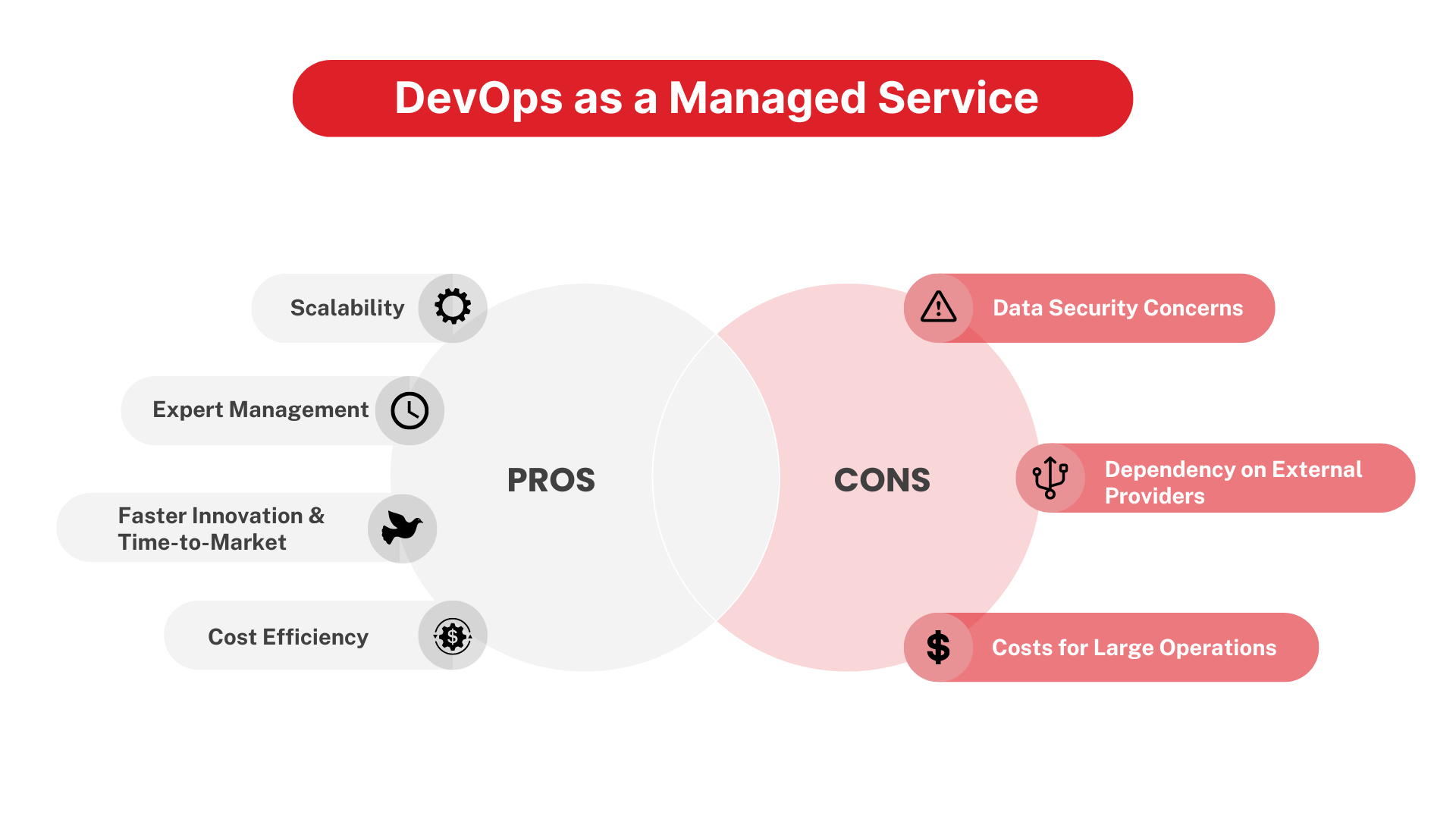
DevOps as a Managed Service: Pros and Cons
Let’s picture a typical scenario: you’re running a business, and your tech team is overwhelmed. They’re constantly juggling development, operations, testing, and deployment, all while trying to innovate. This is where DevOps as a Managed Service (DaaMS) steps in. You can outsource the tricky parts—like automating deployments and managing servers—to professionals.
Sounds ideal, right? Well, like every great deal, it has its ups and downs.
Pros of DevOps as a Managed Service
Scalability
With DevOps as a managed service, your infrastructure scales easily. As your business grows, you don’t need to worry about hiring more staff or upgrading your systems. DevOps as a service providers handles it for you. Whether you’re launching a new app or expanding your user base, scaling becomes a breeze. It’s like always having extra pizza dough ready when the crowd gets bigger.
Expert Management
Remember the feeling when your car broke down, and you had no clue what to do? Then, a mechanic swoops in and fixes it like it’s the easiest thing ever. That’s what happens when you hire a DevOps as a service providers.
You’re outsourcing your DevOps needs to professionals who live and breathe automation, deployment, and testing. These experts can fix problems faster than your in-house team might. They have years of experience and handle multiple clients, meaning they’ve likely seen it all. It’s like having a Formula 1 pit crew in your corner.
Faster Innovation and Time-to-Market
Imagine you’re a software company competing in today’s fast-paced tech world. It’s like being on a racetrack where every second counts. With a DevOps-managed service, you don’t have to worry about speed bumps.
They automate much of the deployment process, enabling faster updates and feature releases. devops as a service companies experience up to 50% more rapid development cycles, meaning your product hits the market before your competitors can even blink. It’s like when Tony Stark upgrades his suit overnight and is ready to take on the next challenge.
Cost Efficiency
Think about all the resources you’d need if you were managing your DevOps internally—people, servers, training, software licenses. That’s a lot of expenses adding up. With a managed service, you pay for what you use. This means your business can save significantly on hardware, infrastructure, and staffing costs.
Cons of DevOps as a Managed Service
Data Security Concerns
Let’s get real. When you hand over control of critical business operations to a third party, there’s always that nagging worry: “What if something goes wrong?” It’s like giving someone the keys to your house. You trust them, but you’ll always double-check to make sure everything’s locked.
In the case of DevOps as a service providers, security risks can arise, especially if you’re dealing with sensitive data (think financial information or healthcare records). It’s important to choose a service provider with top-notch security protocols. They should follow industry standards like ISO 27001 and GDPR to safeguard your information. Otherwise, a data breach could be as disastrous as your house getting robbed while you’re away.
Dependency on External Providers
When you outsource DevOps, your business is at the mercy of the provider’s performance. If they face internal issues or delays, it can cause bottlenecks in your development process. So, while the service can scale your operations, there’s always a risk that if something goes wrong on their end, your product could be affected.
Costs for Large Operations
While DevOps as a service providers can save you money, it’s not always the cheapest option for every business. If you’re a large company with heavy traffic and frequent deployments, the monthly fees for DevOps as a service providers can quickly add up. It’s like choosing between renting a car or buying one outright. For some, it’s more cost-efficient to build and manage DevOps internally.
Businesses with highly specific requirements or large operations might find that the expense outweighs the benefits. You might be paying for tools and services you don’t necessarily need, like buying the deluxe version of a product when you only need the basics.
Top DevOps Platforms as a Service
With the increasing demand for faster product delivery, businesses are relying more on the DevOps platform as a service to automate their processes.
But let’s talk about the real superheroes of this market—the top DevOps Platforms that are shaping the future of DevOps as a Service.
If there’s a Captain America in the DevOps world, it’s definitely Docker. Docker is a DevOps platform as a service tool that uses containerization to simplify software development. It packages applications into containers, making it easier to deploy them across various environments.
The best part? Docker is fast. It’s like having a super-speedster in your development team, enabling quick deployments without worrying about environment configurations. As of 2024, Docker holds a commanding 82.86% market share in the containerization world, and it’s only getting bigger.
The simplicity of Docker has made it a go-to tool for developers, allowing them to “build once, run anywhere.”
Now, let’s talk about the Hulk of cloud services: Amazon AWS. AWS isn’t just a cloud provider—it’s the undisputed king of the cloud. This DevOps platform as a service offers over 200 DevOps tools designed to automate processes, monitor performance, and manage infrastructure. AWS is like the one-stop shop for all things DevOps.
One reason AWS dominates the DevOps scene is its extensive suite of services, including EC2, Elastic Beanstalk, and AWS CodeDeploy. AWS’s ability to manage complex workflows and handle massive amounts of data makes it the go-to platform for businesses of all sizes.
Azure is all about precision, integration, and scalability. It has an array of DevOps services like Azure Pipelines and Azure Kubernetes Service that make it easy to automate and manage deployments. Azure offers an impressive 1,587 DevOps tools in its marketplace.
One of the key advantages of Azure is its tight integration with Microsoft products. For businesses already using Windows and Office 365, adding Azure’s DevOps solutions is a no-brainer. Azure’s DevOps market share might be smaller than AWS, but with a 13.72% slice of the pie, it’s still a force to be reckoned with—just like Stark with his advanced tech and cool gadgets.
Last but not least, we have Google Cloud. Think of Google Cloud as the Spider-Man of DevOps—young, agile, and full of potential. While it doesn’t have the market dominance of AWS or Azure, Google Cloud has made significant strides in the DevOps space.
With Google Cloud’s DevOps platform as a service, companies benefit from tools like Google Kubernetes Engine and Cloud Build. Google Cloud focuses on open source, making it a great choice for businesses looking to avoid vendor lock-in. Though its market share stands at 4.05%, Google Cloud continues to grow, proving that even the friendly neighborhood hero can make a big impact.
By analyzing the DevOps platform as a service and their strengths, businesses can make informed decisions about which platform best suits their needs. Whether you go with Docker for containers, AWS for massive scalability, Azure for seamless integration, or Google Cloud for flexibility, the DevOps world offers plenty of options.
How to Choose the Best DevOps as a Service Provider
Choosing a DevOps as a Service provider can feel a bit like trying to pick the perfect superhero team. You want the right combination of expertise, reliability, and the ability to save the day when things go wrong. But how do you decide who should join your team? Let’s break it down step by step.
1. Expertise Matters
You wouldn’t hire an inexperienced chef to prepare a five-course meal for your wedding, would you? The same logic applies to choosing a DevOps as a Service provider. You need a team that has proven experience in delivering successful implementations. Look for case studies and client testimonials.
For instance, if you’re a FinTech app development company, you’ll want a DevOps provider who knows how to handle financial regulations, security protocols, and compliance.
Pro Tip: We ask our clients to explore our portfolio and inquire about similar projects in their industry. For instance, as an experienced healthcare systems provider, we know HIPAA regulations like the back of our hand.
2. Scalability is Key
As your business grows, so will your tech demands. You need a DevOps provider who can scale their services along with your company. This is like hiring an architect who can design your dream house with the possibility of future expansion. Imagine building a house and then realizing you need more rooms down the line but can’t add any.
Let’s say you’re a small startup now. Great. But what happens when you expand into international markets? Will your DevOps provider be able to handle that?
3. Security Should Be a Priority
We live in a world where cyber-attacks are as frequent as new TikTok trends. So, security can’t be an afterthought. Your DevOps provider should follow the strictest security protocols.
Ask the provider about their security practices. Do they conduct regular vulnerability assessments? Do they offer encrypted communications? Imagine handing over your credit card details to a stranger in the street. Without secure systems in place, that’s what you’re effectively doing with your data.
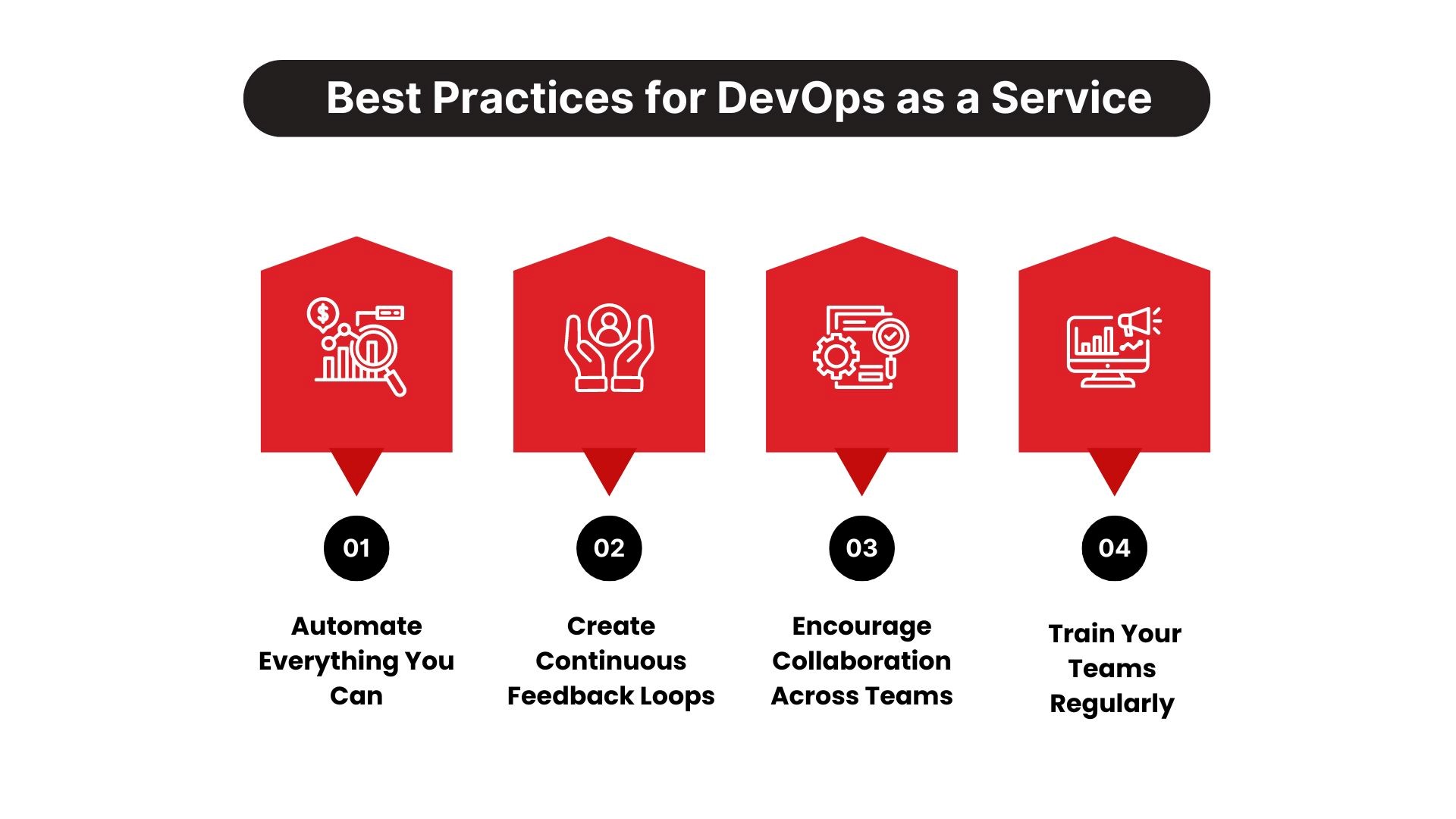
You’ve chosen your DevOps provider, and now comes the hard part—implementation. But fear not. Implementing DevOps as a Service is like assembling a well-oiled machine, but only if you follow best practices. Let’s walk through them together.
1. Automate Everything You Can
DevOps as a Service allows you to automate repetitive tasks so your team can focus on what really matters—innovation. Think of it like using a washing machine instead of scrubbing clothes by hand. Sure, both will get the job done, but one is much more efficient.
For example, automating deployment pipelines means your team doesn’t need to manually push out updates. Not only does this reduce errors, but it also allows you to ship features much faster. It’s the difference between taking a horse and buggy to work versus driving a Tesla.
Pro Tip: Start with automating your CI/CD (Continuous Integration/Continuous Deployment) processes. This will help ensure that every change in your code is automatically tested and deployed in real-time.
2. Create Continuous Feedback Loops
DevOps is all about learning, iterating, and improving. To keep improving, you need feedback. Lots of it. Establishing continuous feedback loops between your development, operations, and business teams ensures that everyone is on the same page and problems are caught early.
Think of it as the “Live, Laugh, Love” mantra, but for tech teams: Test, Fix, Improve.
Example: Say your e-commerce platform launches a new feature. Through continuous monitoring, you notice that users are abandoning their shopping carts at a higher rate than usual. Immediate feedback allows your team to investigate and fix the issue before it costs you thousands in lost sales.
3. Encourage Collaboration Across Teams
Developers, operations, and security teams often have conflicting priorities. DevOps as a Service breaks down those silos. It’s like assembling a dream sports team where every player knows their role but is working toward the same goal—winning the championship.
Use tools like Slack or Microsoft Teams to foster collaboration. Teams should communicate openly about challenges, successes, and improvements. Remember, a lack of communication is like watching a horror movie where everyone splits up when the villain shows up—disastrous.
4. Train Your Teams Regularly
DevOps tools and methodologies evolve faster than Marvel movies. Continuous training is important to stay ahead of the curve. Make sure your teams are familiar with the latest tools, practices, and security measures. If you’re still using outdated tools, your competition will outpace you.
Pro Tip: Set up quarterly training sessions or certifications for your team. Encourage learning about new tools and methods like Kubernetes, Terraform, or Ansible. The more your team knows, the more efficient they’ll become.
Choose TechnBrains for Your DevOps as a Service
At TechnBrains, we understand that adopting DevOps isn’t just about implementing tools—it’s about transforming your entire development process. As a leading DevOps as a Service provider, we tailor our services to fit your business goals, ensuring seamless integration, faster deployment, and increased efficiency.
Our team of experienced professionals works closely with you, offering custom solutions that leverage the latest technologies and best practices. Whether you’re a startup looking to scale or an enterprise aiming for agility, we can help you achieve your objectives with precision and speed.
TechnBrains delivers end-to-end DevOps solutions designed to streamline your operations and empower your teams. Our robust infrastructure, hands-on support, and deep industry expertise make us a trusted partner in driving business growth through innovation.
Ready to take your software development to the next level? Together, we’ll build a more efficient, agile, and scalable future for your business.
We’ve all heard about app monetization and how it can generate enormous revenue streams. With 3.3 million apps on the Google Play Store along with roughly 2 million apps on the Apple App Store, which App Monetization Strategies do you choose to make your app into a money-printing machine?
This guide will explore eight proven strategies for mobile app monetization in 2024, helping you stay ahead of the competition and ensure your app’s financial success.
Is It Worth Investing In App Monetization In 2024?
If you are on this blog, you are eager to learn about App Monetization Strategies, or you’re here to find a way to outpass your competition. The global app market is expected to hit an eye-popping $935 billion in revenue in 2024. Yes, that is close to a —trillion.
Remember when everyone thought Angry Birds was just a fad? Fast forward, and those slingshot-happy birds have catapulted their way to the top, thanks to in-app purchases, ads, and merchandise deals that probably even surprised the pigs. That’s the kind of success that comes from solid App Monetization Strategies, knowing how to make your app mint cash for you.
So, how do you turn your app into a cash cow without alienating your users? Think of monetization strategies as your app’s secret sauce (which we will discuss in the blog later), keeping users coming back for more while filling your pockets.
But it’s not just about slapping on ads or pushing subscriptions like they’re going out of style. It’s about being smart, innovative, and—dare I say—strategic. The competition is fierce; apps are popping up faster than you can say, “There’s an app for that.” But with a well-crafted plan, your app can not only survive but thrive in this bustling marketplace. So yes, app monetization in 2024 is worth every dollar you invest.
Let us now discuss different app monetization models in the next section to give us a heads-up.
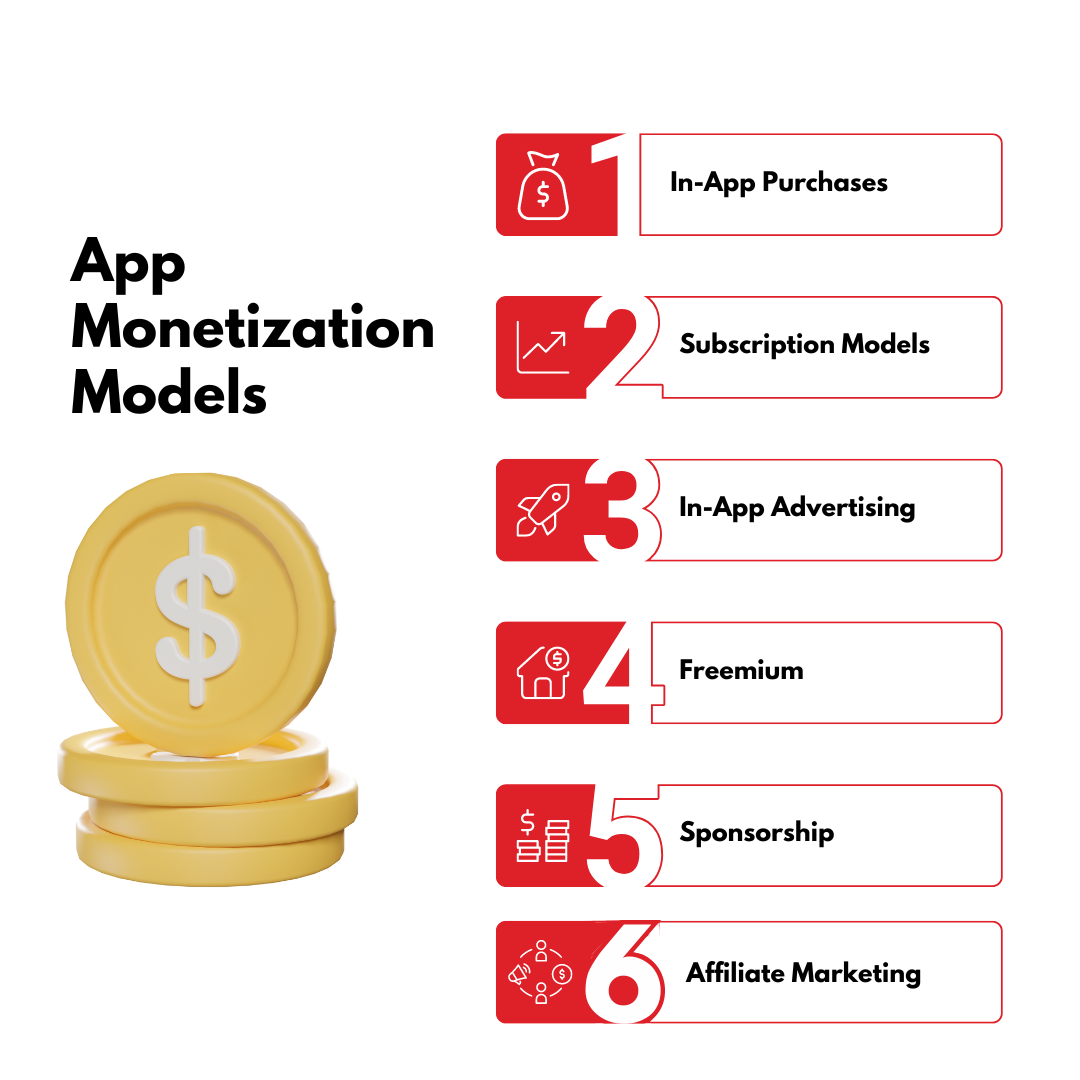
App Monetization Models
There are several app monetization models to consider, each with its own set of benefits and challenges. Understanding these models is important in selecting the best approach for your app. These will work best regardless of whether you’re focused on Android app monetization or iOS app monetization.
In-App Purchases: Users buy virtual goods or premium features within the app. This model is popular in gaming apps.
Subscription Models: Users pay a recurring fee to access content or features, which are common in streaming services and productivity apps.
In-App Advertising: Displaying ads within the app, where revenue is generated per click or impression.
Freemium: Offering the app for free while charging for premium features.
Sponsorship: Partnering with brands to offer exclusive content or rewards within the app.
Affiliate Marketing: Earning a commission by promoting other companies’ products within your app.
These revenue streams provide different ways to capitalize on your app’s user base, offering flexibility and opportunities to tailor your monetization approach to your audience.
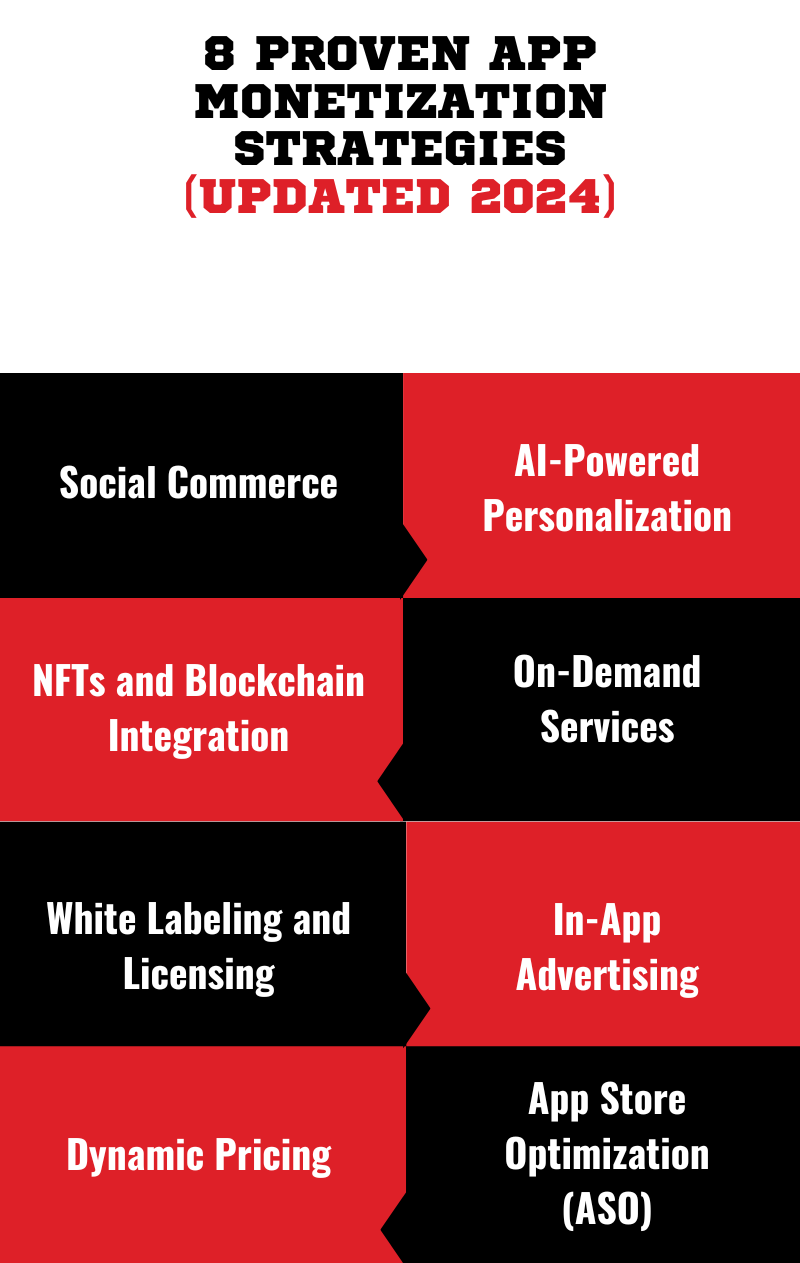
Here are eight proven App Monetization Strategies that will help you generate revenue streams:
Social Commerce
AI-Powered Personalization
NFTs and Blockchain Integration
On-Demand Services
White Labeling and Licensing
In-App Advertising
Dynamic Pricing
App Store Optimization (ASO)
Let’s look at them in detail below:
1. Social Commerce
Social Commerce is like the cool kid who just showed up at the party, bringing all the fun gadgets and gizmos. It’s the fusion of social media and e-commerce, allowing users to buy products directly through social platforms without ever leaving the app. Imagine scrolling through your favorite app, spotting those perfect shoes, and buying them with just a couple of taps—all while still watching that cute cat video. That’s social commerce in action.
Fact Check: Pinterest revenue for the March quarter increased by 23% to reach $740 million, while the monthly active user count experienced a 12% growth, reaching 518 million due to their “shoppable pins.” These pins allow users to purchase items directly from the app.
Now, for people searching for how to make money on Pinterest, this is the exact app monetization strategy to generate a full-fledged revenue stream.
2. AI-Powered Personalization
We have seen social media influencers on app like TikTok grow a huge fan base within a short time. Have you ever wondered how TikTok’s “For You” page feels like it was made just for you or how to make money on TikTok? The answer is through AI-powered personalization. Projected global ad revenue for TikTok is expected to approach 18.5 billion by 2024. This has been the most effective app monetization strategy for TikTok and you can grab it too.
AI-powered personalization is like having a personal assistant who knows you as you know yourself. It is a bunch of algorithms working behind the scenes to curate content, ads, and products that perfectly match your preferences. It’s how Netflix always seems to recommend the perfect movie.
For a mobile app development company in Dallas and app developers, AI-powered personalization is a weapon for mass engagement and maximizing earnings. By analyzing user data, AI can predict what content or products a user is most likely to interact with. They can then serve up those personalized recommendations on a silver platter.
Our skilled app developers for hire use this mobile app monetization strategy to create an app that resonates with users. We have a pro tip: Start by analyzing your audience’s behavior. What type of content do they engage with? When are they most active? Use these insights to tailor your content and ads, creating a personalized experience that keeps users coming back for more.
3. NFTs and Blockchain Integration
Woah, NFT development and blockchain integration as an app monetization strategy? People do get surprised, too, when we introduce them to this! Blockchain technology is transforming the way we think about digital ownership and providing creators with innovative ways to monetize their work.
NFTs are unique digital assets that can represent anything from art and music to virtual real estate and tweets (yes, really). Blockchain, the technology behind NFTs, ensures that these digital assets are verifiable and secure, making them valuable commodities in the digital world.
Suppose you’re an artist, musician, or influencer, finding out how to make money on Instagram. Well, good news: this mobile app monetization strategy could be your ticket to a new revenue stream.
Imagine selling your digital art as NFTs directly through an app like Instagram that is, directly by your profile. Each piece of art you create could be tokenized, allowing your followers to buy, sell, and trade your work on the blockchain. Not only does this open up a new way to make money on Instagram, but it also gives your fans a sense of ownership and exclusivity.
4. On-Demand Services
In a world where we want everything today, on-demand services have become the norm. Whether it’s food delivery, ride-sharing, or streaming, on-demand services cater to our need for instant gratification. And guess what? They’re also a goldmine for app monetization.
Take an app like Uber, for instance. It started as a simple ride-sharing service and has since expanded into food delivery, package delivery, and even on-demand helicopters (for the high rollers). The beauty of on-demand services is that they create a constant revenue stream, with users paying for convenience.
If you’re developing an app, consider how you can integrate on-demand services to meet your users’ needs. This could be anything from virtual fitness classes to on-demand dog walking.
Pro Tip: To maximize profits, consider offering tiered services. For example, a basic service could be free with ads, while a premium, ad-free version could be available for a monthly subscription. This way, you’re monetizing every user interaction, whether they choose to pay with time (watching ads) or money (subscribing).
5. White Labeling and Licensing
White labeling is like the unsung hero of the app world. It’s the app monetization process where a product or service developed by one company is rebranded and sold by another. Think of it as the app version of store-brand cereal—it’s the same product as the big brands but with a different label slapped on it.
For a dedicated team of developers, white labeling offers a low-risk way to enter new markets. Instead of starting from scratch, you can license an existing app, rebrand it, and launch it under your name. This not only saves time and resources but also allows you to tap into established markets with a proven product.
Let us understand it using a fitness app example. You’ve developed a fitness app like Built By Determination that tracks workouts and nutrition. By white labeling this app, you can license it to gyms, wellness influencers, or corporate wellness programs, allowing them to offer it as their own branded solution. They get a fully functional app, and you get a steady stream of revenue from licensing fees—win-win!
When white labeling, make sure to negotiate favorable terms in your licensing agreements. This could include revenue-sharing models, minimum guarantees, or exclusive rights in certain markets.
6. In-App Advertising
In-app advertising is like the commercials during your favorite TV show, but way smarter. With in-app ads, you can reach users when they’re most engaged—whether they’re playing a game, scrolling through a news app, or checking out their social feed.
For app developers, in-app advertising is a tried-and-true monetization strategy. The key is to strike a balance between ad placement and user experience. We can say this from experience: Too many ads and users will drop off faster than you can say “ad block.” But with well-placed, relevant ads, you can create a steady stream of revenue without disrupting the user experience.
Consider making a clone app of an app like PUBG. The game offers extra lives or in-game currency in exchange for watching an ad. This model not only keeps users engaged but also incentivizes them to interact with ads, boosting your ad revenue in the process.
You need to experiment with different ad formats to see what resonates best with your audience. These can be banner ads, interstitials, or rewarded video ads. The goal of these App Monetization Strategies is to integrate ads seamlessly into the user experience.
7. Dynamic Pricing
Dynamic pricing is like the stock market for products and services—prices fluctuate based on demand, time of day, or even the weather. For businesses, this is one of the powerful App Monetization Strategies for maximizing profits. By adjusting prices in real-time, you can capitalize on high-demand periods and offer discounts during slow periods to boost sales.
An app like Airbnb is the perfect example of this App Monetization. Ever notice how the cost of booking a cozy cabin in the mountains can vary wildly depending on when you check? That’s dynamic pricing at play—a strategy where prices fluctuate based on demand, timing, and other factors.
This concept isn’t just limited to vacation rentals; it’s a powerful app monetization tool that can be applied to apps, whether you’re offering services, selling products, or delivering digital content.
8. App Store Optimization (ASO)
App Store Optimization (ASO) is like SEO for the app world. It’s all about making your app more discoverable in the app store, driving more downloads, and, ultimately, boosting your revenue. Just like how a well-optimized website ranks higher on Google, a well-optimized app ranks higher in the app store search results.
To nail your ASO, focus on keywords, app descriptions, and visual elements like icons and screenshots. For example, if your app is all about teaching people how to make money on TikTok, make sure those keywords are front and center in your app title and description. This will help your app stand out to users searching for that specific topic.
Partnering with other ASO-optimized apps can be a mutually beneficial App monetization strategy. Here’s how:
Cross-Promotion: You can promote each other’s apps within your respective apps or on your social media channels. This can increase visibility for both apps and attract new users.
Shared Resources: Partnering can allow you to share resources like marketing materials, user data (anonymized), and ASO expertise. This can help both apps improve their rankings and performance.
Co-Marketing Campaigns: You can collaborate on joint marketing campaigns, such as giveaways, contests, or sponsored content. This can create more buzz around both apps and attract a larger audience.
User Data Sharing (Anonymized): If both apps have similar target audiences, you can share anonymized user data. This can help you refine your ASO strategies and better understand your users’ preferences.
Joint App Development: In some cases, partnering with another app developer can lead to the creation of a new, joint app. This can offer new opportunities for monetization and growth.
Pro Tip: Remember reviews and ratings. Apps with higher ratings and positive reviews are more likely to be featured in the app store, giving you a significant visibility boost. Encourage your users to leave reviews and address any negative feedback promptly.
Now that you’ve made it this far, TechnBrains would like to give you a free consultation so you can start generating revenue from your mobile app!
Choosing the Best App Monetization Platforms
Picture this: You’ve just launched your shiny new app. It’s sleek user-friendly, and it’s gaining downloads faster than a cat video goes viral. But here’s the million-dollar question (literally): How do you turn those downloads into dollars?
The secret sauce lies in choosing the best monetization platform for your app. The top app monetization platforms for 2024 are:
1. Google AdMob
2. Unity Ads
3. Audience Network
4. InMobi
5. ironSource
6. AppLovin
We’ll explore why platforms like Google AdMob, Unity Ads, and ironSource might just be your ticket to mobile app monetization glory.
Google AdMob is like the Iron Man of monetization platforms—it’s versatile, reliable, and has a solution for almost every problem. If your app is targeting a broad audience and you’re looking to leverage various ad formats (think banners, interstitials, and video ads), AdMob’s got your back.
If your app is a game, Unity Ads is like Mario’s power-up mushroom. It gives you the boost you need by allowing you to integrate video ads seamlessly into your gameplay. This platform is particularly strong in rewarding video ads—a method where players can choose to watch an ad in exchange for in-game rewards.
Facebook’s Audience Network is like the Batman of app monetization—silent, effective, and always one step ahead. This platform uses Facebook’s extensive user data to serve up hyper-targeted ads. If your app is all about social interaction or if it integrates with Facebook, Audience Network can be a powerful tool.
InMobi is like the international spy of the monetization world—able to infiltrate markets across the globe with precision targeting. If your app has a global audience, InMobi can help you reach users in different regions with ads that are tailored to their local preferences.
5. ironSource
ironSource is like the Gandalf of game monetization—wise, powerful, and always ready with a solution. It’s a robust platform designed specifically for game developers, offering tools like in-app bidding, ad mediation, and more.
AppLovin is the all-in-one toolbox for mobile app monetization. It’s like having a whole Avengers team on your side, each member bringing something unique to the table. AppLovin offers everything from user acquisition to ad mediation, making it a powerful platform for apps looking to scale quickly.
Think Wise Before You Monetize
When it comes to selecting the best monetization platform for your app, there’s no one-size-fits-all solution. Consider your app’s niche, audience, and revenue model. Whether you’re targeting gamers, social media enthusiasts, or global travelers, the right platform can make all the difference in turning users into revenue.
At TechnBrains, we understand that every decision in the app development process can significantly impact your bottom line. That’s why we emphasize a thoughtful approach to app monetization, ensuring that your revenue model aligns perfectly with your business goals and user expectations.
Partnering with TechnBrains means more than just building an app; it’s about crafting a solution that maximizes profitability while delivering unparalleled value to your users. Whether you’re considering in-app purchases, subscription models, or ad-based revenue, our team of experts is here to guide you through every step, ensuring that your monetization strategy is not just effective but sustainable.
Ready to make your app a financial success? Let’s connect and explore the smartest ways to monetize your digital assets. With TechnBrains, you’re not just thinking wise—you’re thinking ahead.
Running a small business without the right tools is like navigating a ship without a compass—constantly battling inefficiencies, struggling to keep customers satisfied, and always feeling one step behind the competition. Sound familiar?
Running a small business without the right tools is like navigating a ship without a compass – you keep battling with inefficiencies, struggling to attain customer satisfaction, and always feeling like maybe, you’re not doing enough. Sounds like a day in your life?
The truth is –you’re not alone, an estimated 48% of the small businesses struggle to tackle their day-today activities and are investing custom app development. Their goal is just like yours – all they want is an enhanced operational efficiency, improved customer engagement and staying competitive in the ever-growing business market. With limited budget and resources, small business owners require smart solutions that can streamline their workflows and maximize their efficiency. That is exactly where business application development plays its role.
As a trusted mobile app development company in Dallas, we truly understand the significance of custom solutions that can drive efficiency and growth. This blog post is focused at exploring how business application development can help transform operations and help you attain success like never before.
What is Business Application Development?
Business application development is the process of creating software specifically designed to address a business’s needs and challenges. These applications are tailored to streamline operations, enhance efficiency, improve customer interactions, and drive business growth.
The development process involves several stages, including planning, designing, coding, testing, and deploying the application. As an outcome, a powerful tool is built that can not only streamline operations but also maximize efficiency and customer satisfaction with a guarantee of long-term business growth.
While there are a ton of off-the-shelf solutions available in the market, it is recommended that small businesses shall opt for custom applications. A custom business development application can offer unique system that aligns with your specific business needs and workflow and can be scaled as your business grows over time.
In addition to that, it can be a one-time expenditure saving you from a lot of recurring costs, unwanted features and limited options for customization that are a part of off-the-shelf solutions. It can also be easily integrated with your existing systems and help your business attain competitive edge by inculcating features that support customer engagement and enhanced efficiency.
Business Application Examples
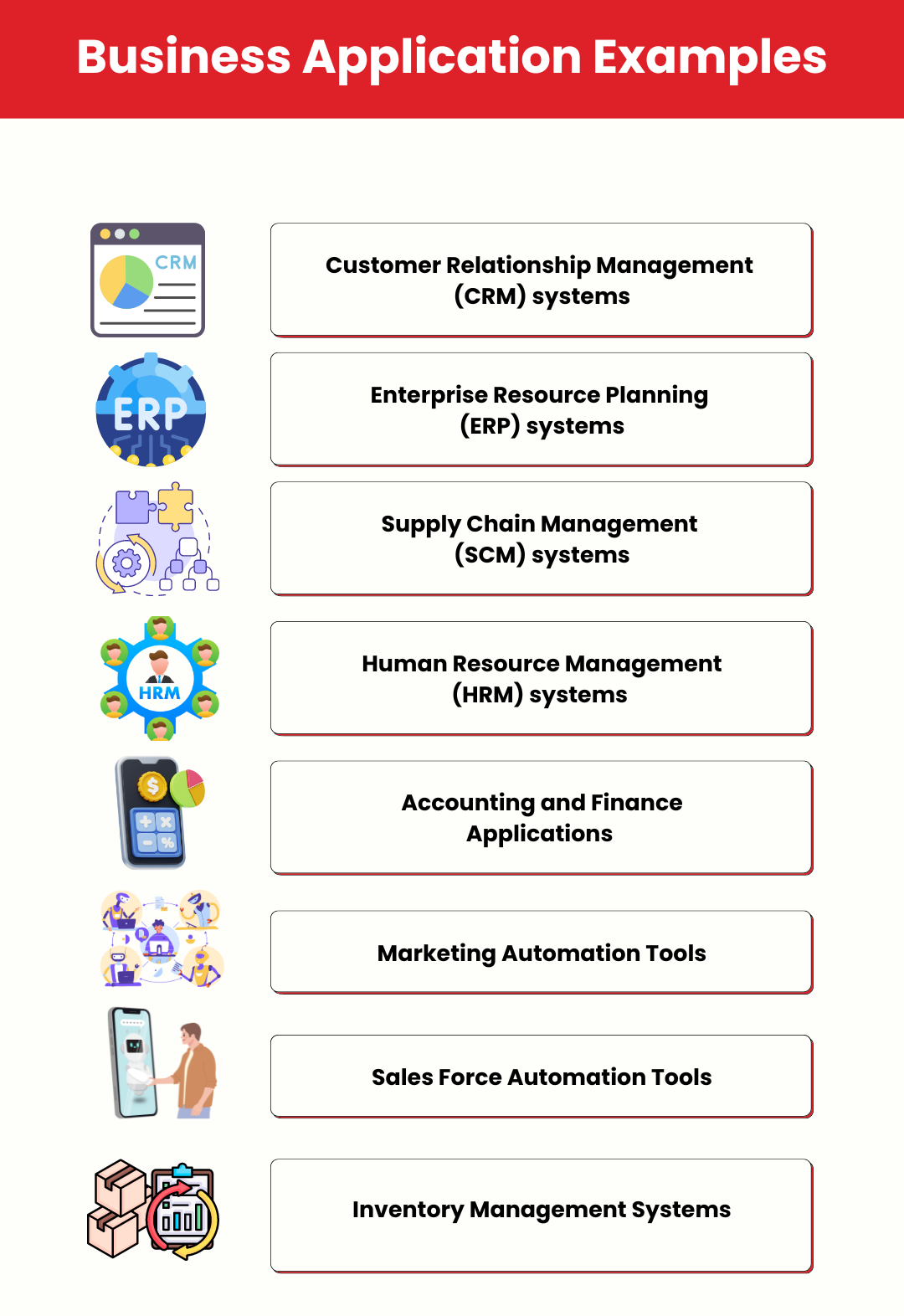
Some of the best business application examples are:
Customer Relationship Management (CRM) systems
Enterprise Resource Planning (ERP) systems
Supply Chain Management (SCM) systems
Human Resource Management (HRM) systems
Accounting and Finance applications
Marketing automation tools
Sales force automation tools
Inventory management systems
Understanding Your Business Needs
Every small business faces unique challenges. These hurdles can vary widely but often include managing inventory, tracking customer interactions, and maintaining financial records.
Recognizing these challenges is the first step toward finding effective business application solutions that work for you. Let’s take a closer look at some challenges small businesses often face and how business applications can address them:
1. Inventory Management
Keeping track of stock can be overwhelming without the right tools. Picture this: a small retail store owner spends hours each week manually counting inventory, a task that could be automated with the right app. Enter inventory management software, which automates stock tracking and helps prevent overstocking or stockouts.
2. Customer Relationship Management (CRM)
Maintaining good relationships with customers is essential for repeat business. Imagine a logistics company that has a fleet of drivers but struggles to keep track of their performance, routes, and schedules. A CRM system tailored for driver management can store this information, helping the company optimize routes, ensure timely deliveries, and provide better service to clients, thus enhancing customer loyalty.
3. Financial Management
Accurate bookkeeping and financial reporting are crucial for making informed decisions. Think of a freelance graphic designer juggling multiple projects and struggling to keep track of invoices and payments. Financial management apps simplify bookkeeping and reporting, freeing up time for the designer to focus on creativity.
How Business Applications Can Address These Challenges
Business applications are designed to streamline operations and provide efficient solutions to these challenges. For instance:
Energy Management Software Solutions: These apps can help businesses monitor and reduce energy consumption, leading to significant cost savings.
Driver Management App: Logistics companies can use such apps to track driver performance, optimize routes, and ensure timely deliveries.
Commercial Real Estate App: Property managers can manage listings, track tenant issues, and handle maintenance requests all in one place.
Ready to unlock your business’s potential with custom business application development? Schedule a free consultation with us!
Types of Business Applications
When developing a business application, understanding the different types of applications available will help you choose the right one for your small business. Let’s explore the various types, their advantages and disadvantages, and suitable use cases.
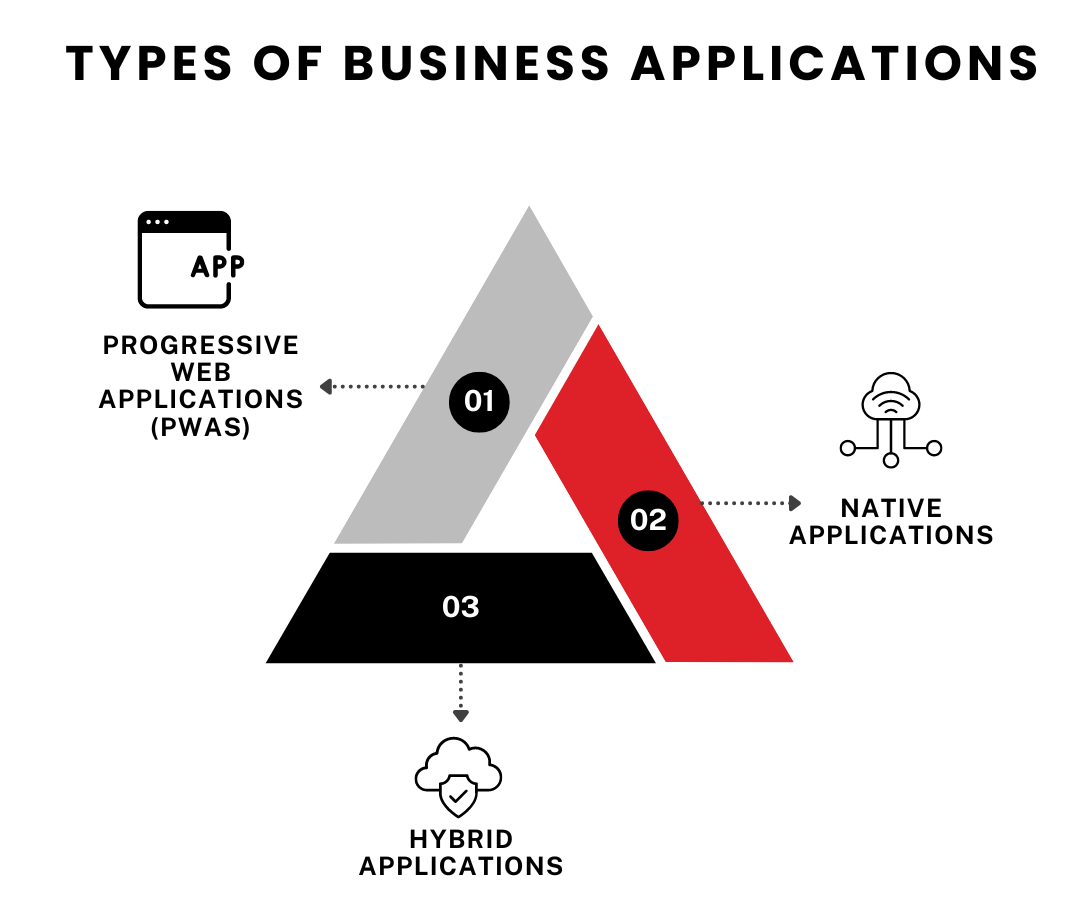
Native Applications
Native applications are developed specifically for a particular platform, such as iOS or Android, using platform-specific programming languages like Swift for iOS and Kotlin for Android.
Advantages
Performance: Provide high performance and a smooth user experience because they are optimized for the specific platform.
Access to Device Features: Fully utilize device features such as the camera, GPS, and push notifications.
User Experience: Offer a superior user experience with better interface consistency.
Disadvantages
Developing separate apps for different platforms can be expensive and time-consuming. Each platform requires its own codebase, leading to higher maintenance efforts.
Examples and Use Cases
In retail app development, businesses can benefit from native apps that provide a seamless shopping experience. For instance, a clothing store can have an iOS app that leverages the device’s camera for virtual try-ons. Another example is Banking Apps. Banks often use native apps to ensure secure transactions and provide a range of functionalities like mobile deposits and personalized alerts.
Hybrid Applications
Hybrid applications are built using web technologies like HTML, CSS, and JavaScript. They are then wrapped in a native container that allows them to run on multiple platforms.
Advantages
Cost-Effective: More cost-effective to develop as they use a single codebase for multiple platforms.
Faster Development: Quicker development and deployment compared to native apps.
Easy Updates: Updates can be rolled out across all platforms simultaneously.
Disadvantages
Due to their reliance on web technologies, hybrid apps may not perform as well as native apps and may not offer the same level of user experience, especially in terms of look and feel.
Examples and Use Cases
Small businesses, such as news agencies or blogs, can greatly benefit from hybrid apps. Business Application Development will allow them to deliver content across various platforms without the high development costs associated with native apps. Additionally, companies can deploy hybrid apps for internal use, like employee management or inventory tracking.
Progressive Web Applications (PWAs)
Progressive Web Applications (PWAs) are web applications that deliver a native app-like experience using modern web capabilities.
Advantages
Accessibility: accessed from any device with a web browser, eliminating the need for installation.
Cost-Effective: less expensive to develop and maintain compared to native and hybrid apps.
SEO-Friendly: indexed by search engines, improving discoverability.
Disadvantages
PWAs cannot fully utilize all device features, such as advanced camera functionalities, and they may not perform consistently across all web browsers.
Examples and Use Cases
For businesses in the service industry, such as restaurants and salons, PWAs offer an excellent solution for online reservations and customer engagement. Similarly, small online retailers can benefit from PWA Business Application Development by providing a fast and accessible shopping experience without the hassle of app store downloads.
Recommendations for Small Business Needs
Choosing the right type of application depends on your business needs, budget, and target audience. Here are some recommendations:
Opt for native apps for high-performance and feature-rich applications. These are ideal for businesses like banking, where security and performance are paramount.
Consider hybrid apps for cost-effective, cross-platform solutions. They are suitable for small businesses that need to reach a broad audience quickly, such as content providers and internal business tools.
PWAs are a great choice for accessible and budget-friendly options. They work well for businesses that prioritize accessibility and SEO, like service industries and small online retailers.
Understanding the types of business applications—native, hybrid, and PWAs—helps in making informed decisions about business app development.
Let’s dive into the benefits of business application development in the next section.
Benefits of Business Application Development
Business application development is a smart investment. It can yield great returns for businesses of all sizes. Tailoring software to specific needs unlocks a range of benefits. Let’s dive into how these applications drive growth, efficiency, and customer satisfaction.
Increased Efficiency and Increased Sales
Business Application Development can facilitate online shopping and offer a seamless buying experience. Business applications supercharge efficiency. They automate repetitive tasks, streamline workflows, and optimize resources. Thanks to automated invoice processing, an accountant is no longer buried in paperwork. Or imagine a customer service team using a case management system to swiftly resolve customer inquiries. It’s like switching from dial-up to high-speed internet.
Think about resource optimization. A manufacturing company might use an app to fine-tune production schedules, which means less wasted time and materials. It’s like the difference between cooking with a recipe and winging it.
Considering a mobile application for your business? Contact TechnBrains today for a free consultation! Our expert team can help you define your needs and develop a custom mobile application that drives results.
Enhanced Decision Making
Access to real-time data and analytics is a game changer. It lets businesses make decisions based on facts, not gut feelings. Think of a marketing team analyzing customer data to spot trends. It’s like Sherlock Holmes solving a mystery with solid evidence, not just a hunch.
Predictive analytics can forecast future trends. Imagine a financial institution using this to prevent loan defaults. It’s like having a crystal ball that actually works. Improved forecasting helps with planning and resource allocation. A retail company can avoid stockouts or overstocking by predicting demand accurately. It’s like having Spock’s logical precision.
Improved Customer Satisfaction
Business Application Development delivers personalized experiences, meeting specific customer needs and preferences. For example, an e-commerce platform might use customer data to recommend products. It’s like having a personal shopper who knows your style.
Efficient customer support systems boost satisfaction and loyalty. Picture a telecom company using a CRM to track interactions and provide consistent service. It’s like having a superpower for remembering every customer’s preferences.
Faster time-to-market means businesses can introduce new products quickly. A tech company using project management software might launch products faster. It’s like being The Flash in a world of slowpokes.
Gaining a Competitive Advantage
Business Application Development fuels innovation. It helps businesses create unique products, services, or models. Consider a FinTech company disrupting traditional banking with a peer-to-peer lending app—it’s like Netflix versus Blockbuster.
Business applications enhance agility. They help companies adapt to market changes quickly. A logistics company might use dynamic routing to optimize deliveries. It’s like having a GPS that updates in real time.
Scalability is another major perk. As businesses grow, their applications can grow, too. A cloud-based app can effortlessly handle fluctuating demands. It’s like having a wardrobe that expands as you buy more clothes.
Benefits for Small Businesses
Small businesses can reap significant benefits from business application development:
Increased Productivity: Automating tasks and streamlining workflows can free up employees to focus on core business activities and drive growth.
Improved Customer Service: Small businesses can compete with larger companies by providing exceptional customer service through tailored applications.
Cost Reduction: By automating processes and reducing manual errors, small businesses can achieve significant cost savings.
Data-Driven Decision-Making: Even with limited resources, small businesses can leverage data analytics to make informed decisions and optimize operations.
Competitive Advantage: Custom applications can help small businesses differentiate themselves from competitors and capture market share.
Ready to see how business application development can transform your small business? In the next section, we’ll explore the development process.
The Business Application Development Process
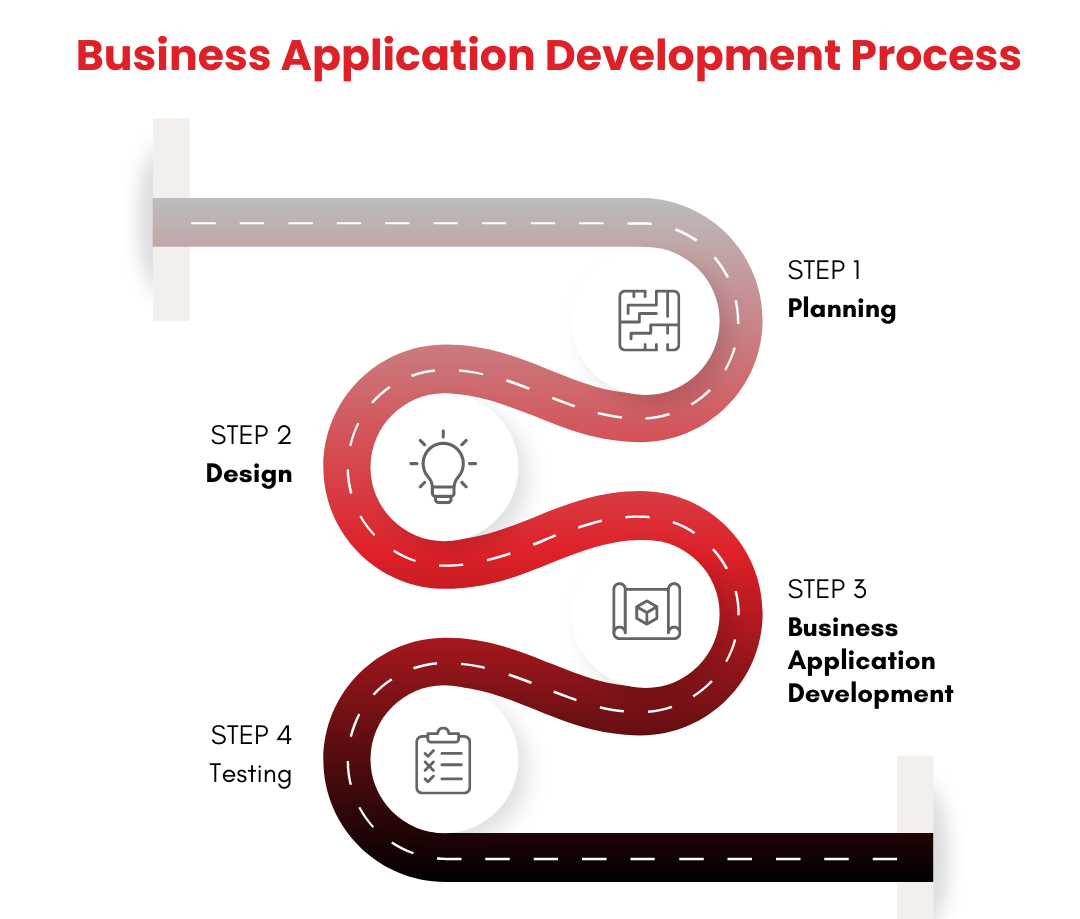
Developing a business application is a structured process involving several key stages: planning, design, development, testing, and deployment. Each stage is crucial, especially for small businesses looking to maximize their investment. Let’s break down each stage and see how it applies to mobile app development for small businesses.
Planning
Planning is the first and most crucial step. During this phase, businesses identify their goals, target audience, and key features for the app. For instance, a small restaurant might want a mobile app for online reservations, menu browsing, and customer feedback.
Tip: Create a detailed project roadmap. This will help keep everyone on the same page and set clear milestones. Engage stakeholders early to ensure their needs are met in Business Application Development.
Design
Design is where your ideas start taking shape. This phase involves creating wireframes and mockups to visualize the app. Think of it as sketching a rough draft before the final artwork of your Business Application Development.
Tip: Focus on user experience (UX). Ensure the app is intuitive and easy to navigate—test designs with real users to get feedback early on.
Business Application Development
Development is the stage where the actual coding happens. This is when your app transforms from a concept into a functional product. For a small retail store, this could mean developing features like a product catalog, shopping cart, and payment gateway.
Tip: Choose the right technology stack. For mobile apps, decide between native, hybrid, or PWA based on your needs. Review progress regularly and adjust as necessary.
Testing
Testing ensures the Business Application Development works as intended. It’s like proofreading a manuscript before publishing. This phase involves checking for bugs, performance issues, and usability problems. A small business offering delivery services might test its app’s GPS tracking and order management features.
Tip: Conduct thorough testing across different devices and operating systems. Use both automated and manual testing methods. Encourage beta testing to gather real-world feedback.
Deployment
Deployment is the final step. This is when the app goes live and becomes available to users. For a small boutique, this could mean launching the app on the App Store and Google Play. It’s like opening the doors of a new store.
Tip: Plan a smooth rollout. Monitor the app closely after launch for any issues. Gather user feedback and be prepared for updates and improvements.
How to Ensure a Smooth Development Process
Successful project management can make or break your app development project. Here are some tips that our business application developer for hire to ensure a smooth app process:
Set Clear Goals: Define what success looks like. Set measurable objectives for each phase.
Communicate Effectively: Maintain open lines of communication with your team and stakeholders. Regular updates help keep everyone aligned.
Stay Flexible: Be prepared to pivot if necessary. Sometimes, initial plans need adjustments based on testing and feedback.
Monitor Progress: Use project management tools to track milestones and deadlines. This keeps the project on schedule and within budget.
Focus on Quality: Don’t rush the development process. Quality apps require time and attention to detail.
Key Characteristics of Business Application Development
Let’s break down the key aspects of business app development:
Purpose-Built
Business applications are built to meet a business’s unique requirements. Unlike off-the-shelf software, custom applications are designed to integrate seamlessly with existing processes and systems.
Scalability
Business Application Development is built with scalability in mind, allowing them to grow and evolve alongside the business. This ensures that the software remains relevant and effective as the company expands.
Integration
Business applications often need to integrate with other software systems, such as Customer Relationship Management (CRM), Enterprise Resource Planning (ERP), and accounting systems. Effective integration ensures smooth data flow and enhances overall efficiency.
Efficiency Boost
Business applications are designed to significantly enhance operational efficiency by Automating Repetitive Tasks. Routine and time-consuming processes like data entry, calculations, and report generation can be automated, freeing up human resources for more strategic tasks.
Defining clear steps and dependencies helps applications optimize the flow of work, reducing bottlenecks and delays. Many applications offer tools for real-time communication and collaboration, which enhance teamwork and productivity. Automation and standardization of processes can minimize human error, leading to improved accuracy and quality. Additionally, applications providing data-driven insights can help businesses allocate resources more effectively.
Data Management
Business Application Development is crucial for effective data management and utilization. They provide a central repository for storing and organizing large volumes of data from various sources. Authorized users can easily access and retrieve data when needed, improving decision-making speed.
TechnBrains develops business software with features to ensure data accuracy, consistency, and reliability. Robust security measures protect sensitive data from unauthorized access. Many applications offer data analysis tools to extract meaningful insights, identify trends, and support informed decision-making. Customized reports can be generated to provide stakeholders with relevant information.
Business App Development Companies to Hire in 2024
We stand out for our custom business application development company, tailoring solutions to meet specific organizational needs across various domains. Our innovative approach and commitment to quality ensure robust solutions that enhance operational efficiency and drive business growth. From initial consultation and design to development and deployment, TechnBrains provides comprehensive services that align perfectly with client objectives. Find more about business app development companies here.
Business Application Development: A Proven Success for Small Businesses
Investing into custom app development is truly becoming a game-changer for small businesses. A major percentage has already adapted to custom business applications and are enjoying improved customer engagement and efficiency. Studies reflect that companies leveraging from custom-built applications experience an average of 20% reduction in their operational costs and a 30% hike in their daily productivity.
Real-world examples truly showcase the impact: a company dealing with logistics has been able to reduce the delays in their delivery by over 25% using a custom driver management app while a real estate company manage to streamline their tenant operations with a reduced response time of 40% using a custom property management solution.
To cut it short – business applications are away lot more than just software – they are strategically designed tools focused at driving business growth. If you’re also willing to transform your operations and attain an unbeatable efficiency with a custom solution, TechnBrains is a top-tier mobile app development company in Dallas, dedicated towards transforming your vision into reality. Get in touch today for free consultation and take your business to the top.
Frequently Asked Questions (FAQs)
How much does it cost to develop a business application?
The cost of developing business applications depends on multiple features including, platform and complexity on top. On an average, the development of small business applications can be described as follows –
$20,000 – $100,000 for basic applications
$100,000 – $250,000+ for complex applications with advanced features and functionalities
How long does business app development take?
The exact timeline of business app development depends on the scope and complexity of your desired outcome.
Basic applications take in between 2-4 months.
Moderate apps with custom features and integrations take around 4-8 months.
Complexed apps with real-time processing and AI integration can take 8+ months for completion.
What is the difference between a web app and a mobile app?
Web apps can be easily accessed via a browser, doesn’t require installation and are responsive across all devices.
Mobile apps require installation on an android/ios device, offer enhanced performance and can even function offline.
Hybrid apps are a combination of both, working across varying platforms with a single codebase.
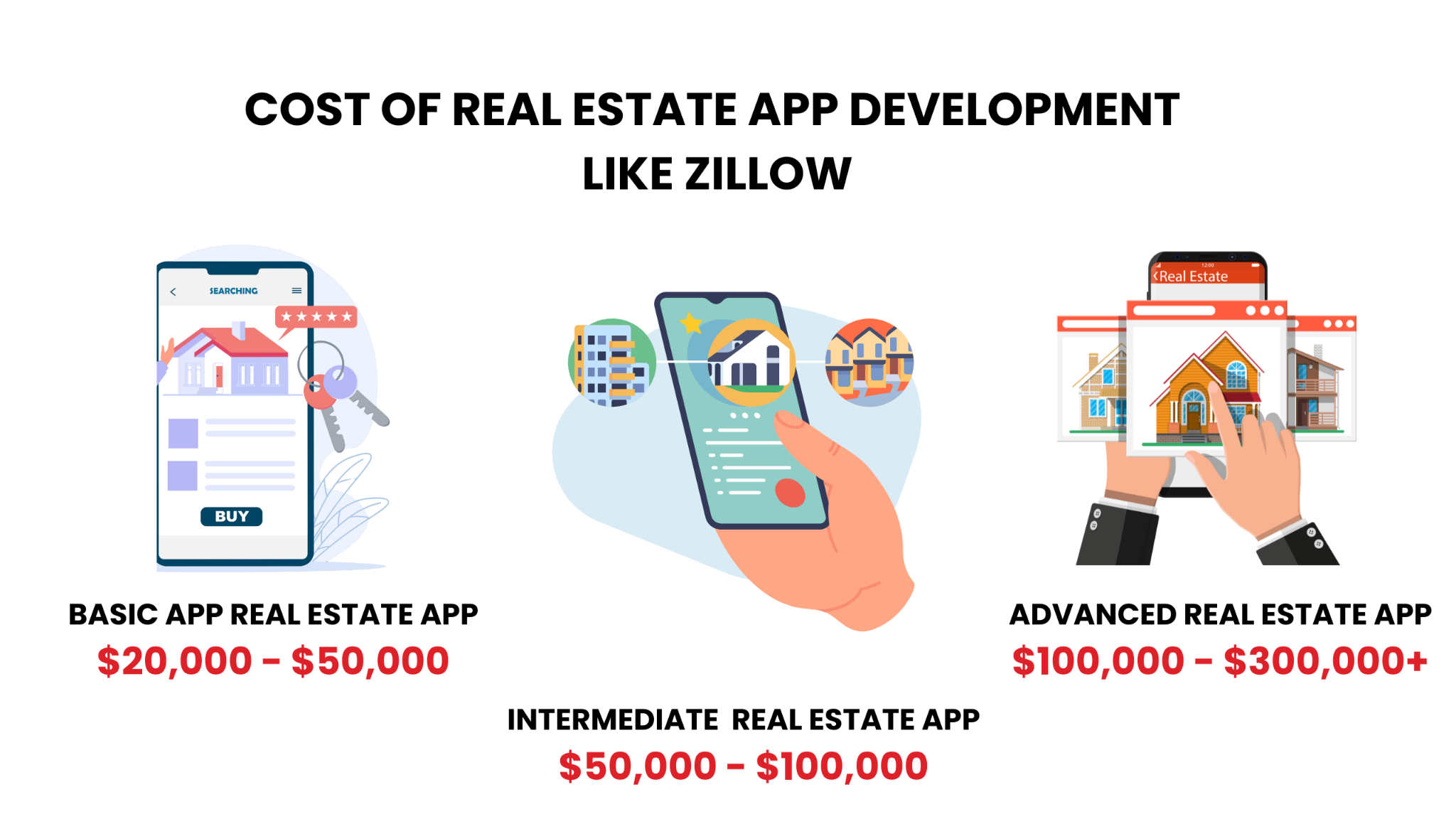
The cost of real estate app development like Zillow ranges from $20,000 to over $300,000, Depending on several factors, such as Complexity, Development time, Target Devices, and more. Custom designs, exclusive features, and distribution platforms are other elements that may impact the cost.
To make a real estate app like Zillow, many factors affect pricing—from feature set and development phases to platform choices—making it challenging to estimate your total investment accurately.
Without a clear and detailed understanding of these costs, you risk overspending or compromising on key features, which could significantly impact your app’s success. So here’s the deal: TechnBrains, Top real estate app development company, is here to help with an actionable guide to navigate these challenges effectively.
In this comprehensive guide, we will explore real estate app development cost like Zillow. We will break down these costs by feature, offer real-world examples, and provide practical advice to help you budget accurately and make informed decisions about your app development project.
Cost Breakdown: Real Estate App Development Like Zillow
To give you a clearer perspective, here’s a brief breakdown of real estate app development costs associated with developing a real estate app similar to Zillow:
Basic Real Estate App (Property Listings, Search, User Profiles): $20,000 – $50,000
It Includes Basic property search functionalities, listing management, and user registration.
It Includes Geolocation services, advanced search filters, and possibly a basic chat feature.
Advanced Real Estate App (Augmented Reality, AI Features, Data Analytics): $100,000 – $300,000+
It Includes High-end features such as AR for virtual property tours, AI-driven property recommendations, and extensive data analytics.
Why Develop an App Like Zillow?
Zillow is a top online real estate marketplace launched in 2006 by Rich Barton and Lloyd Frink. It transformed the real estate industry with its extensive digital platform and core product—an extensive database of real estate listings with property details, photos, and pricing estimates. Zillow also offers innovative tools like the Zestimate® algorithm, which estimates home values based on various data inputs.
Creating an app like Zillow can be a strategic move for entrepreneurs, real estate professionals, and tech developers like you. It can help you capitalize on the booming real estate market. Zillow has set a high standard in the real estate technology space, offering a comprehensive platform for property searches, market analysis, and more. Here’s why developing an app like Zillow can be a smart decision:
Expanding Market Opportunities
The real estate industry is a multi-trillion-dollar market with continuous growth in property transactions, rentals, and real estate investments. By developing an app like Zillow, you tap into a vast and lucrative market. The global Real Estate market is expected to expand by 2.77% between 2024 and 2029, leading to a market size of US$727.80tn in 2029. (Source: Statista)
Centralized Information
Apps like Zillow offer a centralized platform where users can access extensive property listings, including detailed descriptions, photos, and pricing information. By providing all relevant information in one place, you enhance user experience and increase the likelihood of engagement and conversion.
Integration of Modern Technologies:
It incorporates technologies such as augmented reality(AR) for virtual tours and machine learning for personalized recommendations, enhancing user engagement and distinguishing the platform from competitors.
Revenue Generation Opportunities
Includes advertising, premium listings, and subscription models to monetize the platform effectively.
User Engagement and Retention
Provides user accounts, saved searches, notifications, and personalized recommendations to improve engagement. Customizes the user experience based on preferences and behavior to increase loyalty and retention.
Key Factors Influencing Real Estate App Development Cost
Now that we all agree that building an app like Zillow is a promising investment let us get to the real estate app development cost it might bring. Developing an app like Zillow or a commercial real estate app involves more than just coding—it’s a multi-faceted process with several factors influencing the final real estate app development cost.
1. Basic Features
Basic features are the important features of any real estate app, including property listings, search capabilities, and user profiles. These functionalities are essential for the app’s core operations and are typically less costly to implement.
Real estate app development cost Estimate for a basic real estate appusually ranges between $20,000 and $50,000. This includes necessary functions for users to browse properties, filter searches, and manage profiles.
Geolocation: For locating properties based on users’ current positions.
Augmented Reality (AR): For virtual property tours, like to the Zillow tech stack, enhancing user interaction with immersive experiences.
Sophisticated Data Analytics: For detailed market insights and property valuations.
Real estate app development cost Estimate for an advanced real estate appcan elevate development costs to $300,000 or more, depending on the complexity and scope.
3. Complexity of Features
The complexity of features integrated into the app affects the overall cost. High-end functionalities like AR, machine learning for personalized recommendations, and real-time data integration require more development time and technical expertise. Features such as AR for virtual tours and complex analytics tools demand advanced technology and development skills, which contribute to higher real estate app development costs.
4. Development Team
The choice of your development team and its geographical location significantly impact the real estate app development cost. Specialized skills in real estate app development or advanced technologies can command higher rates. Hiring developers with experience in creating real estate apps like Zillow ensures higher quality and performance but may increase the overall cost.
Outsourcing vs. In-House Development
When choosing between outsourcing and in-house development, consider the following:
Outsourcing: Can be more cost-effective and provide access to a global talent pool. However, it may involve challenges in communication and quality control.
In-house: This option offers more control over the development process and better alignment with your business goals, but it can be more expensive due to higher labor costs.
Bonus Tip: To optimize real estate app development costs while still accessing top-tier talent, consider leveraging staff augmentation services. These services allow you to bring in skilled professionals on a temporary basis, which can be a cost-effective solution for accessing specialized expertise. For more information on how staff augmentation can benefit your project, visit our Staff Augmentation page.
5. Development Time
The time required to develop the app affects the total cost. More complex apps with advanced features will extend the development timeline, which in turn increases costs. Includes design, coding, and testing. Longer development timelines typically result in higher expenses.
6. Target Devices and Platforms
Deciding between developing a native app for each platform (iOS and Android) or a cross-platform app impacts real estate app development costs. Native Apps are More expensive due to the need for separate codebases. Cross-platform apps are Generally more cost-effective but may have some limitations compared to native apps.
7. Custom Designs
Custom designs tailored to the app’s brand and user experience contribute to the real estate app development cost. High-quality, bespoke designs ensure a unique and engaging user experience. It involves custom graphics, animations, and branding elements, which can drive up costs.
8. Revenue Generation Opportunities
An app like Zillow can generate revenue through multiple channels:
Advertising: Charging real estate agents and property managers for advertising listings.
Premium Listings: Offering enhanced visibility for property listings.
Subscription Models: Providing advanced features or market insights through a subscription.
Impact on Cost: Implementing and managing these revenue models requires additional development and maintenance efforts.
9. Distribution Platforms
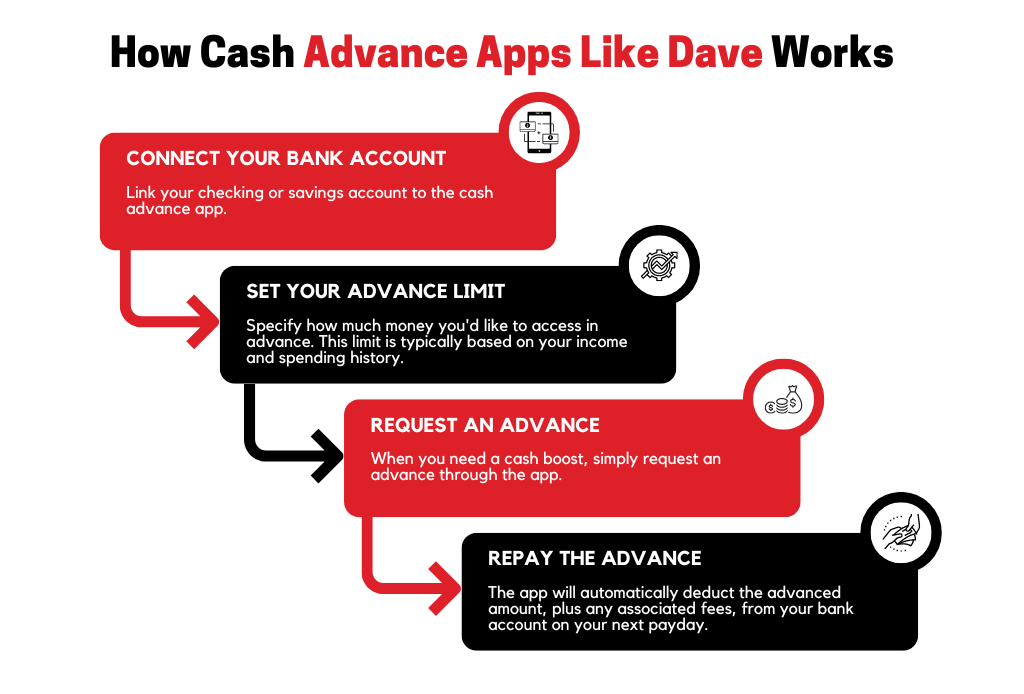
Publishing on major app stores involves fees and compliance costs. Ongoing maintenance for updates and bug fixes also contributes to the overall real estate app development cost. For example, cash advance apps like Dave may have costs associated with maintaining your app on distribution platforms.
10. Security and Compliance
Implementing robust security measures and ensuring compliance with data protection regulations (e.g., GDPR, CCPA) adds to real estate app development costs. Secure authentication methods and data protection protocols are necessary but increase overall expenses.
11. Integration of Modern Technologies
Incorporating cutting-edge technologies can result in higher real estate app development costs as:
Big Data: For managing extensive real estate datasets.
Real Estate App Development Costs Based on Development Stages
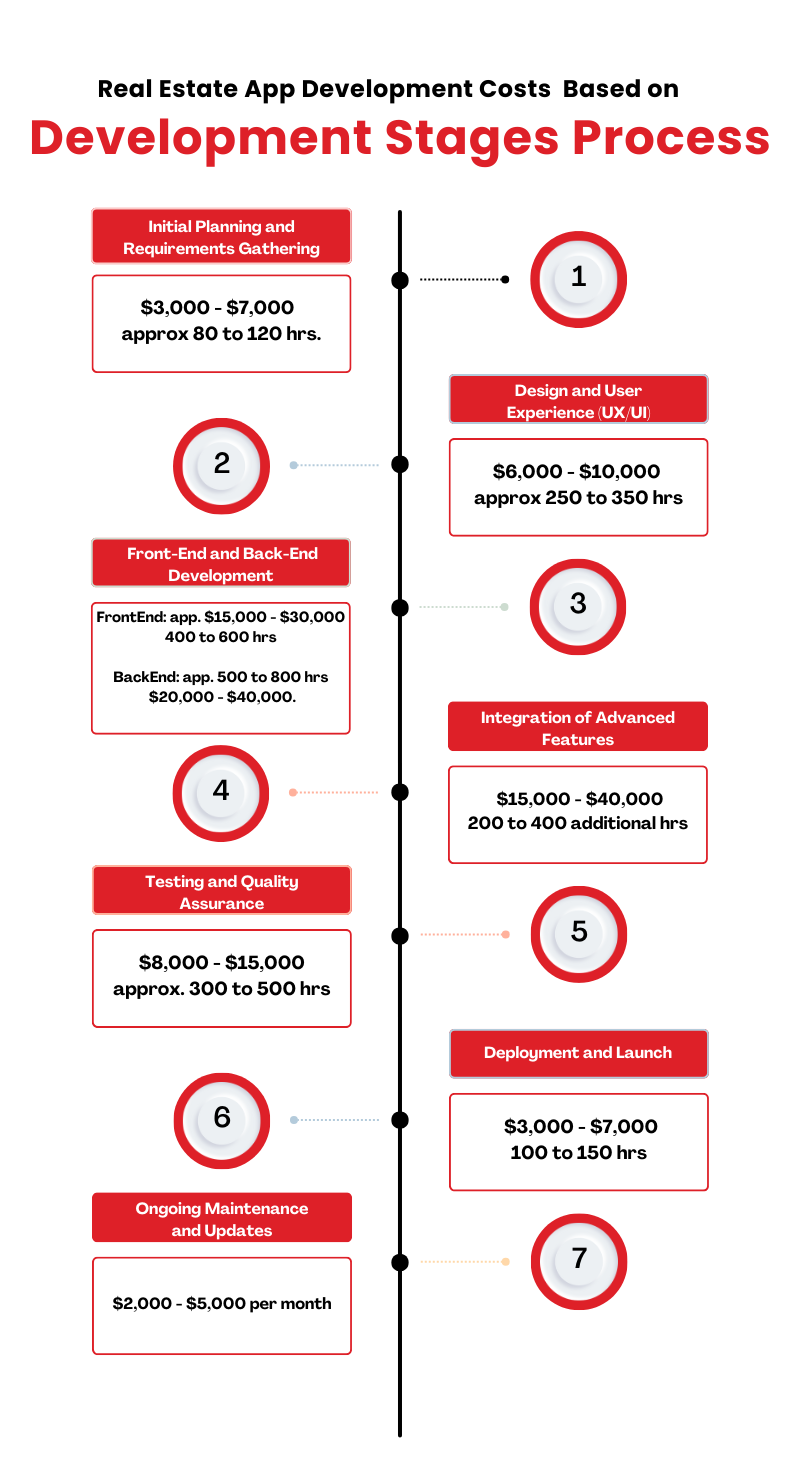
Creating a real estate app, especially one as sophisticated as Zillow, involves multiple stages of development, each contributing to the overall cost. Understanding these stages can help you better budget and plan for the creation of a high-quality real estate application. Here’s a detailed look at the various phases and their associated costs:
1. Initial Planning and Requirements Gathering
Before any coding begins, substantial time and effort are spent defining the project scope, gathering requirements, and planning the app’s features. This initial phase involves consultations, market research, and drafting detailed specifications. On average, this stage can cost between $3,000 and $7,000 and may take 80 to 120 hours.
2. Design and User Experience (UX/UI)
Design is critical for ensuring a user-friendly and visually appealing app. The UX/UI design phase involves creating wireframes, prototypes, and final designs that guide the development process. Real estate app development costs between $6,000 and $10,000 and requires approximately 250 to 350 hours. The quality of design directly impacts user satisfaction and engagement, making it an essential investment.
3. Front-End and Back-End Development
The development phase is where the core functionalities of the app are built. This includes both front-end (user interface) and back-end (server-side) development.
Front-End Development: This focuses on the user-facing part of the app, ensuring it is interactive and responsive. It usually takes around 400 to 600 hours and costs between $15,000 to $30,000.
Back-End Development: This involves creating the server, database, and application logic that support the front-end functionalities. It typically requires 500 to 800 hours and can cost between $20,000 to $40,000.
Together, front-end and back-end development can account for a significant portion of the real estate app development cost budget.
4. Integration of Advanced Features
Integrating advanced features such as augmented reality (AR) for virtual property tours or sophisticated data analytics tools can substantially increase development costs. This phase generally involves 200 to 400 additional hours and can cost between $15,000 to $40,000, depending on the complexity and the specific features being implemented.
5. Testing and Quality Assurance
Thorough testing is essential to ensure the app functions correctly across various devices and scenarios. This phase includes unit testing, integration testing, and user acceptance testing (UAT). The testing and QA phase usually takes around 300 to 500 hours and costs between $8,000 to $15,000. It ensures that the app is free of bugs and performs as expected.
6. Deployment and Launch
Once the app is tested and finalized, it’s prepared for launch. This stage involves deploying the app to app stores, setting up server environments, and configuring analytics tools. The cost for deployment can range from $3,000 to $7,000 and generally requires about 100 to 150 hours.
7. Ongoing Maintenance and Updates
Post-launch, the app requires regular maintenance to fix bugs, update features, and ensure compatibility with new operating system versions. Maintenance typically costs between $2,000 to $5,000 per month, depending on the level of support needed. Annual costs for ongoing maintenance range from $2,000 to $5,000 per month.
Estimated Total Cost
Combining all these stages, the total cost to develop a high-quality real estate app like to Zillow generally falls between $75,000 to $200,000. The final figure depends on factors such as the complexity of features, the experience level of the development team, and the scope of the project.
Building Your Real Estate App
By evaluating the scope of features and technological requirements, you can gain a clearer understanding of the overall investment necessary for developing a high-quality app. Here is how our developers for hire do it:
1. Defining Features for Real Estate Apps Like Zillow
To develop a successful app like Zillow, it’s essential to define and implement key features that will attract and retain users.
This involves integrating comprehensive property listings, advanced search filters, and interactive map functionalities. Ensuring that your real estate application development includes these critical features helps your app meet user expectations and distinguish itself in the competitive real estate market.
2. Choosing the Right Technology Stack
As mentioned in the blog, understanding the Zillow tech stack can provide valuable insights. Zillow’s technology stack includes a mix of modern programming languages, frameworks, and databases that contribute to its robust and scalable platform. By analyzing how Zillow utilizes these technologies, you can select the right tools and platforms for your own real estate app development, ensuring that your app is both functional and scalable.
3. Estimating Real Estate Mobile App Development Costs
Accurately estimating the cost of real estate mobile app development is crucial for budgeting. Factors such as app complexity, target platforms (iOS, Android, or both), and the feature set all impact the overall cost. As detailed in the blog, developing an app like Zillow can range from $20,000 to over $300,000, depending on these variables. A thorough estimation process will help you plan effectively and understand the financial commitment required.
4. Designing User Interfaces for Real Estate Applications
A well-designed user interface is fundamental to creating a user-friendly real estate app. By focusing on intuitive and visually appealing design, you enhance the user experience and ensure that your app is easy to navigate.
5. Integrating Core Features in Your App Like Zillow
Effective integration of core features is essential for building an app like Zillow. This includes incorporating functionalities such as detailed property listings, high-quality images, and interactive maps. Additionally, integrating advanced features like virtual tours and mortgage calculators adds significant value and enhances the user experience. Proper integration ensures that your app delivers a comprehensive and immersive real estate experience.
6. Monetization Strategies and Understanding Zillow Application Fee
When developing your real estate app, it’s important to consider monetization strategies and understand how the Zillow application fee structure can inform your approach. Zillow’s revenue comes from various sources, including advertising, premium listings, and real estate services.
7. Comparing Mobile App Development for Real Estate with Other Applications
Real estate apps like Zillow have unique requirements compared to other types of mobile applications. These include handling large datasets, integrating complex search functionalities, and utilizing advanced mapping services.
8. Building a Website Like Zillow: Integration and Strategy
If you’re also planning to create a website alongside your mobile app, consider how to build a website like Zillow. Focus on creating a responsive design that mirrors the functionalities of your mobile app.
9. Planning for Ongoing Maintenance and Updates
Finally, long-term maintenance and updates are essential aspects of real estate app development. Regular updates to fix bugs, add new features, and adapt to technological advancements are necessary for keeping your app current and effective. Including these ongoing costs in your budget ensures that your app continues to meet user needs and remains competitive in the market.
Minimize Real Estate App Development Cost With TechnBrains
Don’t let high real estate app development cost stand in the way of your app’s success. Let TechnBrains guide you towards a cost-effective and efficient solution.Our expert team is dedicated to delivering high-quality solutions while keeping your budget in check.
Why Choose TechnBrains?
Strategic Cost Management: We provide a detailed cost analysis and strategic planning to ensure that every dollar you invest is used efficiently.
Tailored Solutions: Our team customizes development plans based on your specific needs, avoiding unnecessary expenses and focusing on essential features.
Expert Guidance: Benefit from our extensive experience in real estate app development to make informed decisions that align with your budget and objectives.
Our Services Include:
Cost-Efficient Development Planning: We’ll help you understand where your budget goes and how to allocate resources wisely.
Feature Prioritization: Focus on the most impactful features to ensure you get the most value for your investment.
Technology Optimization: Leverage our expertise to choose the right technology stack that balances cost and functionality.
Ready to take control of your real estate app development costs?
Businesses often face challenges in streamlining operations and integrating multiple tools efficiently. ServiceNow Application Development offers a unified platform that enhances productivity and operational efficiency.
As per a recent study, 85% of ServiceNow customers report improved operational efficiency. With ServiceNow, organizations can capitalize on powerful features and capabilities to develop custom applications tailored to their specific needs.
This guide will explore the live demos, features and capabilities of ServiceNow Application Development.
ServiceNow Application Development
ServiceNow Application Development offers full-stack app development capabilities and an intuitive structure for quickly building powerful business applications. ServiceNow is a robust platform known for transforming businesses through innovative application development.
ServiceNow Examples
When considering ServiceNow Examples, one can see the platform’s versatility in addressing diverse business needs. Here are a few noteworthy examples that highlight the power and flexibility of ServiceNow applications:
1. ServiceNow Case Studies – IBM Consulting
IBM’s use of ServiceNow for ITSM is documented on the ServiceNow website under their case studies section. You can explore detailed insights and results achieved by IBM in their digital transformation journey.
2. HR Onboarding Process – Walmart
Walmart’s implementation of ServiceNow Application Development for HR Service Delivery is detailed in ServiceNow’s success stories. This includes statistics on onboarding time reduction and improvements in new hire satisfaction.
3. Customer Service Optimization – AMEX GBT
American Express’s enhancements to their customer service operations with ServiceNow are featured in their customer stories. You can read about their improvements in call resolution rates and customer satisfaction.
4. ServiceNow Customer Success – Mayo Clinic
Mayo Clinic’s use of ServiceNow APM module is highlighted in their customer success stories. This includes their strategy for integrating threat intelligence and automating incident response to enhance security and compliance.
5. IT Operations Management – Dell Technologies:
Dell Technologies’ implementation of ITOM for proactive event management and service mapping is documented in the ITOM case studies provided by ServiceNow.
Demo ServiceNow Application Development
Ready to see it live? The ServiceNow demo site is an invaluable resource for businesses looking to explore the platform’s capabilities. Witnessing a live demonstration is crucial for gaining a deep understanding of the immense potential of Demo ServiceNow Application Development.
A live demo ServiceNow provides a firsthand look at how the platform can be tailored to address unique business requirements. By engaging with the interface, testing out various functionalities, and understanding practical use cases, potential users can experience the adaptability, scalability, and effectiveness of ServiceNow applications.
Try ServiceNow Guided Tour Designer and Demo ServiceNow Mobile
Look no further! The ServiceNow Guided Tour Designer and Demo ServiceNow Mobile are here to revolutionize your experience.
Need a tour? This powerful tool helps you create interactive and informative tours within the platform. It’s user-friendly, making it easy for anyone to design tours without needing extensive technical knowledge.
Customizable tours ensure the information is relevant and useful. With interactive elements like pop-ups and highlights, your user experience gets a significant boost.
The ServiceNow Guided Tour Designer works across various ServiceNow applications, providing comprehensive coverage. Think of it as your personal guide, much like Gandalf leading the Fellowship, ensuring you quickly get up to speed with the ServiceNow Application Development.
Want mobility? ServiceNow’s mobile capabilities are a game-changer. Imagine having on-the-go access to critical information and tools, no matter where you are, just like having Iron Man’s tech at your fingertips.
Demo ServiceNow Mobile enhances productivity by allowing you to perform tasks and manage workflows on the go. Seamless integration with the platform ensures a consistent user experience. By exploring a demo of ServiceNow mobile, businesses can see how these capabilities enhance operations and efficiency.
You might wonder what makes ServiceNow special. ServiceNow Application Development boasts a range of features. By exploring these features, businesses can understand how ServiceNow can enhance their operations and drive growth.
ServiceNow Features List includes:
User-Friendly Interface: The platform offers an intuitive interface that simplifies application development and management.
Advanced Audit Management: ServiceNow Application Development automates the entire audit lifecycle, including risk-based scoping, resource planning, milestone tracking, issue identification, and evidence collection.
Integrated ITSM Capabilities: ServiceNow integrates IT Service Management (ITSM) functionalities, enabling seamless operations across IT services.
Automated Workflows: Automation tools in ServiceNow reduce manual tasks, improving efficiency and reducing errors.
Reporting and Analytics: Robust reporting tools provide valuable insights into business operations, helping organizations make data-driven decisions.
Security and Compliance: ServiceNow ensures data security and compliance with industry standards, protecting sensitive information.
ServiceNow Capabilities
What can ServiceNow do for you? ServiceNow’s capabilities extend beyond basic features, providing a comprehensive solution for application development and business process management.
Key capabilities include Custom Application Development. ServiceNow allows developers to create custom applications tailored to specific business needs, ensuring flexibility and scalability.
It also offers Integration Capabilities. ServiceNow Application Development seamlessly integrates with various third-party applications and services, providing a unified ecosystem.
All of these, empowered by Low-Code Development. With LC development tools, even non-developers can create and modify applications, accelerating the development process.
The highlight: Mobile App Development. ServiceNow supports mobile application development, enabling businesses to create responsive and accessible apps for their workforce.
It doesn’t just leaves you down the road, it has Guided Tours and Tutorials. The platform offers guided tours and tutorials, helping developers and users quickly get up to speed with ServiceNow’s functionalities. You can also benefit yourself from robust community of developers and extensive support resources, ensuring users can get help and share knowledge.
These capabilities make ServiceNow an ideal choice for businesses looking to streamline their operations and enhance their application development processes.
ServiceNow Functionality
What can you do with ServiceNow? ServiceNow offers a vast array of functionalities designed to supercharge business operations.
Imagine automating tedious tasks with Workflow Automation. Think about having robust Reporting and Analytics at your fingertips, providing valuable insights into your business. Picture seamless Integration Capabilities that effortlessly connect with third-party applications and services.
Enjoy a User-Friendly Interface that makes navigation a breeze. And rest easy knowing your data is protected with top-notch Security and Compliance features.
By leveraging these functionalities, businesses can enhance their operations and drive growth.
Let’s dive into how these features can make a difference:
Workflow Automation
Think of Workflow Automation as Tony Stark’s J.A.R.V.I.S. but for business processes. It automates mundane tasks, ensuring they are done efficiently and accurately. This saves time, reduces errors, and allows your team to focus more.
Reporting and Analytics
Data is the new oil, and ServiceNow ensures you strike it rich. With robust Reporting and Analytics, you can gain deep insights into your business operations. The platform gives you detailed reports and dashboards to track performance, spot trends, and make decisions based on data.
Integration Capabilities
It seamlessly integrates with various third-party applications and services, making it easier to unify your tech ecosystem. Whether it’s connecting with CRM systems, financial software, or communication tools, ServiceNow ensures it goes smoothly.
User-Friendly Interface
With ServiceNow’s User-Friendly Interface, it’s more like playing a game of Candy Crush. The intuitive design ensures that users can easily navigate the platform and perform tasks efficiently. This simplicity enhances user adoption and satisfaction.
Security and Compliance
ServiceNow takes this seriously, offering robust Security and Compliance features. The platform adheres to industry standards, ensuring that your data is protected against threats and that your business complies with regulatory requirements.
ServiceNow Development
How do you build on ServiceNow? ServiceNow development involves creating custom applications and solutions tailored to specific business requirements. ServiceNow development is a collaborative process involving various stakeholders, ensuring the final product meets business needs and drives operational efficiency.
The development process typically includes:
Requirements Gathering: Identifying business needs and defining application requirements.
Design and Planning: Designing the application architecture and planning the development process.
Development: Writing code, configuring settings, and creating workflows to build the application.
Testing: Testing the application to ensure it meets requirements and functions correctly.
Deployment: Deploying the application to the production environment and ensuring it operates smoothly.
Maintenance: Ongoing maintenance and updates to ensure the application remains functional and up-to-date.
ServiceNow Applications
Wondering which applications does ServiceNow offer? ServiceNow offers a wide range of applications designed to meet various business needs. These applications enable businesses to address numerous operational challenges with tailored solutions, making it a comprehensive ServiceNow Business Application suite.
The ServiceNow Application Development in ITSM provides comprehensive tools for managing IT services, including incident, problem, and change management.
This includes Incident Management, which aims to quickly restore normal service operations following an interruption, and Problem Management, which focuses on identifying and managing the root causes of incidents to prevent future occurrences.
Change Management ensures that changes to IT services are introduced in a controlled manner, while Request Management streamlines the handling of service requests from users. The Configuration Management Database (CMDB) provides a comprehensive view of all IT assets and their relationships, aiding in effective asset management.
ITOM helps businesses manage their IT infrastructure, ensuring optimal performance and availability. Event Management monitors the IT infrastructure for potential issues, enabling proactive incident management.
Orchestration automates IT processes by improving efficiency and reducing manual intervention. Discovery automatically identifies and maps IT assets, maintaining an up-to-date CMDB.
Service Mapping provides a visual representation of IT services and underlying infrastructure relationships. Operational Intelligence analyzes IT operations data to identify patterns and trends, providing insights into performance issues and optimization opportunities. These functionalities highlight how ServiceNow Business Application can optimize IT services.
The CSM application enhances customer service operations, improving customer satisfaction and retention. This ServiceNow Business Application is dedicated to elevating customer service operations in order to boost customer satisfaction and retention.
Case Management allows for the management of customer interactions and issues through a unified platform, handling case creation, assignment, tracking, and resolution. Knowledge Management provides a centralized repository for storing and sharing knowledge articles, which aids in faster issue resolution by providing access to relevant information.
Omni-Channel Support enables customers to interact with the business through various channels, ensuring a consistent and seamless customer experience. These enhancements are achieved through effective ServiceNow Application Development.
Service Analytics offers insights into customer service performance through reporting and dashboards, helping to identify areas for improvement and make data-driven decisions.
Customer Self-Service empowers customers to find answers to their queries through self-service portals and knowledge bases, thereby reducing the workload on customer service agents and improving customer satisfaction.
HRSD streamlines HR processes, from onboarding to employee management, improving efficiency and employee experience. It includes modules for onboarding and transitions, employee service center, case and knowledge management, performance management, and HR analytics.
These modules automate tasks, provide a centralized portal for HR services, manage employee queries, support performance management, and offer insights through reporting and dashboards.
ServiceNow Application Development significantly enhances HR processes and contributes to a more efficient and data-driven approach to HR management.
SecOps helps organizations manage security incidents and vulnerabilities, ensuring a robust security posture. The platform integrates Incident Response and Vulnerability Response to automate the detection, analysis, and response to security incidents, manage vulnerabilities, and enhance threat intelligence.
It also includes a Security Operations Center (SOC) and Compliance Management to ensure regulatory compliance and internal policy adherence.
ServiceNow Application Development in SecOps provides a comprehensive and proactive approach to maintaining a secure and compliant operational environment.
GRC provides tools for managing risk, compliance, and governance. This ServiceNow Application Development ensures organizations meet regulatory requirements.
You will find Functions such as Risk Management for identifying, assessing, and mitigating risks. It also has Policy and Compliance Management for creating, distributing, and ensuring compliance with policies.
All of this combined with Audit Management for handling the audit process from planning to reporting. Vendor Risk Management is there too so that you can assess risks associated with third-party vendors; and Business Continuity Management for ensuring business continuity in the event of disruptions.
These processes, facilitated by ServiceNow Application Development, enable organizations to effectively manage risks and maintain compliance.
ServiceNow Platform
What powers ServiceNow? The ServiceNow platform is the foundation for all ServiceNow applications and development activities. Key components of the ServiceNow platform include:
Tools for creating, managing, and sharing knowledge across the organization, enhancing collaboration and information sharing.
ServiceNow Developers
Need expert help? A ServiceNow developer plays a crucial role in maximizing the potential of the ServiceNow platform. ServiceNow developers are responsible for designing, developing, and maintaining ServiceNow Application Development, ensuring they meet specific business needs. Our ServiceNow developers have these key skills:
They are Proficient in JavaScript, the primary programming language used in ServiceNow,
Proven Experience with Web Technologies for developing responsive applications.
Familiarity with ITSM Processes to create applications that align with business operations.
Our ServiceNow developers are adept at identifying and solving technical issues, ensuring smooth application performance.
What is ServiceNow application developer training?
ServiceNow is a cloud-based platform for application development, offering extensive training for developers. They also provide a program called ServiceNow Virtual Agent Training to enhance virtual agent skills, such as problem-solving and customer service.
ServiceNow Custom Application
Need something unique? Partner with TechnBrains to develop a custom ServiceNow application that aligns perfectly with your business objectives. Our commitment to excellence, innovation, and customer satisfaction makes us the ideal choice for your application development needs.
Key benefits of custom applications include:
Flexibility: Custom applications can be designed to meet specific requirements, ensuring they align with business processes.
Scalability: ServiceNow custom applications can scale as the business grows, ensuring they remain effective and relevant.
Integration: Custom applications can be integrated with other systems and services, creating a unified ecosystem.
Wrapping it Up
ServiceNow Application Development offers a comprehensive solution for businesses looking to enhance their operations through custom applications and powerful platform capabilities.
By capitalizing on ServiceNow’s features, capabilities, and live demos, businesses can understand the platform’s potential and drive efficiency and innovation. Whether through custom application development, exploring the ServiceNow demo site, or utilizing guided tours, businesses can achieve their operational goals. TechnBrains can help you with ServiceNow to drive your business forward. Contact us today for a free consultation.
FAQs
What is application development in ServiceNow?
Application development in ServiceNow is the process of creating custom applications on the ServiceNow platform to automate workflows, improve efficiency, and meet specific business needs.
What is the role of application developer in ServiceNow?
A ServiceNow application developer is responsible for designing, building, and implementing these custom applications. They use ServiceNow’s tools and scripting language to create solutions that align with business requirements.
Can you build apps in ServiceNow?
Yes, you can absolutely build apps in ServiceNow. The platform provides a robust set of tools and features that empower users to create custom applications without extensive coding knowledge.
Is ServiceNow a software development?
ServiceNow is primarily a platform for IT Service Management (ITSM), but it has evolved into a broader platform for enterprise service management (ESM). While it’s not a full-fledged software development platform like Java or Python, it offers a powerful environment for building applications tailored to specific business processes.
In 2025, staying ahead of the curve is a constant challenge for developers and businesses alike. The competitive landscape demands not only innovative ideas but also efficient and intelligent solutions to meet ever-evolving user expectations.
Traditional app development processes often struggle to keep up with the rapid advancements in technology. The lack of sophisticated tools and automated systems can lead to inefficiencies, prolonged development times, and subpar user experiences.
Developers find themselves bogged down with routine tasks, unable to focus on creativity and innovation. The pressure to deliver high-quality, intuitive apps quickly is immense, and the old ways just aren’t cutting it anymore.
Enter Android System Intelligence (ASI), a game-changing advancement in the world of android app development, particularly benefiting developers involved in mobile app development in Dallas. This cutting-edge technology uses machine learning and artificial intelligence to revolutionize how apps are developed, deployed, and maintained. There is a common misconception that we’ll clear before starting the blog “is android system intelligence spyware?” The answer is: No, Android System Intelligence is not spyware. It’s a Google system app that improves your phone’s performance and user experience.
By automating routine tasks, enhancing app functionality, and providing deep insights into user behavior, ASI empowers developers to create smarter, more responsive apps that exceed user expectations. So without further ado, lets get into all you nee to know about Android system intelligence.
What is Android System Intelligence?
Android System Intelligence (ASI) is a core component of the Android operating system that uses machine learning to improve user experience and device performance. It is the behind-the-scenes engine that enables many of the “smart” features found in modern smartphones. It predicts user actions, optimizes battery life, and improves security.
For developers working in the android app development domain, ASI creates an opportunity for building more efficient and smarter applications utilizing machine learning on the core level.
How does Android System Intelligence work?
It works on on-device machine learning, data collection, feature implementation, and continuous learning. Here’s a detailed explanation:
On-device machine learning: ASI employs machine learning models directly on your device to process data efficiently and protect user privacy. This means sensitive information isn’t sent to external servers.
Data collection: It gathers information about your device’s usage patterns, such as app usage, battery consumption, and network connectivity. This data is anonymized and used for training the machine learning models.
Feature implementation: Based on the insights gleaned from the data, the android system intelligence app enables various features that improve the user experience. These features range from optimizing battery life to providing intelligent suggestions.
Continuous learning: Android Intelligence System is constantly learning and adapting to your behavior, ensuring that the features it offers become increasingly relevant and helpful over time.
How Android System Intelligence Uses On-Device Data
ASI’s ability to deliver a personalized and efficient user experience relies heavily on the data it collects from your device. This data is processed locally to protect user privacy while providing valuable insights.
By analyzing usage patterns, ASI identifies frequently used apps and optimizes their performance. It monitors battery consumption to pinpoint power-hungry apps and implement energy-saving measures. Additionally, ASI adapts data usage based on network conditions for a seamless experience. To provide personalized recommendations, ASI learns user preferences, tailoring suggestions accordingly.
Through these data-driven insights, ASI enables features that make your smartphone smarter, more efficient, and more enjoyable to use.
How Android System Intelligence is Revolutionizing App Development
Android System Intelligence (ASI) is revolutionizing the way developers create and enhance mobile applications. By integrating advanced machine learning algorithms, ASI offers a suite of features that streamline development, optimize performance, and elevate user experience. Understanding these key features and their benefits can empower developers to build more efficient and effective applications.
1. Predictive Analysis and Personalization
Android System Intelligence employs machine learning algorithms to predict user actions and preferences. Businesses that are investing in mobile app development in Dallas are likely to benefit from the ASI’s predictive capabilities which allow delivering personalized user experiences – catering to the local consumer behavior.
Benefits for Developers
ASI allows developers to create apps that can offer personalized content and recommendations, significantly enhancing user engagement and satisfaction.
By understanding individual user behaviors, developers can tailor app functionalities to meet specific user needs, resulting in a more intuitive and enjoyable experience.
Personalization often leads to higher user retention rates as users are more likely to continue using apps that cater to their preferences.
2. Battery Optimization
One of ASI’s standout features is its ability to optimize battery usage. By intelligently managing background processes and resource allocation, ASI ensures that apps consume minimal power, extending the device’s battery life.
Benefits for Developers:
Battery optimization is a critical factor for user satisfaction. Apps that consume less power are more likely to be favored by users.
Efficient battery usage reduces the likelihood of user complaints about battery drain, improving app ratings and reviews.
With better battery management, users can engage with apps for longer periods without worrying about battery life.
3. Enhanced Security
Security is a top priority in modern app development. ASI enhances security by detecting and mitigating potential threats in real time. Its AI-driven security measures provide robust protection against malware and unauthorized access.
Benefits for Developers:
Enhanced security features build trust among users, who feel more confident in using secure apps.
ASI’s security measures help developers comply with industry standards and regulations, avoiding potential legal issues.
By leveraging ASI’s security capabilities, developers can focus on other critical aspects of app development, reducing the overall development time.
4. Improved Performance
ASI optimizes app performance by analyzing user behavior and adjusting system resources accordingly. This results in faster load times, smoother animations, and an overall improved user experience.
Benefits for Developers:
Improved performance translates to a better user experience, making apps more appealing and enjoyable.
High-performing apps stand out in the crowded app market, giving developers a competitive edge.
Faster and smoother apps reduce the likelihood of user drop-off, increasing app retention rates.
5. Automated Routine Tasks
Developers can use ASI to automate repetitive and mundane tasks, such as data entry and testing. This allows them to focus on more critical aspects of app development, boosting productivity and creativity.
Benefits for Developers:
Automating routine tasks frees up developers’ time, allowing them to work more efficiently.
With more time to focus on innovative aspects of app development, developers can enhance the overall quality and uniqueness of their apps.
Automation reduces the need for manual intervention, leading to cost savings in the development process.
Features Enabled by Android System Intelligence
Android System Intelligence powers a wide range of features that enhance user experience and productivity. Let’s explore some key examples:
Live Captions
This feature automatically generates captions for multimedia content, making it accessible to users with hearing impairments or in noisy environments. Developers can integrate Live Captions into their apps, providing a more inclusive experience for users.
Now Playing
This feature identifies songs playing around you and displays information about them on your device’s screen. Developers can integrate their music services with Now Playing, increasing visibility and user engagement.
Voice Typing
This feature allows users to dictate text into their apps using voice commands. By integrating voice typing into their apps, developers can improve accessibility and speed of input.
Smart Reply
This feature suggests relevant text responses to incoming messages, saving users time. Developers can use Smart Reply to enhance communication within their apps.
Adaptive Battery
This feature learns which apps you use most frequently and prioritizes battery usage accordingly, extending device life. Developers can optimize their apps for battery efficiency, improving user satisfaction.
The Impact of Android System Intelligence on Mobile App Development for Different Industries
Android System Intelligence is making a big difference in many industries by improving personalization, security, performance, and efficiency. Industries can use ASI to better utilize advanced AI capabilities, meet their customers’ changing needs, and make their operations more effective.
Healthcare
Android System Intelligence (ASI) is transforming healthcare app development by providing advanced predictive analysis and personalization. This allows healthcare apps to offer personalized health recommendations, monitor patient vitals, and predict potential health issues based on user data. Enhanced security measures ensure that patient data is protected. While battery optimization allows medical devices to function longer without recharging. Healthcare companies that are investing into advanced android app development are benefitting in multiple ways such as guaranteed data protection and streamlined operations, etc.
Software as a Service (SaaS)
In SaaS application development, ASI streamlines development processes by automating routine tasks and optimizing performance. It can assist with understanding user behavior, allowing SaaS applications to offer personalized user experiences. Additionally, ASI’s enhanced security features ensure that sensitive business data is protected from potential threats.
Automotive
ASI is revolutionizing automotive app development by enabling smarter, more intuitive in-car experiences. It can facilitate in anticipating driver needs, such as suggesting routes or adjusting in-car settings based on preferences. Battery optimization is crucial for electric vehicles, ensuring efficient power management and extending battery life. Enhanced security features also protect against cyber threats targeting connected vehicles.
Fintech
When it comes to FinTech software development, ASI’s predictive analysis and enhanced security features are particularly valuable. Predictive analysis helps in fraud detection and risk assessment, while robust security measures protect sensitive financial data. Improved performance ensures that fintech apps run smoothly, providing a seamless user experience.
Logistics
ASI optimizes logistics software development by predicting delivery times, optimizing routes, and managing resources efficiently. Battery optimization is essential for tracking devices, ensuring they remain operational for extended periods. Automation of routine tasks, such as inventory management, allows for more efficient operations and resource allocation.
Real Estate
Real estate app development benefits from ASI’s ability to offer personalized property recommendations based on user preferences and behavior. This helps users understand market trends and property values, providing valuable insights. Security features protect sensitive information related to property transactions.
On-Demand
On-demand app development, including services like food delivery and ride-sharing, is enhanced by ASI’s predictive analysis and performance optimization. It is helpful in anticipating user demands and optimizing resource allocation. Battery optimization ensures that drivers’ and delivery personnel’s devices remain functional throughout their shifts while enhanced security features protect user data.
Education
ASI is transforming education app development by providing personalized learning experiences based on student behavior and preferences. It also aids in identifying learning patterns and potential challenges, enabling educators to offer tailored support. Automation of routine tasks, such as grading and attendance tracking, frees up educators’ time for more critical activities.
Energy
In the energy sector, ASI’s predictive analysis aids in demand forecasting and resource management. Battery optimization is crucial for energy management software solutions, ensuring efficient energy use. Enhanced security features protect critical infrastructure from cyber threats, while automation of routine tasks improves operational efficiency.
Retail
Retail app development capitalizes on ASI to offer personalized shopping experiences by predicting user preferences and suggesting relevant products. Battery optimization ensures that in-store devices, such as point-of-sale systems, remain operational. Enhanced security features protect customer data, while automation of routine tasks, such as inventory management, improves overall efficiency.
Is Android System Intelligence Safe to Use?
The short answer is: Yes, Android System Intelligence (ASI) is generally considered safe to use.
Google has designed ASI with a strong emphasis on privacy and security. Most of ASI’s functions happen directly on your device, minimizing the amount of data sent to external servers, which reduces the risk of data breaches. The data collected by ASI is primarily used to improve the user experience on your device and is not shared with third parties for advertising purposes. There’s no evidence to suggest that ASI is involved in any form of malicious activity, such as spying or data theft.
While there’s always a degree of trust involved in using any software, the evidence suggests that Android System Intelligence is a safe and beneficial component of the Android operating system. However, it’s essential to stay informed about privacy updates and to exercise caution when sharing personal information.
Wrapping it up
Android System Intelligence (ASI) is a transformative technology revolutionizing Android app development in Dallas. By leveraging the power of machine learning and AI, ASI provides developers with the tools they need to create smarter, more responsive apps that meet and exceed user expectations.
Android System Intelligence (ASI) empowers developers by:
Automating tasks: Reduces time spent on mundane tasks like data entry and testing.
Optimizing performance: Improves app speed, responsiveness, and battery efficiency.
Enhancing security: Protects apps and user data with AI-driven security measures.
Enabling personalization: Creates tailored user experiences through predictive analysis.
Providing insights: Offers valuable data on user behavior to inform app development.
Boosting efficiency: Streamlines development processes and reduces time-to-market.
As the adoption of ASI continues to grow, its impact on the app development landscape will only become more pronounced, driving innovation and efficiency across various sectors.
By understanding and harnessing Android System Intelligence’s capabilities, experts at the top-tier mobile app development companies in Dallas stay ahead in the competitive world of app development, delivering high-quality, innovative apps that provide exceptional user experiences.
AI-Powered Android App Development in Dallas – Innovate with TechnBrains!
At TechnBrains, we take pride in leveraging the power of ASI in transforming the app development process and innovating the outcomes. Our AI-power approach helps delivering optimal app performance, personalized user-experiences, and unbeatable efficiency for all.
Our apps are integrated with predictive analysis technology to maximize usability while ensuring the background processes and energy consumption are managed without hassle.
We ensure uncompromised security by integrating real-time safeguards against malware and unauthorized access.
AI automation helps reducing the time-to-market and accelerates development while also maintaining the premium quality standards.
Get in touch with TechnBrains and build the next-gen, AI-empowered android application that speaks innovation under the assistance of our experts.
FAQs
What is Android System Intelligence?
Android System Intelligence (ASI) is a set of advanced features integrated into the Android operating system that uses machine learning and AI to enhance device functionality and user experiences. It offers predictive analysis, battery optimization, enhanced security, and improved performance.
What is the Android system intelligence app?
Android System Intelligence is a core system app that powers smart features on your phone.
Why does Android System Intelligence need my location?
Android System Intelligence might use location data to improve features like Live Captions or Now Playing.
What does Android System Intelligence do?
Android System Intelligence improves user experience by enabling features like Live Captions, Now Playing, and voice typing.
What’s Android system intelligence?
Android System Intelligence is a system app that uses machine learning to enhance your phone’s features.
What is the Android system intelligence app used for?
The Android System Intelligence app powers smart features and improves your phone’s performance.
What is Android System Intelligence, and do I need it?
Android System Intelligence is a core system app that enhances your phone’s features. It’s recommended that you keep it enabled.
What is Android Systems Intelligence?
Android Systems Intelligence is a system app that uses machine learning to improve your phone’s performance and user experience.
Traditional education methods are struggling to keep up with learners’ dynamic needs. Classroom-based learning can be restrictive due to its rigid schedules, geographical limitations, and often outdated materials. This creates a significant gap between the demand for continuous learning and the accessibility of quality education.
According to a report by EdTechXGlobal, the global education technology market is projected to reach $404 billion by 2025, highlighting the growing need for innovative E-Learning Solutions.
Imagine a student who has to juggle part-time jobs, family responsibilities, and studies. Attending regular classes becomes a daunting task, leading to missed lessons and falling behind in coursework. Similarly, professionals seeking to upgrade their skills often find it challenging to attend training sessions due to time constraints and travel requirements. This not only hampers personal growth but also affects organizational productivity.
A recent survey by LinkedIn Learning found that 74% of employees want to learn during their spare time, but only 19% of companies provide this flexibility. The traditional education system, with its limitations, fails to cater to the evolving learning needs of individuals and businesses alike.
Enter mobile learning app development—a revolutionary approach that bridges the gap between learners and quality education. Mobile Education Apps, such as Udemy, Coursera, and TED-ed, offer flexible, on-the-go learning solutions that cater to diverse learning needs.
Whether students are seeking additional resources, institutions are expanding their offerings, or corporations need training tools, a Mobile App for Learning provides a comprehensive solution.
A report by Technavio predicts that the mobile learning market will grow by $309 million from 2020 to 2024, driven by the increasing adoption of smartphones and the need for lifelong learning. This blog delves into everything you need to know about mobile learning app development, its benefits, types, and how to create a successful learning app.
What is Mobile Learning App Development?
Mobile learning app development is the process of creating educational applications that deliver learning content via mobile devices. These apps are designed to provide users with the flexibility to learn anytime, anywhere, making education more accessible and engaging.
Benefits of Mobile Learning Apps
Educational App Development is revolutionizing the way we access education, providing unprecedented convenience and flexibility. As the digital landscape evolves, Mobile learning app development is becoming an essential tool for learners of all ages, breaking down barriers to education and offering innovative ways to engage with content.
The prevalence of the smartphone is evident in the statistic that 59.9% of individuals favor the vertical layout offered by smartphones for learning, as opposed to learning through horizontal screens.
In this section, we will explore the key benefits of E-learning Mobile app development, from their ability to make education accessible to everyone, regardless of location, to their cost-effectiveness and capacity to make learning an interactive and enjoyable experience. These advantages highlight why Mobile learning app development is rapidly gaining popularity and transforming the educational landscape.
1. Accessibility
Mobile learning apps break geographical barriers, allowing users to access educational content from any location. According to DataReportal, mobile internet penetration reached 5.35 billion people in 2024 till now. This wide-reaching accessibility means that students in remote or underserved areas can access the same quality education as those in urban centers.
For example, a student in a rural village can watch the same video lecture as a student in a major city, ensuring equal opportunities for learning. A M-Learning App helps where educational infrastructure is lacking, providing an essential bridge to quality education.
2. Flexibility
Users can learn at their own pace, fitting education into their schedules without the constraints of traditional classroom settings. A survey by BrandEquity Insight reveals that 66% of adult learners prefer self-paced online learning.
This flexibility provided by Mobile learning app development is vital for nontraditional learners such as working professionals, parents, and those with other commitments. For instance, a professional can complete a certification course during their commute, or a parent can study after putting their children to bed. This adaptability helps maintain a work-life-learning balance, making continuous education feasible for everyone.
3. Engagement
Interactive features such as quizzes, videos, and gamification make Mobile learning app development more engaging and effective. Features like leaderboards, badges, and interactive quizzes make learning fun and competitive, encouraging users to spend more time on the app. For example, language learning apps like Duolingo use gamification to keep users motivated and engaged, turning the learning process into a game-like experience. This approach not only enhances retention but also improves overall learning outcomes.
4. Cost-Effective
These apps reduce the need for physical materials and travel, making education more affordable. A study by Brandon Hall Group found that Mobile learning app development can reduce training costs by 40-60% compared to traditional methods. The cost savings come from the elimination of expenses related to printed materials, classroom space, and instructor fees.
Additionally, the Learning App for Mobile can be updated easily, ensuring that content remains current without the need for new physical resources. For organizations, this means significant savings on employee training programs, while individuals can access a wide range of courses at a fraction of the cost of traditional education.
Types of Mobile Learning Apps
Common Types of Mobile learning apps are:
Mobile Learning Apps for Students
Mobile Learning Apps for Education Institutions
Mobile Learning Apps for Corporate Training
Mobile Learning Apps for Language Learning
The diversity of Mobile education app development caters to a wide range of educational needs. From formal education in schools and universities to professional development in the corporate world. Understanding the different types of mobile learning apps is crucial for selecting the right solution to meet specific learning objectives.
Mobile Learning App for Students
Mobile learning solution development for students focuses on providing additional resources such as video lectures, practice tests, and study materials. According to the Pew Research Center, 73% of teens have access to a smartphone, making mobile learning apps a valuable resource for students. These apps complement classroom learning by offering supplementary materials that can help students better understand difficult concepts.
Khan Academy
One of the most well-known examples of Mobile learning app development is Khan Academy. Founded in 2008, Khan Academy offers a wide range of educational resources, including video tutorials, interactive exercises, and personalized learning dashboards. The app covers various subjects such as mathematics, science, history, and economics, making it a versatile tool for students at different educational levels.
Mobile Learning App for Educational Institutions
Mobile learning app development helps schools and universities deliver their curriculum digitally. They often include features like virtual classrooms, attendance tracking, and assignment submissions. A report by ResearchGate predicts that the use of Mobile app development for education will increase by 65% by 2025. This digital transformation enables institutions to reach a wider audience and provide a more flexible learning environment.
Google Classroom
Google Classroom is a versatile and widely used Mobile Learning Platform designed to facilitate online learning and streamline the educational process for both teachers and students. Launched by Google in 2014, it integrates seamlessly with other Google tools like Google Docs, Google Drive, and Google Calendar, making it an efficient and user-friendly solution for digital education.
Anthology
Anthology is another powerful example of Mobile learning app development that facilitates online learning by providing a comprehensive suite of tools for educators and students. It is widely used in higher education and corporate training environments to deliver a structured and interactive learning experience.
Mobile Learning App for Corporate Training
Designed for professional Mobile learning app development, these apps offer courses on various skills, compliance training, and performance tracking. According to eLearning Industry, companies that use e-learning tools achieve an 18% boost in employee engagement. Corporate training apps provide employees with the opportunity to enhance their skills and stay updated with industry trends without disrupting their work schedules.
LinkedIn Learning
LinkedIn Learning (formerly Lynda.com) offers a vast library of courses covering various professional skills, including business, technology, and creative fields. The platform is integrated with LinkedIn, allowing users to showcase their completed courses and certifications on their LinkedIn profiles.
Coursera for Business
Coursera for Business provides access to Coursera’s extensive catalog of courses and specializations from top universities and companies. The platform is tailored to meet organizations’ training needs, offering curated learning paths and enterprise-level features.
Mobile Learning App for Language Learning
This type of Mobile learning app development specializes in teaching new languages through interactive lessons, pronunciation guides, and practice exercises. According to a study by Busuu, 22 hours of language learning on a mobile app is equivalent to a semester of university language courses. Language learning apps use a variety of methods, including gamification, to keep users engaged and motivated.
Duolingo
Duolingo is a popular language-learning app that employs a game-like approach to make language learning enjoyable and effective. The app uses points, levels, and rewards to encourage daily practice, helping users build and maintain their language skills over time.
Custom Mobile Learning App Development
At TechnBrains, we understand the importance of Custom Mobile learning app development that caters specifically to your audience’s unique needs. By developing a tailored app, you can incorporate features and functionalities that address the particular challenges your users face, providing them with a more personalized and effective learning experience. With Mobile learning app development, you can do just that—create a learning environment that feels intuitive, relevant, and engaging to your users.
Our design philosophy at TechnBrains prioritizes a seamless user experience. We focus on creating an intuitive interface with appealing visuals and easy navigation. Ensuring that users can effortlessly engage with the app’s content. Research by Forrester indicates that a well-designed user interface can increase conversion rates by up to 200%, underscoring the value of investing in high-quality design.
After your app is developed, we conduct thorough testing to ensure high quality and performance. This includes functional and usability testing. We also assist with marketing strategies to maximize your Mobile learning app development visibility and user acquisition, employing a multi-channel approach, including app store optimization and social media campaigns.
The Mobile Learning App Development Process
Developing a mobile learning app is a multifaceted process that requires careful planning and execution. The goal is to create an engaging and effective learning platform that meets the needs of modern learners. The Mobile Learning App Development Process involves:
Ideation and Research
Defining Features and Functionalities
Design and User Experience
Development
Testing
Launch and Marketing
Maintenance and Updates
By following a structured approach, developers can ensure that their app not only stands out in a competitive market but also provides a valuable educational experience. Let’s explore each step in detail:
1. Ideation and Research
The first step in developing a mobile learning app is ideation and research. This involves identifying the target audience and understanding their learning needs. Conducting market research is crucial to gaining insights into the competitive landscape and identifying gaps that your app can fill. Understanding what your competitors offer and where they fall short can help you design a unique app that addresses unmet needs.
2. Defining Features and Functionalities
Once you have a clear understanding of your audience and the market, the next step is to define the features and functionalities of your app. Start by listing the core features that your app will offer, such as interactive lessons, quizzes, progress tracking, and social sharing. Consider incorporating advanced functionalities like AI-based recommendations, which can personalize the learning experience, and offline access, which allows users to learn without an internet connection.
3. Design and User Experience
Design and user experience (UX) play a crucial role in the success of a mobile learning app. Create a user-friendly interface that ensures a smooth and engaging user experience. Prioritize intuitive navigation, appealing visuals, and accessibility features to cater to a diverse audience. A well-designed user interface can significantly enhance user satisfaction and engagement.
4. Development
With a solid design in place, the next step is development. Choose the right technology stack for your app, considering factors such as platform compatibility (iOS, Android), scalability, and security. Collaborate with experienced developers to bring your vision to life. It’s important to select a development approach that aligns with your goals, whether it’s native development for better performance or cross-platform development for wider reach.
5. Testing
Thorough testing is essential to ensure your app functions as intended and provides a seamless user experience. Conduct both functional and usability testing to identify and fix any bugs or issues. Functional testing ensures that all features work correctly, while usability testing focuses on the overall user experience.
6. Launch and Marketing
Once your app is fully developed and tested, it’s time to launch and market it. Deploy your app on relevant app stores and promote it through various channels, including social media, email marketing, and partnerships with educational institutions. Effective marketing strategies can significantly boost your app’s visibility and user acquisition.
7. Maintenance and Updates
The final step in the mobile learning app development process is maintenance and updates. Regularly update your app to fix bugs, add new features, and improve performance. Gather user feedback to continuously enhance the app’s value and ensure it remains relevant in the ever-evolving educational landscape.
Features for Successful Mobile Learning App Development
Creating a successful mobile learning app requires incorporating features that enhance user engagement and learning outcomes. As mobile learning app development becomes more prevalent, users expect apps to be intuitive, interactive, and accessible. Our expert app developers for hire ensure that these features are incorporated into your mobile learning app:
Progress Tracking: Allow users to monitor their learning progress and set goals.
Personalization: Use AI to provide personalized learning paths based on user preferences and performance.
Offline Access: Enable users to download content for offline learning.
Social Features: Integrate features like discussion forums and social sharing to foster a community of learners.
Multilingual Support: Offer content in multiple languages to cater to a global audience.
Wrapping it Up
According to a report by MarketsandMarkets, The size of the Education Market for AR and VR was USD 3.8 Billion in 2023 and is estimated to grow to USD 14.2 Billion by 2028. During the forecast period, it is anticipated to show a CAGR of 29.6%. The mobile learning app market is expected to continue growing, driven by advancements in technology and latest edtech trends. Innovations such as virtual reality (VR), augmented reality (AR), and artificial intelligence (AI) are set to transform the way we learn, making education more immersive and adaptive.
TechnBrains Excels in Mobile Learning App Development
At TechnBrains, we specialize in creating cutting-edge mobile learning apps that cater to the diverse needs of modern learners. As an experienced educational app development company, we understand the unique challenges and opportunities with e-learning apps. Our team is dedicated to providing educational software solutions that are not only innovative but also highly effective in delivering educational content. Here’s how we can assist you in your e-learning app development journey:
Custom Solutions Tailored to Your Needs
Every educational initiative has unique requirements. TechnBrains excels in developing custom e-learning apps tailored to your specific needs. Whether you’re targeting K-12 students, college learners, or professional development, we can create an app that meets your precise objectives. Our in-depth research and ideation process ensures that your app is designed to fill any gaps in the market, providing users with a valuable learning experience.
Defining and Incorporating Key Features
As a leading educational app development company, we help you define and incorporate essential features that enhance user engagement and learning outcomes. From interactive lessons and quizzes to AI-based recommendations and offline access, we ensure your app is equipped with the functionalities users expect.
Exceptional Design and User Experience
We prioritize creating a seamless user experience through intuitive design and appealing visuals. Our expertise in e-learning app development ensures that your app is not only functional but also user-friendly and engaging. By focusing on intuitive navigation and accessibility features, we make sure that learners of all ages and backgrounds can easily use your app.
Robust Development and Rigorous Testing
TechnBrains uses the latest technologies to develop robust and secure mobile learning apps. Our Mobile learning platform development process involves choosing the right technology stack to ensure platform compatibility, scalability, and security. We conduct thorough testing to identify and fix any issues, ensuring that your app delivers a flawless user experience. Our commitment to quality is evident in every app we create.
Strategic Launch and Ongoing Support
After launching your app, we assist with strategic marketing and app store optimization to maximize visibility and user acquisition. Our expertise in Mobile Learning Software solutions helps promote your app through social media, email marketing, and partnerships with educational institutions. We also provide ongoing maintenance and updates to keep your app relevant and performing at its best.
Continuous Improvement and User Feedback
At TechnBrains, we value user feedback and continuously work to improve your app based on user suggestions and emerging trends.
In 2024, Businesses need to keep up with the latest technology to stay competitive. Many need help finding the right software ideas that can help them grow and operate more efficiently. Without the right tools, businesses risk falling behind their competitors, facing operational inefficiencies, and missing out on opportunities to engage with customers.
Imagine watching your competitors gain an edge because they have the latest software solutions while your business is stuck with outdated systems. It’s frustrating to deal with manual processes, inefficiencies, and missed opportunities. Customers today expect seamless, tech-driven experiences. If you can’t deliver, you risk losing sales and damaging your brand’s reputation. The pressure to innovate and adapt is immense, but where do you start? How do you find and implement the right software ideas to drive your business forward?
The solution is to explore and implement innovative software ideas tailored to your business needs. This comprehensive guide will introduce you to the top software ideas that can elevate your business in 2024. Whether you’re looking to develop new apps, create a software-as-a-service (SaaS) solution, or build a cutting-edge product, this guide provides practical insights and steps to help you succeed.
For example, companies that have adopted AI-driven customer service platforms have seen a 62% increase in customer satisfaction and a 42% Streamlined workflows in 2024. By implementing these powerful software ideas, you can achieve similar results and watch your business reach new heights. Take the first step towards success and make these innovative software ideas a part of your strategy today.
What are Software Ideas?
Software ideas consist of a broad range of concepts desired to solve specific problems or enhance particular aspects of business operations. These can range from simple mobile applications to complex enterprise-level software systems designed to automate and optimize processes.
How Innovative Software Ideas Can Transform Business Operations
Software ideas are foundational to the technological advancements that shape modern business. They are the driving force behind innovation, enabling companies to adapt to market changes, meet evolving customer demands, and enhance operational efficiency. Capatalizing on innovative software solutions, businesses can gain a significant competitive advantage, streamline their workflows, and ultimately improve their bottom line. Here’s a closer look at why software ideas are so important in 2024:
Innovative software ideas are at the heart of technological progress. They foster creativity and enable businesses to develop new products and services that meet emerging market needs. For example, artificial intelligence (AI) and machine learning (ML) have revolutionized industries by providing advanced analytics, automation, and personalized customer experiences. Companies like Amazon use AI to recommend products which results in 35% of the total sales of the company.
Adapting to Market Changes
With new application development trends and technologies emerging at a rapid pace, Software ideas allow companies to stay agile and responsive to these changes. As of 2024, the mobile app industry continues to expand rapidly. Global consumer spending on mobile apps is expected to reach $935 billion in revenue in 2024.This growth underscores the increasing importance of mobile applications in catering to the convenience and on-the-go lifestyles of modern consumers.
For instance, the rise of mobile technology has led to the development of mobile applications that cater to consumers’ on-the-go lifestyles. Businesses that quickly adapt and craft Software Ideas to accommodate such trends can capture new market segments and stay ahead of their competitors. A notable example is the banking industry, where mobile banking apps have become essential tools, with users exceeding 3.6 billion in 2024.
Customer expectations are higher than ever, and businesses must have Software Ideas that deliver exceptional experiences to retain and grow their customer base. Innovative software solutions can help meet these demands by providing efficient, personalized, and responsive services.
Customer relationship management (CRM) systems, for example, enable businesses to gather and analyze customer data, offering insights that drive personalized marketing campaigns and improve customer service. Partner with the Top CRM Consultants in Dallas to get your business on the top.
Enhancing Operational Efficiency
Efficiency is a critical factor in business success. Software ideas that automate and optimize processes can significantly reduce operational costs and increase productivity. For example, business process automation (BPA) tools can streamline repetitive tasks such as data entry, invoicing, and inventory management, freeing up employees to focus on more strategic activities. This not only boosts efficiency but also improves accuracy and reduces the risk of human error.
Innovative Software ideas can provide that edge by enabling businesses to offer unique value propositions and deliver superior services. For instance, companies that adopt advanced analytics and big data solutions can gain insights into market trends, customer behavior, and operational performance, allowing them to make data-driven decisions that drive growth. An app like Uber and Lyft, for example, use sophisticated algorithms to match riders with drivers efficiently, optimizing routes and reducing wait times, which has helped them dominate the ride-sharing market.
Improving the Bottom Line
Ultimately, the goal of any business is to achieve profitability and growth. Implementing innovative software solutions can have a direct positive impact on the bottom line. By reducing operational costs, increasing efficiency, and improving customer satisfaction, businesses can enhance their financial performance. E-commerce platforms like Shopify enable small and medium-sized enterprises (SMEs) to set up online stores quickly and efficiently, reaching a global audience and driving sales growth. The ability to leverage such software solutions can turn a modest business into a thriving enterprise.
Best Software Ideas: Zoom Video Communications
A prime example of the transformative power of software ideas is Zoom Video Communications. Founded in 2011, Zoom leveraged the growing need for reliable video conferencing solutions, especially during the COVID-19 pandemic. Their innovative software provided a seamless and user-friendly experience, leading to a massive surge in adoption by businesses, educational institutions, and individuals worldwide. By 2024, Zoom’s revenue had skyrocketed by $4.5 billion dollars, illustrating how a well-executed software idea can revolutionize an industry and drive unprecedented growth.
Want more insights on leveraging innovative software for business success? Check out our Blog section for expert tips!
Top Software Ideas for Business Success
Incorporating innovative software solutions into your business can provide substantial benefits, from automating tasks to enhancing customer experiences. Here are some top software ideas that can propel your business to new heights:
Artificial Intelligence and Machine Learning
Artificial Intelligence (AI) and Machine Learning (ML) are revolutionizing the way businesses operate. As per Statista, The global Artificial Intelligence market is expected to expand by 28.46% from 2024 to 2030, leading to a market size of US$826.70 billion in 2030. By utilizing artificial intelligence services, businesses can easily automate complex processes, enhance customer service, and provide predictive analytics. Here is how AI can help in shaping your software ideas:
AI and ML can automate tasks that are time-consuming and require high accuracy.
AI-powered chatbots and virtual assistants can handle customer inquiries around the clock, providing quick and accurate responses. This not only improves customer satisfaction but also frees up human agents to focus on more complex issues.
AI and ML can analyze large datasets to identify trends and patterns, providing insights that help businesses make informed decisions. For example, retail app development uses predictive analytics to forecast demand, optimize inventory levels, and plan marketing campaigns.
Blockchain Technology
The blockchain market size is projected to reach $39.7 billion by 2025, growing at a CAGR of 67.3%. Blockchain app development offers secure and transparent solutions for various business applications, from transactions to supply chain management. You can take inspiration from these software ideas:
Secure Transactions: Blockchain’s decentralized nature ensures that transactions are safe and tamper-proof. This is particularly beneficial in Fintech Software development, where blockchain can be used for secure and efficient cross-border payments. Cryptocurrencies like Bitcoin and Ethereum are prime examples of blockchain’s application in financial transactions.
Supply Chain Management: Blockchain can provide end-to-end visibility in supply chains, ensuring transparency and traceability. This helps reduce fraud, ensure compliance, and improve efficiency.
Identity Verification: Blockchain can be used to create secure and immutable digital identities. This is useful in sectors like banking and healthcare, where verifying the identity of customers or patients is crucial. Blockchain-based identity solutions can reduce fraud and streamline the verification process.
Internet of Things (IoT)
The global market for the Internet of Things is projected to grow by 10.49% between 2024 and 2029, with an anticipated market size of US$1560.00 billion by 2029. As we know, IoT services establish connections between physical devices and the Internet, allowing for real-time monitoring and management of assets. Some of the software ideas can be around:
IoT devices can monitor assets in real time, providing valuable data that can be used to optimize operations. For example, logistics software for small businesses can track the location and condition of goods in transit with the help of IoT sensors.
IoT can improve operational efficiency by automating processes and providing insights into equipment performance.
It also enables the development of new services that enhance customer experiences.
Augmented Reality (AR) and Virtual Reality (VR)
Did you know that the AR and VR market generated a whopping $40.4 billion in revenue in the first quarter of 2024? It’s amazing to think about the technology’s incredible growth and potential! Augmented Reality app development and Virtual Reality technologies offer immersive experiences that can be leveraged for various business applications. Businesses can craft software ideas related to:
AR and VR can create engaging customer experiences that enhance product interaction and satisfaction. For example, IKEA’s AR app allows customers to visualize furniture in their homes before making a purchase, improving the shopping experience.
VR can be used for realistic training simulations, providing a safe environment for employees to practice skills. In industries like healthcare app development, VR training can improve proficiency and reduce risks associated with real-world training.
AR can be used for interactive product demonstrations, allowing customers to explore features in detail. Automotive companies like Audi use AR to provide virtual tours of their vehicles, engagingly showcasing features and specifications.
Cloud Computing
The global cloud computing market is anticipated to grow from USD 445.3 billion in 2021 to USD 947.3 billion by 2026, with a Compound Annual Growth Rate (CAGR) of 16.3% over the forecast period. Cloud computing offers scalable and flexible IT infrastructure, enabling remote work and reducing operational costs. Some innovative software ideas may revolve around the following:
Cloud computing provides businesses with the ability to scale their IT resources up or down based on demand. This flexibility is particularly beneficial for startups and growing businesses that need to manage costs while expanding.
The cloud enables employees to access data and applications from anywhere, facilitating remote work and collaboration. Tools like Microsoft Office 365 and Google Workspace offer cloud-based solutions for document editing, communication, and project management, supporting remote and hybrid work models.
By moving to the cloud, businesses can reduce the costs associated with maintaining physical servers and IT infrastructure. Cloud service providers like Amazon Web Services (AWS) and Microsoft Azure offer pay-as-you-go models, allowing businesses to pay only for the resources they use.
Ready to implement these innovative software ideas? TechnBrains has a track record of enhancing customer experiences and helping businesses achieve significant growth. Book a Free consultation with our experts now!
Ideas for Various Business Needs
Staying competitive requires more than just hard work and dedication; it demands innovation and the strategic implementation of cutting-edge software solutions. Tailored software ideas can address specific business needs, from streamlining project management to automating complex processes, enhancing customer relationships, and exploring new business opportunities. This section examines various software ideas designed to meet diverse business requirements and drive success in an ever-evolving market.
Project Management Software Ideas
Efficient project management is crucial for business success. Here are some software project ideas to enhance your project management processes:
Task Management Systems: Tools like Asana or Trello can help organize tasks, set deadlines, and track progress, ensuring that team members stay on track and meet their goals.
Resource Allocation Software: Implement systems to manage and allocate resources effectively, ensuring optimal utilization and avoiding bottlenecks. This can help projects run smoothly and on schedule.
Collaboration Platforms: Use platforms like Slack or Microsoft Teams to facilitate seamless communication and collaboration among team members. These tools offer features like chat, video conferencing, and file sharing to enhance teamwork.
Business Process Automation Software Ideas
Automation can significantly improve efficiency by reducing manual work. Consider these automation ideas:
Workflow Automation Tools: Automate repetitive tasks such as data entry, invoicing, and reporting with tools like Zapier or UiPath. This can save time and reduce the likelihood of errors.
Robotic Process Automation (RPA): Implement RPA to handle high-volume, rule-based tasks, improving accuracy and speed. For example, RPA can be used to automate customer onboarding processes in banking.
Automated Customer Support: Deploy chatbots and virtual assistants to handle customer inquiries, providing quick and consistent support. Tools like Intercom and Drift can help improve customer satisfaction and reduce support costs.
CRM systems are essential for managing customer interactions and improving relationships. Here are some innovative CRM ideas:
AI-Powered CRM: Use AI to analyze customer data, predict trends, and personalize marketing efforts. This can help businesses tailor their approaches to individual customer needs, enhancing engagement and loyalty.
Integrated CRM Solutions: Integrate your CRM with other business tools like email marketing platforms and social media to provide a comprehensive view of customer interactions. This holistic approach can improve marketing and sales effectiveness.
Mobile CRM Apps: Develop mobile CRM applications to allow sales and support teams to access customer information on the go. This flexibility can enhance productivity and responsiveness.
Innovative Software Business Ideas
These software business ideas can help you create new revenue streams and enhance business efficiency:
Subscription-Based Models: Offer software as a subscription service, providing continuous updates and support. This model can ensure a steady revenue stream and customer retention.
Custom Software Development: Develop tailored software solutions for specific industries or business needs. Customized solutions can address unique challenges and provide a competitive advantage.
E-Commerce Platforms: Create robust e-commerce platforms with integrated payment systems, inventory management, and customer analytics. This can help businesses reach a broader audience and streamline their operations.
Ready to transform your business with custom software solutions? Contact TechnBrains today for personalized consultations and start your journey towards digital innovation.
Software Startup Ideas
For startups, innovative software ideas are crucial for capturing market attention and driving growth. Consider these startup ideas:
On-Demand App Development: Develop apps for on-demand services like food delivery, transportation, or home services. These apps can cater to the growing demand for convenience and immediacy.
FinTech Solutions: Create software for financial services such as mobile banking, investment platforms, or personal finance management. FinTech innovations can simplify financial processes and attract tech-savvy customers.
HealthTech Innovations: Develop software for telemedicine, health monitoring, and electronic health records (EHR). These solutions can improve healthcare accessibility and efficiency.
Case Studies of Successful Startups
Slack: Initially a gaming company, Slack pivoted to develop a collaboration platform that revolutionized team communication. This achieved widespread adoption and success in one of the best startup Software Ideas.
Stripe: One of the fintech startup Software Ideas that simplified online payments, Stripe has become a major player in the financial services industry, facilitating billions of dollars in transactions annually.
Discover how businesses like yours have thrived with our software solutions. Explore our case studies to see real-world examples of our impact.
Software Engineering Project Ideas
Software engineering projects are vital for both academic and professional growth. Here are some Software Ideas:
Machine Learning Projects: Develop machine learning models for predictive analytics, image recognition, or natural language processing. These projects can enhance your understanding of AI and its practical applications.
Blockchain Applications: Create decentralized applications (DApps) using blockchain technology for secure and transparent transactions. This can include solutions for finance, supply chain, and identity verification.
IoT Projects: Build IoT solutions for smart homes, industrial automation, or health monitoring. These projects can demonstrate your ability to integrate hardware and software to solve real-world problems.
Product-Based Software Ideas
Focusing on software product ideas can lead to the development of marketable solutions. Consider these ideas:
Mobile Apps: Develop mobile applications for various needs such as fitness tracking, productivity, or entertainment. By partnering with a next-gen mobile app development company, your Mobile apps can reach a wide audience and generate significant revenue.
Enterprise Software Development: Create enterprise solutions for resource planning, customer management, or supply chain optimization. These products can improve business operations and decision-making.
Gaming Software: Develop engaging and innovative games for different platforms, catering to diverse audiences. The gaming industry is a lucrative market with opportunities for creative and technical innovation.
SaaS (Software as a Service) Ideas
As mentioned in the SaaS development guide, it offers numerous benefits, including scalability, accessibility, and cost-effectiveness. Here are some SaaS ideas:
Project Management Tools: Develop SaaS platforms for project management, allowing teams to collaborate and track progress from anywhere. These tools can enhance productivity and accountability.
Accounting Software: Create cloud-based accounting solutions for small to medium-sized businesses, providing real-time financial insights. These tools can simplify financial management and compliance.
Customer Support Systems: SaaS application development for customer support platforms can help with integrated ticketing, chat, and knowledge base features. These solutions can improve customer service efficiency and satisfaction.
Case Studies of Successful SaaS Implementations
Salesforce: A pioneer in SaaS, Salesforce consultants revolutionized CRM by offering a scalable, cloud-based solution that has become the industry standard.
HubSpot: This marketing, sales, and service software suite provides tools for inbound marketing, sales automation, and customer service, helping businesses grow efficiently.
Software Development Project Ideas
For both startups and established businesses, software development projects can drive innovation and efficiency. Here are some project ideas:
Custom ERP Systems: Develop enterprise resource planning (ERP) systems tailored to specific business needs. These systems can integrate various business processes and improve overall efficiency.
E-Commerce Solutions: Create comprehensive e-commerce platforms with integrated payment gateways, inventory management, and customer analytics. These solutions can help businesses expand their online presence and sales.
Mobile App Development: Focus on developing mobile apps for various business functions, such as sales tracking, customer support, or field service management. Mobile apps can enhance productivity and customer engagement.
Tips for Successful Software Development and Deployment
Successful software development process hinge on a combination of strategic planning, effective collaboration, and meticulous execution. These tips streamline the development process and foster innovation, responsiveness, and alignment with business objectives, ultimately maximizing the software’s value and impact.
Collaborate with Stakeholders
Involving stakeholders from different departments (users, managers, executives) ensures that the software aligns with business goals and addresses actual user needs.
You can do it byConducting regular meetings, workshops, and demonstrations to gather feedback. You can also use techniques like user personas, journey mapping, and stakeholder interviews to understand diverse perspectives and requirements.
Adopt Agile Methodologies
Agile app development methodologies such as Scrum or Kanban promote adaptive planning, iterative development, and continuous improvement.
Do it by Establishing cross-functional teams with clear roles (product owner, scrum master, development team). Conduct regular sprint planning, reviews, and retrospectives to prioritize tasks, gather feedback, and make adjustments efficiently.
Focus on User Experience
A good user experience enhances usability, satisfaction, and adoption rates, ultimately contributing to the software’s success.
Conduct usability testing at various stages of development. Design intuitive, consistent, and accessible interfaces. Gather feedback early and iterate based on user insights to refine the software’s usability.
Invest in Quality Assurance
Rigorous testing ensures the software meets functional requirements, performs reliably, and delivers a seamless user experience.
Always Implement automated testing for repetitive tasks (unit testing, regression testing). Conduct performance testing to ensure the software handles expected loads. Use tools for code reviews and quality metrics to maintain code standards and identify potential issues early.
Ensure Scalability and Maintainability
Software should be designed to scale with growing user bases and evolving business needs while also being easy to maintain and update.
Architect the software with scalability in mind, using modular components and scalable infrastructure (e.g., cloud services). Document code and processes comprehensively to facilitate maintenance and updates. Plan for future enhancements and technological advancements.
Overcoming Common Challenges in Software Implementation
Software implementation can be fraught with challenges that, if not managed effectively, can jeopardize project success and stakeholder satisfaction. Here are some common challenges with effective strategies that you can implement to have desired outcomes:
1. Managing Scope Creep
Scope creep can lead to delays, increased costs, and dissatisfaction among stakeholders.
Strategy: Define clear project scope and requirements through detailed documentation and agreement among stakeholders. Use change management processes to evaluate and approve scope changes. Prioritize features based on business value and impact to manage scope effectively.
2. Ensuring Security
Security breaches can compromise sensitive data and damage trust and reputation.
Strategy: Implement a robust security framework, including encryption, secure authentication, and authorization mechanisms. Regularly update software and libraries to patch vulnerabilities. Conduct security audits and penetration testing to identify and mitigate risks. Educate and enforce security best practices among development teams.
3. Balancing Cost and Quality
Striking a balance between cost constraints and delivering high-quality software can take time and effort.
Strategy: Perform cost estimation and analysis early in the project. Prioritize features that align with core business objectives to optimize resource allocation. Use agile principles to deliver incremental value, allowing for adjustments based on budget constraints and quality goals.
4. Effective Communication and Change Management:
Communication and resistance to change can help project progress and stakeholder buy-in.
Strategy: Foster open communication channels among stakeholders and team members. Implement regular status updates, demos, and transparent reporting on progress and challenges. Address concerns proactively and involve stakeholders in decision-making processes. Provide training and support to facilitate smooth transitions and adoption of new software.
5. Post-Deployment Support and Maintenance
Refrain from ongoing support and maintenance to avoid software stagnation, security vulnerabilities, and user dissatisfaction.
Strategy: Establish a dedicated support team or process for handling user feedback, bug reports, and feature requests post-deployment. Monitor software performance and user analytics to identify areas for improvement. Plan and schedule regular updates and patches to address issues and maintain software reliability and security.
Do you need to hire tech-savvy developers to overcome these challenges? Get started with our staff augmentation services for only $99 per day!
Found Your Software Idea?
Using new and better software is not just a luxury but a necessity in today’s competitive business world. Companies that use the latest technologies like AI, blockchain, IoT, AR/VR, and cloud computing have a big advantage because they can work better, make customers happier, and grow faster. But using new software is not easy. It can be complicated and expensive, and it can make businesses less safe. But with good plans and the right software, companies can work better, be safer, and grow more. We hope you find the right new software for your business. (even if you didn’t, TechnBrains is here to help you!)
TechnBrains Can Bring Your Software Ideas To Life
TechnBrains stands ready to empower your journey towards digital transformation. As the best custom software development company, we specialize in delivering bespoke solutions that cater to your unique business needs. Whether you’re aiming to optimize workflows, enhance customer interactions, or innovate within your industry, our expertise ensures your software initiatives not only meet but exceed expectations. Contact Us for a Free Consultation now!
Managing finances can be challenging, especially when unexpected expenses arise. Many people live paycheck to paycheck, and a sudden car repair or medical bill can throw their budget into disarray. Traditional payday loans can be predatory, with high interest rates, leading to a cycle of debt that’s hard to escape. In 2024, it’s reported that 60% of Americans don’t have enough savings to cover a $1,000 emergency expense, highlighting the widespread financial instability many face.
Imagine being hit with an unexpected bill a week before your paycheck is due. You don’t have enough savings to cover it, and your bank charges exorbitant overdraft fees. The stress and anxiety of not knowing how to make ends meet can be overwhelming. You might look out for apps to borrow money. According to recent statistics, overdraft fees in the U.S. reached an average of $33.58 per transaction in 2024, further burdening those already struggling. You need a solution that’s quick, reliable and doesn’t trap you in a cycle of debt.
Thankfully, there are innovative cash advance apps like Dave designed to help you bridge the gap between paychecks without the high costs and hassle of traditional payday loans. In fact, usage of cash advance apps has surged by 45% in 2024 as more people seek safer financial alternatives.
Here are the 10 best cash advance apps like Dave in 2024 that provide a lifeline during financial emergencies. These apps offer low fees, easy access, and flexible repayment options, giving you peace of mind when you need it most. Say goodbye to financial stress and hello to a more secure way to manage your money with these top-rated cash advance solutions.
Top 10 Cash Advance Apps Like Dave in 2024
The top ten cash advance apps like Dave are:
Earnin
MoneyLion
Brigit
Klover
Empower
Chime SpotMe
Varo Advance
Cash App
Branch
Albert
Let’s explore the top 10 cash advance apps like Dave in 2024, highlighting their features, pricing models, and the latest statistics to help you make an informed choice for managing your finances.
1. Earnin
Earnin focuses on providing access to your earned wages. It boasts a “tip” system instead of fees, allowing you to determine how much you want to pay for the service, just as apps like Dave. This app also offers features like overdraft protection and financial wellness tools. However, unlike Dave, Earnin does not offer budgeting or side hustle opportunities.
Free Features
Access to earned wages
Overdraft protection
Financial wellness tools
Paid Features
“Tip” system (voluntary payment, not mandatory)
Higher cash advance limits based on usage and tipping history
MoneyLion goes beyond just cash advances. It offers a comprehensive financial platform with features like a managed investment account, a credit-building tool, and (of course) cash advance. Their cash advance limit is higher than Dave’s, but MoneyLion may charge membership fees and transaction fees depending on the chosen service tier. Moneylion ranks as the most favorite in instant cash advance apps like Dave.
Brigit focuses on helping users avoid overdraft fees. They offer a “Free” plan with a small advance limit and a “Plus” plan with a higher limit and additional features like budgeting tools and credit builder. While Brigit’s advance limits are lower than Dave’s, it stands out for its focus on preventing overdrafts, a common financial pitfall.
Klover offers instant cash advance up to $200. Unlike Dave, Klover charges a monthly subscription fee. Additionally, they offer a sweepstakes feature where users can win a chance to increase their advance amount.
Empower is a budgeting and financial management app that includes cash advance as part of its suite of features. Their transparent fee structure and user-friendly app design are notable strengths. However, Empower’s advance limit is lower than Dave’s, and they charge a monthly subscription fee.
User Rating: 4.6 stars on the Google Play Store from 40,000+ reviews.
Raised $20 million in Series A funding.
6. Chime SpotMe – Cash Loan Apps Like Dave
CHime is one of the most popular payday loan apps like Dave. This feature from the popular Chime bank allows eligible users to overdraft their accounts by a small amount without incurring fees. It’s a convenient option for Chime users, but the advance limit is typically lower than what Dave offers. Additionally, SpotMe is only available to existing Chime checking account holders.
Free Features
Overdraft without fees for eligible users
Direct deposit early access
Limitations
Only available to existing Chime checking account holders
Varo is a mobile banking app that includes cash advance as a feature. It boasts transparent fees, longer repayment terms compared to some competitors (like Dave), and the convenience of having a bank account integrated within the app. However, Varo requires users to open a Varo bank account to access cash advance.
Free Features
Mobile banking app features
Paid Features
Transparent fees for cash advance
Longer repayment terms
Requirement to open a Varo bank account to access cash advance
Cash App, a popular money transfer app, also offers a feature called “Cash Boost.” This feature allows users to receive a portion of their direct deposit a day or two early for a small fee. Cash App doesn’t function exactly like Dave (it focuses on early access to direct deposits, not earned wages), but it can be a helpful option for those who receive regular direct deposits.
User Rating: 4.2 stars on the Google Play Store from 2.13 million reviews.
In the first quarter of 2024, 57 million users made monthly transactions with Cash App, generating an annual revenue of US$14.7 billion.
9. Branch – Cash Lending Apps Like Dave
Branch offers cash advance with a unique twist: they report your on-time repayments to credit bureaus, potentially helping you build your credit score. This is a valuable benefit that Dave does not offer. However, Branch’s advance limits might be lower than Dave’s for some users.
User Rating: 4.5 stars on the Google Play Store from 20,000+ reviews.
10. Albert – Money Borrowing Apps Like Dave
Albert is a budgeting and financial management app that includes cash advance as a feature. They offer investment opportunities alongside cash advances, allowing users to grow their wealth while managing short-term cash flow potentially. While Albert’s advance limit might be lower than Dave’s, the investment features can be a significant advantage for some users.
These stats provide a comprehensive overview of each app’s performance and user engagement in 2024, highlighting how they compare to apps like Dave.
Choosing the Right Cash Advance Apps Like Dave
Here’s a table summarizing the key features of the top ten cash advance apps like Dave we discussed:
Feature
Dave
Earnin
MoneyLion
Brigit
Klover
Empower
Chime SpotMe
Varo Advance
Cash App
Branch
Albert
Primary Function
Cash Advance
Cash Advance
Cash Advance
Cash Advance
Cash Advance
Cash Advance ( + Budgeting)
Overdraft
Cash Advance
Early Direct Deposit
Cash Advance
Cash Advance ( + Budgeting, Investing)
Fees
$1/month (optional tips)
Tip-based
Free & Premium
Free & Premium
Subscription Fee
Subscription Fee
None (for eligible users)
Transparent Fees
Small Fee
Varies
Subscription Fee
Advance Limit
Up to $100/day, $750/pay period
Up to $100/day, $750/pay period
Up to $500
Up to $250 (Free), Up to $500 (Plus)
Up to $200
Up to $250
Up to $200
Varies by user
Up to $200
Varies by user
Varies by user
Repayment
Next Paycheck
Next Paycheck
Next Paycheck
Next Paycheck
Next Paycheck
Next Paycheck
Next Paycheck
Varies
1-30 days
Varies
Next Paycheck
Credit Building
No
No
Can help build credit score
Can help build credit score
No
No
No
No
No
Helps build credit score
No
Additional Features
Budgeting tools, Side hustle opportunities
Overdraft protection, Financial wellness tools
Investment accounts, Credit builder
Budgeting tools, Credit builder
Sweepstakes for increased limits
Budgeting tools
None
Banking features
None
None
Budgeting tools, Investing opportunities
How Cash Advance Apps Like Dave Works
Cash advance apps (apps like Dave) are not traditional lenders. Instead, they function by providing access to a portion of your earned wages that hasn’t yet been deposited into your bank account. Here’s a simplified breakdown of the process:
Connect Your Bank Account: Link your checking or savings account to the cash advance app.
Set Your Advance Limit: Specify how much money you’d like to access in advance. This limit is typically based on your income and spending history.
Request an Advance: When you need a cash boost, simply request an advance through the app.
Repay the Advance: The app will automatically deduct the advanced amount, plus any associated fees, from your bank account on your next payday.
Important Considerations Before Using Cash Advance Apps Like Dave
While cash advance apps (like Dave) can be a lifesaver in a pinch, it’s crucial to use them responsibly. Here are some key factors to consider:
Fees: Most apps charge fees for using their services. These can be a flat fee per advance, a subscription fee, or a percentage of the advanced amount.
Limits: Each app has its own limit on how much you can advance. This limit is typically based on your income and spending history.
Repayment Terms: The repayment period is usually until your next payday. Be sure you can comfortably afford the repayment on that date.
Alternatives: Consider alternative solutions like budgeting apps, negotiating with bill providers, or selling unused items before relying on a cash advance app.
But before we get into the apps themselves, let’s understand how cash advance apps work and the key points to consider before using one.
Finding the Cash Advance App That’s Right for You
With so many cash advance apps (like Dave) available, choosing the right one depends on your individual needs and financial situation. Here are some factors to consider when making your decision:
Cost: Compare fees and subscription costs to find the most affordable option for you.
Advance Limit: Ensure the app offers an advance limit that meets your short-term cash needs.
Repayment Terms: Consider how long you have to repay the advance to ensure it aligns with your budget.
Features: Look for features that complement your financial goals, such as budgeting tools, credit building options, or investment opportunities.
Eligibility: Make sure you meet the app’s eligibility requirements, such as minimum income or direct deposit requirements.
Budgeting: Creating a realistic budget and tracking your expenses can help you avoid needing cash advances in the future. Several budgeting apps are available to assist you with this.
Negotiate with Bill Providers: If you’re facing a short-term financial hardship, contact your bill providers and explain your situation. They may be willing to offer a payment extension or waive late fees.
Sell Unused Items: Consider selling unwanted items online or through a local consignment shop to generate some quick cash.
Side Hustle: Explore side hustle opportunities to increase your income and build a financial safety net.
Cash Advance Apps Like Dave Can Be a Helpful Tool, But Use Them Responsibly
Cash advance apps like Dave can be a valuable resource for managing short-term cash flow needs. However, it’s crucial to use them responsibly. Here are some key takeaways:
Cash advance apps are not a substitute for long-term financial planning.
Only borrow what you can comfortably repay by your next payday.
Be aware of the fees associated with each app.
Explore alternative solutions before relying on cash advances.
When used responsibly and strategically, cash advance apps can be a helpful tool for bridging temporary financial gaps and avoiding the high costs and predatory practices associated with traditional payday loans.
TechnBrains Can Build Your Cash Advance App Like Dave
Looking to create an app like Dave? Look no further than TechnBrains! We are a leading team of mobile app developers in New York, specializing in on-demand app services and boasting a portfolio brimming with innovative solutions.
Our team of experts can craft a secure, user-friendly cash advance app tailored to your specific needs and target audience. We’ll guide you through every step of the development process, ensuring your app adheres to all regulatory requirements and delivers a seamless user experience.
Don’t wait! Contact TechnBrains today for a free consultation and let’s turn your cash advance app vision into reality!
We hope this comprehensive guide empowers you to make informed decisions about cash advance apps like Dave and choose the option that best suits your needs. Remember, responsible financial management is key. By utilizing these tools strategically and focusing on long-term planning, you can achieve financial stability and peace of mind.