Build and Scale Faster
150+ products shipped for startups and enterprises by engineers focused on real outcomes.
"Their ability to quickly understand an unfamiliar use case and respond creatively to it is impressive."

Anonymous
Executive, Pured Disc Golf

"TechnBrains resolved challenges efficiently and turned my vision into a solid, functional product with a strong foundation."

Jalen Gibbs
Founder, STREAMLINE LIVE
"The talent they provided was solid, but more importantly, they were quick to align with our way of working."

Nancy Snyder
Managing Director, MimeCast
Our trusted clients


Start Your Product Journey Today
Turn your idea into a working product. Share a few details and we'll help define the roadmap, timeline, and execution approach.
We Tested the Best AI App Builders in 2026: Which Ones Are Actually Useful?
AI app builders have made it dangerously easy to create something that looks like software. In 2025, 84% of developers said they were using or planning to use AI tools, but only 29% trusted AI output accuracy. That gap is where most AI-built apps fail. The real test starts when users, data, payments, permissions, mobile QA, and developer handoff enter...

Updated Aug 07, 2026
AI app builders have made it dangerously easy to create something that looks like software.
In 2025, 84% of developers said they were using or planning to use AI tools, but only 29% trusted AI output accuracy. That gap is where most AI-built apps fail.
The real test starts when users, data, payments, permissions, mobile QA, and developer handoff enter the picture. A generated mobile interface is not the same as a launch-ready iOS or Android app, which is why a proper mobile app development team still matters after the prototype proves the idea.
At TechnBrains, we review AI app builders through the same production-readiness lens we use when founders bring us AI-built prototypes for build, rescue, or launch support.
TL;DR: the best AI app builders in 2026 by use case
The best AI app builder in 2026 depends on what you are building and who is building it.
- Best for web MVPs: Lovable
- Fastest for prototypes: Bolt.new
- Best for developers and code control: Cursor
- Best agentic coding tool for real codebases: Claude Code
- Best for UI generation: v0 by Vercel
- Best autonomous build environment: Replit Agent
- Best for native mobile-first workflows: CatDoes
- Best for internal business tools: Zite
- The generative tools write real, exportable code. The category split that matters: prompt-to-web builders, AI coding tools, autonomous environments, native mobile builders, and internal-tool platforms are not solving the same problem, even when one AI Overview lists them together.
- The savings are front-loaded. Idea to prototype compresses hard. Backend, auth, and security barely move. 45% of AI-generated code carried OWASP Top 10 vulnerabilities across more than 100 models tested.
Looking to build a real mobile app after the AI prototype?
Our mobile app development team can review what you have, rebuild what will not scale, and ship a reliable iOS or Android app for real users.
How TechnBrains evaluated these AI app builders
We did not rank these tools by feature pages alone. We reviewed public build walkthroughs, official documentation, pricing and credit models, changelogs, developer discussions, founder feedback, and known incident reports.
Then we mapped each tool against the same production questions our teams ask when an AI-built prototype comes to us for launch support: can the code be owned, can the backend be trusted, can user permissions be reviewed, can the app be deployed safely, and can another developer continue the work.
The evaluation drew on:
- Public build walkthroughs and product demos
- Official documentation and changelogs
- Pricing and credit-model behavior
- Developer and founder discussion on Reddit, Hacker News, Product Hunt, GitHub, and founder blogs
- Security and AI-code reliability research
- TechnBrains’ production-readiness review framework
That last input is the one most roundups lack. We build and ship custom software for clients, including hardening apps that started inside these tools, so the read throughout is grounded in what survives the move from prototype to product.
What is an AI app builder?
An AI app builder generates a working application from a natural-language description, handling the interface, the logic, and usually a backend, without you writing the code by hand. You describe the app, the model builds it, and you refine it through more prompts.
The 2026 generation does something earlier tools did not: it writes real, framework-standard code, most often React and TypeScript, that you can export and hand to a developer. That portability is the dividing line in this market.
A generative AI app builder produces code you can own and move. A classic no-code app builder produces an app that lives inside its own visual ecosystem and is hard to take elsewhere.
The informal name for the whole motion is “vibe coding”: describing software in conversation and steering the output rather than typing every line. Worth knowing that the term is louder than the practice. In 2025, 72% of developers said vibe coding is not part of their professional work.
Expert insight: GitHub CEO Thomas Dohmke says the most advanced developers have shifted to “architecting and verifying the implementation work that is carried out by AI agents.” The model can write the code, but the developer still owns the review and the final decision.
Comparison table: AI app builders in 2026
The generative tools (Lovable, Bolt.new, Cursor, Claude Code, v0, Replit) produce real code you can own and move. CatDoes targets native mobile. Zite targets internal business tools. Match the category to your build before comparing names.
| Tool | Category | Best for | Starting price (2026) | Code ownership | Backend / auth confidence | Production risk | TechnBrains verdict |
| Lovable | Prompt-to-web | Web MVPs, SaaS dashboards | Free; Pro $25/mo, Business $50/mo (plus usage) | Strong (GitHub sync) | Moderate, Supabase needs review | Medium | Best web MVP starter, harden before launch |
| Bolt.new | Prompt-to-web | Fast prototypes | Free; Pro $25/mo, Teams $30/user (token-based) | Strong (export) | Weak to moderate | High | Great prototyper, not production |
| Cursor | AI coding IDE | Developers editing real code | Free (Hobby); Pro $20/mo, Ultra $200/mo | Full (your repo) | Depends on the developer | Low with engineers | AI in the codebase, not a founder tool |
| Claude Code | Agentic coding tool | Multi-file work in real repos | No free tier; via Claude Pro $20/mo or Max $100-200/mo (or API) | Full (your repo) | Depends on the developer | Low with engineers, high if unsupervised | Strongest agentic coder, needs guardrails |
| v0 by Vercel | UI generation | React components, dashboards, landing pages | Free ($5 credits); Premium $20/mo, Team $30/user | Strong (export) | Not its job | Low for UI, high if treated as a product | Best UI accelerator, assumes an engineer |
| Replit Agent | Autonomous build | All-in-one build and host | Free; Core $25/mo, Pro $100/mo (plus usage credits) | Moderate | Needs review | High | Powerful, needs environment guardrails |
| CatDoes | Native mobile | Prompt-to-mobile prototypes | Free; paid from $20/mo (credit-based) | Export available | Vendor claims, needs QA | High until reviewed | Promising for mobile, QA before launch |
| Zite | Internal tools | Dashboards, portals, admin apps | Free; Pro from $15/mo, Business $39/mo (unlimited users) | Limited | Built-in, web-first | Low to medium in scope | Internal tools, not custom SaaS |
1. Lovable: best for web MVPs

Lovable looked closest to a real SaaS product on the first pass. Our test build produced roughly 12 screens across 4 roles: admin, dispatcher, driver, and client. Login, dashboards, CRUD tables, shipment views, invoices, support tickets, and basic role flows came together quickly enough for a founder demo.
The UI was the strongest layer. Around 75–80% of the React/Tailwind output was usable after light cleanup, and GitHub sync made developer handoff easier.
The first issue appeared after happy-path testing. One role-based route opened to a blank dark screen instead of a user management page, access-denied state, or error message. That showed the app had screens, but weak fallback handling for blocked routes, missing data, or failed permission checks.
The backend lowered the score further. Once we tested lower-permission users, some records were still visible across roles. The issue was weak Supabase row-level security, loose role enforcement, and missing error states.
Best fit: SaaS founders validating a web app with developer follow-up.
Avoid if: You need multi-tenant security, compliance-ready access rules, or production-grade backend logic from the first build.
2. Bolt.new: fastest for prototypes

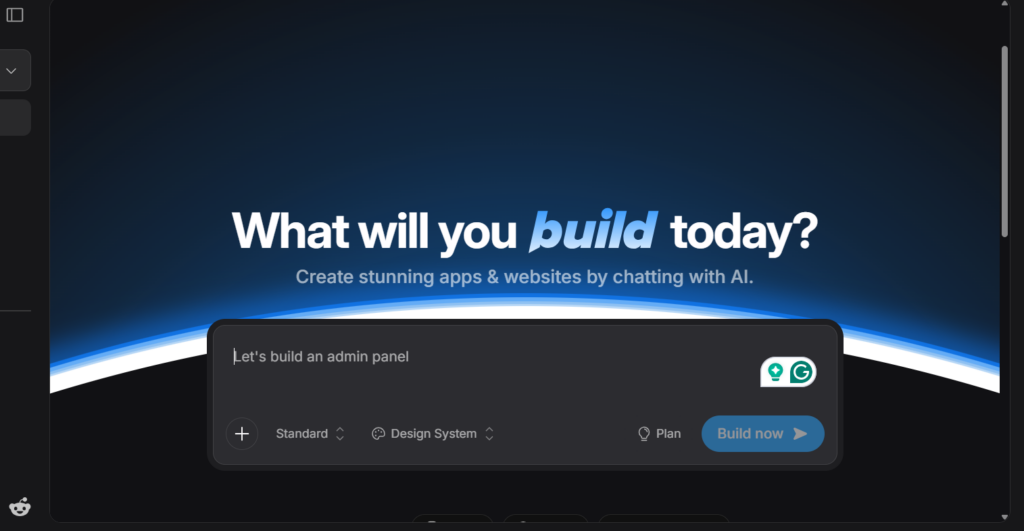
Bolt.new was the quickest tool for getting a clickable idea on screen. A basic shipment dashboard with filters, forms, status updates, and navigation was usable in roughly 10–15 minutes.
The problem appeared after the first version. By the fourth or fifth fix prompt, regression risk increased. A filter change could affect pagination. A small UI adjustment could touch 2–4 unrelated files. That made Bolt fast at creation, but less stable during refinement.
Persistence also needed review. Some data appeared to save inside preview but did not behave reliably outside the sandbox. We treated the backend as a sketch of intent, not production infrastructure.
Best fit: Hackathons, rapid demos, and technical founders.
Avoid if: You need stable iteration, reliable persistence, or backend logic you can trust without review.
3. Cursor: best for developers and code control

Cursor performed best when the task was narrow and the developer already knew the direction. In a mid-sized repo of roughly 25k lines, it was useful for refactoring repeated components, writing utilities, tracing bugs, and cleaning up repetitive implementation.
The strongest results came when prompts touched fewer than 3 files. In that scope, Cursor saved time without trying to own the product decision. The risk appeared when the task became broad. It could make one file cleaner while missing a dependency, naming rule, or product behavior elsewhere.
The winning pattern was simple: narrow prompt, selected files, diff review, then accept only what holds up.
Best fit: Developers working inside established codebases.
Avoid if: You expect complete app generation without engineering oversight.
4. Claude Code: best agentic coding tool for real codebases
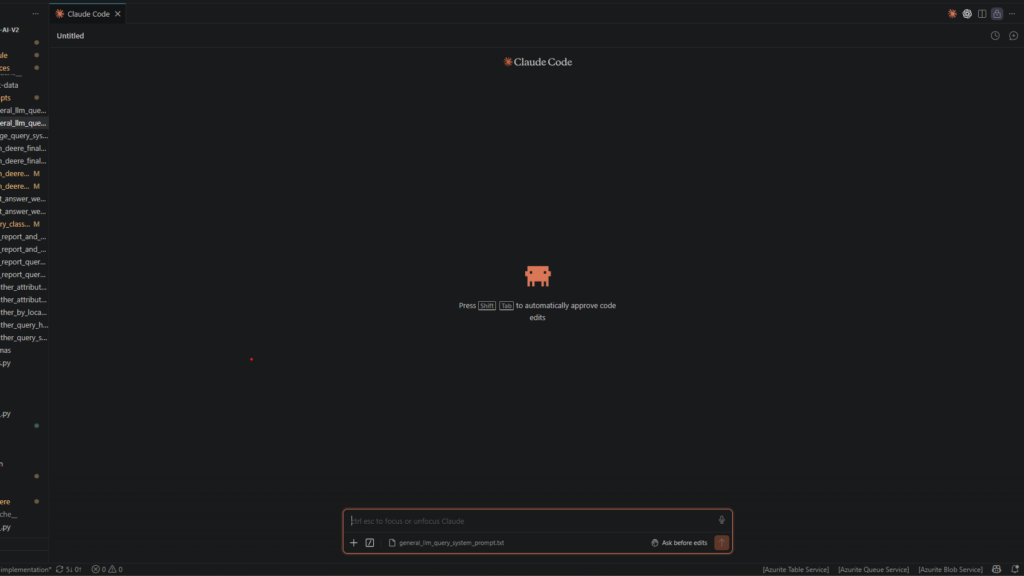
Claude Code was strongest when the task needed changes across multiple files. It worked well for structured refactors, test cleanup, repeated implementation patterns, and codebase-wide consistency work.
The useful signal was not just output quality. It was how the tool behaved when forced to plan first. When we asked for affected files, risk areas, and test steps before execution, the work became easier to review. When the instruction was loose, Claude Code sometimes filled in missing requirements and moved in the wrong direction with confidence.
We would not run it directly against sensitive systems. Branch isolation, plan approval, test runs, and manual diff review are part of the workflow.
Best fit: Engineering teams with mature review workflows.
Avoid if: You do not have clear requirements, tests, or code review processes.
Expert insight: Boris Cherny, creator of Claude Code at Anthropic, frames the work as a moving constraint: “Find the bottleneck, solve the bottleneck.” Once code generation gets fast, review and good ideas become the limit, not typing speed.
5. v0 by Vercel: best for UI generation

v0 produced some of the cleanest UI screens in the review. A dashboard with cards, tables, filters, sidebar navigation, forms, and layout hierarchy looked usable quickly.
The catch was state coverage. The generated UI mostly handled the success state. Real product states still needed work: loading, empty, error, unauthorized, failed API response, validation, keyboard behavior, and accessibility.
That is why v0 should be judged as a UI accelerator, not a full app builder. We would keep much of the layout and component scaffold, then engineer the product behavior around it.
Best fit: Developers building React front ends.
Avoid if: You need backend integration or end-to-end user flows generated from one prompt.
6. Replit Agent: best autonomous build environment

Replit Agent saved time because the build, environment, and preview lived in one place. Setup, file creation, dependency handling, and app preview felt faster than stitching multiple tools together.
The review focus quickly shifted from speed to control. A small feature request could touch more files than expected, adjust dependencies, or change configuration in ways that only became visible during review.
That makes safeguards part of the product, not an extra step. Separate dev and production environments, backups, approval gates, and no direct access to sensitive systems are the baseline.
Best fit: Technical users who understand environment control.
Avoid if: You do not have backups, approval gates, or a safe development setup.
7. CatDoes: best for native mobile-first workflows

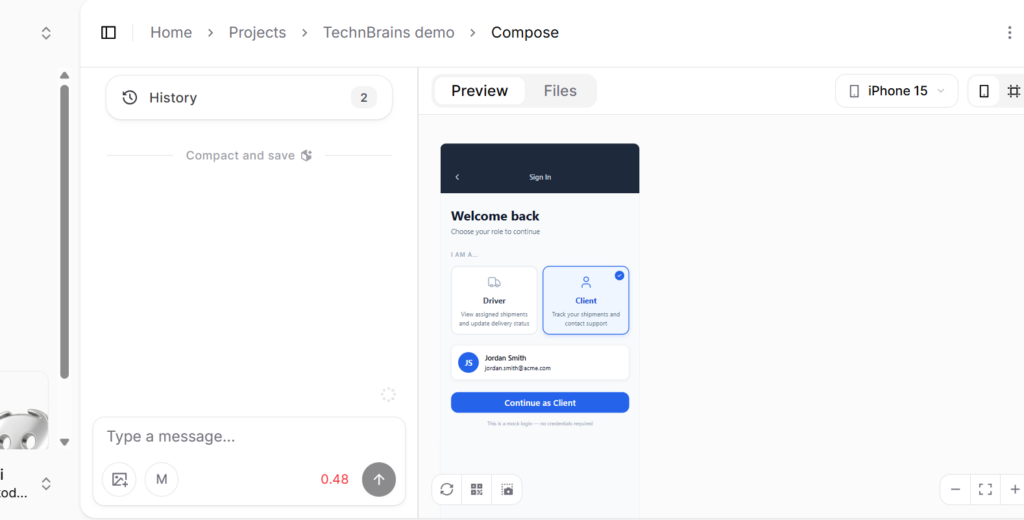
CatDoes generated a mobile-first logistics app login flow with driver and client roles. The UI was useful for early validation, but app-store readiness, push notifications, crash monitoring, and backend permissions still needed review.
We would treat CatDoes as a mobile validation tool, not a launch-ready app path without engineering review.
Best fit: Founders testing mobile app ideas quickly.
Avoid if: You need a production-ready iOS or Android app without mobile engineering review.
8. Zite: best for internal business tools

Zite made the most sense when we judged it as internal business software, not a web MVP builder. The strongest screen in our test was not the dashboard overview. It was the audit log.
The app tracked actions by timestamp, user, role, action type, and details. That matters for internal tools because the product is not just what people can see. It is what they are allowed to do, who changed what, and whether the team can trace decisions later.
For this kind of workflow, Zite felt closer to the real internal-tool problem than prompt-to-code builders. It handled bookings, provider assignment, payment review, support tickets, and role-based access in a way that looked useful for operations teams.
Best fit: Admin panels, dashboards, approval systems, employee tools, and internal workflows.
Avoid if: You need public SaaS scalability, full code ownership, or long-term platform independence.
Need an internal tool your team can actually use?
We build dashboards, approval workflows, admin panels, and role-based business apps with secure data access, audit trails, and long-term maintainability.
What TechnBrains finds when reviewing AI-built prototypes
When we review an AI-built prototype, six patterns show up again and again.
- The UI is often the strongest part. AI builders are good at screens, forms, dashboards, cards, and basic flows. This is usually the layer we keep.
- The backend is where risk hides. Data persistence, access rules, role permissions, and auth logic are where prototypes need the most review, and where a clean-looking app is most often quietly broken. This is also a reminder that AI coding hallucinations can create logic that looks functional in a demo, but later breaks permissions, data flow, authentication rules, or backend behavior during real product testing.
- The app usually works for the happy path. Failed logins, duplicate records, deleted data, empty states, failed payments, and broken integrations are frequently unhandled.
- Exportable code matters more than the first demo. If a developer cannot inspect and continue the code, the team may end up rebuilding. The first demo is the cheapest thing to produce. Continuity is what costs.
- Mobile apps need a separate reality check. A generated mobile interface is not the same as App Store readiness, push notifications, device QA, release management, and crash monitoring.
- Regulated apps need engineering from day one. Healthcare, fintech, logistics, and enterprise workflows need governance, audit logs, permissions, monitoring, and compliance checks that no prompt-to-app tool delivers on its own.
Where AI app builders save time
The savings are front-loaded onto the early build and thin out fast as you move toward production.
The pattern we see, stated as general ranges and not a benchmark, looks like this:
| Work | Typical time saved | Notes |
| Idea validation and prototype | High | First usable version arrives fast |
| UI scaffolding | High | v0, Lovable, and Bolt.new are strongest here |
| Internal dashboards | High | Zite and similar tools fit cleanly |
| Spreadsheet-backed apps | High | Lightweight CRUD over existing data |
| Developer refactoring | Moderate | Cursor and Claude Code on contained tasks |
| Mobile screen prototyping | Moderate | Screens yes, shippable app no |
| Backend, auth, security | Low | The work that decides launch barely moves |
| Production launch | Accelerated, not replaced | Engineering judgment still required |
What we have seen: the front end that arrives in the first hour is rarely the problem. The cost lives in everything the demo never had to prove, and no current tool removes it.
CTO checklist before using an AI app builder
Run this before you let any AI-built app into your roadmap.
- Can we export the code?
- Who owns the generated code, and on which plan?
- Can our developers read and maintain it?
- How is authentication handled, and is it ours to control?
- Are database access rules explicit and reviewable?
- Can we test edge cases and failure states?
- Can we move hosting later, off the vendor’s infrastructure?
- Does it support our compliance needs, including audit logs and data residency?
- What happens to cost and performance when usage grows?
- What must be rebuilt before launch, and who does it?
Which AI app builder should you choose?
Pick by build context, not by ranking. The right tool for a developer is the wrong tool for a non-technical founder.
- Web MVP: Lovable, or Bolt.new for a faster, rougher prototype
- You are a developer: Cursor for in-editor control, Claude Code for agentic multi-file work
- UI generation: v0 by Vercel
- Autonomous build and host: Replit Agent, with guardrails
- Mobile app: CatDoes for prototypes, with a mobile QA review before launch
- Internal business tool: Zite
Final verdict
AI app builders are real, and the time savings are real. But the savings are front-loaded. These tools compress the path from idea to prototype.
They do not remove the engineering work behind security, backend rules, mobile QA, payments, compliance, and production reliability. Used for what they are, they are the fastest start the industry has ever had. Mistaken for finished software, they are the most expensive shortcut.
If you already have an AI-built prototype and are not sure what it would take to launch, our developers can review what to keep, what to rebuild, and what needs engineering before production.
Table of Contents
Frequently Asked Questions
It depends on what you are building: Lovable for web MVPs, Bolt.new for fast prototypes, Cursor and Claude Code for developer-led work, v0 for UI, CatDoes for mobile, and Zite for internal tools.
Lovable. It produces the cleanest first full-stack web MVP among the prompt-to-web tools, with GitHub sync for handoff. The Supabase backend, auth, and permissions still need an engineering review before launch.
Not in the no-code sense. Cursor is an AI coding IDE for developers that speeds up editing, refactoring, and debugging inside a real codebase. It assumes someone owns architecture, security, and deployment.
Cursor is a visual AI coding IDE you work inside. Claude Code is a terminal-first agentic tool that plans and edits across many files and runs commands. Many developers use both: Cursor for in-editor work, Claude Code for larger agentic tasks.
CatDoes targets native iOS and Android via React Native and is useful for mobile-first prototypes. It still needs a mobile engineering and QA review before a client launch, since most strong claims come from the vendor.
Cursor and Claude Code, because they work directly in your own repository and the code is yours from the start. Among prompt-to-web tools, Lovable and Bolt.new export code, while platforms like Zite limit portability.
Generative AI app builders write real, exportable code you can own and move. No-code builders produce an app that lives inside their own ecosystem, which is harder to take elsewhere.
Blocked by backlog or missing expertise?
Senior developers who build, fix, and ship — without slowing your team down.