


What Makes Post-Launch Maintenance Essential in End-to-End App Development?

For anyone who’s worked closely with mobile app development, you know the initial launch is just the beginning. Post-launch maintenance, often seen as an afterthought, is actually critical to your app’s long-term success. Neglecting this phase can negatively impact performance, user retention, security, and, ultimately, revenue.

In this article, I’ll explain why post-launch maintenance is essential for discoverability, compliance, and ROI. Drawing from years of experience with enterprise-level apps, I’ll show you how to turn maintenance into a strategic asset for your business.

What Is Post-Launch Maintenance?

Post-launch maintenance refers to the ongoing process of updating, securing, and optimizing an app after it goes live. It’s not just about fixing bugs and handling user complaints, it’s about enhancing your app’s performance, addressing security vulnerabilities, and adapting to user feedback.

To give you a clearer picture, post-launch maintenance involves:

  • Bug fixes: Regularly addressing issues that arise after launch, ensuring that users have a seamless experience.
  • Performance optimizations: Keeping your app running smoothly by improving load times and response rates, especially as user numbers grow.
  • Security updates: Protecting your app from evolving threats by applying the latest patches and updates.

From my experience, neglecting post-launch maintenance can lead to quick user abandonment. If your app crashes frequently or becomes outdated, users will move on. Additionally, missing critical updates required by operating systems and app stores can impact your app’s visibility and growth.

Why Is Post-Launch Maintenance Essential In End-to-End Development? 

When your app launches, it’s easy to think the hard work is done. However, post-launch maintenance is when the real effort begins. Ensuring that your app remains relevant, secure, and high-performing requires ongoing attention. 

Here’s why maintaining a strong focus on post-launch maintenance is crucial to your app’s long-term success:

The Significance of Regular Updates
The digital landscape is constantly evolving, new technologies, shifting user preferences, and growing competition. Keeping your app updated ensures it stays fresh and relevant. Regular updates offer the opportunity to:

  • Introduce new features that enhance the user experience.
  • Improve performance, making the app faster and more responsive.
  • Show users that the development team cares about continuous improvement.

Regular updates also serve as a chance to be creative, integrating user feedback, testing new features, and adapting to changes in technology. Without regular updates, your app risks becoming obsolete and losing users to more innovative alternatives.

Enhancing User Experience
A seamless, intuitive, and engaging user experience is fundamental to an app’s success. Post-launch maintenance focuses on continuously evaluating user interactions, identifying pain points, and optimizing app features to ensure the app remains user-friendly and enjoyable. As user expectations evolve, so should your app’s usability.

  • Action: Post-launch maintenance should prioritize interface optimization, making sure the app remains easy to navigate.
  • Impact: A high-quality user experience directly correlates with higher retention rates and increased user satisfaction, which are essential for long-term app success.

Securing User Data
Data security has never been more important. As breaches and cyber threats become more common, maintaining robust security measures is vital to protecting user data. Post-launch maintenance involves regular security updates to address vulnerabilities and comply with global data protection regulations.

If your app is vulnerable, it can expose sensitive user data, damaging both user trust and your brand’s reputation. For Example, multiple security breaches due to inadequate post-launch security maintenance at T Mobile, resulted in 76 million+ compromised accounts in 2021 and 37 million in 2023. The company paid $500 million in settlements and $15.75 million in penalties.

  • Action: For an app like Fix Car Sharer that handles sensitive data, we applied regular security patches to prevent SQL injection attacks, and we integrated encryption for stored data, which complied with GDPR and HIPAA regulations, significantly reducing the risk of data breaches.
  • Impact: A focus on security not only reduces the risk of data breaches but also fosters trust and loyalty among your users, directly impacting user retention.

Sustaining User Engagement
In a crowded marketplace, users are constantly bombarded with new apps and features that promise a better experience. To keep users engaged, your app must evolve, adding fresh content, fixing bugs quickly, and introducing new functionalities that align with users’ changing needs.

  • Action: Regularly assess and integrate user feedback to ensure the app stays relevant.
  • Impact: This helps retain existing users while attracting new ones, ensuring your app remains competitive and appealing.

Optimizing App Performance
Over time, apps can experience performance issues due to outdated code, unused features, or compatibility problems with new OS versions. Regular maintenance offers the opportunity to address these issues, ensuring the app remains fast and reliable.

In an era where users have little tolerance for slow or unresponsive apps, performance optimization is crucial. Apps that lag or crash frequently are likely to see higher uninstall rates and lower app store ratings.

For Example, Multiple platform outages during critical trading periods (including the GameStop saga) led to lawsuits, regulatory scrutiny, and a $70 million settlement. Users couldn’t execute trades during volatile market conditions. The case reflects how performance failures can impact businesses, not just resulting in poor ratings, but actual financial liability and regulatory consequences when apps don’t function during critical moments.

  • Action: Optimize code, remove redundant features, and test compatibility with the latest devices and OS updates.
  • Impact: A well-maintained app ensures fast load times, smooth operation, and overall better user satisfaction, contributing to higher retention and positive app ratings.

Adapting to User Feedback
One of the best ways to improve your app is by listening to your users. Effective post-launch maintenance involves regularly gathering, analyzing, and acting on user feedback to refine features, design, and functionality.

By addressing users’ concerns and incorporating their suggestions, you show that you value their input, which strengthens their relationship with the app.

  • Action: Implement a system for collecting and prioritizing user feedback, whether through app reviews, surveys, or direct user interactions.
  • Impact: This creates a loyal user base and fosters community engagement, both of which are critical for long-term success.

Cost Efficiency
Regular maintenance is not only beneficial in terms of user experience but also in terms of cost-efficiency. Ignoring small issues as they arise can lead to bigger, more costly problems down the road. By addressing bugs, security vulnerabilities, and performance issues early, you avoid the need for expensive, large-scale overhauls.

Neglecting maintenance can lead to accumulating problems, which may require extensive and expensive fixes later on.

  • Action: Prioritize proactive maintenance over reactive fixes to prevent the snowballing of issues.
  • Impact: Regular maintenance ensures that the app remains competitive and continues to deliver value to users, all while minimizing costs.

Maintaining a Competitive Edge
The app market is constantly evolving, with new apps launched every day. To maintain your app’s relevance and appeal, you must continuously innovate and improve. Post-launch maintenance helps you incorporate the latest trends, technologies, and user demands, keeping your app ahead of competitors.

An app that doesn’t evolve quickly risks falling behind as newer, more advanced alternatives enter the market.

  • Action: Regularly review competitor offerings and incorporate new features, design elements, and technologies that keep your app at the cutting edge.
  • Impact: By maintaining a competitive edge, you increase the app’s market share, user base, and overall longevity in a highly competitive market.

Key Components of Post-Launch Maintenance

Post-launch maintenance goes beyond bug fixes; it’s about ensuring the ongoing success and scalability of your app. The three core components, security, performance, and user engagement, are the pillars that uphold a seamless app experience.

Let’s dive into each one and explore how these elements work together to keep your app thriving long after it goes live.

Enhancing App Security

Security is the first line of defense in maintaining a trustworthy app. The digital world is constantly evolving, with new threats emerging every day. Post-launch, regular security updates and vulnerability scans are critical in safeguarding both user data and your brand’s reputation.

Without timely security patches, your app becomes a prime target for cyber-attacks. This can lead to costly breaches, damaged user trust, and even legal implications.

Technical Breakdown of Security Maintenance

  • Patching Vulnerabilities: Security updates often involve patching known vulnerabilities, such as addressing CVEs (Common Vulnerabilities and Exposures). For example, if a vulnerability in an encryption algorithm is discovered, it’s critical to apply the latest patch to prevent a potential data breach.
  • Two-Factor Authentication (2FA): Post-launch security also includes implementing features like two-factor authentication (2FA), which adds an additional layer of protection for users accessing sensitive information.
  • Security Audits & Vulnerability Scanning: Regular security audits and vulnerability scans are essential to identify potential entry points for cyber-attacks. Automated tools like OWASP ZAP and Burp Suite can scan your app for vulnerabilities such as cross-site scripting (XSS), SQL injection, or broken authentication mechanisms.
  • Compliance Updates: Post-launch maintenance should also ensure your app complies with evolving data protection regulations such as GDPR or HIPAA, which may require periodic updates to your app’s privacy and security protocols.

Optimizing App Performance

Performance is the silent driver behind user satisfaction. Your app needs to operate smoothly across devices, providing a fast, responsive, and reliable experience. Performance issues like crashes, slow load times, and glitches are among the top reasons users abandon an app.

In an era where user expectations are at an all-time high, slow or buggy apps quickly lose their appeal. Monitoring performance and optimizing load times ensures that your app delivers the high-quality experience users demand.

Technical Breakdown of Performance Optimization

  • Code Refactoring: Over time, outdated or inefficient code can slow down an app’s performance. Code refactoring, optimizing code without changing its functionality, helps improve efficiency and speed.
  • Database Optimization: Regularly optimizing database queries and reducing unnecessary database calls can significantly improve app performance, particularly in data-heavy applications. Indexing and query optimization help to reduce load times.
  • Memory Management: Efficient memory management ensures that your app uses resources optimally, preventing crashes or slowdowns. Techniques like object pooling and memory profiling can help identify and fix memory leaks.
  • Compatibility Testing: As new versions of operating systems (OS) are released, apps must be tested for compatibility with these updates. This includes making sure the app works across all supported OS versions and devices.
  • Load Testing: Performing load testing on the app ensures it can handle large numbers of concurrent users without performance degradation. Tools like Apache JMeter and LoadRunner can simulate high traffic scenarios to identify performance bottlenecks.

Responding to User Feedback and Feature Upgrades

In today’s competitive app market, simply releasing an app is not enough. Post-launch maintenance is also about actively listening to your users and evolving your app to meet their needs. Regularly collecting user feedback allows you to identify pain points, improve features, and introduce new functionalities that enhance the user experience.

Users’ needs evolve, and their feedback is the key to making your app even better. By responding to their input, you show that you value their opinions, creating a loyal user base.

Technical Breakdown of Feature Upgrades

  • A/B Testing for New Features: A/B testing helps you evaluate user preferences for new features or design changes. For instance, testing two different checkout flow designs can give you insights into which version leads to higher conversion rates.
  • Bug Fixes and Feature Tweaks: As users report bugs or suggest feature improvements, you need to prioritize these changes. Bug tracking tools like Jira or Trello can help organize feedback, with engineers fixing issues and delivering updates based on severity and frequency.
  • User Feedback Analysis Tools: Using tools like SurveyMonkey, App Annie, or Mixpanel, you can gather data on user satisfaction and identify areas for improvement. These tools analyze user behavior and provide insights on app usability, allowing you to make data-driven decisions.
  • Feature Flags for Smooth Rollouts: Feature flags enable you to roll out new features to a small subset of users before full deployment, ensuring the stability of your app while collecting feedback on the new functionality.

How Much Does The Post-Launch App Maintenance Cost?

Post-launch maintenance is a continuous investment in the longevity and success of your app. The costs associated with maintaining an app post-launch depend on various factors, including the size of the app, the complexity of the features, and the frequency of updates. 

Below is a typical breakdown of what you can expect to spend on post-launch maintenance:

Maintenance Type Medium-Sized App (Annual Cost) Enterprise-Level App (Annual Cost) Description
Security Updates & Patches $10,000 – $30,000 $50,000 – $150,000 Regular updates to address vulnerabilities, patch CVEs, and ensure compliance with security standards like GDPR, HIPAA.
Performance Optimization $10,000 – $25,000 $30,000 – $75,000 Includes load time improvements, bug fixes, and server optimizations to keep the app running smoothly across devices.
Bug Fixes & Minor Feature Enhancements $5,000 – $15,000 $20,000 – $60,000 Addressing user-reported issues and minor tweaks based on user feedback.
Compliance & Regulatory Updates $5,000 – $15,000 $25,000 – $100,000 Ensuring the app stays compliant with regulations (e.g., GDPR, HIPAA, PCI-DSS). More frequent updates are required for enterprise apps.
Third-Party Integrations & API Updates $2,000 – $10,000 $10,000 – $50,000 Updates required to maintain compatibility with third-party services and APIs.
User Feedback Analysis & Feature Upgrades $3,000 – $8,000 $10,000 – $25,000 Analyzing feedback and implementing user-driven feature upgrades or adjustments.
Infrastructure Management (for larger apps) N/A $50,000 – $150,000 Ongoing server, database, and network optimizations for enterprise-level apps with high traffic.


Factors that Influence Post-Launch Maintenance Costs

  • App Complexity: More complex apps with custom integrations, advanced features, or AI-powered tools will require more resources to maintain.
  • Security & Compliance Needs: Apps dealing with sensitive information, like health or financial data, require regular security updates and compliance checks, adding to the cost.
  • User Base Growth: As user numbers grow, maintaining a seamless experience requires more frequent performance optimizations and server scaling, which can increase costs.
  • Third-Party Integrations: Integrating with third-party services (e.g., payment processors, APIs) requires ongoing monitoring and updates, especially if external vendors update their platforms.

Best Practices for Post-Launch Maintenance

To truly capitalize on post-launch maintenance, you need a structured approach. Here are some best practices based on real-world industry insights:

  • Prioritize Security and Compliance
    Regular updates to meet compliance requirements, such as Google Play’s target SDK mandates—should be a priority. Failure to comply can lead to your app being removed from stores.
  • Continuous Monitoring for Crashes
    Keep a close eye on app performance through Crashlytics and Android Vitals. Monitor specific device models and OS versions for crashes, as Google Play takes user-perceived crash rates into account when determining app visibility.
  • Implement CI/CD for Smooth Updates
    A robust CI/CD (Continuous Integration/Continuous Deployment) pipeline is critical for releasing smaller, incremental updates that minimize the risk of major disruptions. Teams with strong CI/CD practices can handle maintenance more efficiently, improving release throughput while reducing system instability.

Post-Launch Maintenance Affects ROI

I’ve seen firsthand how post-launch maintenance can have a direct, measurable impact on ROI. For instance, Wayfair found that users who experienced crashes were 7% less likely to generate revenue, highlighting that performance stability directly impacts your bottom line.

Contrarily, apps maintaining 99%+ crash-free sessions retain 42% more users than those with lower stability rates.

In fact, I’ve seen many companies overlook the business value of crash-free performance. However, consistently monitoring and fixing crashes can significantly increase session duration, improve user engagement, and, as a result, increase overall revenue.

Tie app performance metrics to revenue goals and track how reducing crashes or improving app stability boosts user retention and satisfaction. 

Tools and Technologies for Effective Post-Launch Maintenance

Maintaining an app post-launch requires precision, and using the right set of tools is essential for managing performance, security, and user experience effectively. Advanced monitoring and analysis tools can provide real-time insights into crashes, app stability, and user engagement, helping you respond proactively and optimize the app continuously. 

Below are key tools that can significantly enhance your post-launch maintenance strategy:

Firebase Crashlytics for Real-Time Crash Reporting
Firebase Crashlytics is a powerful tool that helps track and report app crashes in real time. It provides detailed crash reports that include the root cause of the failure, the device information, and the environment details. 

  • This enables development teams to address issues as soon as they occur, preventing widespread user dissatisfaction and preserving the app’s reputation.
  • By catching crashes early and addressing them immediately, Firebase Crashlytics helps prevent users from abandoning the app due to negative experiences.

Key Features:

  • Real-time crash alerts with detailed logs.
  • Breakdown of crashes by severity and device.
  • Automated integration with other tools like Slack, Jira, and GitHub for streamlined workflows.

Impact: Firebase Crashlytics enhances app stability by enabling quick fixes for critical issues, leading to reduced crash rates and better user retention.

DORA Metrics for Tracking Deployment and Release Risks
DORA (DevOps Research and Assessment) metrics are a set of performance indicators designed to assess the efficiency and reliability of your deployment pipeline. 

The four key DORA metrics, deployment frequency, lead time for changes, change failure rate, and time to restore service, help you track how well your team is managing releases and how quickly you can recover from issues.

Why it matters: DORA metrics provide an objective way to assess the effectiveness of your post-launch maintenance processes. By tracking these metrics, you can identify bottlenecks, reduce deployment risks, and ensure that updates and fixes are deployed smoothly.

Key Metrics:

  • Deployment Frequency: How often you release updates or new features.
  • Change Failure Rate: The percentage of changes that result in failures.
  • Time to Restore Service: The time it takes to recover from a failed release or service disruption.
  • Lead Time for Changes: The time it takes for a commit to reach production.

Impact: DORA metrics help improve the stability and speed of your app’s deployment process, ensuring that your post-launch maintenance efforts are efficient and reliable.

Android Vitals for App Store Risk Management
Android Vitals provides critical performance and stability data, helping you assess your app’s health in the context of the Google Play Store. It tracks a variety of user-perceived metrics, including crash rate, ANR (Application Not Responding) rate, battery usage, and render time. 

These metrics are essential for managing app store visibility, as Google Play uses them to assess app quality and determine whether the app should be promoted or flagged.

Why it matters: High crash rates or poor performance can directly affect your app’s discoverability in the Play Store, lowering its ranking and limiting its user base. Android Vitals helps you monitor and improve these key performance indicators to ensure your app remains visible and attractive to new users.

Key Metrics:

  • Crash Rate: Percentage of users who experience crashes during use.
  • ANR Rate: Percentage of users who encounter unresponsive apps.
  • Battery Usage: How efficiently the app uses battery power.
  • App Launch Time: How quickly the app opens after being tapped.

Impact: By continuously monitoring these metrics and optimizing performance, you can mitigate risks related to app store ranking and user perception, leading to better engagement and more downloads.

Measuring Success in Post-Launch Maintenance

To ensure that your post-launch maintenance efforts are paying off, you need to track specific KPIs that reflect the stability and performance of your app.  

Key metrics include:

  • User-perceived crash rate (overall and per-device)
  • Change fail rate and failed deployment recovery time
  • Security patch SLA compliance

By tracking these metrics, you can ensure that your maintenance activities are not just busy work, they are having a measurable, positive impact on your app’s performance and user satisfaction.

Conclusion

Post-launch maintenance isn’t just an operational necessity, it’s a strategic investment in your app’s longevity. Whether it’s minimizing crashes, ensuring security compliance, or responding to evolving user feedback, maintenance plays a pivotal role in sustaining user retention and boosting your app’s discoverability.

Think of it as a partnership between your app and its users: the more you invest in its upkeep, the better the experience you provide. This is what drives sustained success. A strong maintenance strategy, backed by the right tools, insights, and staff augmentation, can set your app apart in a competitive market, allowing it to thrive long after its initial launch.

For those navigating the complexities of app development and maintenance, partnering with experienced teams like those at TechnBrains can help ensure your app remains adaptable, secure, and user-centric over time. It’s the difference between merely launching an app and building a long-lasting digital product.


How to make a Social media app like Instagram in 2023

Overview: Instagram is one of the most popular social media apps that has gained recognition throughout the years. Influencers, business and Meme Pages have made Instagram their go to app. With all the greatness it has, we bring to you today a complete guide on apps like Instagram, including the tech stack, cost and features so you build the next Instagram with TechnBrains.

It’s hard to imagine our daily routine without social media nowadays, isn’t it? Among them, Instagram stands out as one of the most popular and influential platforms, allowing users to share their moments, connect with others, and express themselves creatively.  

In the third quarter of 2021, Instagram reached over 2 billion users and is predicted to have 2.5 billion monthly active users by the close of 2023.

Have you ever wondered how to create a social media app like Instagram? This article will guide you through the process, uncover the secrets of Instagram’s success, delve into the app development process, explore the costs involved, and highlight essential KPIs for a photo-sharing app.

Instagram

Instagram is a widely used social media platform that allows users to share photos and videos, as well as interact with others through likes, comments, and direct messages. It was launched in 2010 and quickly gained popularity for its focus on visual content and user-friendly interface. 

People use Instagram to highlight their daily lives, connect with friends, family, and followers, follow their favorite celebrities, brands, and influencers, and discover new trends and interests. The platform has various features like Stories, IGTV, and Reels, making it a versatile platform for both personal and business use.

Stats about Instagram in 2023

  • Based on data from SEMrush, Instagram is ranked among the top 10 most-visited websites in the world, with a total of 4.25 billion visits per month.
  • Around 30.94% of the world’s 4.48 billion internet users regularly utilize Instagram. 
  • Instagram is used by approximately 25.31% of the global population.

Here is a table of monthly users of Instagram:

YearUsers
2013110 million
2014200 million
2015370 million
2016500 million
2017700 million
20181 billion
20191.1 billion
20201.3 billion
20212 billion
20222.3 billion
2023 (estimated)2.5 Billion

Secrets behind Instagram’s Success

Instagram’s remarkable success can be attributed to various factors that have resonated with users worldwide. The platform’s user-friendly interface, focus on visual content, and constant innovation have all contributed to its widespread popularity. Moreover, Instagram’s seamless integration with other social media platforms and its strategic use of influencers have propelled it to new heights. By maintaining a balance between catering to user preferences and embracing technological advancements, Instagram has managed to create a compelling and addictive user experience.

CTA- make an app like Instagram

Features of App like Instagram

In the next section of our guide on creating an app similar to Instagram, we’ll discuss the importance of incorporating various features.

Instagram owes much of its success to the diverse range of features it offers its users. Over the years, the platform has expanded its repertoire from a simple photo-sharing app to something truly remarkable.

Who would have thought a photo-sharing app could help users generate thousands of dollars? Each new feature added to Instagram serves a specific purpose, from increasing engagement with Stories to enhancing interaction through direct messaging. There’s also IGTV, in-app purchases, GPS, search functionality, integration with other platforms, and much more.

To ensure that your app surpasses existing offerings, you too must incorporate these features. After learning how to create an app, it’s crucial to identify which features to include to make it stand out. Below, we’ve listed some of the must-have features to consider when building an app like Instagram.

1. Photo and Video Upload

Uploading photos and videos is a fundamental aspect of creating an app like Instagram. It is essential to provide users with features such as preview, editing, filters, tagging, and the ability to capture images. This is also an opportunity to enhance your application and surpass Instagram’s functionalities. 

For instance, Instagram users cannot directly crop their photos when posting them. Although they can apply various filters and adjustments, cropping is not an available option. Uploading photos and videos, along with applying filters, requires coding on both the front-end and back-end. In total, it can take around 300 hours of coding to establish the video upload structure.

Developing a 15-20 second video and recording it can consume at least 200 hours of front-end coding. Additionally, applying filters and special effects can take 8 hours of coding each. Furthermore, enabling features such as camera flip, beauty mode toggle, flash toggle, and speed settings can also take eight hours each. 

2. Registration Process

The registration process for an app like Instagram is important, as it can impact the user’s first impression. Making the user wait for too long or requiring too much information can increase the chances of them opting out. 

To avoid frustration, consider extracting information from Facebook or sending push notifications for users to complete their profile later. Google also delays asking for phone numbers and profile pictures until later stages. Adding a login option through social media or Google can be helpful. 

To set up the registration process for an app like Instagram, front-end coding for username, password, phone number, and email will take 14 hours. Back-end coding for the same process will take about 32 hours. Setting profile pictures and user interests will take 8 hours each on both ends. Allowing users to watch videos without registration takes 6 hours, while adding registration through Gmail or Facebook takes another 6 hours for each platform. In total, it takes 140 hours to set up the registration process.

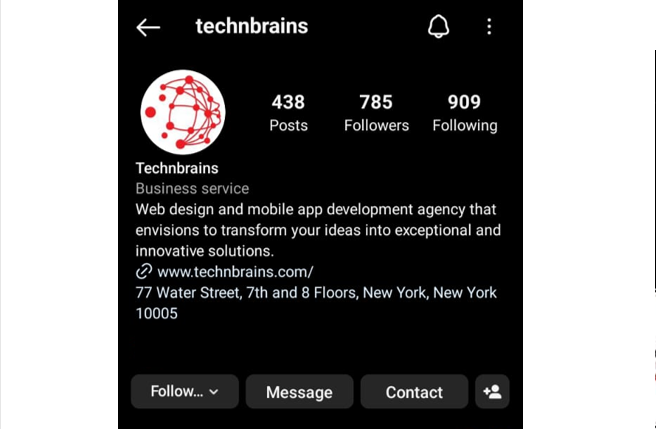
TechnBrains Instagram bio

3. Searching

Instagram users have the ability to search for hashtags, people, and pages. Incorporating this search feature into your application is crucial for enhancing the user experience.

Although it may seem insignificant, the search function is the key feature on Instagram. By allowing users to search for their favorite pages, people, and hashtags, you can improve the overall appeal of the application.

4. Notifications

The registration process is complete. However, how can you ensure that the user returns to your application? Push notifications are the solution. Instagram uses this feature to notify users of newly added stories and when someone adds a photo. These functions encourage users to revisit the app multiple times. 

Instagram’s notification system is user-friendly and effective, but back-end coding is necessary to determine who likes your post, video, or photo. This takes approximately 20 hours of coding, while front-end coding takes around 16 hours. 

Other features, such as “Who has followed you,” “notifications,” “who has shared your video,” “comments,” and “profile views,” require front-end coding that takes 88 hours on an app like Instagram. Back-end development for these features takes around 110 hours.  Mobile app developers need approximately 198 hours of expertise and time to complete the notification feature.

5. Integration with other Platforms

Did you know that Instagram allows users to share photos on Facebook? As Facebook owns Instagram, why not add this feature to your own app? By including this feature, you can use Facebook to promote your app and attract new users. Sharing photos is easy and convenient, and it can help increase exposure for your app. Additionally, integrating with Facebook can be a useful marketing tactic, especially if you have a business Instagram account. Don’t miss out on the benefits of this integration

6. Interacting with Stories

This feature is especially crucial for advertising, especially when it comes to using Instagram for business purposes. With this feature, users can create polls, surveys, ask questions, and more to enhance engagement. Messaging through stories is also an excellent way to boost interaction, which is essential for any business on Instagram. Check out the picture below to see how this feature can increase engagement with stories on Instagram.

7. Location Integration

A lot of users prefer to share their whereabouts with their followers. To make your application more dynamic, it’s essential to incorporate a GPS function. Your application should be able to automatically obtain the user’s location. However, in areas where GPS targeting is weak, it’s important to include a mechanism that lets users set their location manually.

Including GPS tagging is also crucial for user engagement. Tagging places or people in stories has been shown to be a great feature for users. As demonstrated in the attached picture, Instagram has effectively integrated location into their platform.

8. The Activities Section or Instagram Feed

For Instagram users who are interested in keeping up with their followers’ activities, the activity section is the place to go. In the past, it was also possible to see which posts a user had liked or which pages they were following. However, Instagram has removed this feature, despite its popularity among users. Nonetheless, there are still ways to benefit from this functionality. The attached picture depicts the Instagram feed.

9. Sending Messages

Communication with followers and other users is a crucial aspect of Instagram. Throughout its history, direct messaging has been well received by users. 

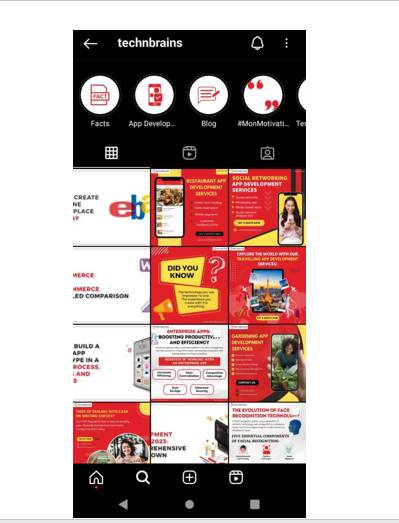
TechnBrains Instagram feed

In addition, this is an opportunity to introduce new features to direct messaging. This requires research and a dedicated team to identify any weaknesses in Instagram and enhance them. 

By doing so, you can surpass Instagram and develop a superior version of the app. The image displays an instance of sending messages.

10. Instagram Stories 

Instagram stories function similarly to Facebook and WhatsApp stories, but with Instagram, users receive notifications after new stories are added. Additionally, Instagram has introduced the “Close Friends” feature, which allows users to share their stories exclusively with selected close friends. Furthermore, there are various story downloaders available to download Instagram stories. These unique features are exclusive to Instagram and are not present on WhatsApp or Facebook. 

CTA- create an app like Instagram

App like Instagram Tech-Stack

If you are wondering how to create a mobile app like Instagram, there are several technologies involved in both front-end and back-end development, as well as designing and maintaining the server-side of the application.

For back-end development, we recommend using Laravel, and for front-end development, React Native is a great option. When it comes to maintaining your database, PostgreSQL is a reliable choice. For cloud services, Amazon Services is a good option.

For payment gateways, PayPal, Braintree, and Stripe are all great choices. Additionally, tools like Elastic-Search, Google Maps, Google Analytics, and Twilio can be helpful in handling various services and functions.

The Instagram tech stack is a good example of the many technologies and tools involved in creating a mobile app. It’s important to work with a team that has the necessary expertise and knowledge in these areas, from full-stack developers to design experts. You can choose to hire an in-house team or outsource your project.
How to make an app like Instagram

If you are inspired by Instagram’s success and want to create a social media app like Instagram, here is a guide to create an app like Instagram in just 8 steps

  1. Idea Generation and Market Research 
  2. Define Features and Functionalities  
  3. Choose the Right Technology Stack  
  4. Design the User Interface  
  5. Front-End and Back-End Development  
  6. Testing and Quality Assurance  
  7. Launch and Marketing  
  8. Continuous Improvement  

Let’s take a look at these steps in detail:

1. Idea Generation and Market Research 

Before diving into development, identify your app like Instagram’s unique selling points and conduct thorough market research to understand user preferences and competition.

2. Define Features and Functionalities  

Outline the core features your app like Instagram will offer, such as user profiles, photo sharing, comments, likes, and direct messaging. Consider incorporating additional features to distinguish your app from the competition.

3. Choose the Right Technology Stack  

Select the appropriate technology stack for your app like Instagram’s development, including programming languages, frameworks, and tools that align with your vision.

4. Design the User Interface  

Create an intuitive and visually appealing UI/UX design of apps like Instagram that ensures seamless navigation and a delightful user experience.

5. Front-End and Back-End Development  

Develop the front-end and back-end of your app like Instagram, focusing on functionality, performance, and security. Implement features like user authentication, data storage, and real-time interactions.

6. Testing and Quality Assurance  

Thoroughly test your app like Instagram across various devices and scenarios to identify and fix any bugs or glitches. Prioritize user feedback to refine the app further.

7. Launch and Marketing  

Prepare a compelling launch strategy to generate buzz and attract users. Utilize social media, influencer partnerships, and app store optimization techniques. Post-launch, you need to optimize your app store rating and reviews

8. Continuous Improvement  

Gather user feedback post-launch and implement updates and new features regularly to keep your app engaging and relevant.
CTA- make an app like Instagram

Cost of app like Instagram 2023

The main question that’s on everyone’s mind: what’s the cost of creating an app like Instagram? To determine this, we’ll need to calculate the total number of hours required for the project. Let’s take a closer look at the key components that go into building an app like this, and estimate the required hours for each.
TaskNumber of Hours
Back-end Development659
Front-end Development1008
Wireframes 100
Designing90
Quality Assurance335
Project Management252
Total Number of Hours2454

Based on real-time estimation, we have prepared estimates for developing an app like Instagram. The amount of work required for this task is now clear, so let us discuss the cost involved. 

When creating an app like Instagram, factors such as its design, aesthetic, and the location of its developers can all influence the cost. Additionally, the hourly rates of developers can also be a significant factor. Developing an app like Instagram may cost around $500,000.

8 Apps Like Instagram That Offer the Same Excitement

Now that we have discovered all we need to know about an app like Instagram, let’s get down to Instagram alternatives. While Instagram has become one of the most popular social networks, other apps offer a different experience while incorporating some of its best features. 

These apps have their own unique feel and are just as visually appealing and community-driven as Instagram. Check out the following list for some refreshing options to try out.

TikTok

tiktok logo

TikTok is a strong competitor of Instagram. An app like TikTok can easily compete with Instagram because of the unique and diverse features that it has to offer. TikTok and Instagram stand out as two prominent platforms, each offering a unique experience for users to connect, share, and engage. TikTok is better for raw content whereas Instagram is better for polished content.

Retrica

Retrica Logo

Retrica is a social network and photo/video platform, app like Instagram. Unlike Instagram, Retrica supports GIF image formats and allows you to create your own GIFs from a collection of photos or a video. 

With Retrica, you can enjoy all the features you love from Instagram, plus additional ones. The app offers a variety of fun filters and editing effects, as well as stickers and stamps, to help you express yourself creatively. Moreover, you can connect with like-minded people in the community who share your interests and ideas.

Vigo Video (formerly Flipagram)

Vigo Video logo

If you are looking to create fun videos and photo slideshows with your favorite or trending songs in the background, Vigo Video (formerly Flipagram) is the app for you. Unlike Instagram, Vigo Video allows you to import music and sound effects into your videos. 

Vigo Video is a social network where you can follow other talented users, get inspired by their videos or slideshows, have your posts featured, and participate in fun challenges to get your creative juices flowing. This app like Instagram includes a library of music clips, so you don’t need to have the perfect song in your device’s music library to import it.

Snapchat

Snapchat logo

It’s worth noting Snapchat as it competes with Instagram in terms of popularity and features, particularly as both strive to be the preferred platform for users to share their personal stories. You can easily make an app like snapchat to capture pictures or short videos to add to your Snapchat story, which will be automatically removed after 24 hours. 

Snapchat has also introduced Snapchat web, which is a game changer in the photo sharing app industry. If you prefer the concept of temporary posts, Snapchat might be the perfect app for you since all your photos and videos, whether sent as messages or part of your story, will eventually vanish.

We Heart It

We Heart It Logo

If you enjoy sharing and viewing inspirational content, We Heart It is a popular image-sharing platform that you might enjoy. Unlike Imgur, the content on this app is more introspective and consists mainly of motivational photos and quotes. The platform is similar in layout to Pinterest, allowing users to browse and add photos to their collection. 

You can also create your own profile, known as a “Canvas,” by uploading your own photos and liking other users’ photos to add them to your “Hearts” section. It’s a great way to connect with positive and inspiring users in the community.

Pinterest 

Pinterest logo

Did you know that Pinterest is not just for wedding planning and recipe collecting? If you love the visually appealing aspect of Instagram, then you will definitely love Pinterest’s super slick and eye-catching platform. Unlike Instagram, Pinterest allows its users to “repin” or save pins from other users. These pins can also link out to other web pages, providing you with more information related to the pinned image.

Tumblr

Tumblr logo

You may be familiar with Tumblr, a popular blogging platform that mainly revolves around sharing images and GIFs. Along with posting photos and videos, you have the option to create text posts, audio posts, chats, photosets, and more. By following other Tumblr users, you can even “reblog” their posts to your own Tumblr blog. 

Tumblr is one of the most versatile social networks available, and its mobile apps make it simple and enjoyable to post and interact with the community. You can post almost any type of content you desire and customize your layout to resemble a genuine blog when viewed on the web from a browser.

Flickr

Flickr Block | Drupal.org

Have you ever wondered if people still use Flickr? The answer is a resounding yes! You might be surprised to learn that Flickr’s mobile apps have undergone some impressive updates, including cool photo filters and editing effects, as well as a sleek feed. 

Some people even say that Flickr is better than Instagram! After Instagram’s privacy policy controversy in 2012, many switched to Flickr and never looked back. If you’re someone who loves taking photos with your phone but aren’t completely satisfied with Instagram, it might be worth checking out Flickr’s mobile apps.

Imgur

Imgur logo

Imgur is a widely used and popular free platform for hosting images on the internet. Millions of people use it every day to find amusing pictures, animated GIFs, and videos that have been shared and interacted with extensively, leading to their rise in popularity. 

The mobile app boasts a sleek design that showcases the best content, app like Instagram. You can also create a profile and share your own content, similar to other social networks.

TechnBrains can help you make the next Instagram

TechnBrains offers premier Mobile app development services to help you build an app like Instagram seamlessly. Our skilled team covers every aspect:

  1. Strategy: We’ll refine your concept and create a tailored plan.
  2. Technology: We use cutting-edge tools for robust performance.
  3. Design: A visually stunning interface with user experience in mind.
  4. Features: We integrate engaging functionalities like photo sharing.
  5. Testing: Rigorous testing for a flawless user experience.
  6. Launch: A well-strategized launch for maximum impact.
  7. Support: Ongoing updates and user support post-launch.
  8. Monetization: Guidance on effective revenue models.
  9. Security: Stringent measures to protect user data.
  10. User-Centric: Continuous improvements based on user feedback.

With TechnBrains, your custom app dreams become reality, setting you up for success in the competitive app market.

CTA- build an app like Instagram

FAQs

1. How does Instagram make money?

Instagram generates revenue through various channels, primarily:

  1. Advertising: Businesses and brands pay to promote their products or services to a targeted audience through sponsored posts, Stories, and Explore sections.
  2. Shopping: Instagram allows businesses to set up a virtual storefront, enabling users to directly purchase products from posts.
  3. IGTV Ads: Creators can monetize their IGTV videos through ads.
  4. Instagram Shopping Ads: Brands can promote their products within the Shopping section of the app.
  5. Influencer Partnerships: Influencers collaborate with brands for sponsored content.

2. How much does it cost to create an app like Instagram?

The cost of developing an app like Instagram can vary widely based on factors such as features, complexity, development team rates, and location. Developing an app like Instagram may cost around $500,000. 

3. What is Instagram’s technology stack?

Create a mobile app like Instagram using various technologies for front-end and back-end development, as well as server-side design and maintenance. Laravel and React Native for back-end development, while PostgreSQL and Amazon Services are reliable options for database maintenance. Payment gateways like PayPal, Braintree, and Stripe. Utilize tools like Elastic-Search, Google Maps, Google Analytics, and Twilio for various services. Hire a team with expertise in these areas, either in-house or outsource.

4. How can I build an app like Instagram?

To build an app like Instagram, follow these 9 steps:

  1. Idea Generation: Define your unique value proposition.
  2. Market Research: Understand your target audience and competitors.
  3. Features: Outline the features you want to include.
  4. Design: Create an intuitive UI/UX design.
  5. Development: Build the app’s frontend and backend.
  6. Testing: Thoroughly test the app for bugs and user experience.
  7. Launch: Prepare a strategic launch plan.
  8. Marketing: Promote your app through various channels.
  9. Feedback: Gather user feedback and continuously improve.

5. What are the top competitors of Instagram?

Some of the notable competitors of Instagram include:

  1. Facebook: Instagram’s parent company offers a similar platform.
  2. Snapchat: Known for its disappearing photo and video sharing.
  3. TikTok: Focuses on short-form video content.
  4. Twitter: Allows users to share text, photos, and videos.
  5. Pinterest: Primarily used for discovering and sharing ideas through images.

Each platform has its unique features and user base, contributing to the competitive landscape in the social media industry.

How to build an App like Uber: Cost, Features, and Tech Stack

If you want to build an App like Uber, TechnBrains is here with all the information you need to build one. Let’s look at some Uber Stats in 2023 to get started.

Uber, established in 2009, has expanded its operations to encompass over 900 metropolitan areas worldwide. Undoubtedly, Uber has achieved immense success by offering customers a cost-effective and efficient means of transportation.

The integration of technology introduced by Uber was not only innovative but also disruptive. Uber now has 93 million active users as of 2023, with five cities alone contributing the 22% of Uber’s gross bookings. As the mobile app industry has been shaping the world for quite a while now, the boom of taxi apps like Uber has been a game-changer for custom mobile app development company.

Uber's monthly active users
(Source: Backlinko)

App Like Uber – Use Cases

Despite facing intense competition from various similar apps, Uber continues to stand its ground and dominate the ridesharing market. Below are some examples of apps like Uber:

Lyft

lyft ride hailing application

Lyft offering similar services is the biggest competitor of Uber. There are some notable differences in it, like the Lyft drivers are required to pass the background check and have a clean driving record. It also offers an economical carpool service that allows you to share rides with other passengers called Lyft Line.

Via

via ridesharing app

Via matches riders and drivers through the ridesharing service using a dynamic pricing approach. This implies that the cost of your journey will change based on variables like supply and demand. Via also has a shared transport option.

Curb

taxi application Curb

You may order a taxi, request a trip, or plan a ride in advance with the taxi app Curb. You may also reserve a black automobile or an SUV through Curb’s car service option.

Wingz

Wingz airport travel app

Wingz offers a reliable and efficient service for airport travel through its specialized ridesharing platform. You can effortlessly pre-book a ride and enjoy the benefits of saving both your time and money.

Flywheel

Flywheel logo

If you’re a business traveler in need of dependable transportation, Flywheel is the way to go. You can count on our experienced drivers and user-friendly features like ride tracking and expense reporting to make your travel experience effortless and worry-free.

How does the Uber App Work?

A driving app like Uber operates through a user-friendly interface, connecting riders and drivers seamlessly to facilitate convenient and reliable transportation services. Here is a detailed breakdown of how the Uber app works:

1.      Registration and Account Setup

Users download the Uber app from their respective app stores and register for an account. They provide personal information, including their name, phone number, email address, and preferred payment method.

2.      Requesting a Ride

Riders open the app and specify their desired pickup location and destination. They can also choose the type of vehicle they prefer, such as UberX, UberXL, Uber Black, or UberPool. The app displays an estimated fare and the estimated time of arrival for the nearest available drivers.

3.      Driver Matching

Once a ride request is made, the app uses GPS technology to locate nearby Uber drivers. The app sends the ride request to multiple drivers in the vicinity, and the first driver to accept the request is assigned to the ride. Riders can track the driver’s location and estimated time of arrival in real time on the app’s map.

4.      Ride Confirmation

Once a driver accepts the ride request, the rider receives a confirmation notification with the driver’s details. This includes the driver’s name, profile picture, license plate number, and the make and model of the vehicle.

5.      Ride Experience

Riders wait at the specified pickup location for the driver to arrive. The app provides notifications and updates about the driver’s arrival time. Riders can contact the driver through the app’s messaging or calling feature if needed. Once inside the vehicle, the driver begins the trip by starting the ride in the app.

6.      Navigation and Route Optimization

The driver uses the built-in navigation system in the app to reach the destination. The app provides turn-by-turn directions and real-time traffic updates to optimize the route and minimize travel time.

7.      Fare Calculation and Payment

At the end of the ride, the app automatically calculates the fare based on factors like distance traveled and duration. Riders can view the fare breakdown on their app, including any additional charges or discounts.

The fare is charged to the user’s preferred payment method, such as a credit card or digital wallet, which is securely stored in the app. Riders have the option to add a tip for the driver directly through the app or provide a cash tip.

8.      Rating and Feedback

After the ride, both the rider and driver have the opportunity to rate each other and provide feedback. This two-way rating system helps maintain a high level of service quality and accountability.

9.      Receipt and Trip History

Riders receive an electronic receipt via email or within the app detailing the trip’s fare and other relevant information. The app stores a history of past rides, allowing users to access receipts, review previous routes, and track expenses.

Overall, the Uber app provides a streamlined and user-friendly experience, connecting riders with drivers efficiently and offering a range of transportation options to suit different needs.

How to Make an App like Uber – Features

Developing an Uber-like app involves a combination of essential features and functionalities that contribute to a seamless and reliable ride-hailing experience. Here is a detailed breakdown of the key features you should consider when developing an app like Uber:

User Registration and Profile Management

Allow users to sign up and create their profiles using their email, phone number, or social media accounts. Enable users to manage their personal information, payment methods, and preferences within the app.

Geolocation and Map Integration

Integrate GPS technology to determine the user’s current location and provide accurate real-time positioning. Incorporate maps and route optimization to display nearby drivers, track the vehicle’s progress, and suggest the best routes.

Ride Booking and Fare Calculation

Enable users to request a ride by selecting their pickup and drop-off locations. Implement algorithms to calculate fares based on factors such as distance, time, surge pricing, and additional services. Display an estimated fare before confirming the ride, allowing users to make informed decisions.

Driver Availability and Matching

Develop a system to manage driver availability and display nearby drivers to users. Implement a matching algorithm that considers factors like proximity, rating, and driver preferences to assign the most suitable driver for the ride request.

Real-time Tracking and Notifications

Provide users with real-time updates on the driver’s location, estimated arrival time, and other relevant information. Send push notifications or in-app messages to inform users about ride confirmations, driver arrivals, and other important updates.

In-app Payments and Receipts

Integrate secure payment gateways to enable cashless transactions within the app. Support multiple payment options such as credit/debit cards, digital wallets, and mobile payment systems. Generate and send digital receipts to users after completing the ride.

Ratings and Reviews

Allow users to rate drivers and leave reviews based on their ride experience. Implement a feedback system to maintain quality standards and improve the overall user experience.

Driver Management

Provide a separate app or dashboard for drivers to manage their profiles, accept or reject ride requests, and track earnings. Include features for driver verification, background checks, and document submission to ensure safety and trustworthiness.

Admin Panel

Develop an admin panel to manage and monitor the entire platform, including user accounts, driver registrations, payments, and reported issues. Implement analytics and reporting tools to gain insights into user behavior, driver performance, and overall system efficiency.

app like uber CTA

How to Make an App like Uber – Features for Riders

When it comes to developing an Uber-like app for riders, several key features can enhance the user experience and make the app more convenient and efficient. Here is a detailed list of features commonly found in such applications:

Registration and Profile Creation

Users should be able to create an account and set up their profiles with essential details like name, contact information, and payment preferences. This allows for a personalized experience and easy identification.

Real-Time Booking

The app should allow riders to request a ride instantly by selecting their pickup and drop-off locations. The integration of GPS technology enables the app to provide accurate location tracking and estimated arrival times for drivers.

Multiple Vehicle Options

Riders should have the flexibility to choose from various vehicle options based on their needs and preferences. This can include options like economy cars, luxury vehicles, SUVs, or even specialized services such as wheelchair-accessible vehicles.

Fare Estimation

The app should provide riders with an estimated fare for their trip before confirming the booking. This helps users plan their budget and make informed decisions.

Driver Ratings and Reviews

After completing a ride, riders should have the option to rate and provide feedback on their experience with the driver. This helps maintain service quality and allows future riders to make informed choices.

Payment Integration

Seamless and secure payment options are crucial for an Uber-like app. Integration with popular payment gateways allows riders to pay for their trips directly within the app using credit/debit cards, digital wallets, or other supported payment methods.

Ride Tracking

Real-time tracking of the assigned driver’s location allows riders to monitor their driver’s progress and the estimated time of arrival. This feature enhances transparency and provides peace of mind to riders.

Trip History and Receipts

Riders should have access to a trip history section where they can review details of their past trips, including route taken, distance traveled, and fare breakdown. They should also be able to download or receive digital receipts for their records.

In-app Support

A dedicated support system within the app enables riders to reach out to customer service if they encounter any issues or have inquiries. This can be in the form of a live chat, email support, or a helpline number.

Multi-language and Multi-Currency Support

To cater to a diverse user base, the app should provide language options and support multiple currencies for payment.

Integration with External Services

Integration with external services like Google Maps or Waze can provide accurate navigation and real-time traffic updates for drivers, ensuring efficient and timely rides for riders.

These are some of the key features that can be incorporated into an Uber-like app for riders. However, it’s important to note that the specific features and their implementation may vary based on the requirements and customization preferences of the app development process.

How to Make an App like Uber – Features for Drivers

To create an app like Uber for drivers, there are several key features that should be considered. These features are designed to provide drivers with a user-friendly platform that enables them to offer transportation services efficiently and effectively. Here are some detailed features for a driver-focused app like Uber:

Registration and Profile Creation

Drivers should be able to easily sign up and create their profiles within the app. This process typically involves providing personal information, vehicle details, driver’s license verification, and other required documents.

Geolocation and Mapping

Integration of geolocation services allows drivers to track their own location in real time and receive accurate navigation instructions. This feature also enables drivers to locate passengers and plan their routes efficiently.

Trip Acceptance and Management

Drivers should be able to accept or decline ride requests based on their availability. Once a ride is accepted, the app should provide them with detailed trip information, including passenger details, pickup and drop-off locations, and estimated fare.

Real-time Tracking

This feature allows drivers to track the progress of their trip, ensuring that they stay on the right track and reach their destination efficiently. Real-time tracking also provides passengers with visibility of their driver’s location.

In-app Communication

An in-app messaging or calling feature enables drivers and passengers to communicate directly within the app. This allows drivers to contact passengers for any necessary clarifications or updates regarding the trip.

Earnings and Payment Management

Drivers should have access to a comprehensive earnings dashboard that provides details on their trip history, earnings, and incentives. The app should also facilitate seamless and secure payment processing, allowing drivers to receive their earnings directly into their bank accounts or digital wallets.

Ratings and Feedback

This feature enables passengers to rate and provide feedback on their experience with the driver. Driver ratings can help improve service quality and build trust within the community.

Driver Support and Assistance

A dedicated support system should be available to drivers, allowing them to report issues, ask questions, or seek assistance whenever needed. This could be through in-app chat support, email, or phone.

Driver Safety Features

Safety is a critical aspect of any transportation service. The app should include features like an SOS button, emergency contact information, and an option to share trip details with trusted contacts for enhanced driver safety.

Creating an app like Uber for drivers requires careful consideration of these features to ensure a seamless experience for both drivers and passengers. Additionally, it is crucial to comply with local regulations and ensure data security and privacy throughout the app development process.

CTA banner

Admin Panel for an App like Uber

The Admin Panel for an app like Uber plays a crucial role in managing and overseeing the operations of the entire platform. It provides administrative control and facilitates efficient management of various aspects of the app. Here is a detailed description of the key features and functionalities commonly found in an Admin Panel for an app like Uber:

User Management

The Admin Panel allows the administrators to manage user accounts and profiles. They can view user details, verify identities, manage permissions, and handle user-related issues such as blocking or suspending accounts if necessary.

Driver Management

The panel provides tools to manage the driver network. Admins can onboard new drivers, review and verify their documents, set driver availability, track driver ratings, and handle any driver-related concerns.

Trip Management

This feature allows administrators to monitor and track ongoing trips. They can view trip details, including pickup and drop-off locations, trip fares, distance traveled, and the driver assigned to the trip. Admins can intervene or provide assistance during trips if needed.

Pricing and Fare Management

The Admin Panel enables administrators to set and manage pricing rules and fare structures. They can configure base fares, surge pricing during peak hours, minimum fare thresholds, and any additional charges. This helps maintain consistency and flexibility in fare calculations.

Analytics and Reporting

The panel provides comprehensive analytics and reporting features. Admins can access various metrics such as the number of trips, active users, driver performance, revenue generated, popular routes, and customer feedback. These insights help in making data-driven decisions and identifying areas for improvement.

Support and Communication

The Admin Panel includes a communication system to handle customer support queries and driver communications. Admins can interact with users and drivers through in-app messaging, push notifications, or email. They can resolve issues, provide assistance, and ensure effective communication across the platform.

Vehicle Management

In an app like Uber, the Admin Panel allows administrators to manage the fleet of vehicles associated with the platform. They can view vehicle details, track maintenance schedules, ensure regulatory compliance, and manage vehicle documentation.

Geolocation and Mapping

The Admin Panel integrates with mapping services to provide real-time monitoring of vehicles, track driver locations, and display the status of active trips. This ensures efficient dispatching, effective route optimization, and overall operational visibility.

Payments and Financial Management

Admins can monitor and manage financial transactions within the platform. They can view payment details, handle refunds or cancellations, manage payment gateways, and ensure secure and reliable financial operations.

Content Management

The panel enables administrators to manage content displayed within the app. They can update information such as FAQs, help sections, promotions, and notifications to ensure accurate and up-to-date information for users and drivers.

System Configuration and Settings

Admins have access to system settings and configurations, allowing them to customize various aspects of the app. This includes setting up language preferences, currency options, notification preferences, and other platform-specific settings.

Overall, the Admin Panel for an app like Uber acts as a centralized hub for managing and monitoring the entire platform. It empowers administrators with the tools and data necessary to ensure smooth operations, enhance user experience, and drive business growth.

How to Make an App like Uber – Business Strategy
Uber’s business strategy can be characterized by several key elements:

Disruptive Innovation

Uber’s strategy centered on leveraging technology to disrupt the traditional taxi industry. By introducing a user-friendly mobile app that connected riders with drivers, Uber revolutionized the way people accessed transportation services.

Platform Business Model

Uber adopted a platform-based business model, acting as an intermediary between riders and drivers. This approach enabled them to scale rapidly without the need to own a fleet of vehicles or employ drivers directly. By providing a seamless platform for both riders and drivers, Uber created a network effect, attracting more users and drivers to its platform.

Pricing and Convenience

Uber differentiated itself by offering competitive pricing and convenient services. Its dynamic pricing model, based on supply and demand, allowed for flexible pricing during peak hours, ensuring the availability of drivers when needed. The ease of booking a ride and tracking its progress in real time also contributed to Uber’s success.

Focus on Customer Experience

Uber prioritized the customer experience by providing convenient payment options, reliable service, and safety features such as driver ratings and GPS tracking. By continuously improving and refining its services based on customer feedback, Uber built a loyal customer base.

Expansion and Market Penetration

Uber pursued an aggressive expansion strategy, rapidly entering new markets around the world. This approach allowed Uber to establish a strong global presence and capitalize on the growing demand for ride-hailing services. By localizing its operations and adapting to local regulations, Uber overcame many barriers to entry in different markets.

Diversification

In addition to its core ride-hailing service, Uber expanded into other areas such as food delivery (Uber Eats), freight transportation (Uber Freight), and electric bikes and scooters (Jump). This diversification strategy helped Uber tap into new revenue streams and broaden its customer base.

CTA banner

Uber’s success can be attributed to several factors

Technological Disruption

Uber leveraged technology to disrupt an industry that had remained largely unchanged for decades. The convenience and ease of use offered by its app-based platform revolutionized the way people accessed transportation services.

Customer-Centric Approach

Uber focused on providing a superior customer experience by addressing pain points in traditional taxi services. Features like upfront pricing, cashless transactions, and real-time tracking resonated with customers, leading to widespread adoption.

Scalability and Network Effects

Uber’s platform model allowed for rapid scalability and expansion into new markets. As more riders joined the platform, the availability of drivers increased, leading to shorter wait times and improved service quality. This virtuous cycle of supply and demand fueled Uber’s growth.

Continuous Innovation

Uber demonstrated a commitment to continuous innovation by introducing new features, services, and partnerships. By staying ahead of competitors and adapting to changing market dynamics, Uber maintained its competitive edge.

Brand Recognition

Uber’s brand became synonymous with ride hailing, achieving a level of recognition and trust that gave it a significant advantage over newer entrants. This brand strength helped Uber attract both riders and drivers, further solidifying its market position.

Overall, Uber’s success can be attributed to its disruptive business model, customer-centric approach, aggressive expansion, and continuous innovation in an industry ripe for transformation.

Uber Vs Lyft

Uber and Lyft are two prominent ridesharing companies that have revolutionized the transportation industry. Have a look at the table below for the comparison of App like Uber vs Lyft.

FeaturesUberLyft
AvailabilityOperates in over 900 metropolitan areas worldwide.Operates in over 600 cities across the United States.
Ride OptionsOffers various ride options such as UberX, Uber Black, etc.Provides ride options like Lyft Standard, Lyft XL, etc.
CarpoolingProvides carpooling options like UberPool.Offers carpooling services like Lyft Line.
Driver RequirementsRequires drivers to meet specific vehicle and document criteria.Sets driver requirements based on vehicle and documents.
Pricing ModelPrimarily uses dynamic pricing based on demand (surge pricing).Implements surge pricing during high-demand periods.
App InterfaceFeatures a user-friendly and intuitive interface.Offers an easy-to-use app interface.
Loyalty ProgramOffers Uber Rewards to earn points and benefits.Provides the Lyft Rewards program for customer benefits.
International PresenceOperates in many countries globally.Focuses primarily on the United States and Canada.
Brand PerceptionOften perceived as a more established and larger company.Seen as a more friendly and community-oriented brand.
Comparison of Uber vs. Lyft

How to Make an App Like Uber – Technology Stack

The Uber app is built using a combination of various technologies and frameworks to provide a seamless and reliable ridesharing experience. Here are some key technologies that power the Uber app in 2020:

  • Mobile App Development: The Uber app is developed natively for both iOS and Android platforms using their respective development frameworks.
  • Geolocation: Uber heavily relies on GPS (Global Positioning System) technology to track the real-time location of drivers and passengers. This allows for accurate pickup and drop-off coordination.
  • Mapping and Routing: Uber integrates with mapping services like Google Maps or Mapbox to provide accurate directions and efficient routes for drivers and passengers.
  • Real-Time Data Streaming: The app utilizes real-time data streaming technology to ensure that drivers and passengers receive up-to-date information regarding trip requests, driver availability, and estimated arrival times.
  • Payment Gateway Integration: Uber integrates with popular payment gateways to facilitate seamless and secure transactions. This involves integrating APIs (Application Programming Interfaces) of payment service providers.
  • Push Notifications: The app employs push notification services to send timely updates and alerts to both drivers and passengers regarding trip confirmations, driver arrival, and other important information.
  • Communication: Uber includes in-app communication capabilities to enable drivers and passengers to communicate with each other, usually through chat or call features.

Comparison of iOS vs. Android Tech Stack

Development AspectiOS Technology StackAndroid Technology Stack
Programming LanguagesSwift, Objective-CJava, Kotlin
FrameworksUIKit, Core Location, MapKitAndroid SDK, Google Maps API
Backend DevelopmentNode.js, Ruby on RailsNode.js, Ruby on Rails
DatabasePostgreSQL, MySQLPostgreSQL, MySQL
Cloud StorageAmazon S3, Google Cloud StorageAmazon S3, Google Cloud Storage
Real-time MessagingFirebase Cloud MessagingFirebase Cloud Messaging
Payment IntegrationApple Pay, StripeGoogle Pay, Stripe
Geolocation ServicesCore Location, MapKitGoogle Location Services, Google Maps
AnalyticsGoogle Analytics, Firebase AnalyticsGoogle Analytics, Firebase Analytics

Technological Integrations to Create an App like Uber

To create an app similar to Uber, you would need to integrate various technologies and features. Here are some essential technological integrations:

  • User Registration and Authentication: Implement a secure registration and authentication system to onboard drivers and passengers onto the platform.
  • Geolocation and Mapping: Integrate geolocation services and mapping APIs to enable real-time tracking of drivers and passengers, as well as provide accurate directions.
  • Ride Request and Matching: Develop algorithms to handle ride requests, match drivers with passengers based on proximity and availability, and calculate estimated fares.
  • Payment Gateway Integration: Integrate a secure payment gateway to process transactions between drivers and passengers.
  • Ratings and Reviews: Implement a system for users to rate and review drivers, enhancing trust and accountability within the platform.
  • Notifications: Set up push notification services to keep users informed about trip updates, driver arrival, and other important notifications.
  • Admin Dashboard: Create an administrative dashboard to manage drivers, passengers, payments, and other aspects of the platform.

Technological integration and their descriptions

Technological IntegrationDescription
Geolocation ServicesIntegration of GPS and mapping services for real-time location tracking and route optimization.
Payment Gateway IntegrationSecure integration with popular payment gateways to enable seamless and cashless transactions between users and drivers.
Messaging ServicesIn-app messaging functionality to facilitate communication between users and drivers for ride coordination and updates.
Push NotificationsReal-time notifications to inform users about ride status, driver arrival, and other important updates.
Social Media IntegrationOptional integration with social media platforms for user registration, sharing, and referrals.
Analytics and ReportingIntegration of analytics tools to track app performance and user behavior and generate reports for data-driven insights.
Reviews and RatingsUser review and rating system to ensure accountability and maintain service quality.
API IntegrationIntegration with external APIs for services like weather data, traffic updates, and third-party app integrations.
Cloud HostingReliable cloud hosting services to support the app’s backend infrastructure and handle high user traffic.
Security and AuthenticationImplementation of secure authentication mechanisms to protect user data and prevent unauthorized access.
Voice Assistance IntegrationOptional integration with voice assistants to enable voice commands and enhance user experience.
CTA banner

How Much Does It Cost to Develop an App Like Uber?

The cost of developing an app similar to Uber involves various factors that contribute to the overall pricing model. To gain a better understanding, let us delve into the breakdown of pricing for an Uber-like app.

Pre-development Costs

Before diving into the development process, pre-development costs are incurred. These costs include market research, feasibility studies, identifying business objectives, and assembling the right development team. Depending on the project’s complexity, pre-development costs typically range from $10,000 to $50,000.

Infrastructure Costs

Building an Uber-like app requires a robust technical infrastructure to handle a large user base and real-time data processing. Some essential technical infrastructure costs to consider are as follows:

  1. Backend Development: Creating a scalable backend infrastructure is crucial for an Uber-like app, and its cost can vary based on the app’s features. Typically, backend development costs range from $25,000 to $50,000.
  2. API Integration: Integrating various APIs is essential for an Uber-like app to provide services like location-based services, payment gateways, and messaging. The cost of API integration falls within the range of $10,000 to $25,000.
  3. Cloud Hosting: Reliable cloud hosting is necessary to support the backend infrastructure of an Uber-like app. The cost of cloud hosting varies depending on the hosting provider and app traffic, typically ranging from $5,000 to $10,000 per year.

Design and Development Costs

Moving on to design and development costs, these factors may vary based on platform selection, desired features, and the size of the development team. The breakdown is as follows:

  1. iOS and Android App Development: Developing an Uber-like app for both iOS and Android platforms can cost between $50,000 – $100,000. This estimate includes essential features such as login/signup, ride request, driver tracking, payment gateway integration, and messaging.
  2. Web Development: Creating a web interface for an Uber-like app may cost from $25,000 to $50,000.
  3. UI/UX Design: A user-friendly and visually appealing design is crucial for an Uber-like app’s success. The cost of UI/UX design can range from $10,000 to $30,000, depending on the team size.

Additional Costs of making an app like Uber

Additionally, there are some additional costs associated with building an Uber-like app:

  1. Testing and Quality Assurance: Testing and ensuring the app’s quality is vital and can cost between $5,000 to $15,000.
  2. App Deployment: Deploying the app on the App Store or Google Play Store requires an annual fee of $99 and $25, respectively.
  3. Maintenance and Updates: Regular maintenance and updates are necessary to keep the app running smoothly. The cost of maintenance and updates can range from $5,000 to $10,000 per year.

Considering the various components involved, the total cost of developing an Uber-like app typically ranges from $150,000 to $300,000 or more, depending on the project’s complexity and desired features. It’s crucial to note that these figures are estimates and can vary based on specific requirements and market conditions.

Our step-by-step process of building an app like Uber

TechnBrains offers a systematic process to creating an app similar to Uber. Here is a summary of the steps involved in building your own Uber-like app:

Conceptualization and Planning

Define your app’s purpose, target audience, and unique selling points. Conduct market research to understand user demands and preferences. Create a detailed plan outlining features, functionalities, and monetization strategies.

Design and User Interface

Develop wireframes and prototypes to visualize the app’s structure and flow. Design an intuitive user interface (UI) and ensure a seamless user experience (UX). Focus on simplicity, clarity, and ease of use to enhance user engagement.

Backend and Frontend Development

Choose a suitable technology stack for your app’s backend development. Implement a scalable and robust server infrastructure to handle user requests. Develop APIs to facilitate communication between the app’s frontend and backend. Select appropriate frameworks and programming languages for app development. Create interactive screens, navigation, and features based on the wireframes. Implement real-time tracking, payment gateways, and push notifications.

Geolocation and Mapping

Integrate geolocation services to enable real-time tracking and accurate location identification. Utilize mapping APIs to display routes, estimated arrival times, and driver locations.

User Authentication and Profiles

Implement secure user authentication and authorization mechanisms. Allow users to create profiles, manage personal information, and save payment methods.

Driver Management

Develop a separate interface for drivers to receive and accept ride requests. Implement features for driver registration, background checks, and rating systems.

Ride Booking and Management

Enable users to request rides, select vehicle types, and specify pickup/drop-off locations. Implement algorithms for efficient ride matching and fare calculation. Provide real-time updates on ride status, driver arrival, and estimated arrival times.

Payment Integration

Integrate secure payment gateways to facilitate cashless transactions. Implement features for automatic fare calculation, receipts, and invoice generation.

Testing and Quality Assurance

Conduct comprehensive testing to identify and resolve bugs, errors, and performance issues. Perform usability testing to ensure a seamless user experience. Gather feedback and make necessary improvements based on user testing results.

Launch and Deployment

Prepare the app for deployment on app stores (e.g., Apple App Store, Google Play Store). Adhere to the respective app store guidelines and submission processes. Plan a marketing strategy to promote your app and attract users.

Maintenance and Updates

Regularly update and maintain your app to ensure compatibility with new OS versions and devices. Address user feedback, add new features, and improve overall performance.

TechnBrains’ experience in Uber like App Development

TechnBrains is the best mobile app development company in USA, with extensive experience in Uber-like app development. Over the years, we have successfully designed, developed, and deployed several high-quality on-demand transportation applications similar to apps like Uber and Lyft.

Our team of skilled developers, designers, and project managers work collaboratively to create customized solutions tailored to the specific needs of their clients. TechnBrains follows a comprehensive development process that includes requirement analysis, design prototyping, development, testing, and deployment.

The in-depth knowledge of the latest technologies and frameworks necessary for building robust and scalable Uber-like applications is just one of the reasons why you should choose TechnBrains. Their expertise extends to key features such as real-time tracking, secure payment gateways, driver and passenger profiles, ratings and reviews, surge pricing, and navigation integration.

TechnBrains focuses on delivering user-friendly interfaces and seamless user experiences to ensure customer satisfaction. We also prioritize data security, ensuring that sensitive user information remains protected throughout the app’s functionality.

With our extensive experience and expertise in Uber-like app development, TechnBrains is well equipped to handle complex projects and provide reliable solutions. So why wait? Get an App like Uber developed now.

FAQs

How to create an app like Uber?

Key features required for an Uber-like app include ride booking, real-time tracking, driver management, payment integration, user authentication, reviews and ratings, and geolocation services. For a detailed overview, TechnBrains can help you build an app like Uber.

What features are required to build an app like Uber?

To create an app like Uber, follow these steps: conceptualize and plan, design the user interface, develop the backend and frontend, integrate geolocation and mapping, implement user authentication and profiles, manage drivers, handle ride booking and management, integrate payment systems, conduct testing, and launch the app.

How much does it cost to build an app like Uber?

The cost to build an app like Uber can range from $150,000 to $300,000 or more, depending on factors such as development complexity, platform selection, location, and features. This cost includes pre-development expenses, technical infrastructure, design and development, testing, deployment, and ongoing maintenance and updates.

TOP 5 FOOD DELIVERY APPS IN USA

As an iOS mobile app developer, you play an important role in the ever-growing food delivery industry. With the increasing demand for convenient and efficient food delivery services, it’s essential to stay updated on the top food delivery apps in the USA.

The United States is widely recognized as a global leader for several reasons, including their advancements in technology. Often, they establish the standard, and the rest of the world follows suit. This is true for the rise of smartphones and the predicted success of on-demand food delivery apps as a profitable industry in the USA by 2023.

This blog will provide insights for iOS mobile app developers about the best food delivery apps.

List of Top 5 Food Delivery Apps in USA

1. Seamless

Seamless food delivery app

Seamless was founded as a food ordering website in 1999. As time progressed Seamless as a popular food delivery app. Seamless offers users an ordering experience with a wide selection of restaurants and cuisines to choose from. Whether you’re craving pizza, sushi, or burgers, Seamless has you covered. Seamless currently boasts over one million users on the Google Play Store and over 700,000 users on the Apple Store.

Features:

  • Customer App
  • Restaurant App
  • Driver App

With Seamless, placing an order is a breeze. The app’s intuitive interface allows users to browse through restaurant menus. Users can customize their orders and securely process payments with just a few taps. Additionally, the app provides real-time order tracking. This feature allows you to keep an eye on your food as it makes its way to your doorstep.

2. Doordash

Doordash food delivery app

DoorDash started its operations in 2013 and has since become one of the top food delivery app companies. In the first quarter of 2019, DoorDash surpassed Uber Eats in terms of market share and valuation, and it is now valued at USD 16 billion.

Features of the app:

  • Customer App
  • Restaurant App
  • Driver App

When it comes to food delivery apps, Doordash stands tall as a leading player in the USA. DoorDash was the first food delivery app that introduced “contactless delivery” during Covid-19 for safety. With its extensive reach and diverse restaurant partners, Doordash connects users to their favorite meals.

3. Grubhub

Grubhub food delivery app

As an iOS mobile app developer, it’s essential to familiarize yourself with Grubhub, another prominent food delivery app in the USA. Grubhub’s user-friendly interface, unique features, and robust restaurant network make it a go-to choice for many users.

Features of the Grubhub app:

  • Customer App
  • Restaurant App
  • Driver App

Meanwhile, Google Play reports over 10 million active installs. In 2013, the merger between GrubHub and Seamless was revealed. The app is accessible in roughly 3,000 cities throughout the United States and London. According to recent data, Grubhub’s user base is quite impressive. On the iOS store alone, there are approximately 7 million users. Not to mention, on the PlayStore, the number surpasses 10 million users. These figures highlight the widespread popularity and reach of the Grubhub platform.

4. Uber Eats

Uber Eats food delivery app

Uber Eats needs no introduction as a global leader in the food delivery industry. With its seamless ordering process and vast selection of restaurants, Uber Eats has captured a significant market share in the USA. This app offers a wide range of menus from local restaurants and delivers straight to your door. It’s a popular food delivery app in the USA.

Just like on demand grocery app like Ez Grocery is famous in Digital Grocery Industry, Uber Eats is one of the Best Food Ordering App in the USA. As of 2023, Uber Eats operates in over 6,000 cities and is available in more than 24 countries worldwide.

CTA

Features of UberEats Food Delivery Software App

  • Customer App
  • Driver App
  • Provider/Restaurant App

You can hire a iOS mobile app developer, understanding Uber Eats’ key functionalities, optimizing the user experience through iOS-specific features, and integrating cutting-edge technologies will elevate your own food delivery app’s success.

5. Postmates

Postmates food delivery app

With its extensive reach and reliable service, Postmates has revolutionized the way people order and receive their favorite meals. Whether you’re in the mood for breakfast, lunch, dinner, or even a late-night snack, Postmates has got you covered. Postmates has over 10 million users on the Google Play store and more than 5 million users on the Apple iOS store.

Features of the app:

  • Customer App
  • Restaurant App
  • Driver App

Postmates prides itself on its fleet of delivery drivers known as “Postmates.” These dedicated individuals work tirelessly to ensure that your food arrives quickly and in pristine condition. With real-time order tracking, you can stay updated on the status of your delivery, allowing you to plan your day accordingly.

Food Delivery Near Me

The “food delivery near me” feature is essential in food delivery apps as users prioritize convenience and efficiency. Locating nearby restaurants and delivery options is crucial in meeting these needs.

As a developer of iOS mobile apps, it is crucial to prioritize the accuracy and efficiency of the geolocation and mapping features. This can be achieved by utilizing sophisticated algorithms to deliver precise results. Seamlessly integrate with either Apple Maps or Google Maps for easy navigation. Utilize push notifications to provide timely updates. By doing so, enhance the user experience and establish your app as a top choice for those seeking nearby food delivery options.

CTA

Key Characteristics of Top-Notch Food Delivery Apps

Food delivery apps with the following features are typically considered the best:

  • User-friendly interface: They have a simple, intuitive interface that makes it easy for users to navigate and place orders without any confusion.
  • Extensive restaurant selection: These apps offer a wide range of restaurants and cuisines to choose from, giving users plenty of options and ensuring they can find something they like.
  • Advanced search and filter options: They provide powerful search and filter functionalities, allowing users to refine their search based on various criteria such as cuisine type, price range, dietary restrictions, and more.
  • Real-time order tracking: Users can track their orders in real-time, which includes updates on the status of the order, estimated delivery time, and the ability to contact the delivery person if needed.
  • Secure payment options: The apps prioritize user security by offering multiple secure payment options such as credit/debit cards, digital wallets, and cash on delivery, ensuring a convenient and safe transaction process.
  • Customization and special requests: They allow users to customize their orders, including special requests or dietary preferences, ensuring that users can get their food prepared exactly the way they want it.
  • Ratings and reviews: Users can view ratings and reviews for restaurants and delivery personnel, helping them make informed decisions about where to order from and ensuring quality service.
  • Loyalty programs and discounts: The best food delivery apps often have loyalty programs or offer discounts and promotions to encourage repeat orders and reward loyal customers.
  • In-app customer support: They provide a reliable and responsive customer support system within the app, allowing users to easily resolve any issues or get assistance whenever needed.
  • Seamless user experience: These apps prioritize a seamless user experience from start to finish, including smooth order placement, timely delivery, and clear communication throughout the process.

All things considered

If you are interested in creating any of the popular food delivery apps mentioned above, we would be happy to provide you with a quote. Additionally, if you are looking to hire developers specifically for food delivery apps, TechnBrains is here to help you out.

The list above features some of the most popular food delivery apps in the USA, but there are many others that are also highly sought after by customers.

Keeping up with the latest trends, user preferences, and technological advancements is crucial in the ever-evolving world of food delivery. As an iOS mobile app developer, it’s important to take advantage of the opportunities presented by industry leaders such as Uber Eats and Postmates.

You can create a fantastic food delivery app by combining your next big food delivery app idea with our app development expertise with the insights gained from studying industry giants. This will capture the attention of users, delight their taste buds, and satisfy their cravings. It’s a challenge worth embracing, and with the potential of these apps, you can make your mark in the thriving food delivery industry.

Nowadays, home delivery or doorstep delivery has become a popular trend not only in the food industry but also in other industries. In the United States market, Uber Eats and GrubHub are considered to be strong players. As an entrepreneur, TechnBrains can help you with our custom food delivery app development services if you want to enter the USA Online Food Delivery Industry.

CTA

FAQ’s

How much does DoorDash make you pay?

DoorDash charges a delivery fee like every other app in the USA. The range typically is between $2 to $8 depending on factors like distance and demand. Other than that, customers may be subjected to taxes, service fees and tips for the delivery driver.

What pays more Uber Eats or DoorDash?

Determining the earning potential of Uber Eats and DoorDash depends on several factors. Such as location, time of day, and individual order details. According to stats, Uber Eats earnings per trip being 18% higher than that of DoorDash. To determine which platform is more profitable in a specific area, it is recommended to sign up for both and compare earnings.

How to make $1,000 a week with Uber Eats?

To earn $1,000 weekly with Uber Eats, focus on accepting orders during peak hours and providing great customer service for higher tips and ratings.

Are Seamless and Grubhub the same company?

Seamless and Grubhub are part of the same company. They work together to provide a smooth food ordering and delivery experience.

Under Co-founder Muzammil Rawjani’s Leadership, TechnBrains Is a Powerful Force Poised for Significant Growth: GoodFirms

Founded in 2013 and situated in Dallas, US, TechnBrains is a one-stop-shop for web design, online marketing, lead generation, branding, mobile app development, graphics, and other online activities.

TECHNBRAINS’ PROCESSES ARE BUILT ON LEAN CONCEPTS

TechnBrains’ processes are built on lean concepts, rapid prototyping methodologies, and agile development, a fast-paced way to deliver value to users. Every project TechnBrains undertakes supports its purpose: to assist outstanding businesses in increasing their revenue through skilled digital marketers.

The team takes pleasure in the commitment to constantly inventing new ideas and laser-like focus on achieving the objectives and providing complete client satisfaction. Before building a product or application that is ideally linked with your business vision and strategies, TechnBrains take the time to understand your organization, your professional issues, and your specific needs. The experts’ team uses cutting-edge technologies to create an online experience unlike any other.

Technbrains’ imaginative staff will create the most inventive Designs to satisfy your unique taste. Their principal focus is to protect the secrecy of their clients by enforcing stringent NDA compliance.

Moreover, as a multi-award-winning full-stack software firm situated in the United States, TechnBrains creates innovative and cost-effective digital solutions for IOS, Android, and Windows. The company’s clientele range from ground-breaking start-ups and SMEs to large corporations.

Looking to such accomplishments, GoodFirms’ team approached Technbrains’ co-founder Muzammil Rawjani to know more about the company and its standard of working.

STARTING WITH THE INTERVIEW

Starting with the interview, Muzammil mentions that we have spent significant time designing specialized mobile applications with prior programming agreements. We have industry experts on staff, including the most experienced application designers in the United States.

Furthermore, Muzammil beams that I have over ten years of experience in the software industry. I have a thorough understanding of software systems, including desktop software, web development, and mobile app development.

He adds to the above explanation that I’ve also worked on mobile apps, including their history, restrictions, constraints, project management, digital marketing, and other related areas. In addition, I discuss modern technologies such as AI, machine learning, intelligent systems, and their future significance.

COMPANY’S CONCEPT

When it comes to the company’s concept, Muzammil says, “This was the beginning of my career as a software engineer.” Working in similar businesses, I noticed a want for high-quality programming development administrations. I was amazed by the unsatisfactory quality of existing items, which convinced me that there is a massive demand for worldwide mobile and web application administrations.

I intended to start this business, a working business where I could put my considerable skills to use. Despite working in a software company for over ten years, I began my career as an engineer. It was the perfect time to launch TechnBrains. I realized that demand for such services was growing – we’re always looking for new people to join our growing team. In addition, we provide services to clients ranging from small enterprises to SMEs.

Further, when asked about the company’s business model, Muzammil elucidates that We offer in-house full-cycle item advancement. TechnBrains has a team of UI designers and developers who in-house work as front-end and back-end engineers. We have an internal school for those involved in web/mobile events. We need 4-5 months of instructive contact before providing the designer access to the onboarded project. If the client needs additional services, other allocated members will assist them and deliver them.

Muzammil brags about Technbrains’ mobile app development services, saying, “At TechnBrains, we build powerful, scalable, and futuristic native applications that are produced by our experienced app developers.”

DIGITALIZATION

We want to make the world a better place through digitalization, and we want to help businesses worldwide thrive by leveraging technology and cutting-edge development tools. With our development teams working around the clock to fulfill your business goals and make the most of your best app design, our application development services and app optimization standards will bring you success.

Muzammil further mentions that TechnBrains has delivered iOS app development services for more than a decade. We create modern, feature-rich, and complex native iOS app solutions that improve the user experience while remaining cost-effective.

TECHNBRAINS CREATES LONG-LASTING AND CONVINIENT iOS APP SOLUTIONS

TechnBrains is responsible for creating long-lasting, super-fast, and convenient iOS app solutions as a top-tier iPhone app development company. Our skilled developers leave no stone to create unique and intriguing apps that attract users’ attention.

Thus, TechnBrains will soon burgeon as one of the top mobile app development companies among the included ones at GoodFirms by building tech-savvy and visually appealing mobile apps and assisting businesses in generating incredible ROI. Its mobile app development services will help you increase client interaction and make your native apps on iPhone and iPad devices stand out.

The below displayed review confirms the robust services rendered by Technbrains.

Technbrains Review

MUZAMMIL CONCLUDES THE INTERVIEW

Muzammil concludes the interview by stating that TechnBrains is a top web company. When we wish to go above and beyond what is often expected at the start of a project, we exceed our clients’ expectations. Throughout the years, what has kept us apart is a vow to complete tasks to the best of our abilities. That means understanding what the client aims to offer, capturing that value and vision, and being genuinely enthusiastic about delivering it.

He says that our staff believes in personal growth and learning from one another. When it comes to serving others, we believe in putting our best foot forward. Our business concept is based on treating our clients with respect and providing a steady revenue stream. It has to do with gathering many people who share a similar work ethic and sense of responsibility and who will treat clients as prominent associates. As trusted partners, we’ve contributed to and shared our clients’ victories.

We are a one-of-a-kind programming house in the United States with a strong technical team. This shows that our responses are reliable and well-established in the new hi-tech methodology.

Thus, having read the above shared information by TechnBrains co-founder, one can also go through the detailed one published at GoodFirms.

ABOUT THE AUTHOR

Blog author

Working as a Content Writer at GoodFirms, Anna Stark bridges the gap between service seekers and service providers. Anna’s dominant role lingers to form every company’s achievement and critical attributes into words. She strongly believes in the charm of words and equips new approaches that work, always with concepts, something new to create, and something unique to enhance the firm’s identity.

iOS Vs. Android App Development: Where to Build Your First App?

In the vast smartphone applications world, there are tons of mobile apps available for everyone, but only those are successful that offer the most functionalities and value to their users. When building your first mobile application, it can be very unclear to choose which platform to launch your app first and align your priorities. There are a lot of factors that go into devising your platform strategy.

Google and Apple are the two uncrowned kings of the mobile apps world, with millions of apps available on the Play Store and App Store. As of January 2021, Google led the smartphone OS market with more than 71% of the share. The rest of the major chunk is in Apple’s hands and some other market players with smaller stocks.

Data published on the market shares with respect to the global smartphone shipments worldwide shows Google leading from the year 2014 to 2023.

Significant Factors to Consider

The factors that can affect your initial choice of the platform, if you are just getting started, can differ according to your business objectives and what you wish to achieve through your app, but some common factors can be:

  • The business model of a system is an essential factor that one must consider before choosing either of the development platforms.
  • Carrying out extensive market research is also necessary to better understand the dynamics and how things are working.
  • You have to decide your application platform depending upon what application features you are looking to offer.
  • Your application’s design and navigation must be feasible for the platform you will choose, keeping in mind the audience preferences.
  • The application’s usability, compatibility, and value offering must in-line with the chosen platform and must be according to the optimum levels.
  • Whichever application you are trying to build, you must exactly know where your targeted audience is and what they prefer.
  • Development costs for Android and iOS differ, and sometimes budget hinders during the development process, which must be mitigated.

If you plan to incorporate some other features in the mobile application, those must be considered at earlier stages to avoid any conflicts.

Audience Comparison of Both Platforms

When talking about audiences, there are a lot of things that both platforms have in common, but some distinct traits segregate the app industry based on priorities. Data has shown different characteristics of both OS users.

If we talk numbers only, Google has the most number of active users around the world with users belonging to various age groups, geo-economic and academic backgrounds, using basic to flagship devices offered by many manufacturers.

On the contrary, Apple users are mostly more educated, younger, and more wealthy and tend to do things in a free manner. iPhone users are also more addicted to electronic devices and like to spend their time using these devices.

It should be decided first what your targeted audience is and what you are looking to accomplish in order to understand your actual goals better and choose the platform accordingly.

iOS Vs. Android App Development: How Much Do Apps Cost?

2015 study shows (see figure below) that cumulatively, the development costs for Android Apps were higher in the North American region. In the rest of the world, there weren’t many differences in the development costs.

Fast-forward 2021, with the immense number of android phones and varying device sizes, Android developers have to put more effort into developing the mobile apps while iOS developers have fewer devices to cater to, making it easier for them to make specific apps with accurate sizes and improved user experience. This affects the development costs with the Android development jobs on the higher side.

Generally, mobile applications cost more than website development or other software development jobs. A basic Android or iOS application costs around $10,000. However, there can be differences in pricing pertaining to some specific features you might have in the app.

A more advanced and moderate app development job on the native platforms costs somewhere near to $25,000 to $30,000, again, depending upon your needs, requirements, and the mobile app development agency you have chosen.

iOS Vs. Android App Development: PROS & CONS

Both Android and iOS platforms have their pros and cons, and it comes down to your needs and objectives to decide whether you will build an app for Android or iOS. Let’s look into some of the pros and cons of the platforms to help you decide easily.

PROS OF ANDROID

  • Most apps are Android-based
  • Variety of development tools
  • Open-source
  • Great community support

CONS OF ANDROID

  • Inconsistent User Experience
  • Higher Development Costs
  • Difficult to Test
  • Less Secure

PROS OF IOS

  • High Performance
  • Less Development Costs
  • Improved User Experience
  • More Secure

CONS OF IOS

  • Tough Development Guidelines
  • Less Customization Options
  • Development Only on Macs
  • Fewer Features Than Android

iOS Vs. Android App Development: How to Code

ANDROID

Android is an open-source operating system backed by Google. The native programming languages used for the Android app development are two; Java and Kotlin. Java is an old language and has many other usages around the world as well, while Kotlin is a more recent language used only for Android app development. However, Kotlin is a powerful language and is highly cross-functional.

The development platform mainly used for Android development is Android Studio, though there are other options available too.

IOS

iOS is an operating system by Apple which is not open-source, unlike Google. It also uses two programming languages for native development; Swift and Objective C. Objective C is decades old and is less preferred today, while Swift is a more efficient solution for iOS app development and uses less code to complete the jobs.

iOS mobile applications can only be developed using Apple’s Mac computers. The primary IDE used for iOS app development is called XCode.

CONCLUSION

After all the long talks, facts and figures, and subjective opinions, the ball is finally in your court. It is up to you to decide which platform suits you and whether your needs are fulfilled or not. Considering all the factors that could alter your mindset and limitations and constraints, it is a big decision to choose one platform when starting up. Still, an informed decision is better than a fluke because you know what you are doing. If you still need assistance to choose a platform that better suits you, hire any leading app development company and ask them to guide you in a systematic way.